¶ Description
Columns permutation.
¶ Parameters
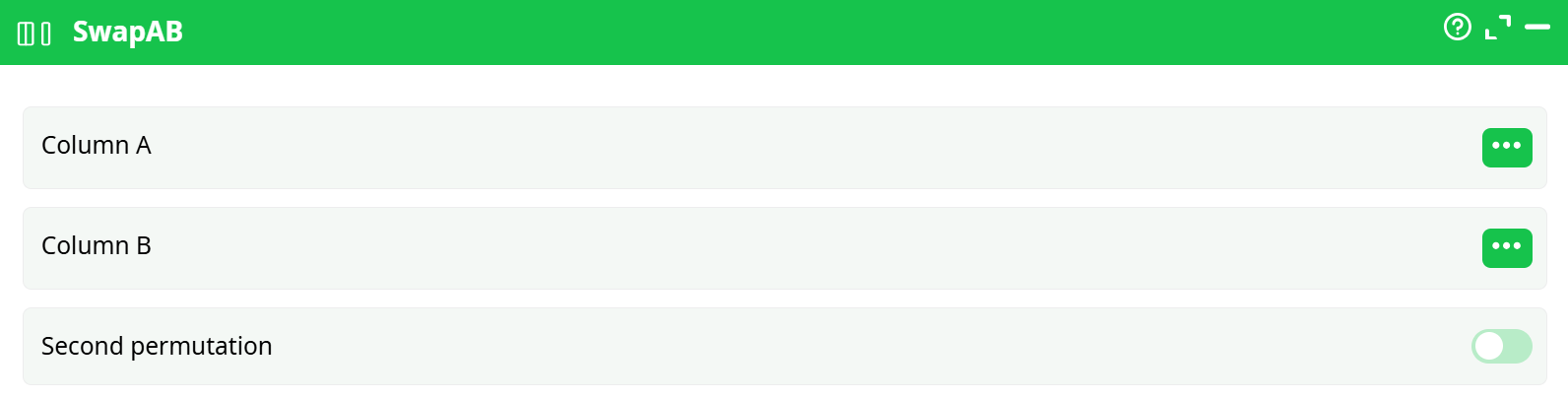
Parameters:
- Column A: First column to swap
- Column B: Second column to swap with
- Second permutation (optional): When enabled, allows a second swap between another pair of columns
¶ About
The SwapAB action performs value swapping between two selected columns. An optional second permutation allows an additional layer of column swapping to follow the first swap. This action is helpful when you need to reorder or reassign data between multiple fields systematically.
Note: This action swaps values, not column names. Use it to rearrange data between fields in a record.
¶ Example Input Table
| C1 | C2 | C3 | C4 |
|---|---|---|---|
| 1 | 2 | 3 | 4 |
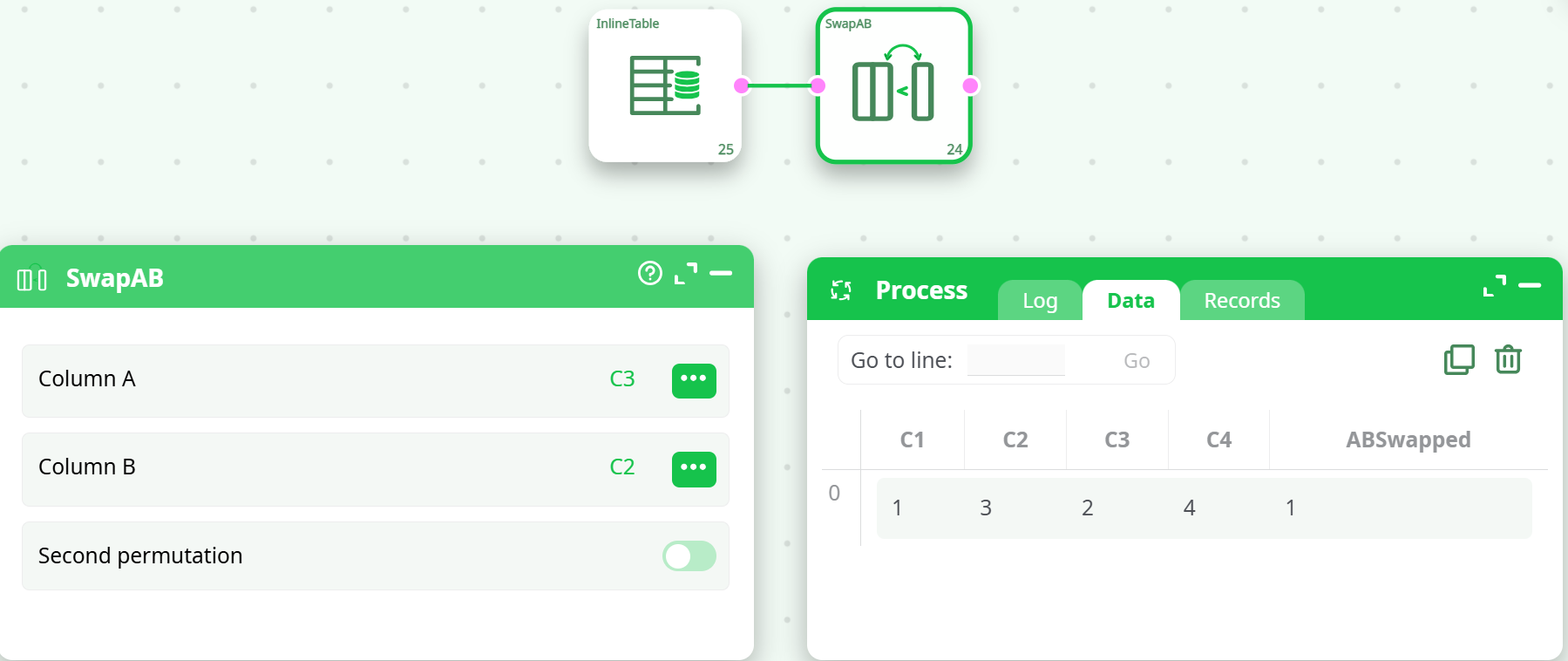
¶ Example 1: Swap C3 and C2
Configuration:
- Column A:
C3 - Column B:
C2 - Second permutation: ❌ Disabled
Output:
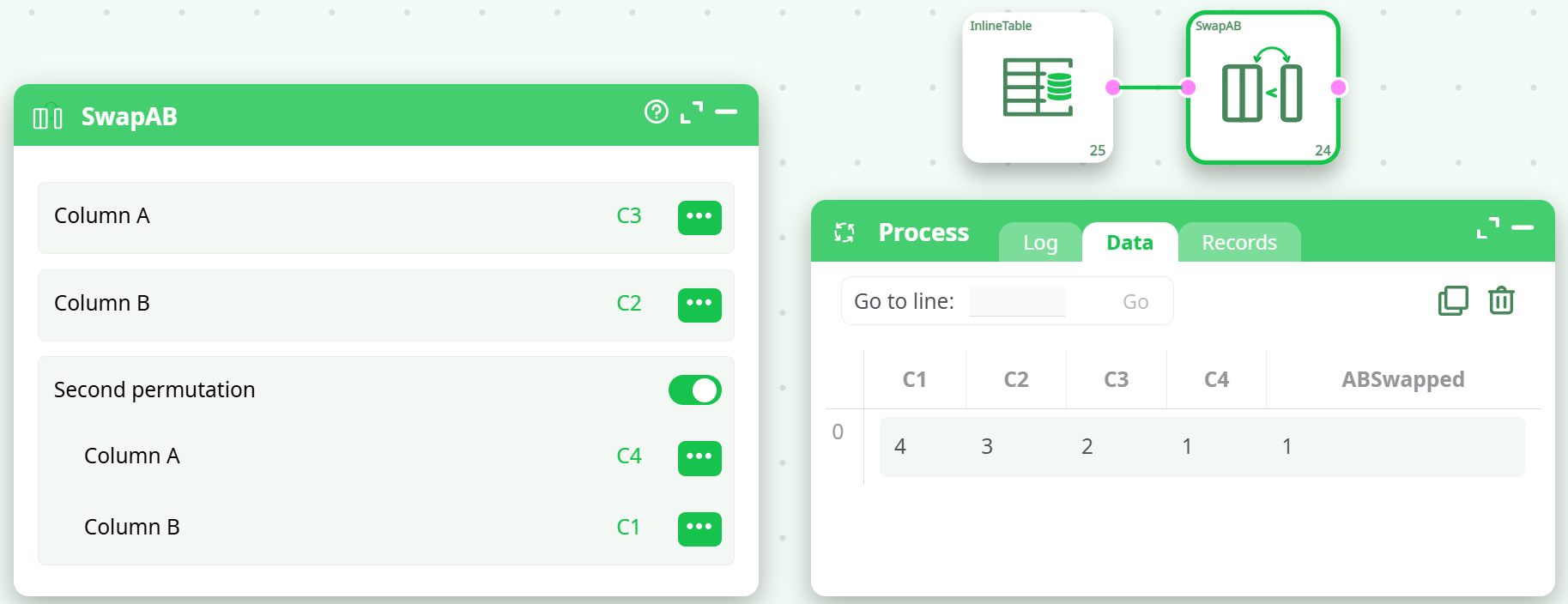
¶ Example 2: Swap C3 and C2, then C4 and C1
Configuration:
- Column A:
C3 - Column B:
C2 - Second permutation: ✅ Enabled
- Column A:
C4 - Column B:
C1
- Column A:
Output:
Note on Configuration Order
When configuring the
SwapABaction, the order of columns matters. Even though swappingC2withC3may seem logically equivalent to swappingC3withC2, in practice:
The configuration must be set as:
- Column A:
C3- Column B:
C2The reverse order (i.e.,
Column A: C2,Column B: C3) may not work correctly and can result in invalid or empty outputs.Always test the configuration to ensure the expected result and prefer placing the source (data to be moved) as Column A.