¶ Description
Transliterate a Unicode string to a human-readable ASCII identifier.
¶ Parameters
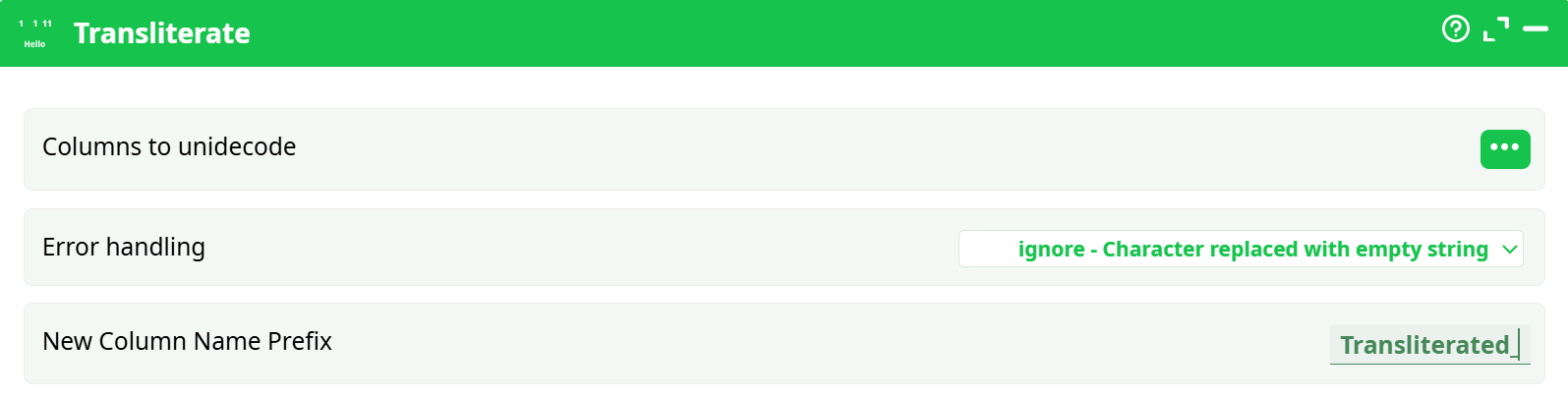
Parameters:
-
Columns to unidecode:
List of columns containing Unicode text that you want to transliterate. -
Error handling:
Defines the strategy to handle characters that cannot be transliterated:ignore: Non-transliterable characters are removed.strict: Raises an error when a character cannot be transliterated.replace: Replaces unknown characters with?or a user-defined symbol.preserve: Keeps the original characters unchanged.
-
New Column Name Prefix:
A prefix added to the names of the newly created transliterated columns.
Example: If the input column isOriginal_Textand the prefix isTransliterated_,
the result will beTransliterated_Original_Text.
¶ About
This action converts Unicode strings in the specified columns to human-readable ASCII characters using transliteration. It is useful for normalizing text from various languages to a common ASCII format.
¶ Example
¶ Input Table
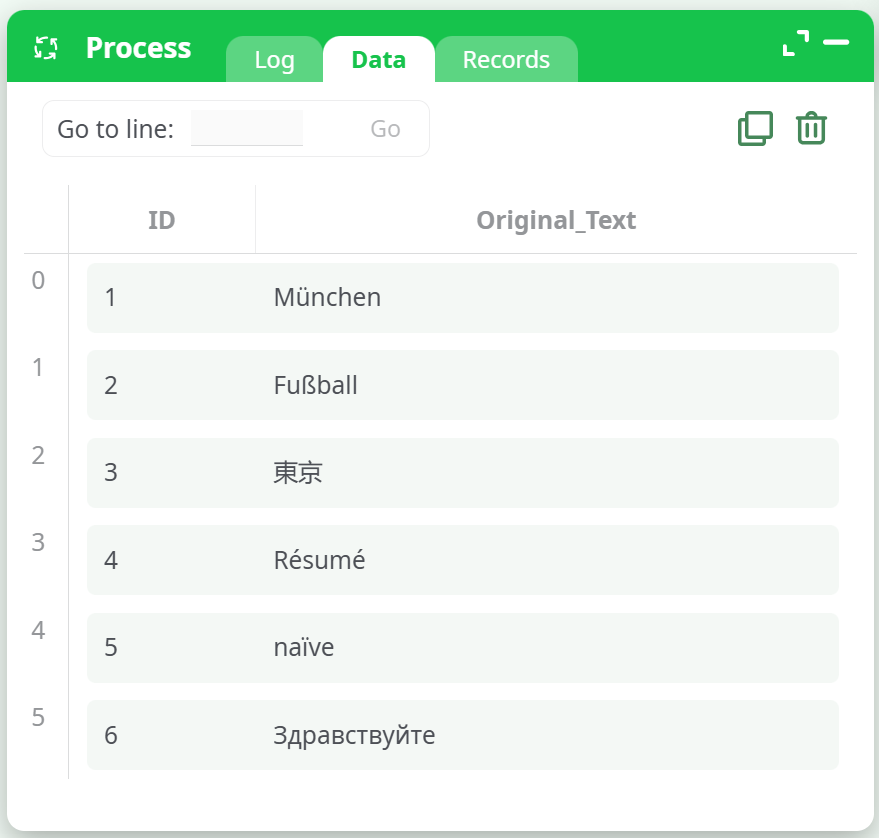
¶ Configuration
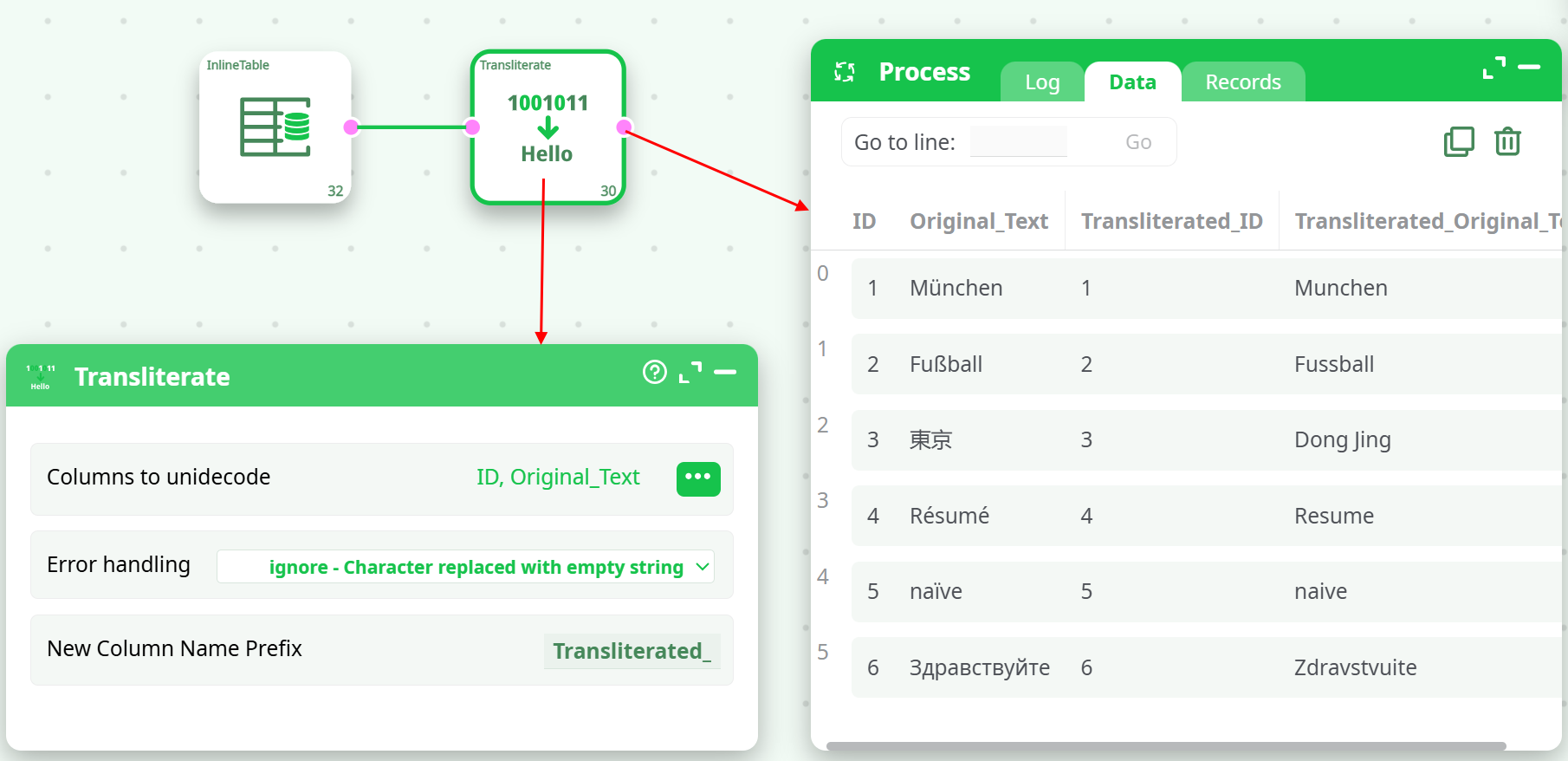
- Columns to unidecode:
ID,Original_Text - Error handling:
ignore - New Column Name Prefix:
Transliterated_
¶ Output Table
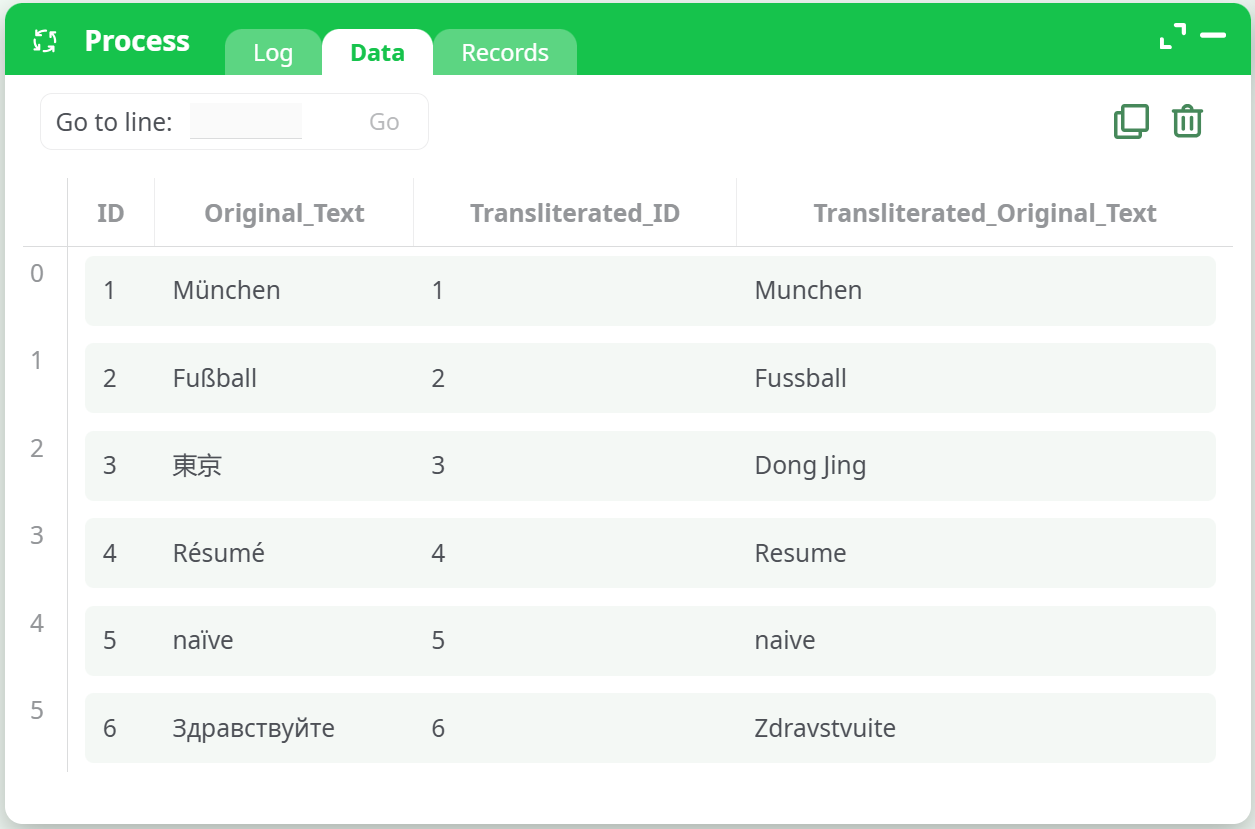
See the following screenshot for an example:
¶ Tips
- Use
ignoreorreplacemodes for best performance on unknown characters. - Apply transliteration to column names when preparing data for systems that do not support Unicode.
- You can include multiple columns for transliteration at once.