¶ Description
Download tweets From Twitter.
¶ Parameters
¶ Parameters tab
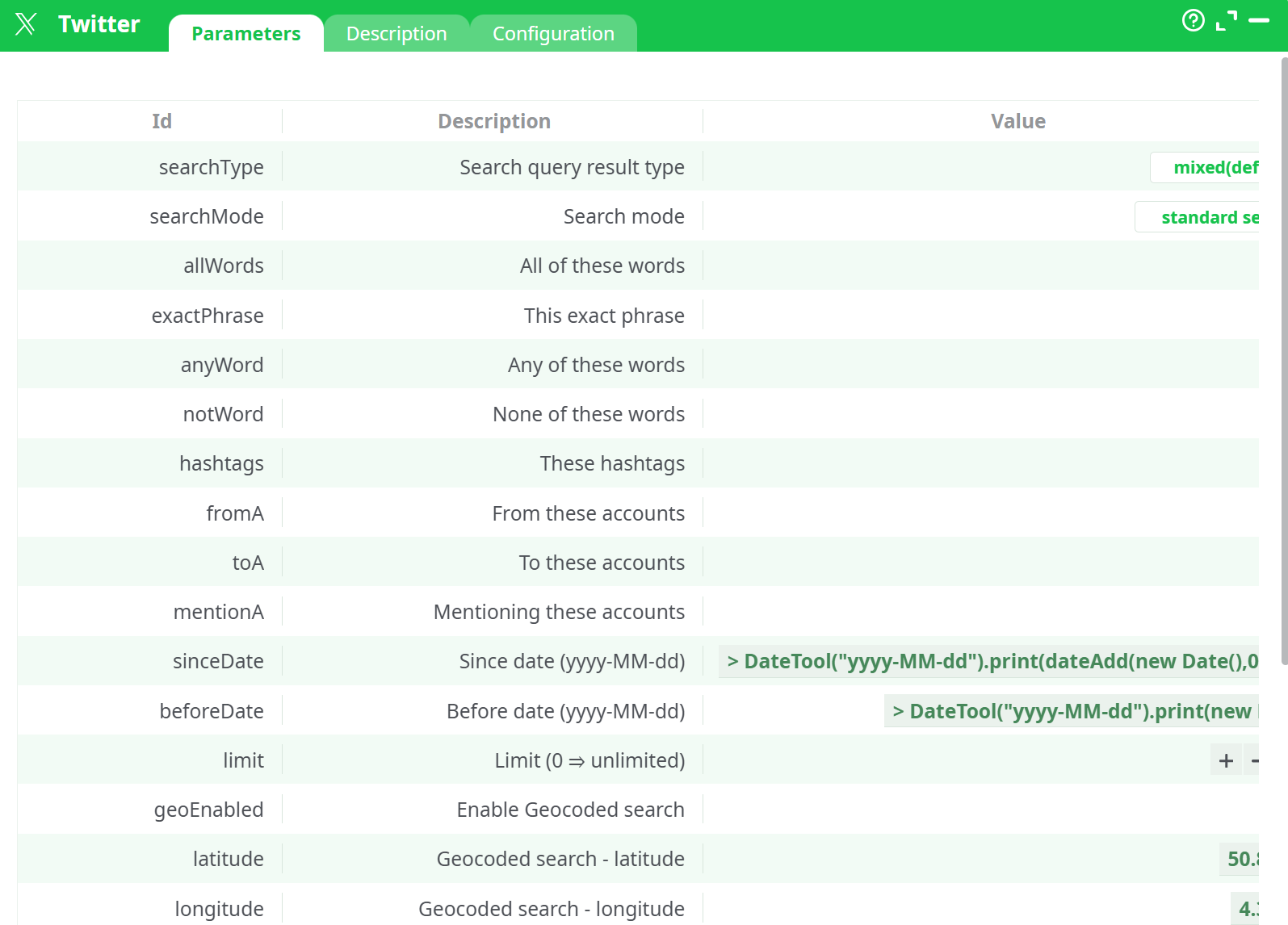
Parameters:
- Search query result type
- Search mode
- All of these words
- The exact phrase
- Any of these words
- None of these words
- These hashtags
- From these accounts
- To theses accounts
- Mentioning these accounts
- Since date (yyyy-MM-dd)
- Before date (yyyy-MM-dd)
- Limit (0 = unlimited)
- Enable Geocoded search
- Geocoded search - latitude
- Geocoded search - longitude
- Geocoded search - Radius (km)
- Consumer API Key
- Consumer API Secret
- Optional: extra parameters for cURL
- Debug information level
- Retries on connection error
- Error Management
¶ Description tab
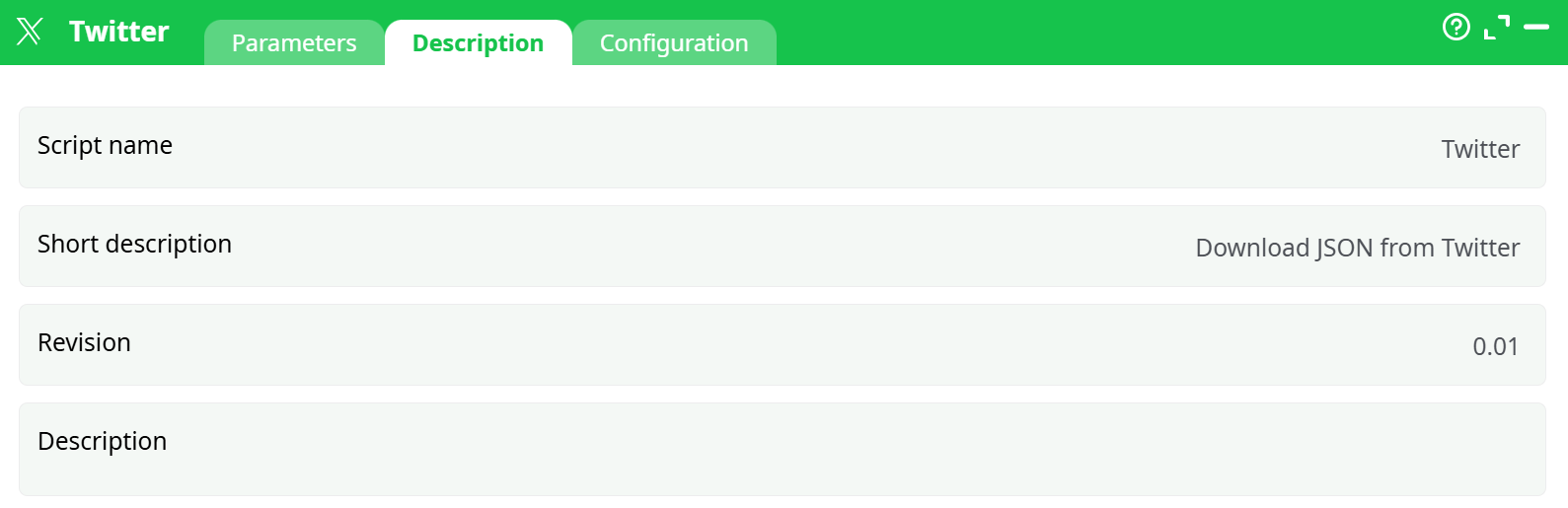
Parameters:
- Script name
- Short description
- Revision
- Decription
¶ Configuration tab
See dedicated page for more information.
¶ About
This action also works when accessing the web through a PROXY serve.
To use this action, you’ll need to get several parameters from the Twitter Website (i.e. you need the parameters P19 and P20).
Once you have completed the “setup process”, you can use the parameters from P1 to P18 to extract tweets from twitter.
¶ Twitter first time setup
Before using the Twitter action inside ETL, you need to get these 2 parameters:
• ETL Parameter P19: Consumer API Key
• ETL Parameter P20: Consumer API Secret
…from the Twitter website.
Here are the steps to get these 2 parameters:
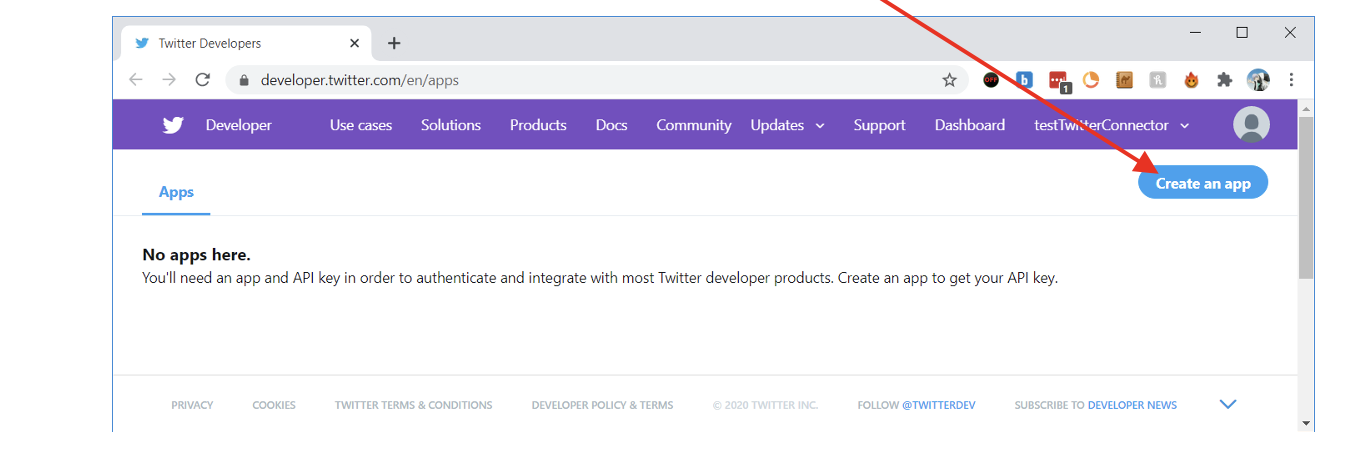
- Open the url https://developer.twitter.com/en/app (if necessary, login with your credentials). Once you are logged in, click on the “Create an app” button:
2. Enter the following details for the new app:
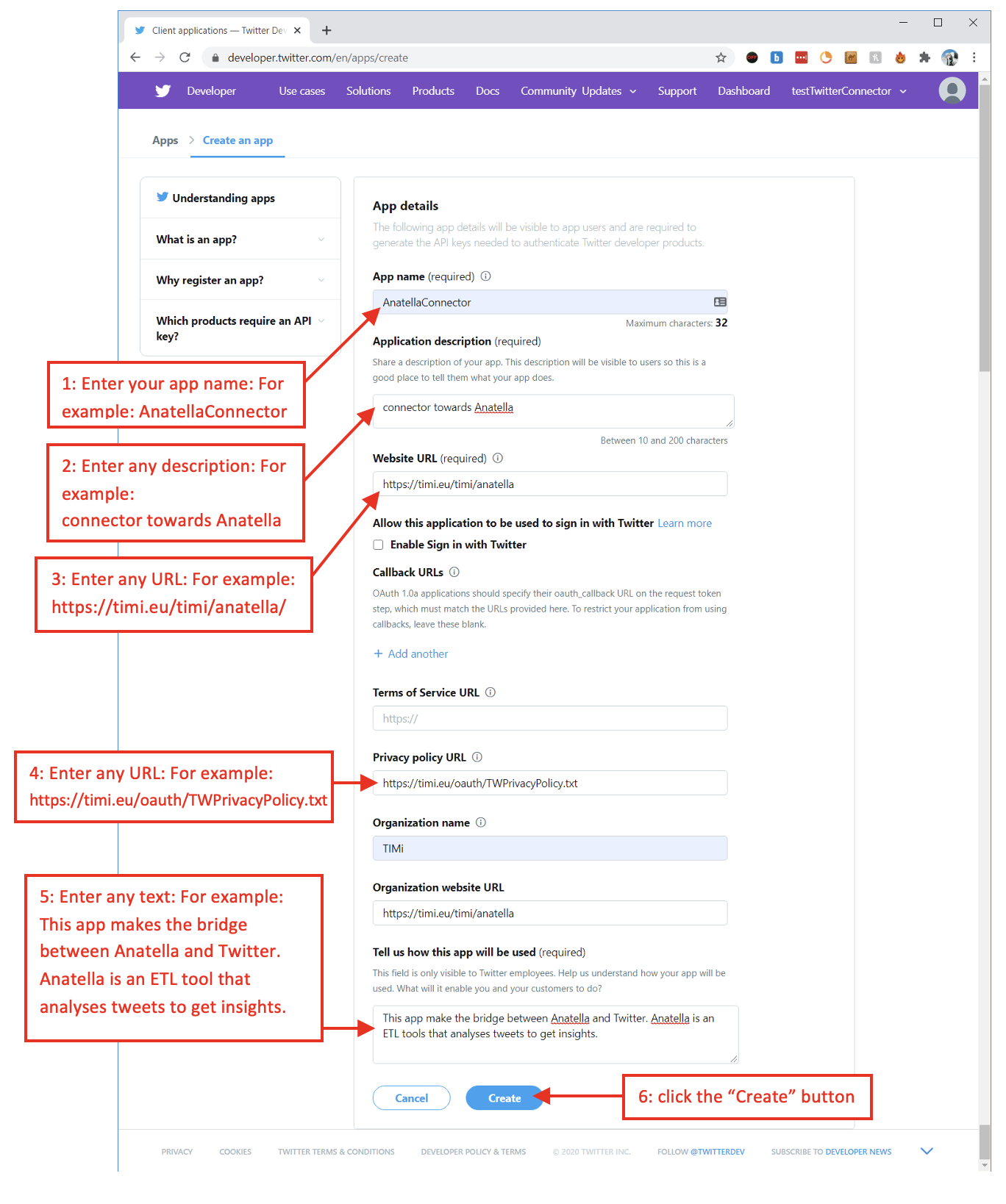
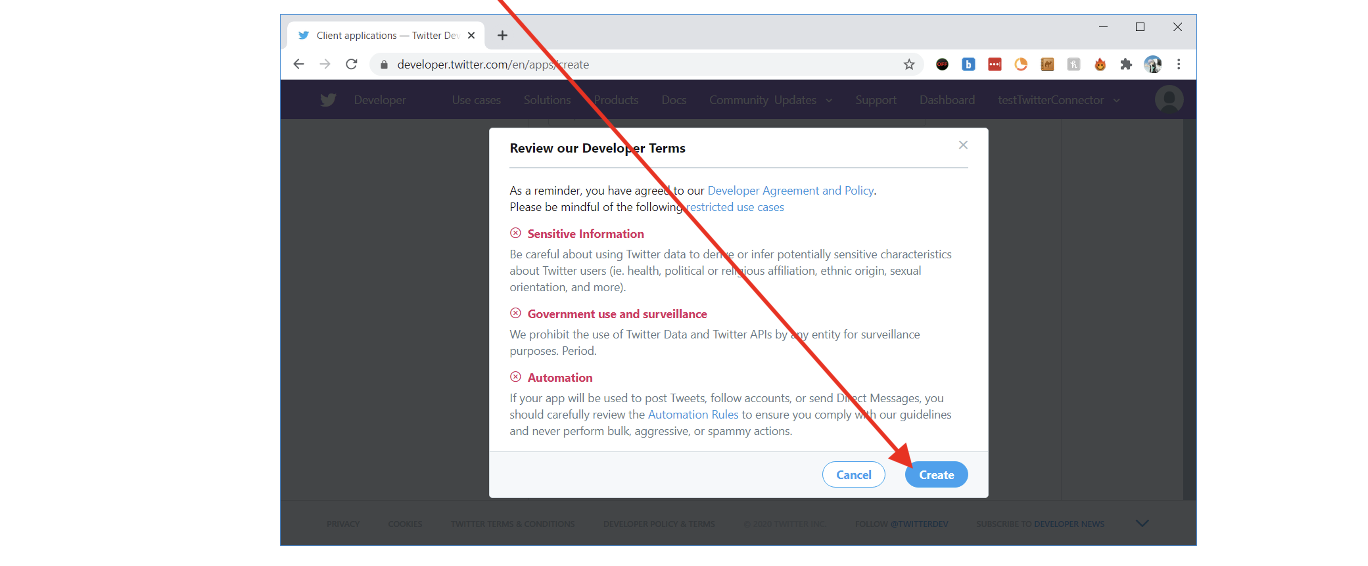
- Click the “Create” button:
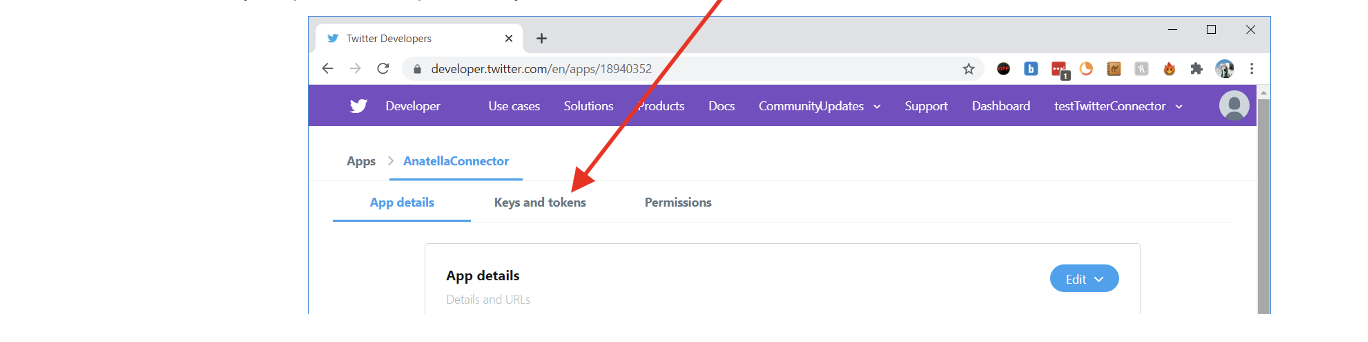
4. Open (i.e. click on) the “Keys and tokens” tab:
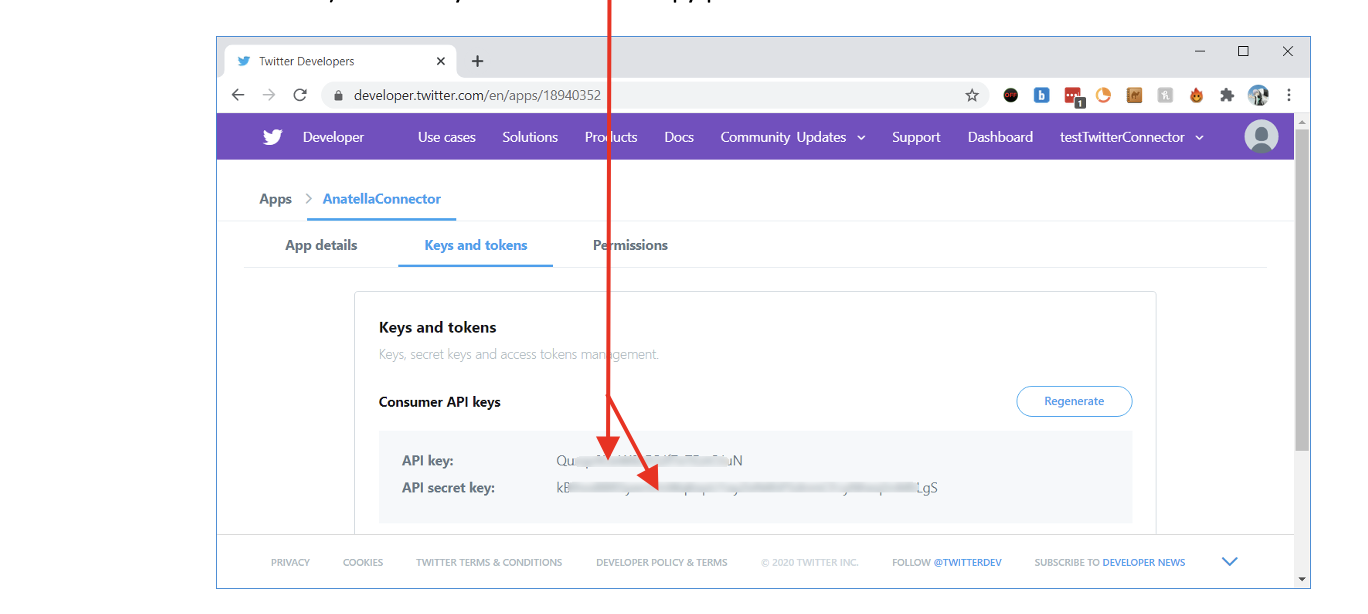
5. The ETL Parameter P19 (Consumer API Key) and the ETL Parameter P20 (Consumer API Secret) are directly visible here: Copy-paste them into ETL!
6. Your Twitter API Key is not immeditaly activated: You first need to wait a few minutes before it actually allows you to log-in into Tweeter with ETL.