¶ Description
Extract surrounding lines in a text.
¶ Parameters
¶ Parameters tab
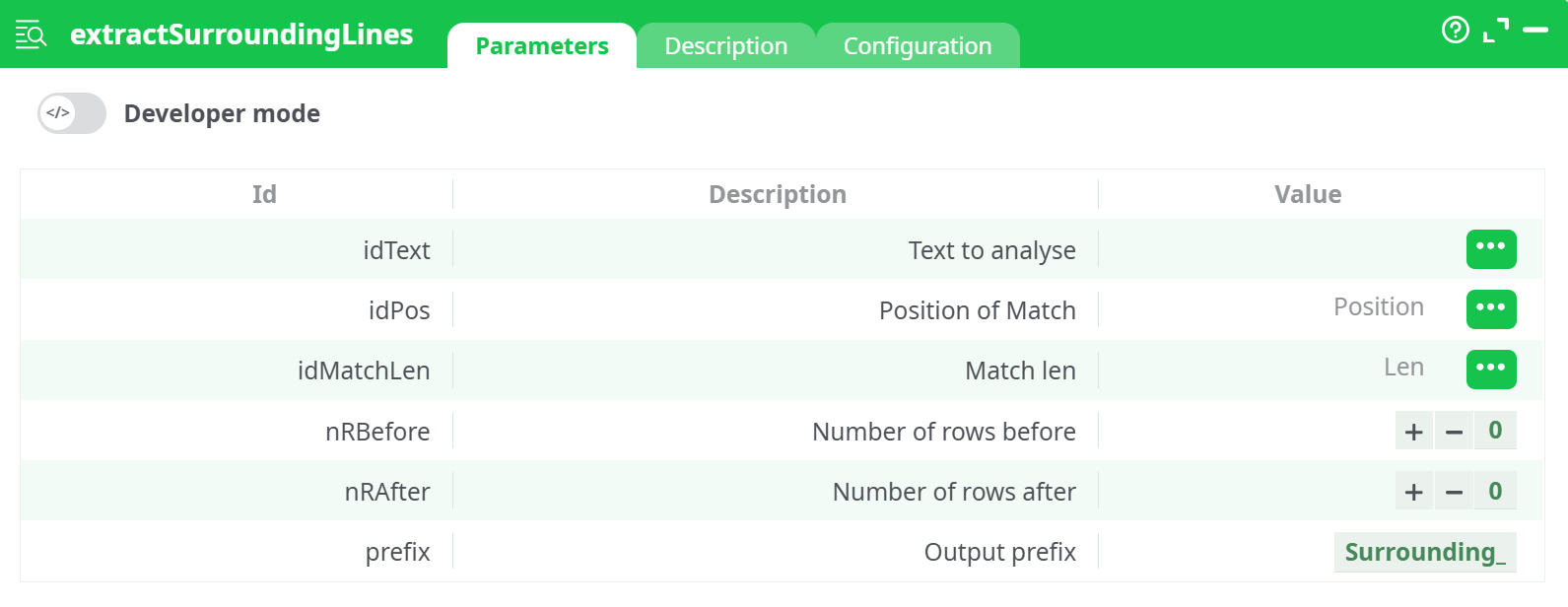
Parameters:
- Text to analyse
- Position of Match
- Match len
- Number of rows before
- Number of rows after
- Output prefix
¶ Description tab
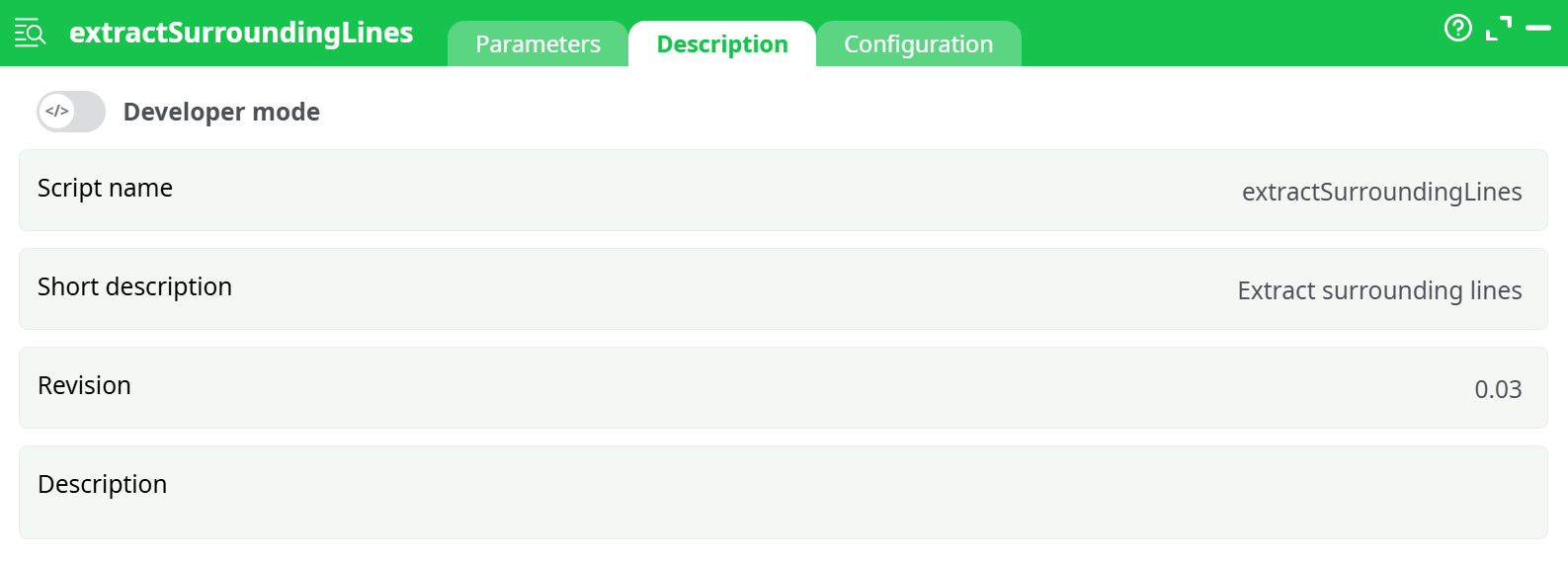
Parameters:
- Script name
- Short description
- Revision
- Description
¶ Configuration tab
See dedicated page for more information.
¶ About
Simply specify the number of lines before and after the target text, and you're set.
The extractSurroundingLines action is used to extract lines of text located before and after a specific match position within a body of text. This is especially useful in log analysis, natural language processing (NLP), or any context where the surrounding context of a match is important for understanding or classification.
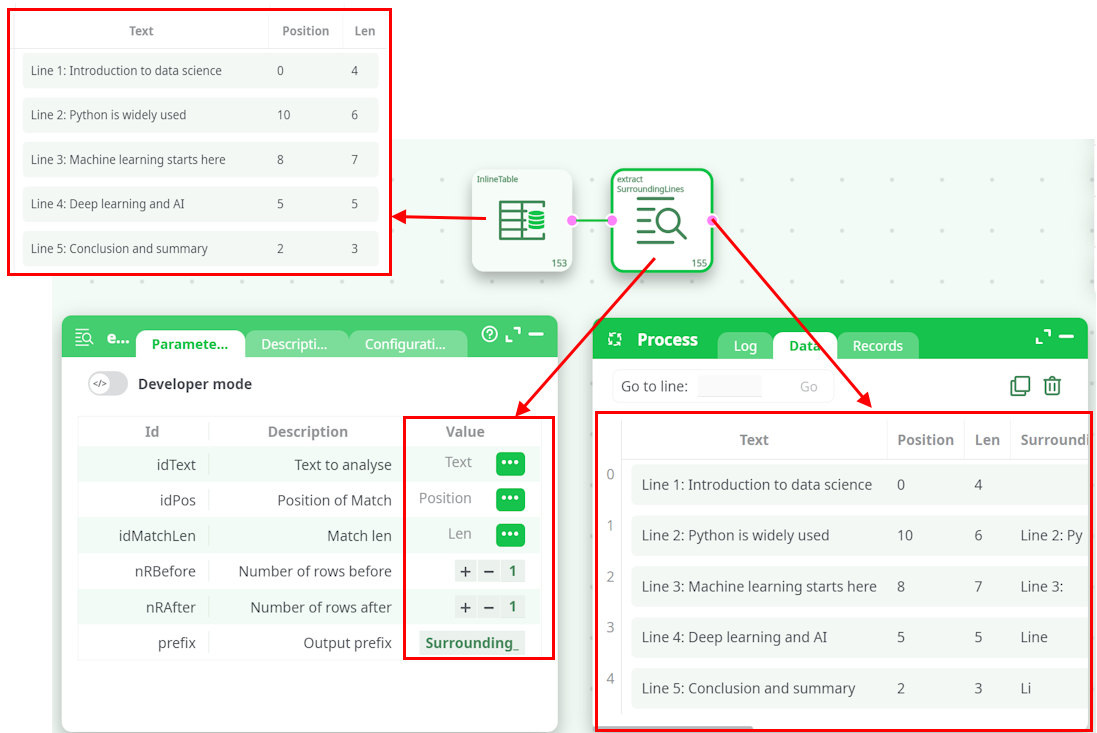
Extracts lines around a specific text. This action is fed by a table containing:
- The text to analyse
- The position of the match (computed with the formula "indexOf)
- The length of the text to match
It also allows configuration of how many lines before and after the match should be extracted. The result is appended to the dataset as new output columns with a configurable prefix.
¶ Step 1: Configure Input Columns
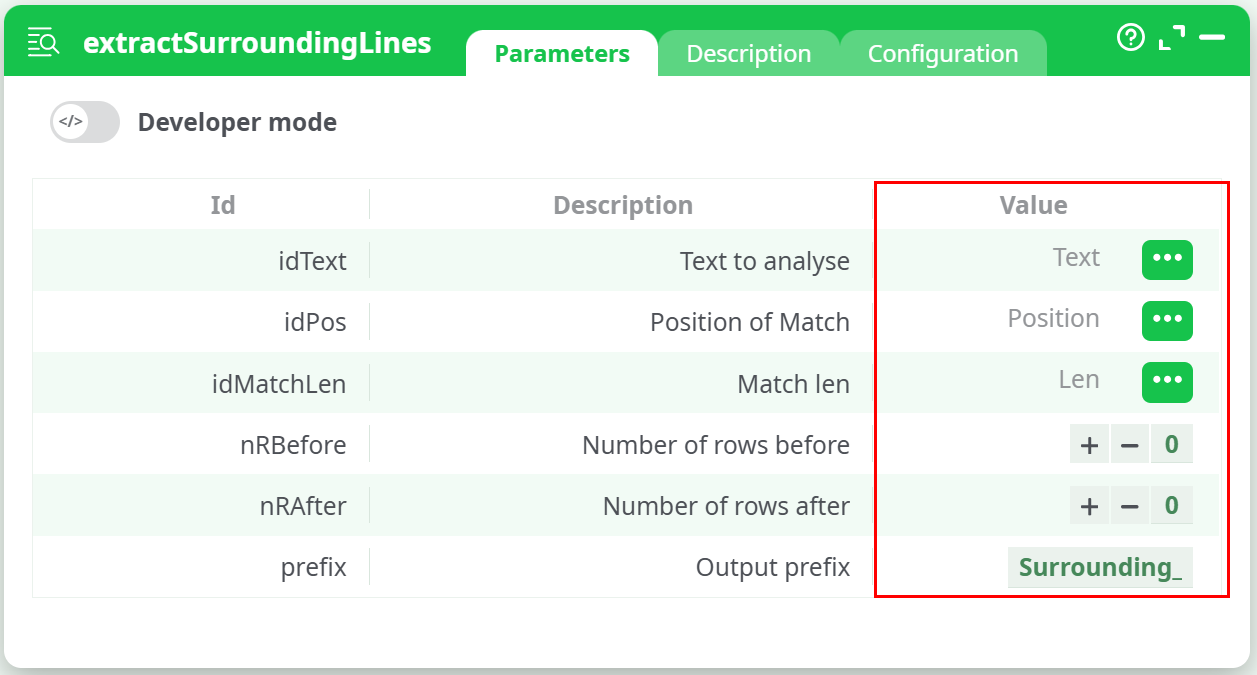
Set the following parameters:
idText: Column containing the full text string.idPos: Column with the position of the matched term.idMatchLen: Column indicating the length of the match.
¶ Step 2: Choose Context Window
Define how many lines to extract:
nRBefore: Number of lines to include before the match.nRAfter: Number of lines to include after the match.
Optionally, adjust the prefix to customize the names of the generated columns.
¶ Step 3: View Output Columns
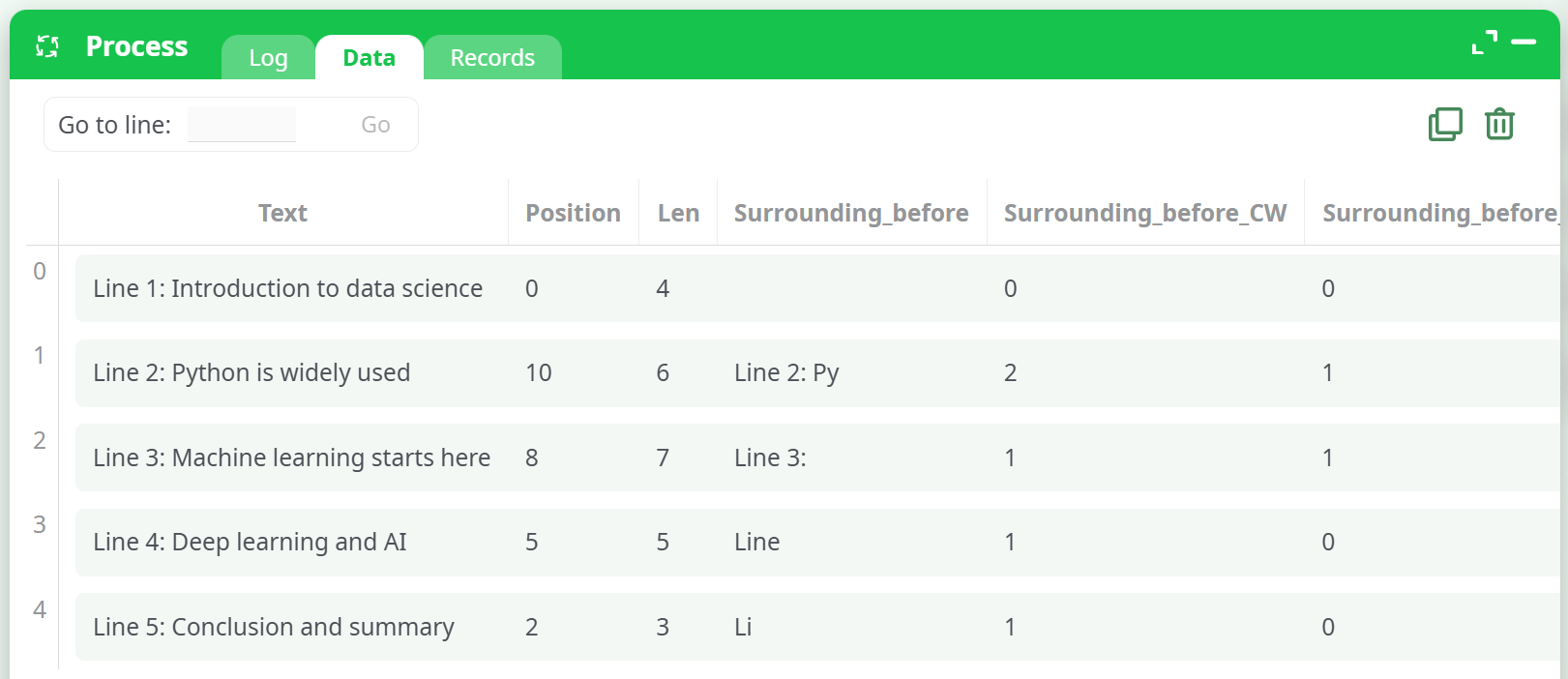
After execution, the output will include:
Surrounding_beforeandSurrounding_after: The extracted surrounding lines.Surrounding_before_CW,CD: Word/character counts for the "before" lines.Surrounding_after_CW,CD: Word/character counts for the "after" lines.
These columns provide both raw context and useful metadata.
¶ Example
¶ Benefits
- Ideal for log tracing, debugging, or highlighting contextual relevance.
- Useful for NLP feature enrichment before classification or clustering.
- Easy to configure and integrate with regex-based matchers.
¶ Tips
- Use meaningful prefixes like
Context_orSurrounding_to organize columns. - Combine with
extractRegExpPositionfor pattern-driven extraction. - Adjust
nRBeforeandnRAfterbased on your data’s typical structure.