¶ Description
Find best.
¶ Parameters
¶ Parametrs tab
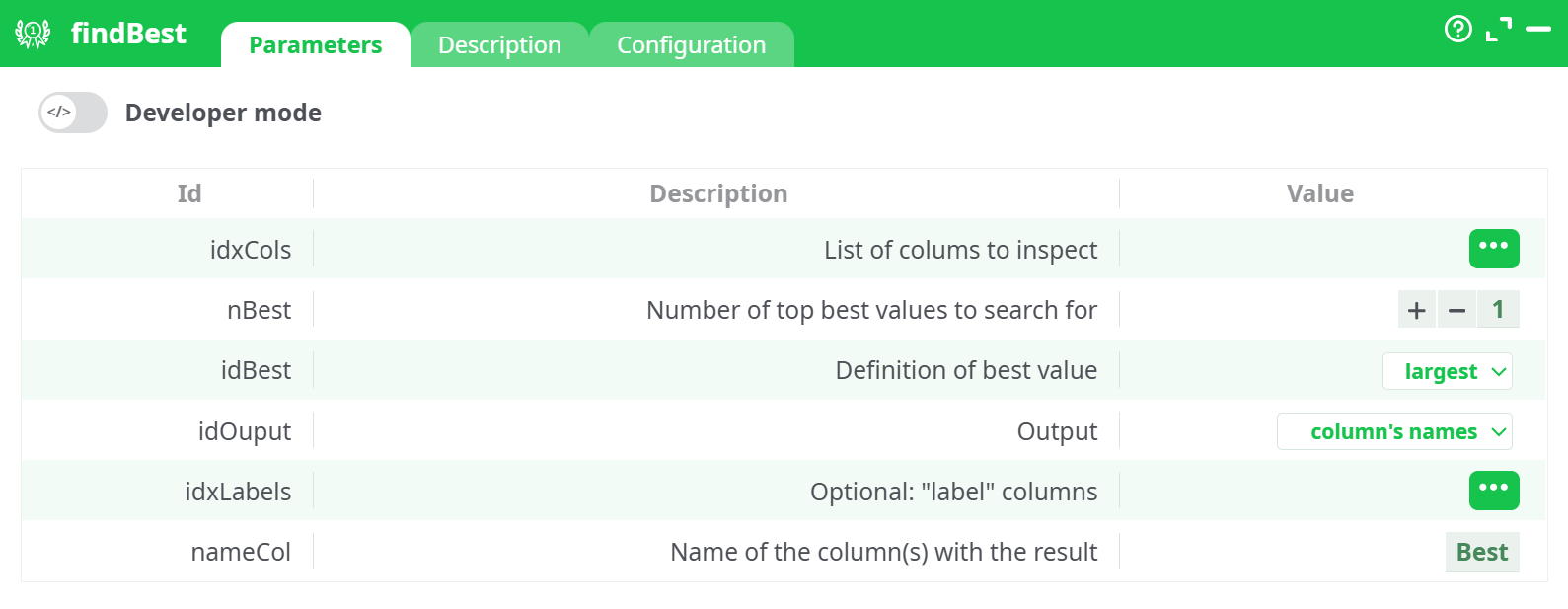
Parameters:
- List of colums to inspect
- Number of top best values to search for
- Definition of best value
- Output
- Optional: "label" columns
- Name of the column(s) with the result
¶ Decription tab
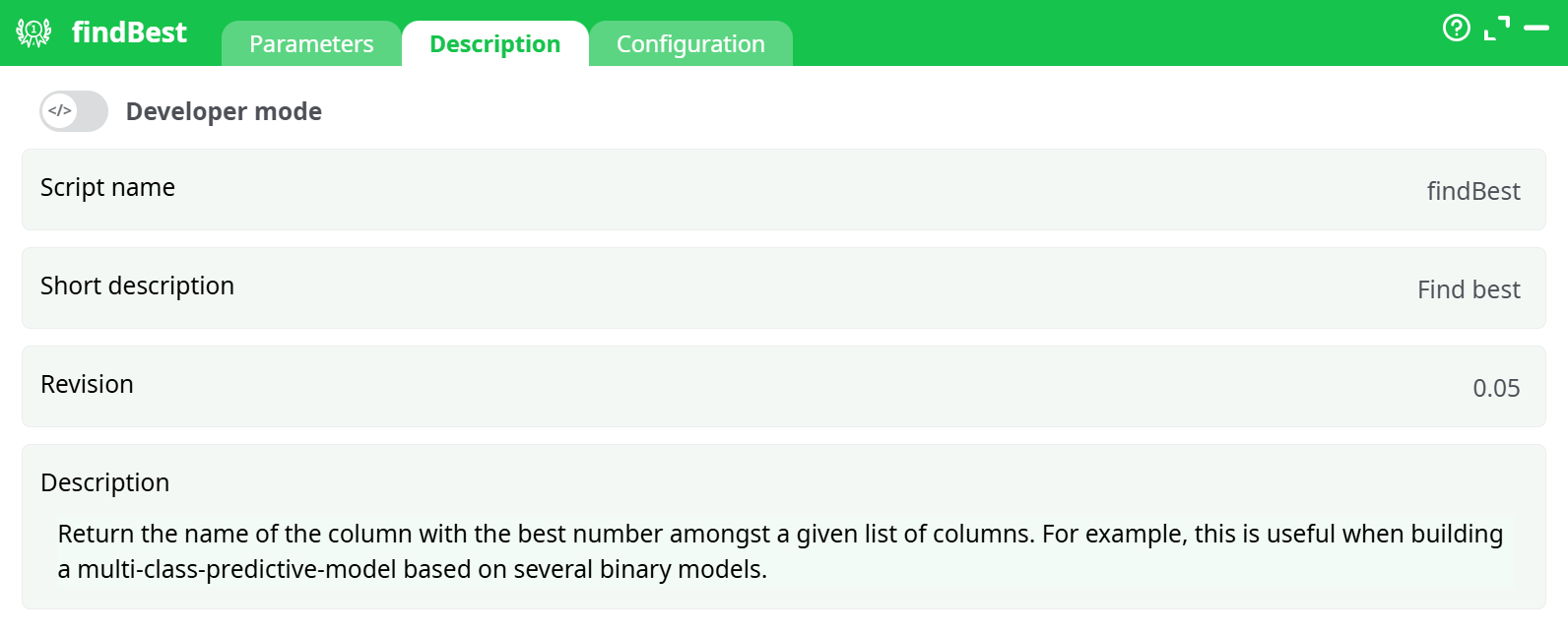
Parameters:
- Script name
- Short description
- Revision
- Decription
¶ Configuration tab
See dedicated page for more information.
¶ About
The FindBest action returns the name or content of the column with the "best" value, based on user-defined criteria. This is especially useful when working with multi-class classification models where each class is scored in a separate column, and you need to determine the winning class.
¶ Input Example
| C1 | C2 | C3 | C4 |
|---|---|---|---|
| 14 | 5 | 643 | 320 |
¶ Configuration
-
List of columns to inspect:
Select the columns where the action will look for the best value.
Example:C1, C2, C3, C4 -
Number of top best values to search for:
Defines how many top values to retain. For most use cases, this is set to1to find the single best column. -
Definition of best value:
Choose the criteria used to define the "best" value.¶ Options:
largest: Selects the column with the highest value.smallest: Selects the column with the lowest value.largest in absolute value: Selects the column with the largest magnitude, ignoring sign.smallest in absolute value: Selects the column with the smallest magnitude, ignoring sign.
-
Output:
Defines what should be written in the result column.¶ Options:
column's names: The output will be the name of the column containing the best value (e.g.,C3).content of "Label" columns: If label columns are specified, the result will contain their content corresponding to the best column.
-
Optional "label" columns:
Allows you to define a set of label columns that align with the columns being inspected. When using thecontent of "Label" columnsoutput mode, values from these columns will be returned. -
Name of the column(s) with the result:
Specify the name of the output column that will store the result.
Example:Best
¶ Output Example
| C1 | C2 | C3 | C4 | Best |
|---|---|---|---|---|
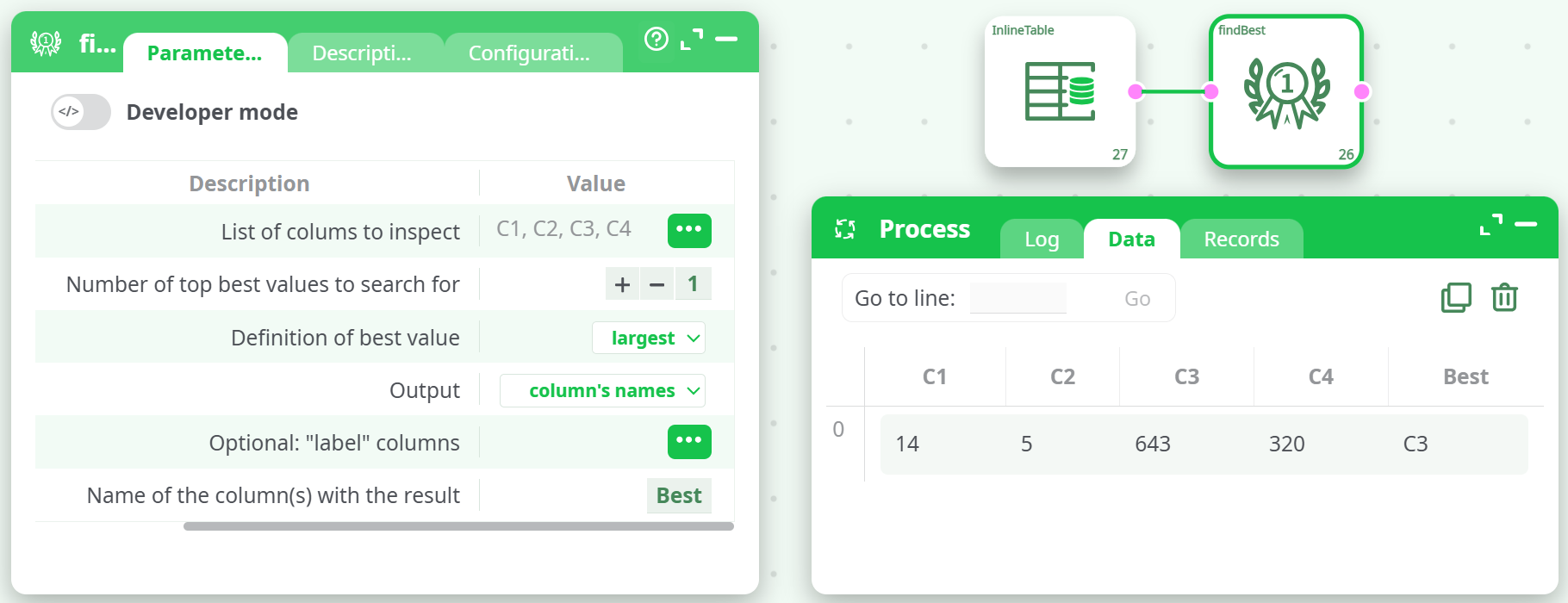
| 14 | 5 | 643 | 320 | C3 |
See the following screenshot for an example:
NOTE
- When using
content of "Label" columns, make sure your label columns match in order and number with the columns you’re inspecting.- Use
largest in absolute valueif your data contains both positive and negative values and you only care about the magnitude.- This action is ideal when post-processing classification model outputs or rule-based decisions.