¶ Description
Compute the logarithm of many different Columns.
¶ Parameters
¶ Parameters tab
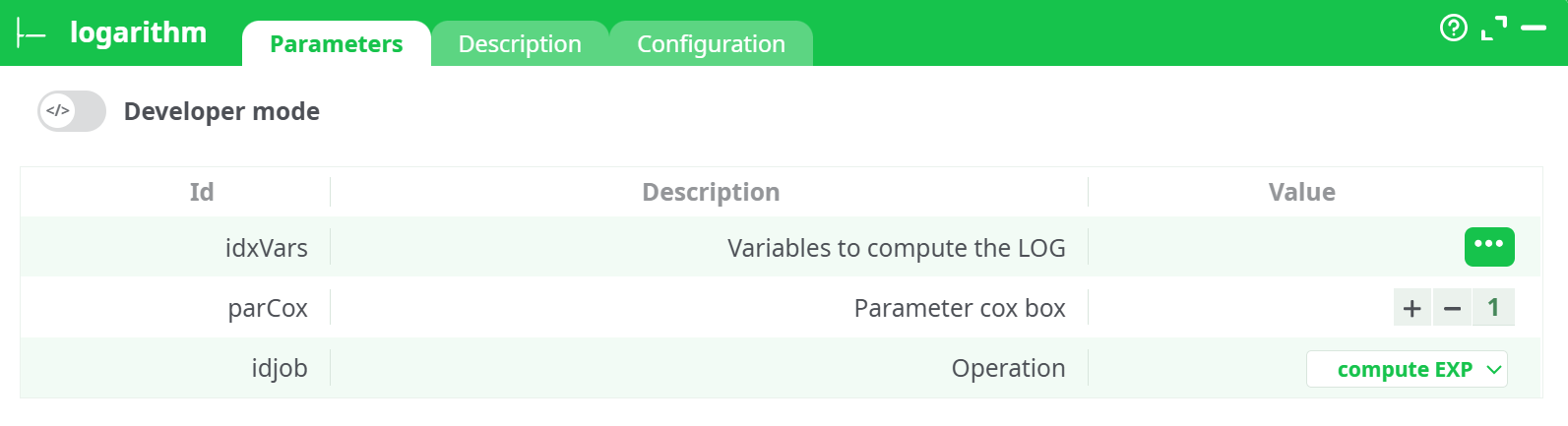
Parameters:
- Variables to compute the LOG
- Parameter cox action
- Operation
¶ Description tab
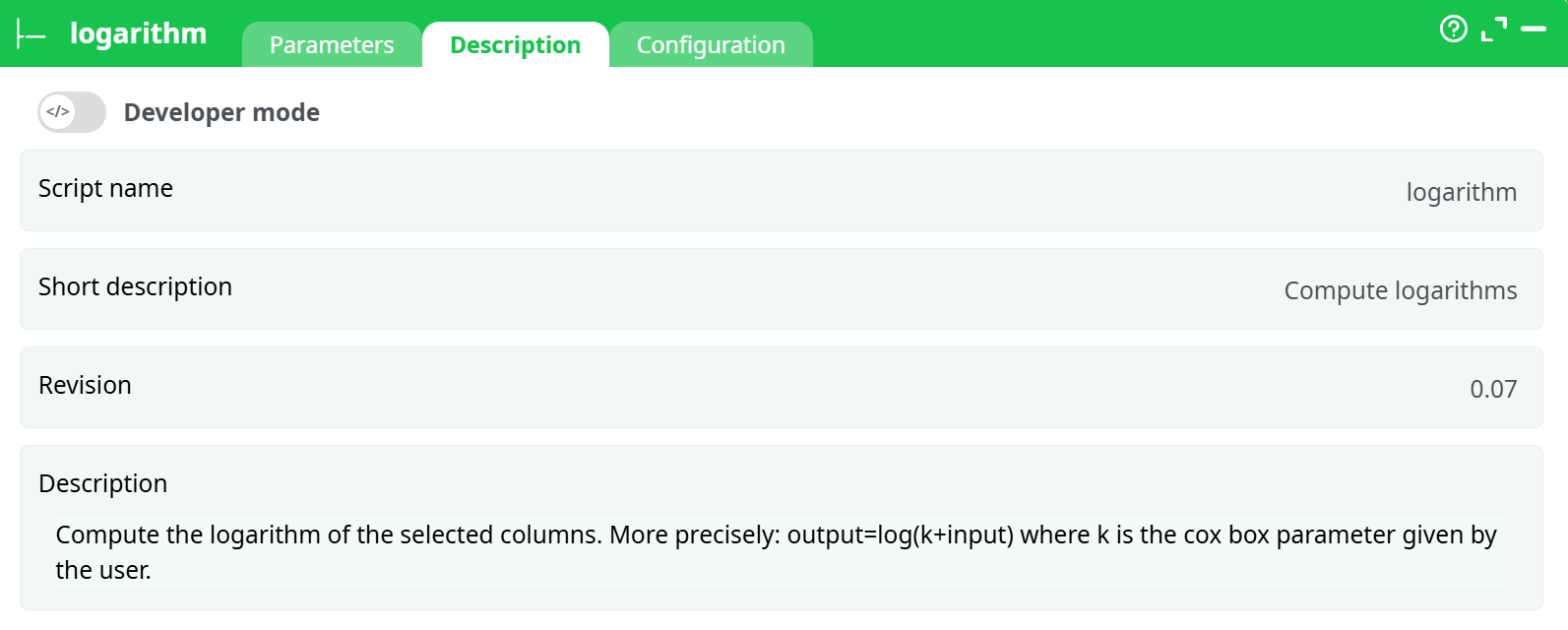
Parameters:
- Script name
- Short description
- Revision
- Description
¶ Configuration tab
See dedicated page for more information.
¶ About
Purpose
Apply a log/exp transformation to one or more numeric columns.
Useful to stabilize variance, reduce right-skew (log), or revert a previous log transform (exp).
¶ How it works
¶ Operations
- compute LOG
For each selected column :
`
`
where is the parCox offset. (Natural log.)
- compute EXP
For each selected column :
`
Use this **only** to invert a previouscompute LOG` done with the same .
Why the offset ? It shifts data so the argument of the log stays positive (e.g., zero or negative values). Typical safe choice is , but any real value is accepted.
¶ Inputs and Outputs
-
Input (pin 0): a table with one or more numeric columns. Non-numeric values are ignored/returned as null.
-
Output: the input table plus one new column per transformed variable.
- Naming:
LOG_<col>when compute LOG;EXP_<col>when compute EXP. - Types: numeric (double/float).
- Null propagation: if the source value is null (or for logs), the result is null.
- Naming:
¶ Minimal setup (quick start)
-
Read data (e.g., with
readCSV) and connect its output to logarithm. -
Open Parameters:
- idxVars → select the numeric columns to transform.
- parCox → keep 1 or set another offset as needed.
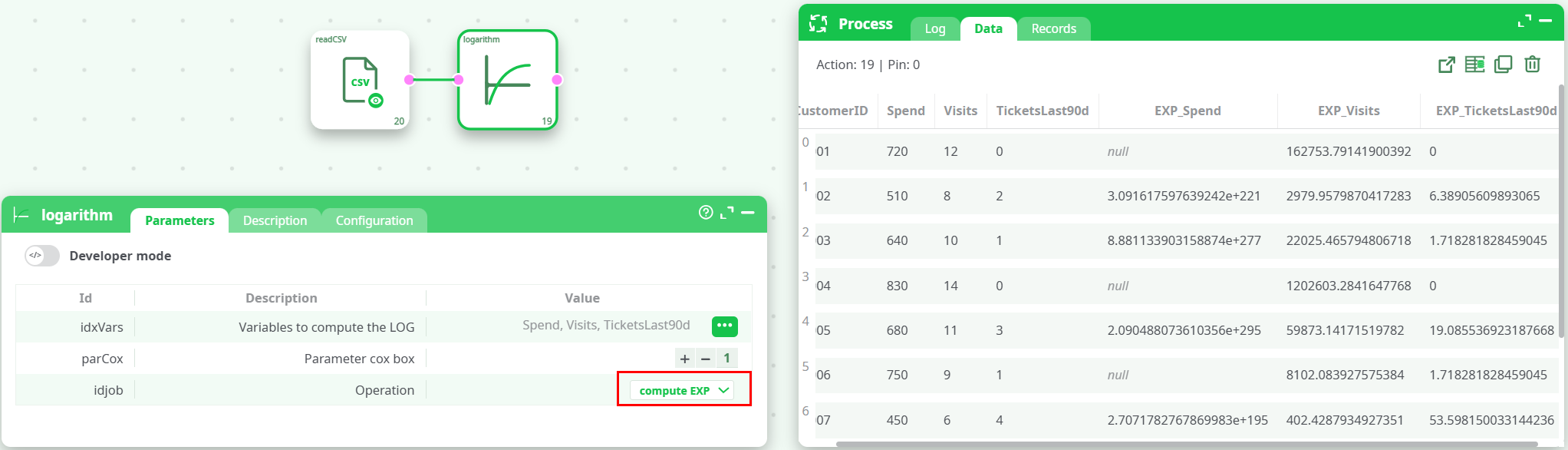
- idJob → choose compute LOG (or compute EXP to revert a previous log).
-
Preview/Run. New columns
LOG_*orEXP_*appear alongside the originals.
¶ Good practices & gotchas
- Keep arguments positive for logs: if you see many nulls in
LOG_*, raise parCox until for your data range. - Only use EXP to invert: applying
compute EXPto raw features explodes to astronomic values—use it to undo a previouscompute LOG(with the same ). - Scaling & modeling: logs often help with heavy-tailed amounts, counts, and strictly-positive metrics by reducing skew and making linear models stabler.
- Multiple columns: selecting several fields runs transformations in a single pass; this is more efficient than several boxes.
- Types: non-numeric entries (strings, mixed types) produce nulls; ensure upstream parsing/cleaning if needed.
- Naming: outputs are appended, not replacing inputs, which makes comparison easy. If you need to drop the originals, do it with a downstream select/rename box.
¶ Troubleshooting
-
Nulls in
LOG_*
Cause: or non-numeric input.
Fix: increase parCox or clean/convert the source columns. -
Huge values in
EXP_*
Cause: applying EXP to raw features or logs from a different .
Fix: ensure you’re invertinglog(C+x)with the same . -
All results look identical
Cause: wrong selection inidxVarsor a constant input column.
Fix: reopen the column selector and verify you picked the intended fields; check upstream data.
¶ Screenshot Example
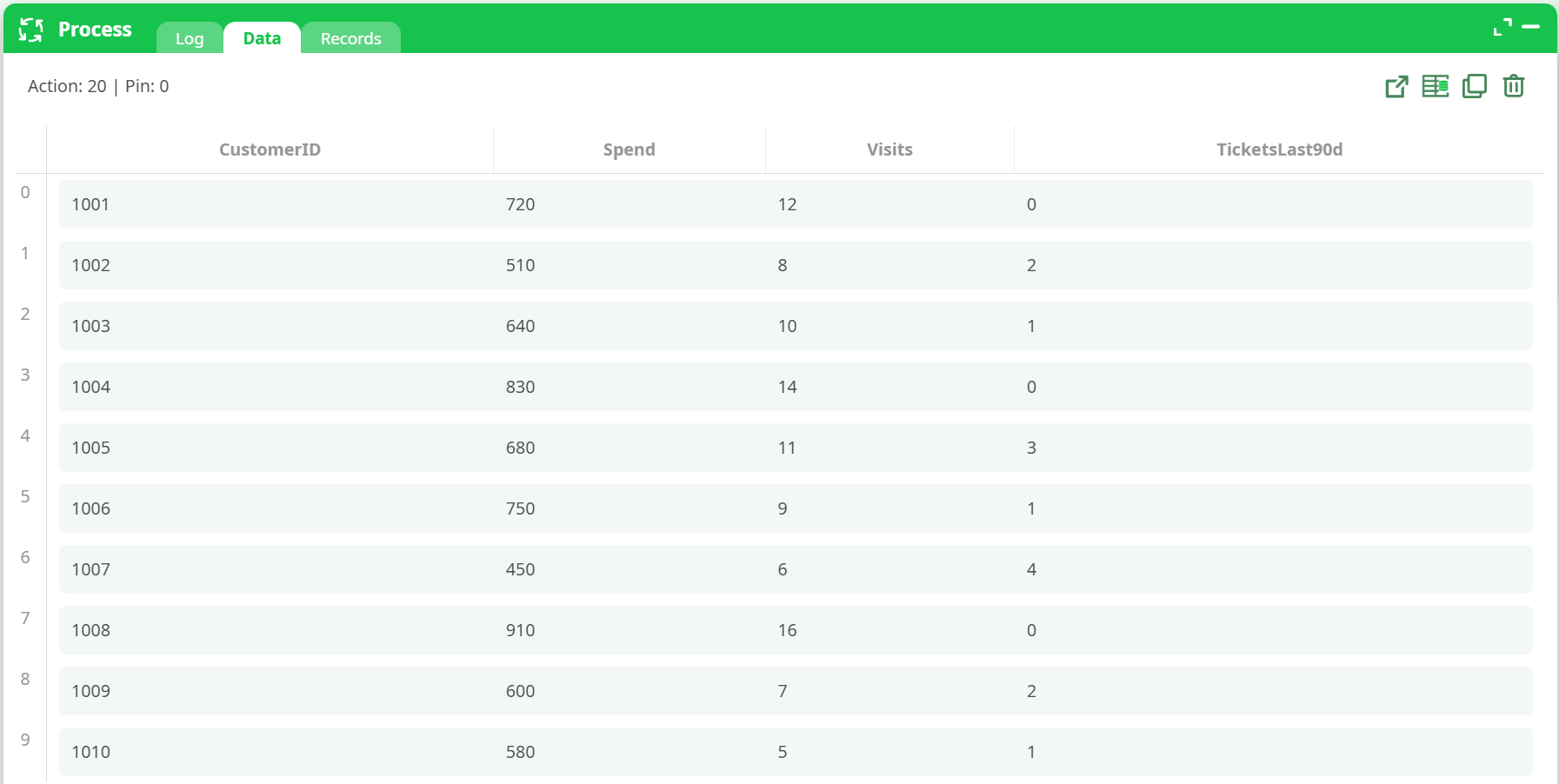
- Input Table
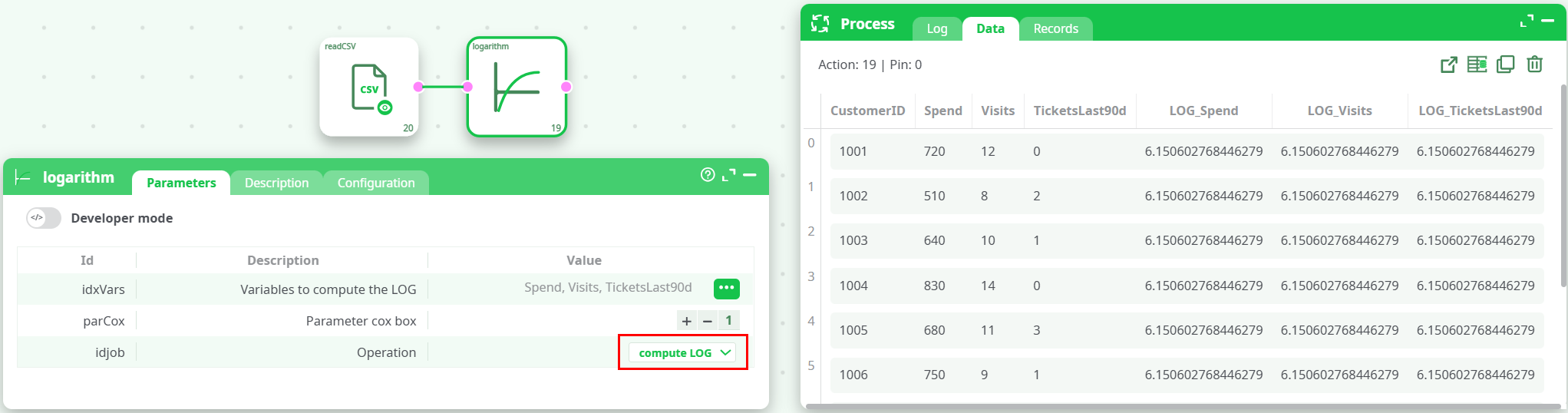
- Output preview highlighting
LOG_*/EXP_*columns
¶ Performance notes
- Vectorized per column; runtime scales linearly with rows × selected columns.
- Works transparently with dataset partitioning; the transformation is row-wise and stateless.