¶ Description
Compute media mix.
¶ Parameters
¶ Parameters tab
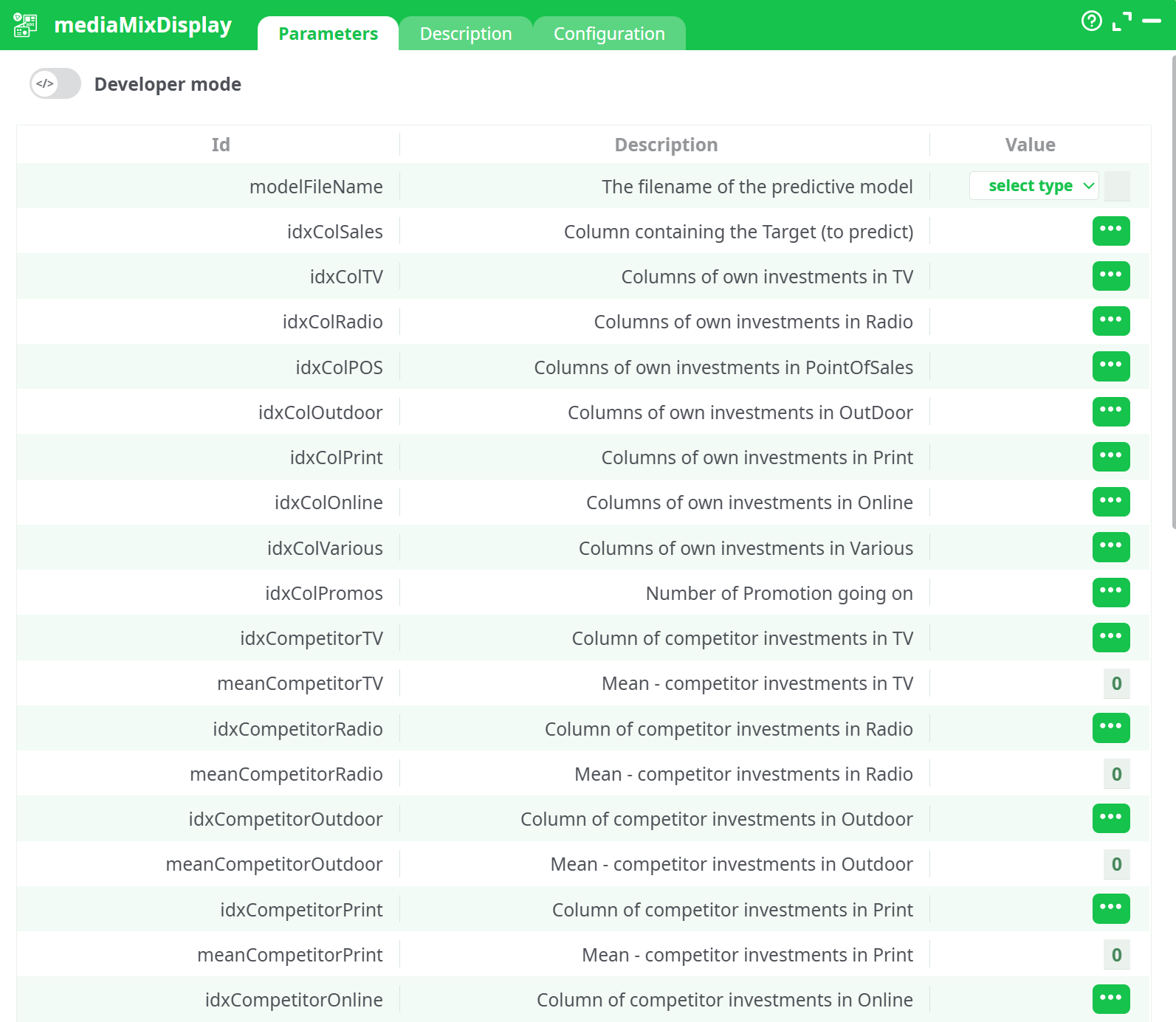
Parameters:
- The filename of the predictive model
- Column containing the Target (to predict)
- Columns with own investments in TV
- Columns with own investments in Radio
- Columns with own investments in PointOfSales
- Columns with own investments in OutDoor
- Columns with own investments in Print
- Columns with own investments in Online
- Columns with own investments in Various
- Number of Promotion going on
- Column with competitor investments in TV
- Mean - competitor investments in TV
- Column with competitor investments in Radio
- Mean - competitor investments in Radio
- Column with competitor investments in Outdoor
- Mean - competitor investments in Outdoor
- Column with competitor investments in Print
- Mean - competitor investments in Print
- Column with competitor investments in Online
- Mean - competitor investments in Online
- Market Health Extra Indicator 1
- Mean - Market Health Indicator 1
- Market Health Extra Indicator 2
- Mean - Market Health Indicator 2
- Market Health Extra Indicator 3
- Mean - Market Health Indicator 3
- Market Health Extra Indicator 4
- Mean - Market Health Indicator 4
- Market Health Extra Indicator 5
- Mean - Market Health Indicator 5
- Market Health Extra Indicator 6
- Mean - Market Health Indicator 6
- Market Health Extra Indicator 7
- Mean - Market Health Indicator 7
- Temperature
- Mean temperature
- Rain fall
- Mean rain fall
- Column with Holidays
- Column containing the normalization factor
- Own ads can have a negative effects
¶ Description tab
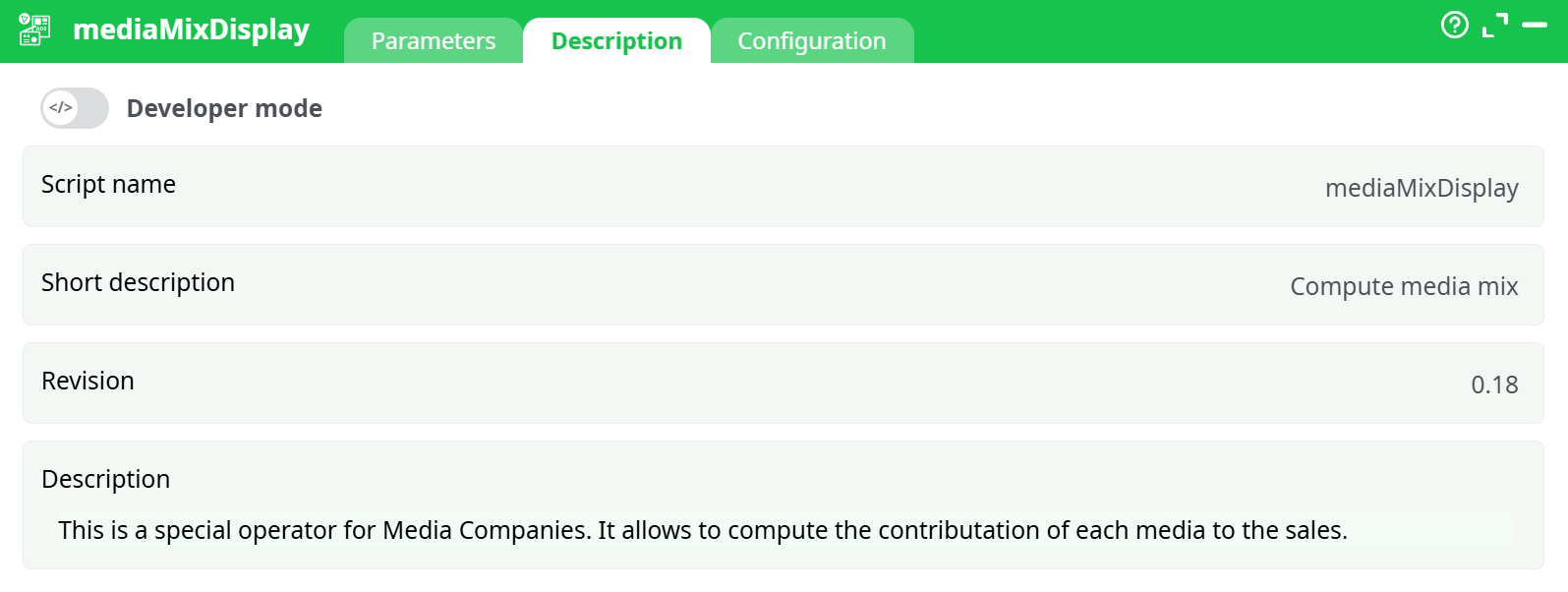
Parameters:
- Script name
- Short description
- Revision
- Decription
¶ Configuration tab
See dedicated page for more information.
¶ About
The mediaMixDisplay action button is a specialized operator designed for media and advertising analytics. Its primary purpose is to compute the contribution of different media channels to overall sales performance. By integrating multiple types of investment data (own, competitor, and external market indicators), it helps businesses and analysts understand how marketing activities influence sales, brand performance, and market health.
This operator is particularly relevant for Media Companies, Marketing Teams, and Data Analysts working in sectors where cross-channel advertising attribution is critical. It enables deeper insights into the effectiveness of campaigns by separating the contribution of TV, radio, online, print, promotions, and other channels from external environmental factors.
¶ How It Works
The mediaMixDisplay operator applies a predictive modeling approach to estimate the impact of advertising and promotional activities. It integrates several dimensions of data, including:
- Own Investments: Internal marketing spend across TV, Radio, Print, Online, Outdoor, Point-of-Sales, and other channels.
- Competitor Investments: Tracking of competitors’ spending in comparable media channels to account for external influences.
- Market Health Indicators: Macroeconomic or market conditions (e.g., consumer confidence, demand fluctuations, or other external indexes).
- Environmental Variables: Temperature, rainfall, and holiday periods that may influence consumer behavior and sales volume.
Using these inputs, the operator calculates the relative contribution and efficiency of each channel. The results highlight whether incremental sales can be attributed to own campaigns, competitor activities, or market trends.
This provides a data-driven approach to media mix modeling (MMM), replacing guesswork with quantifiable impact measures.
¶ Output and Insights
The operator delivers a structured breakdown of channel contributions, including:
- The absolute and relative sales contribution of each advertising medium.
- Insights into how competitor activity suppresses or amplifies sales response.
- Adjustments for seasonality, market conditions, and external factors, ensuring results are not biased by environmental noise.
- Visibility into whether own ads can have diminishing or even negative effects (e.g., oversaturation, fatigue, or cannibalization between channels).
This provides actionable intelligence for decision-makers, allowing them to fine-tune media plans and maximize the effectiveness of investments.
¶ Where It Is Useful
The mediaMixDisplay operator is particularly beneficial in the following industries and contexts:
- Retail and E-Commerce – Assessing promotional and cross-channel campaigns.
- Media and Broadcasting – Measuring the impact of TV, radio, and online campaigns on subscription or ad-driven revenues.
- Consumer Packaged Goods (CPG) – Optimizing spend between brand awareness and sales-driving campaigns.
- Banking and Insurance – Understanding the impact of multi-channel campaigns in highly competitive markets.
It supports both short-term tactical decisions (e.g., shifting spend to outperform competitors in a given week) and long-term strategic planning (e.g., annual budget allocation).
¶ Setup & Run Guide — mediaMixDisplay
¶ 1) Pre-requisites
- One row per time period (e.g., week or day) for all signals.
- Consistent currency and scale for spend columns.
- No mixed types: all modeling columns should be numeric (0/blank ⇒ 0).
- A single target to predict (e.g., Sales or Orders).
Tip: If your raw sources come at mixed grains (daily weather, weekly spend, monthly market indexes), align them to a single grain before this step.
¶ 2) Data preparation checklist
Make sure your input table already contains:
- Target: the outcome you want to explain (e.g., Sales).
- Own media investments: TV, Radio, Online, Print, Outdoor, POS, Various, Promos.
- Competitor activity: competitor spend per comparable channel.
- Market health signals: extra indices (1…7) + their long-run means (if you use them).
- Environment: Temperature, Rain, Holidays.
- Normalization factor (optional): a column that rescales rows so channels can be compared fairly (useful if product availability, distribution, or site traffic varies a lot).
Sanity checks:
• No negative spend unless that is intentional (credits/returns).
• Means you provide should be plausible (they act as anchors for de-trending).
• Date/period column isn’t modeled but is useful for validating results.
¶ 3) Drop the operator and wire the input
- Add
mediaMixDisplayto your pipeline. - Connect your prepared table to its input pin.
¶ 4) Map signals (at a high level)
Open the operator and map concepts rather than thinking in columns:
- What you explain → map your Target.
- What you control → map each Own media channel (TV, Radio, Online, Print, Outdoor, POS, Various, Promos).
- What competitors do → map competitor channels that can dilute or amplify your impact.
- What the world is doing → map Market Health indicators (1..7) and optionally their means to capture long-run level.
- What nature is doing → map Temperature, Rain, and Holidays if they influence demand.
- How to compare rows fairly → pick a Normalization column (optional).
- Can own ads hurt when overdone? → enable/disable the “own ads can be negative” behavior based on your business knowledge.
Guidance: If you don’t track a particular concept, leave it unmapped; do not force a proxy. Sparse or invented signals are worse than a clean omission.
¶ 5) Run
- Use Preview first to check that the data flows.
- Then run to the finish line.
¶ 6) Read the output like a pro
Expect a results table focused on decomposition and contribution. Typical sections include:
- Per-channel contributions: the portion of the target attributed to each own medium.
- External effects: impact attributed to competitors and market health.
- Environmental baseline: weather/holiday effects and underlying baseline.