¶ Description
Rank the values per clients to know which day had the highest, second highest, etc.
¶ Parameters
¶ Parameters tab
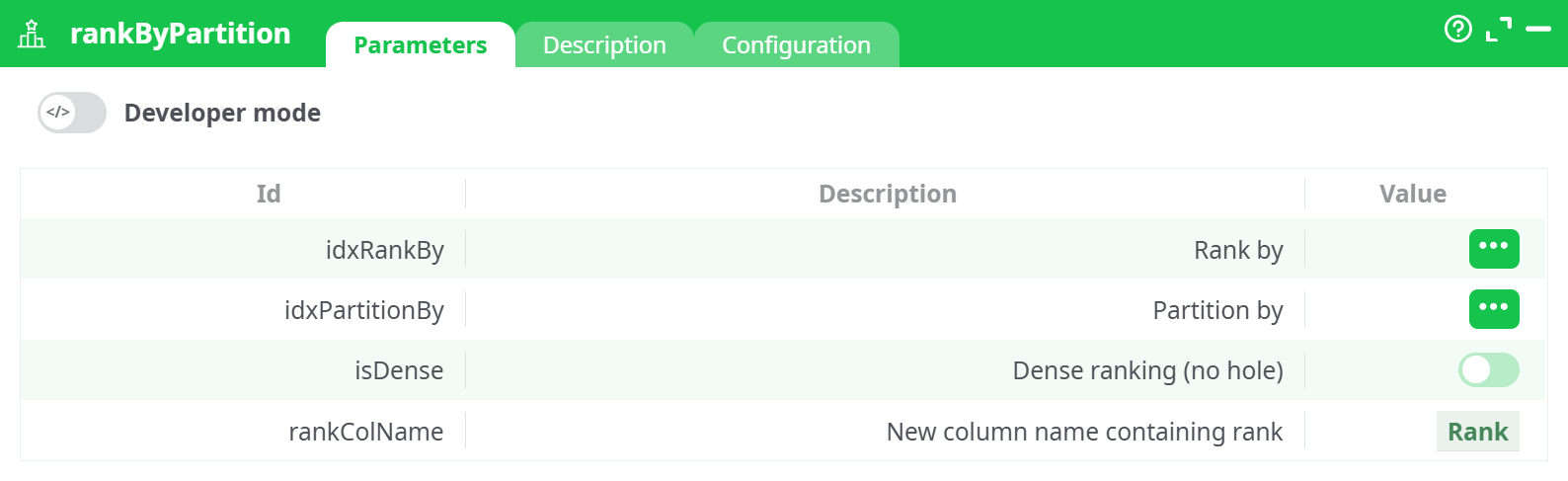
Parameters:
- Developer mode: activate/deactivate code tab.
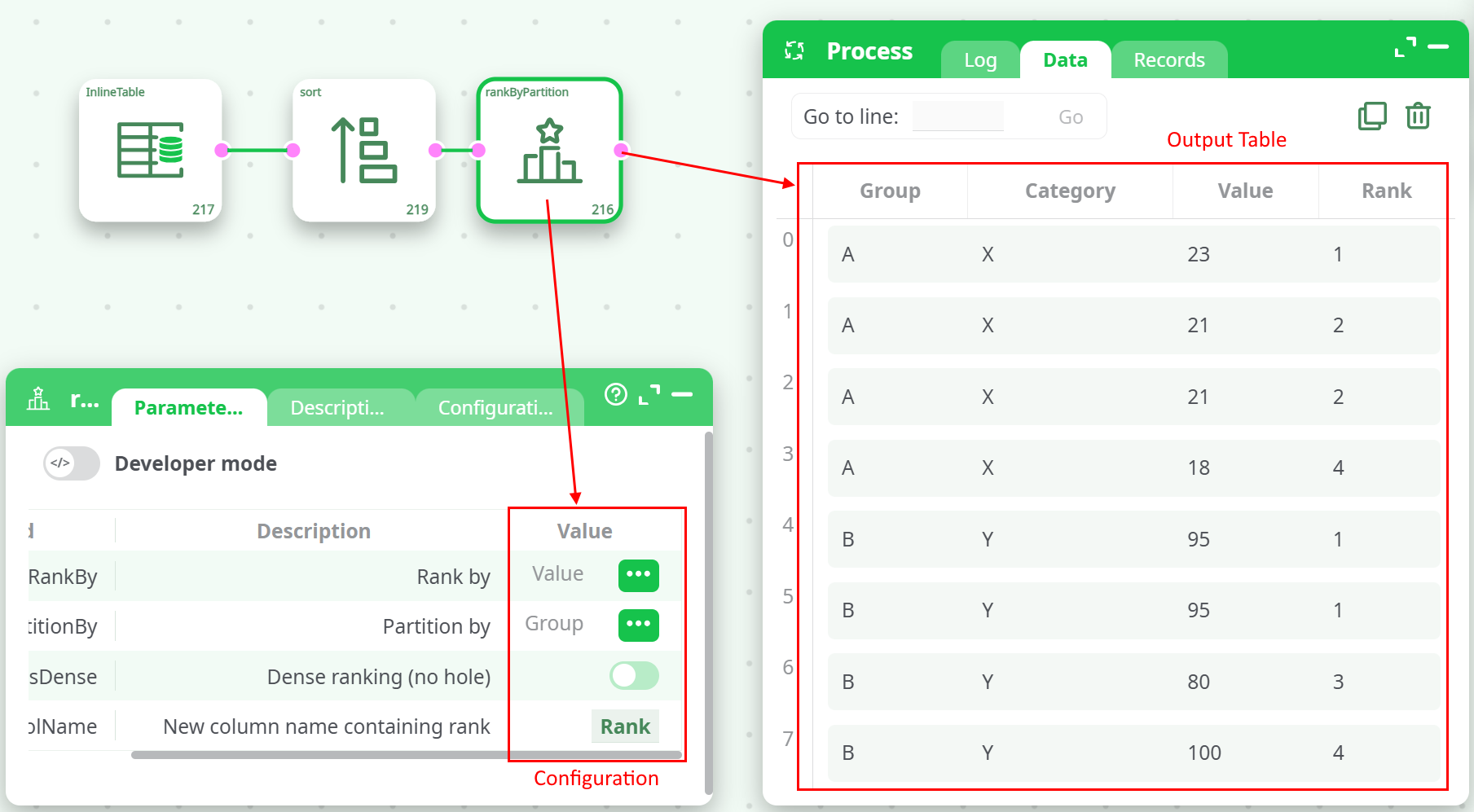
- Rank by
- Partition by
- Dense ranking (no hole)
- New column name containing rank
¶ Description tab
See dedicated page for more information.
¶ Code tab
RankByPartition is a scripted action. Embedded code is accessible and customizable through this tab.
¶ Configuration tab
See dedicated page for more information.
¶ About
The rankByPartition action is used to compute rankings of rows within partitions (groups) of your dataset based on the values in a selected column. It assigns ranks either in standard mode (which can include gaps when duplicates occur) or dense mode (no gaps between ranks). This action is especially useful when you need to analyze the relative ordering of rows within each group or category — such as ranking sales by region, scores by class, or product values by category.
It supports two ranking modes:
- Standard Ranking: Produces rank values with gaps when duplicates exist.
- Dense Ranking: Consecutive ranking without gaps between ranks, even if there are ties.
The input dataset must be sorted first — first by the partition column, and then by the rank-by column — before using this action.
¶ Parameters Tab
¶ Configuration Notes
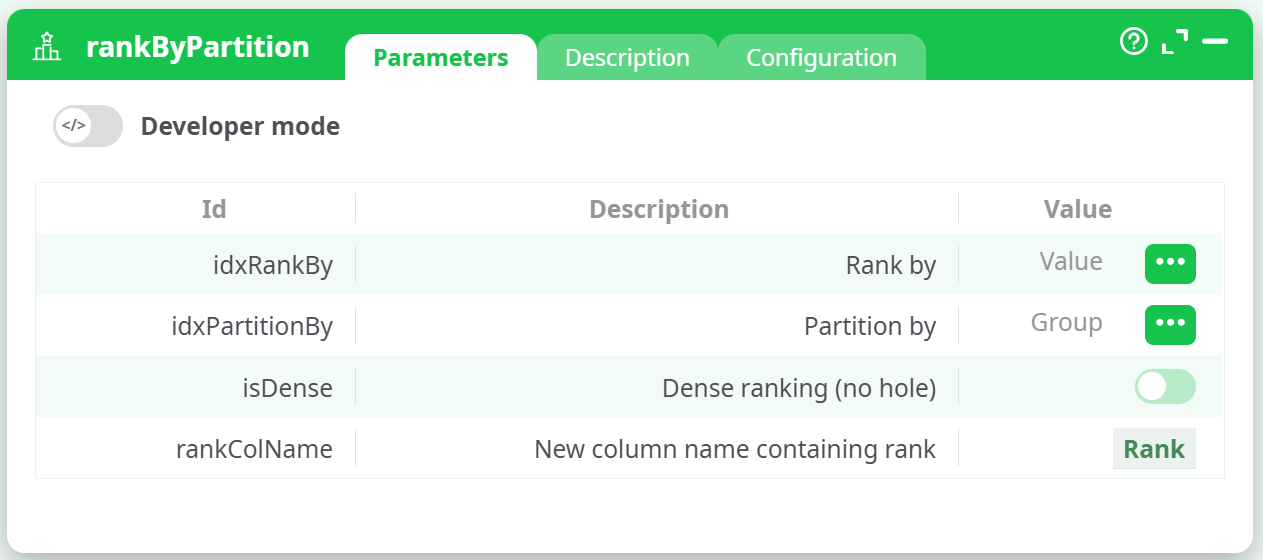
- The dataset must be sorted by the partition column and then the rank-by column, or the script will raise an error.
- Sorting must match the order expected by the action: first by
idxPartitionBy, then byidxRankBy. - Toggling
isDensewill switch between ranking modes. - The rank is written into a new column defined by
rankColName.
¶ Example Pipeline
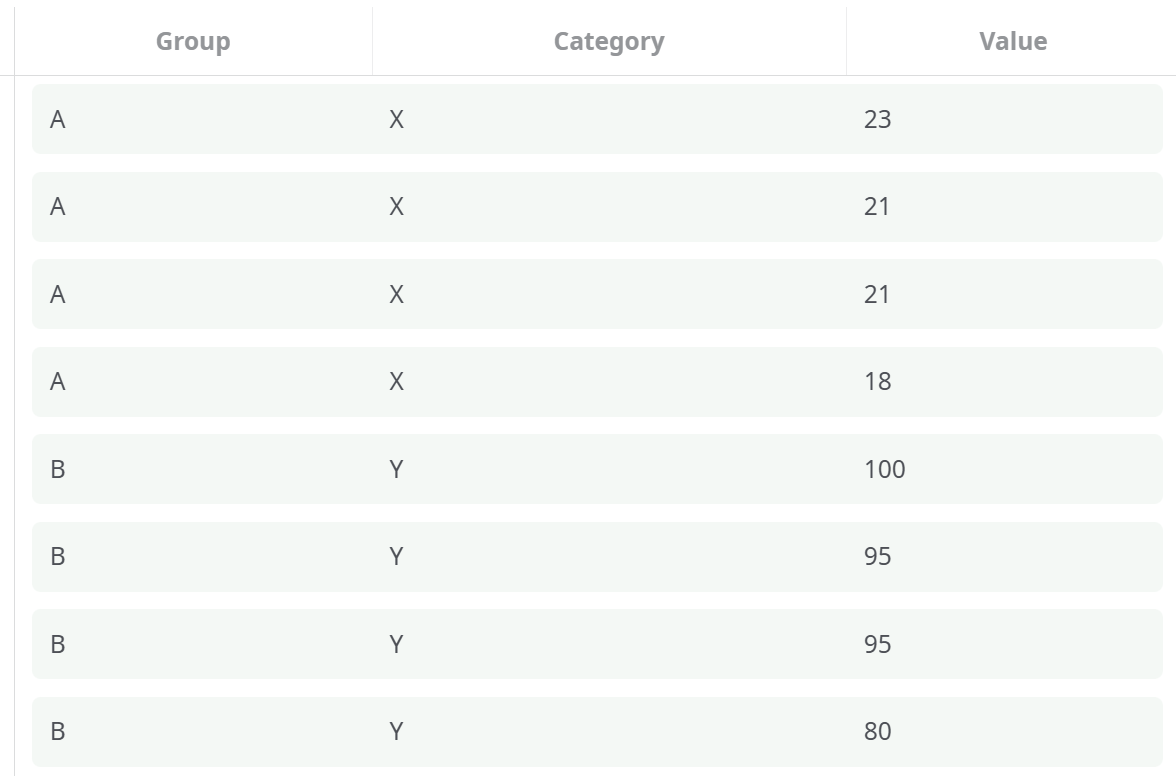
¶ Sample Input Table
¶ Sorting Step
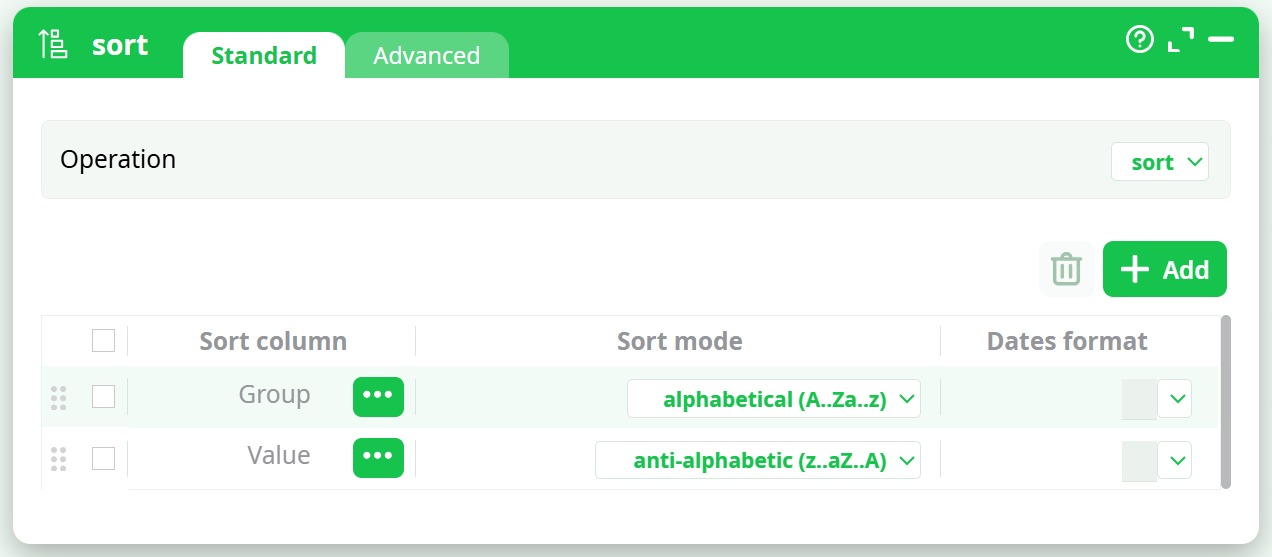
The Sort action must sort the table as follows:
- Group: alphabetical (A → Z)
- Value: anti-alphabetical (Z → A)
(ensuring the highest values receive the top ranks)
¶ rankByPartition Configuration & Output Table
¶ Error Handling
If the input is not sorted correctly, you will receive the following error:
An error occurred while running initialization of the script 'rankByPartition'
Input table must be sorted on (1) partition and (2) RankBy columns
To fix this, insert a Sort action before rankByPartition, and configure it to sort on:
- PartitionBy column (e.g., Group) in alphabetical order
- RankBy column (e.g., Value) in anti-alphabetical order or numeric descending order
¶ Use Cases
- Ranking products by price within category
- Scoring students by grade within class
- Ranking orders by quantity within region
- Analyzing performance by department
¶ Summary
The rankByPartition action enables efficient per-group ranking of rows with flexibility in tie handling (dense or standard). Ensure proper sorting of the dataset for successful execution. This is a powerful tool for comparative and hierarchical data analysis across logical groups.