¶ Description
Upload files to Dropbox.
¶ Parameters
¶ Parameters Tab
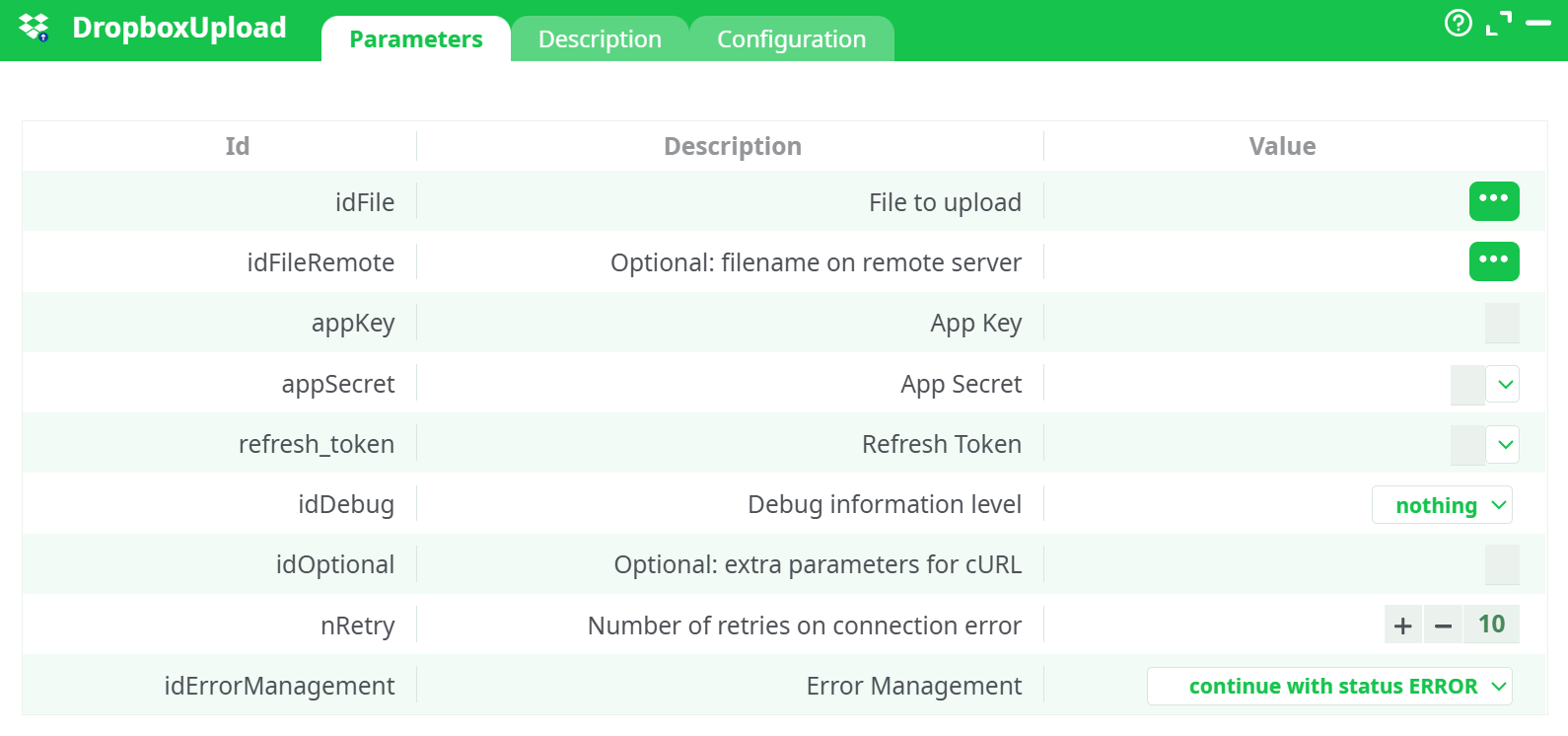
Parameters:
- File to upload
- Optional: filename on remote server
- App Key
- App Secret
- Refresh Token
- Debug information level
- Optional: extra parameters for cURL
- Number of retries on connection error
- Error Management
¶ Description Tab
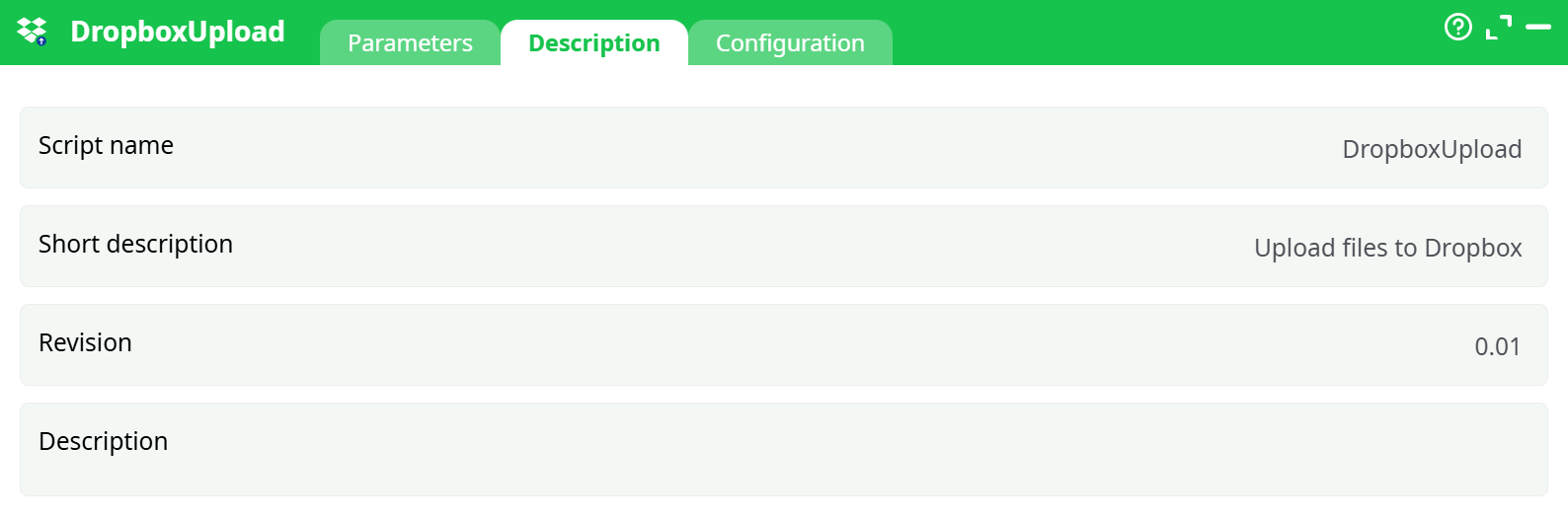
Parameters:
- Script name
- Short description
- Revision
- Decription
¶ Configuration Tab
See dedicated page for more information.
¶ About
Dropbox Upload sends a local file to your Dropbox using OAuth2.
It exchanges your App key/secret + refresh token for a short-lived access token at run time, then uploads the file into your app’s App Folder (path: /Apps/<your_app_folder>). The action is stateless: no credentials are stored after the run, and you can safely reuse the same refresh token in any pipeline step.
¶ Prerequisites
-
A Dropbox developer app (permission type: Scoped App (App Folder)).
-
App scopes (minimum for upload):
files.metadata.writefiles.content.write
-
An App key and App secret from the Dropbox developer console.
-
A refresh token (obtain it once with the Dropbox Unlock action; you’ll reuse it here).
Where uploads land
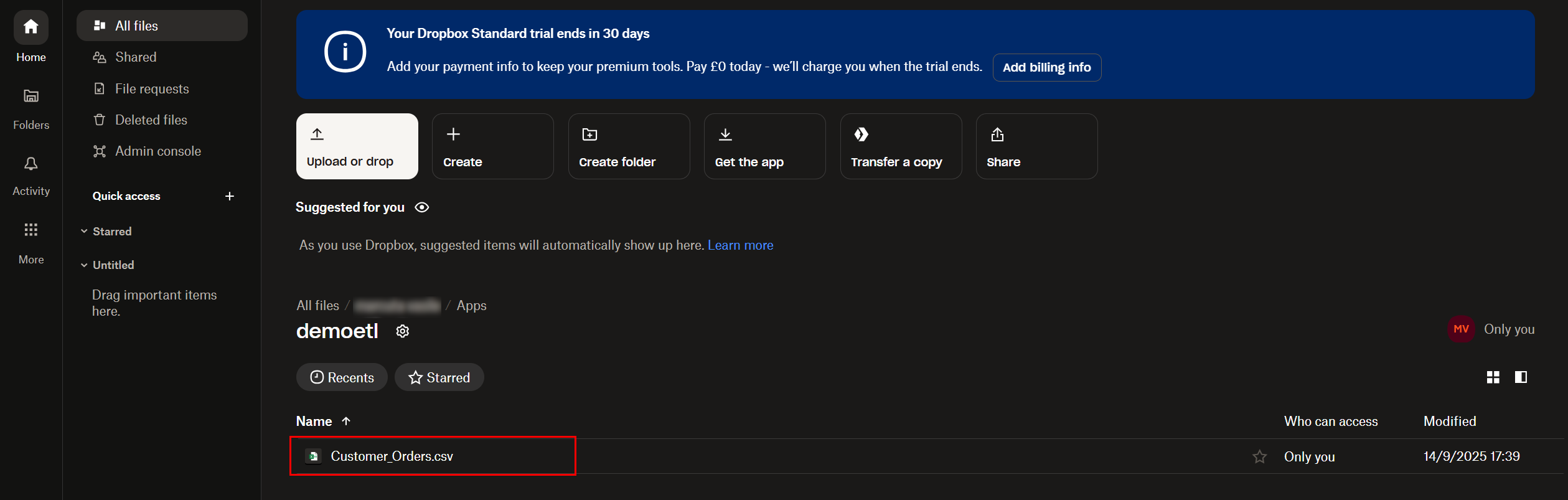
With an App Folder app, files appear under Dropbox → Apps →<your_app_folder>.
¶ Step-by-Step — Quick Start
-
Get credentials once (if you haven’t yet):
- Create the Dropbox developer app (App Folder).
- Enable scopes:
files.metadata.write,files.content.write. - Use Dropbox Unlock to obtain a refresh token. Copy it.
-
Prepare the file path:
- Option A (single file): set idFile to the local path, e.g.
sources/@shared/documentation_files/Customer_Orders.csv. - Option B (dynamic): feed a 1-column table called localFilePath using InlineTable or readExcel, and link it into Dropbox Upload.
- Option A (single file): set idFile to the local path, e.g.
-
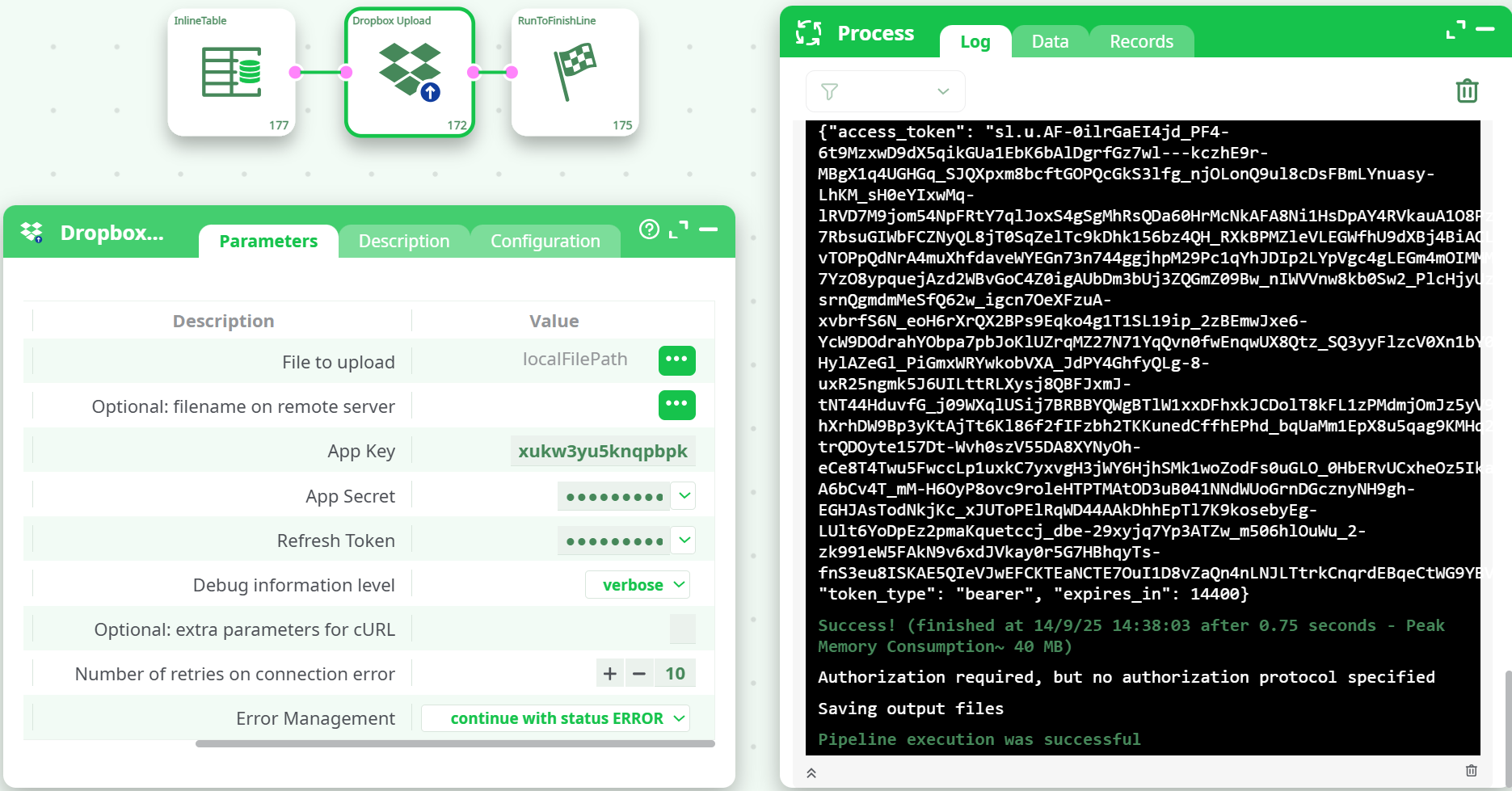
Fill the Upload parameters:
- appKey = your app key
- appSecret = your app secret
- refresh_token = the token from Unlock
- (Optional) idFileRemote = target name on Dropbox
- idDebug =
verbose(for first tests)
-
Run the pipeline.
- In the Log, you should see the OAuth token exchange followed by a success message.
- Verify the file in Dropbox → Apps →
<your_app_folder>.
¶ How it works (under the hood)
- Exchanges refresh_token + appKey/appSecret for a short-lived access_token at
https://api.dropbox.com/oauth2/token. - Uploads the file with the access token to your App Folder using the Dropbox content API.
- Discards the access token after the run.
¶ Troubleshooting
-
Upload succeeded but I can’t find the file:
Check the App Folder: Dropbox → Apps →<your_app_folder>(not your root).
If idFileRemote was set, the file name may differ from the local one. -
401/Invalid token / “Authorization required…”
- Refresh token wrong or revoked → Re-run Dropbox Unlock to get a new one.
- App key/secret mismatch → Ensure they match the same Dropbox app.
-
Forbidden / insufficient_scope:
Ensure the app has files.content.write and files.metadata.write enabled. -
Proxy environments:
Put cURL flags in idOptional (e.g.,--proxy http://host:port).
The action supports proxies just like the other HTTP actions. -
Large files:
Very large uploads use chunked upload internally; if you hit timeouts, increase nRetry and consider a more stable connection or a proxy close to Dropbox.
¶ Security notes
- Keep appSecret and refresh_token in secure parameter stores/variables.
- Refresh tokens are long-lived—revoke from the Dropbox security page if compromised.
¶ FAQ
-
Can I upload to a custom path?
With an App Folder app, your root is /Apps/<your_app_folder>. You can create subfolders there via the Dropbox UI or API, and set idFileRemote to include a subpath (e.g.,reports/Customer_Orders.csv). -
Do I need to re-unlock every time?
No. Use the same refresh token across runs and actions (Upload, Download, List, Delete).