¶ Description
Upload file(s) to Google Drive.
¶ Parameters
¶ Parameters tab
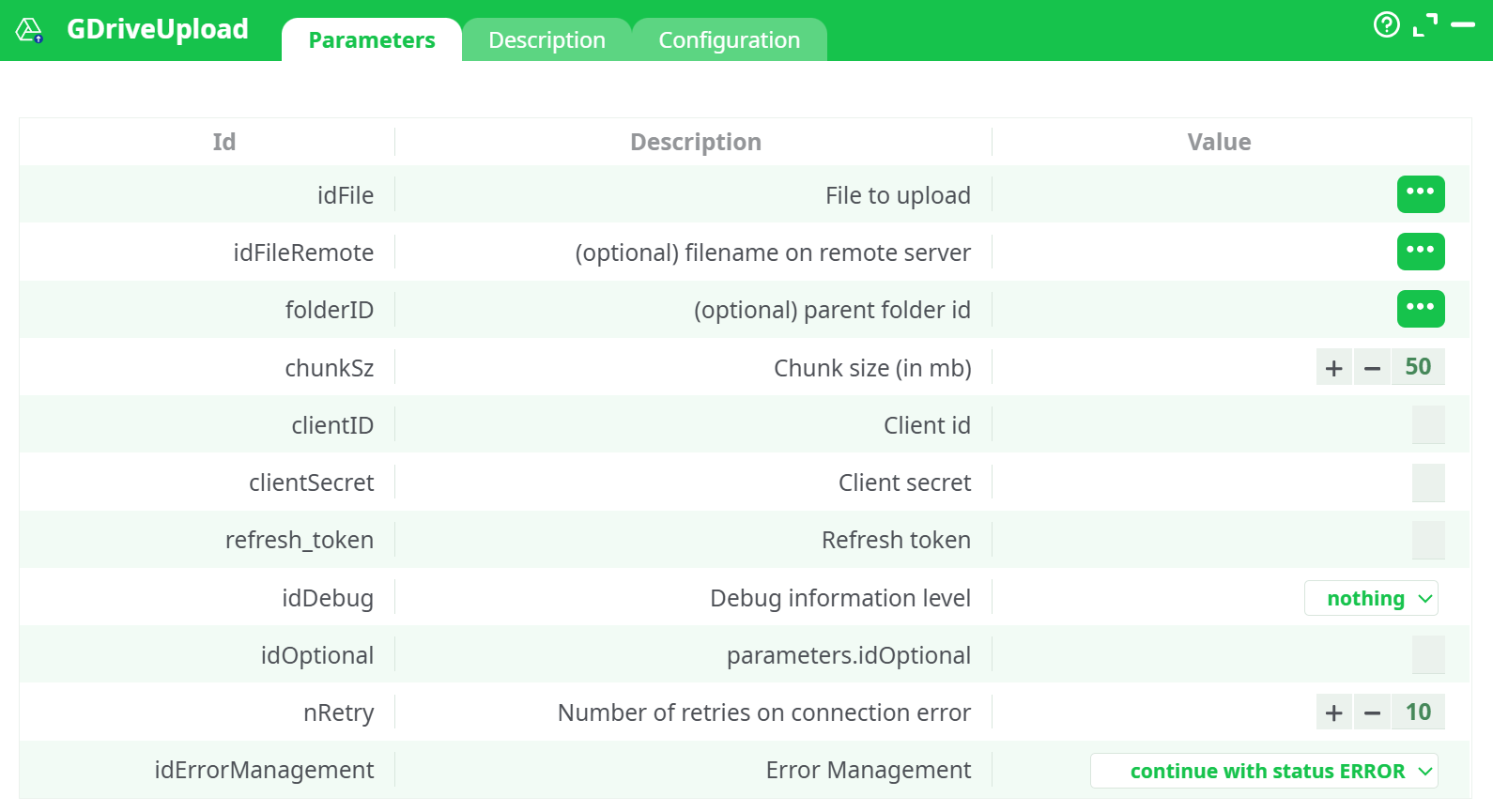
Parameters:
- File to upload
- (Optional) filename on remote server
- (Optional) parent folder id
- Chunk size (in mb)
- Client id
- Client secret
- Refresh token
- Debug information level
- Number of retries on connection error
¶ Description tab
See dedicated page for more information.
¶ Configuration tab
See dedicated page for more information.
¶ About
Upload one or many local files from your folder to My Drive (or a specific Drive folder) using your OAuth client.
¶ What you need
-
OAuth Client ID & Client Secret (Google Cloud → OAuth 2.0 Client IDs).
-
A Refresh Token obtained with one of these scopes (either works):
https://www.googleapis.com/auth/drive(simplest; full Drive access)- or
https://www.googleapis.com/auth/drive.file(only files your app creates / opens)
-
The file(s) present under your project
assets/directory.
¶ Pipeline wiring
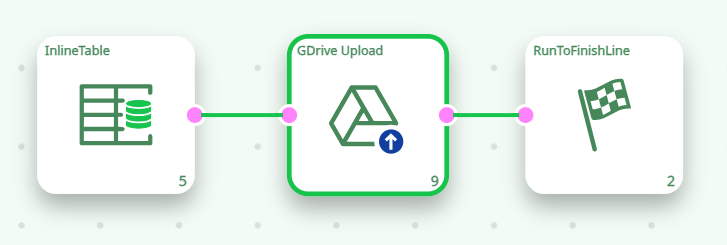
¶ InlineTable (provide local file paths)
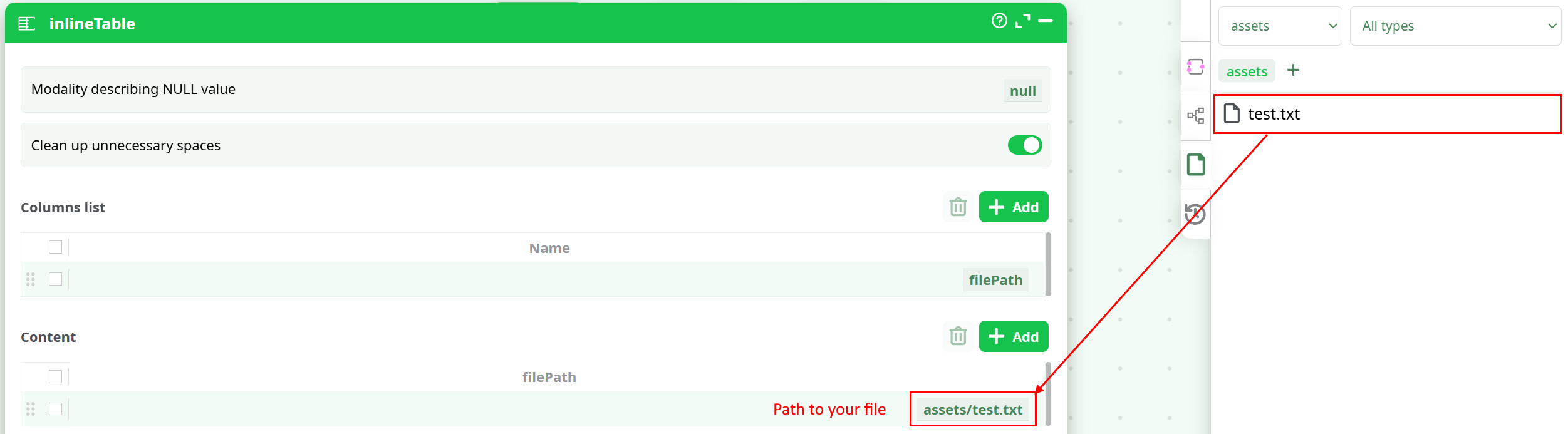
- Add a single column named
filePath. - Add one row per file you want to upload, using relative paths under
assets/or others.
Example rows
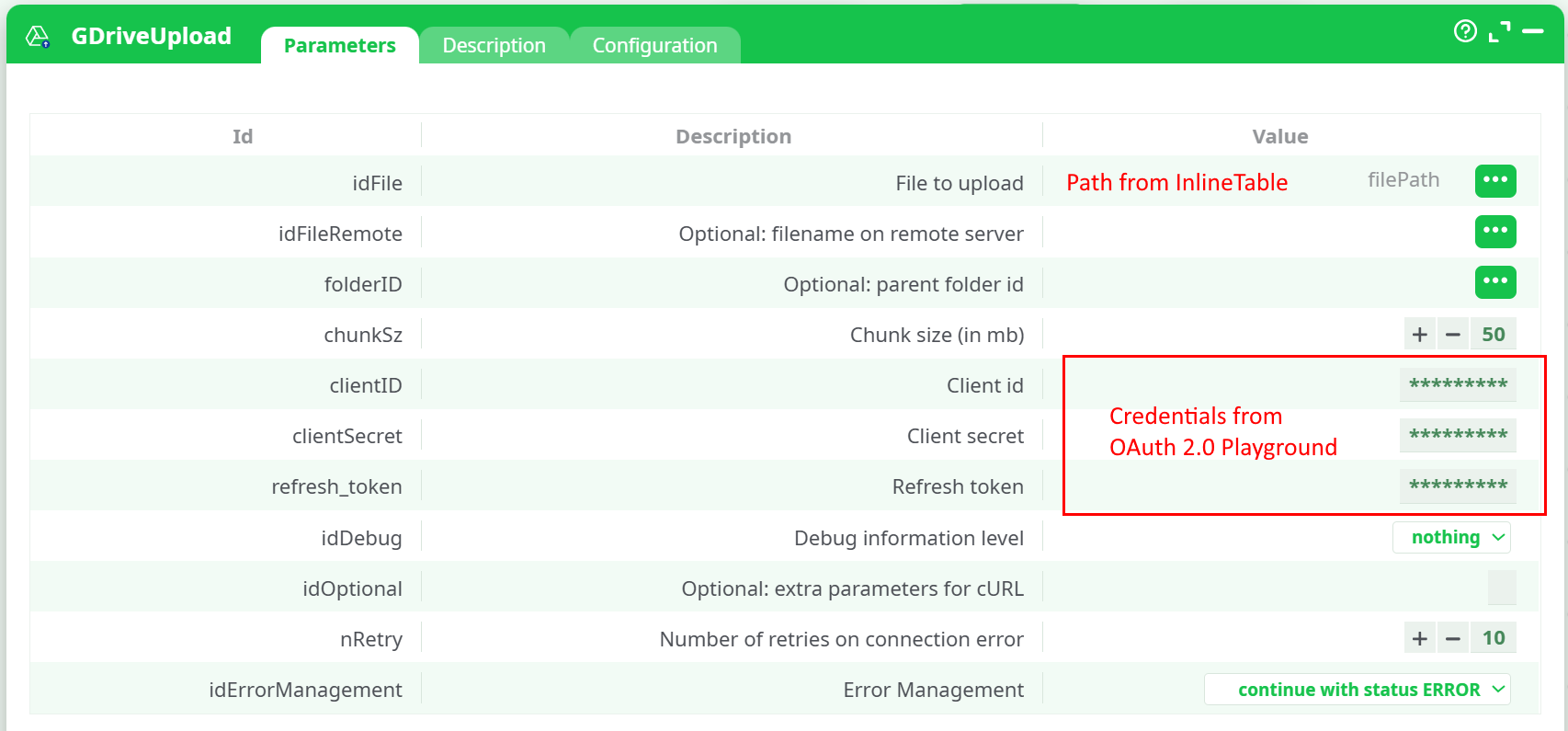
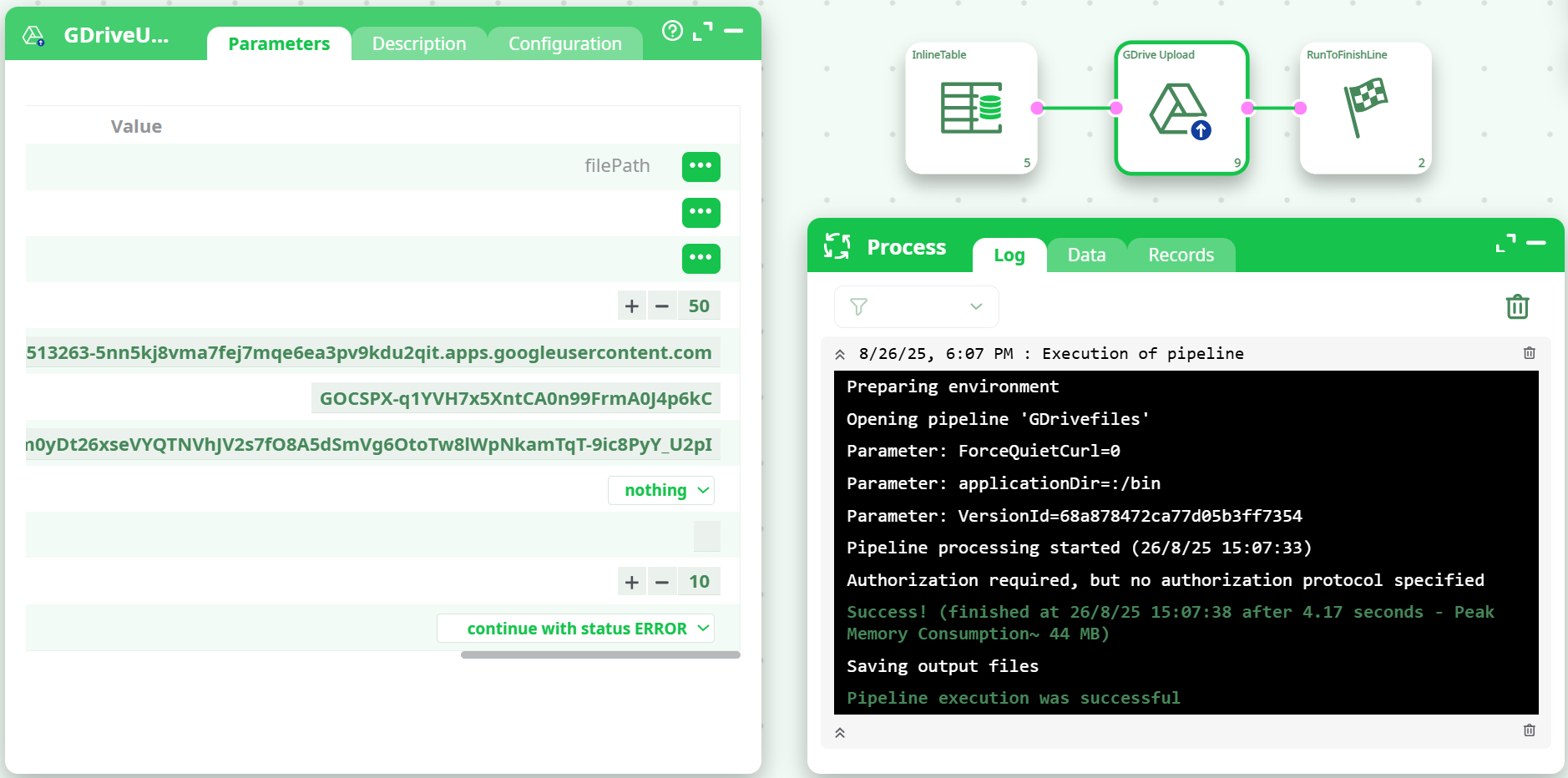
¶ GDrive Upload (parameters)
¶ Run it
-
Click ▶ Run on the pipeline.
In Process → Log you should see token retrieval followed by the upload attempts.
Note: some environments print the line “Authorization required, but no authorization protocol specified” at the end; it’s harmless if the run is Success and your file appears in Drive.
¶ Verify the result
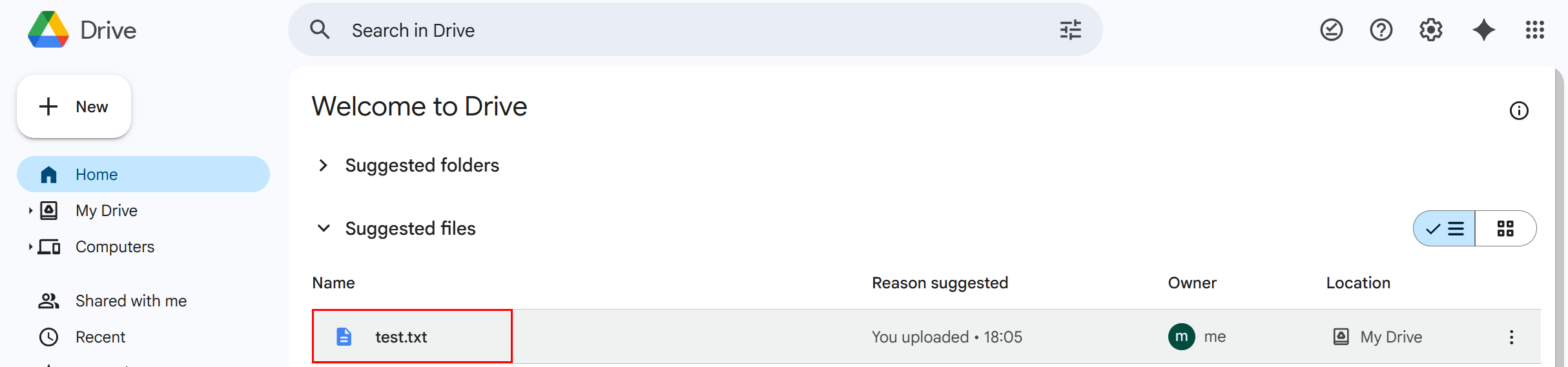
- Open Google Drive → My Drive. You should see
test.txt(or your files) at the top.
If you set a folderID, check that folder instead.
¶ Notes & tips
¶ Target folder & naming
- To change the folder: paste the folder ID into
folderID. - To change the destination file name: set
idFileRemote(keeps the extension you give).
¶ Batch uploads
- Put multiple rows in InlineTable (one per
assets/...file). The action will iterate through them.
¶ Common errors (quick fixes)
- File not found / 404 → Path must start with
assets/and the file must exist in that folder. - 403 insufficient permissions → Re-generate Refresh Token with
drive(ordrive.file) scope and make sure you pasted the same Client ID/Secret used to obtain it. - 401 invalid_grant → The Refresh Token doesn’t match the Client ID/Secret (or was revoked). Re-auth in OAuth Playground with “Use your own OAuth credentials” checked and copy the new token.
- Large files fail mid-way → Lower chunkSz (e.g., 10–20 MB) or increase nRetry.
¶ Where to find IDs
- Folder ID: open the folder in Drive and copy the ID from the URL:
https://drive.google.com/drive/folders/<FOLDER_ID> - (Optional) File ID: not needed for uploads (only for downloads/updates).