¶ Description
Upload Files to a Mailbox.org drive.
¶ Parameters
¶ Parameters Tab
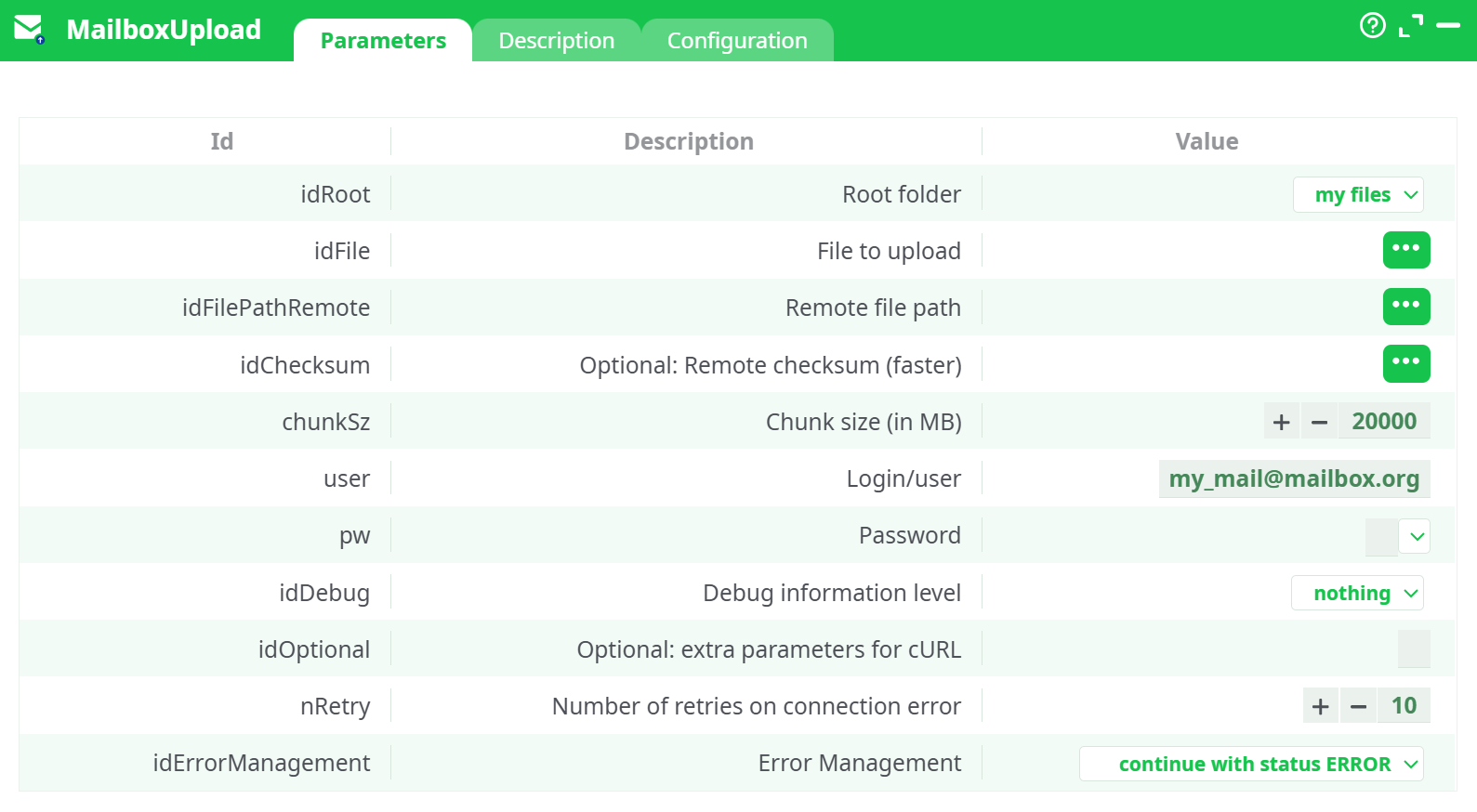
Parameters:
- Root folder
- File to upload
- Remote file path
- Remote checksum (optional - faster)
- Chunk size (in MB)
- Login/user
- Password
- Debug information level
- Optional: extra parameters for cURL
- Retries on connection error
- Error Management
¶ Description Tab
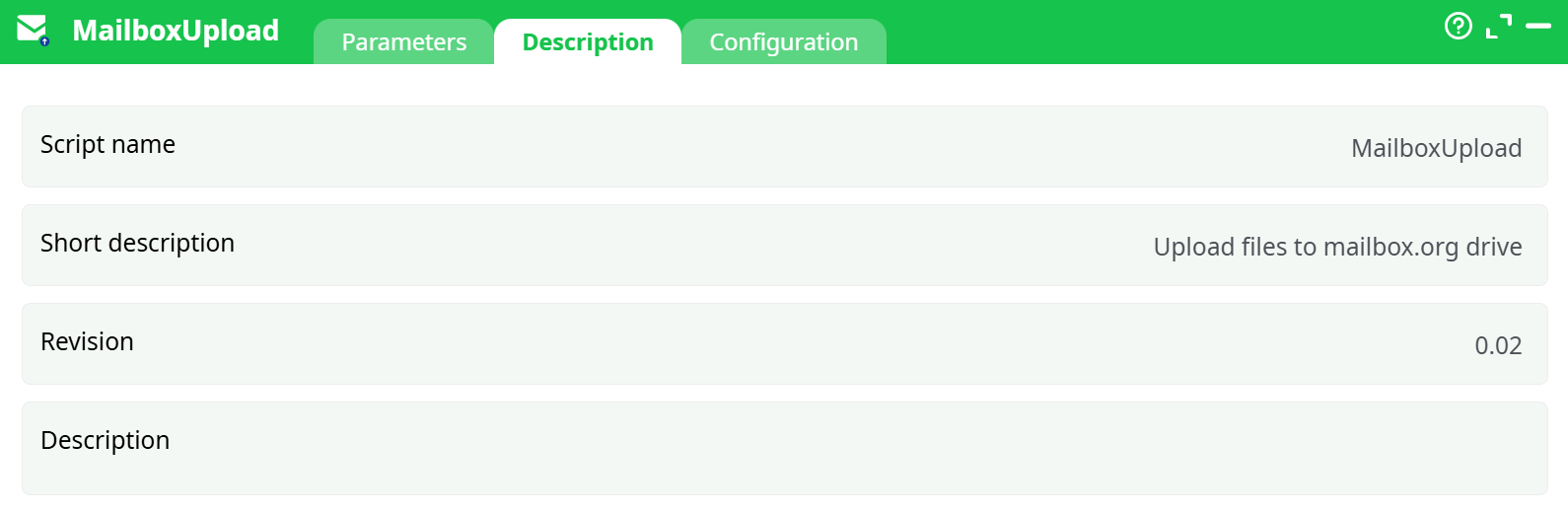
Parameters:
- Script name
- Short description
- Revision
- Decription
¶ Configuration Tab
See dedicated page for more information.
¶ About
Upload files to mailbox.org Drive (“My files”) from your pipeline.
This action signs in to mailbox.org, then uploads each row’s localFilePath to the target remoteFilePath.
¶ What you’ll need
- A mailbox.org account with Drive enabled and free quota.
- An Application Password (one-time, for WebDAV/Drive clients).
- Your mailbox.org login name (numeric) or email (see notes below).
¶ Step-by-step setup
¶ 1) Create an Application Password (one time)
-
Sign in at
https://office.mailbox.org. -
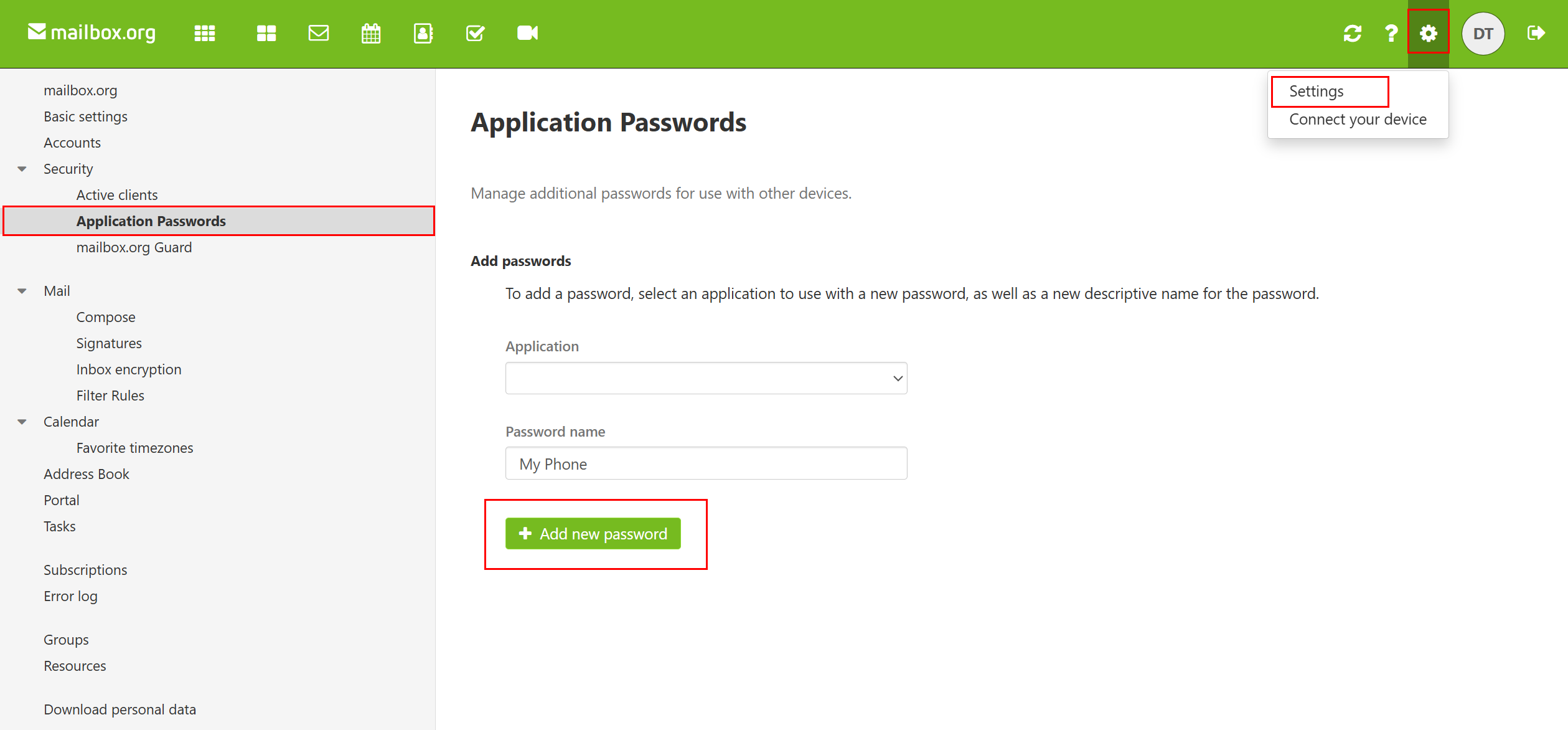
Go to Settings → Security → Application Passwords.
-
In Add passwords:
- Application:
WebDAV Client - Password name: e.g.,
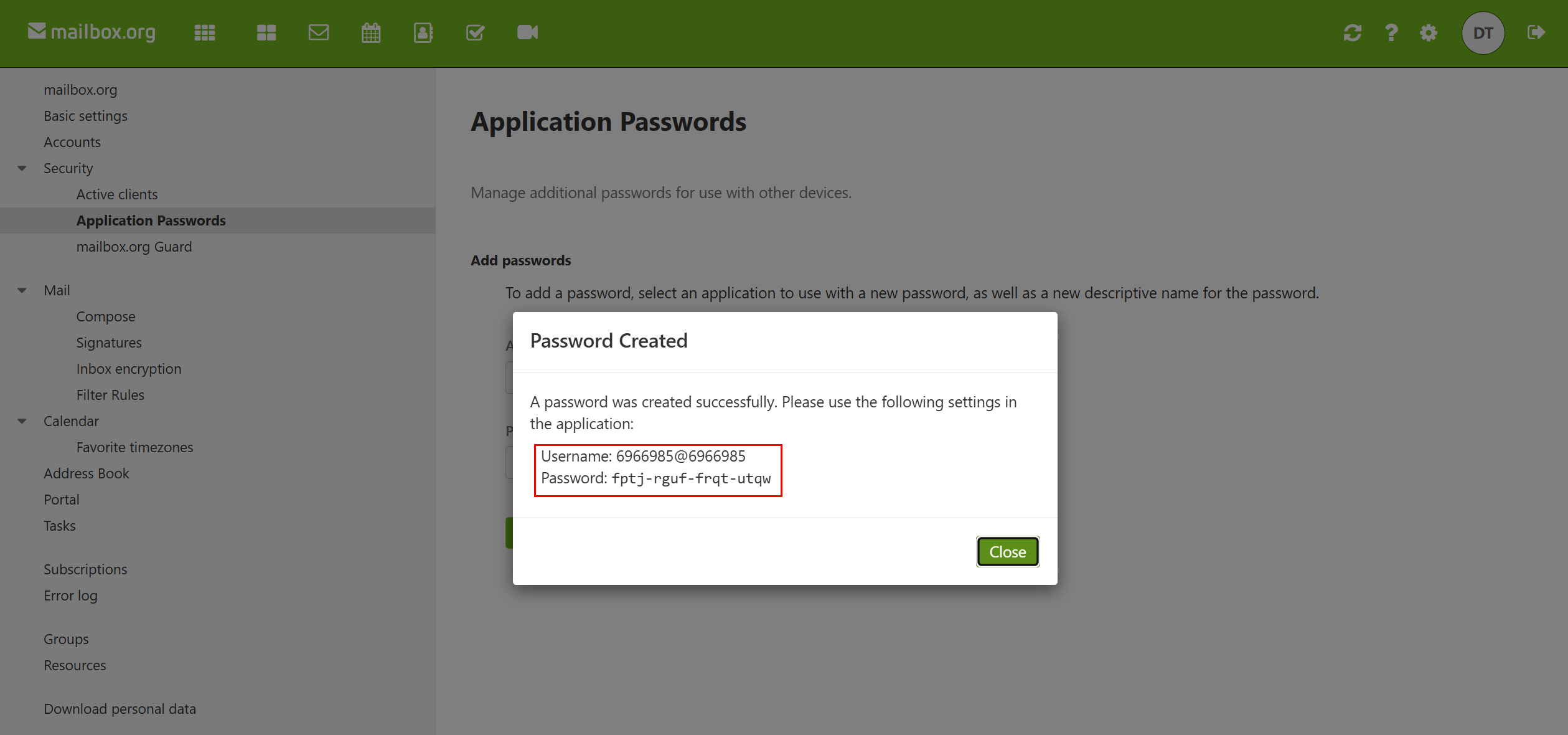
Flow MailboxUpload - Click Add new password and copy the password (you won’t see it again).
- Application:
Keep this password secret. It is not your normal sign-in password.
¶ 2) Find your Login (user)
Mailbox.org exposes a numeric Login name (a.k.a. Open-Xchange login).
If using your email in the box fails with Drive permissions, use this format instead:
<LoginName>@<LoginName>
Example: 6966985@6966985
You can see the Login name in Settings → Basic settings (or in the “Connect your device” / account info cards).
¶ 3) Prepare the input rows
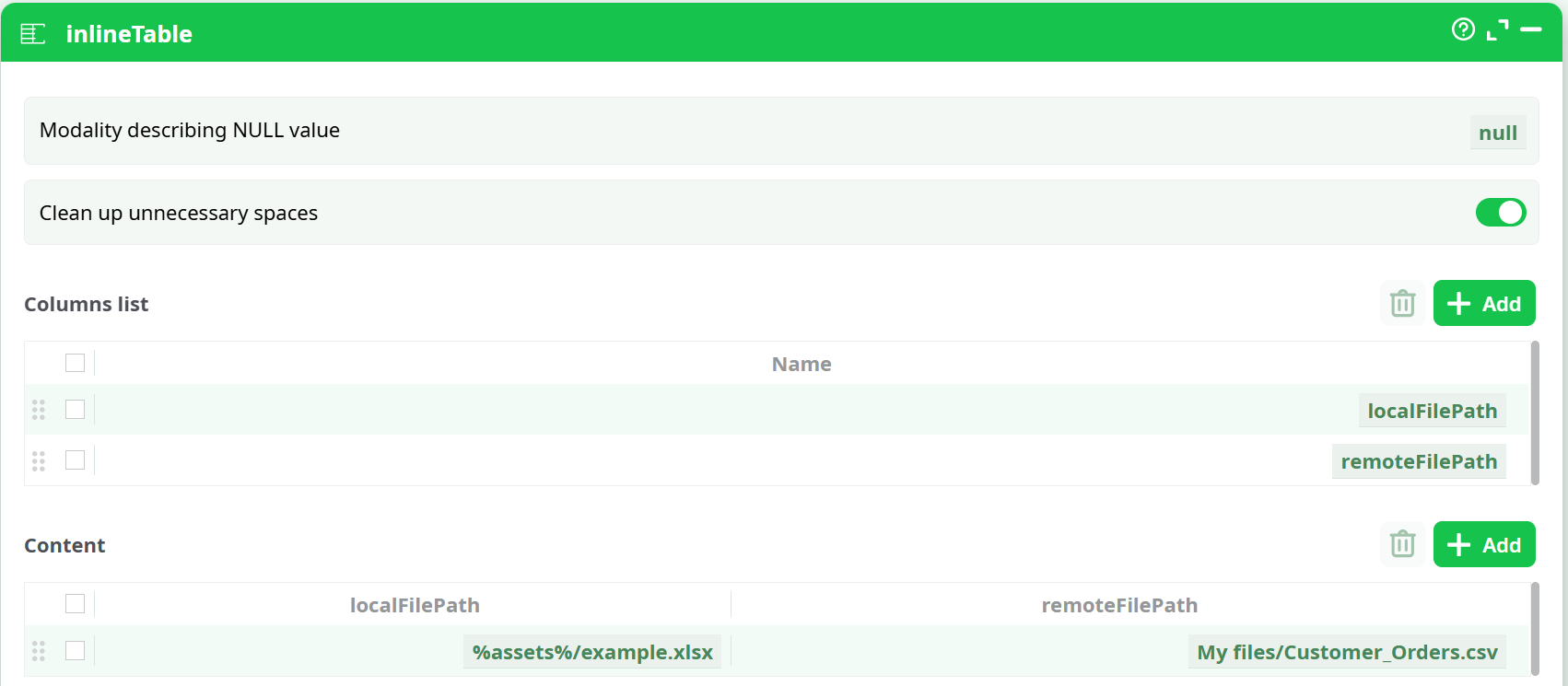
The box expects two columns:
localFilePath– absolute or project path to the file to uploadremoteFilePath– destination path as shown in Drive, starting with My files/
Example (via an InlineTable):
| localFilePath | remoteFilePath |
|---|---|
%assets%/example.xlsx |
My files/example.xlsx |
%assets%/Customer_Orders.csv |
My files/Documents/Orders.csv |
¶ 4) Configure the Mailbox Upload box
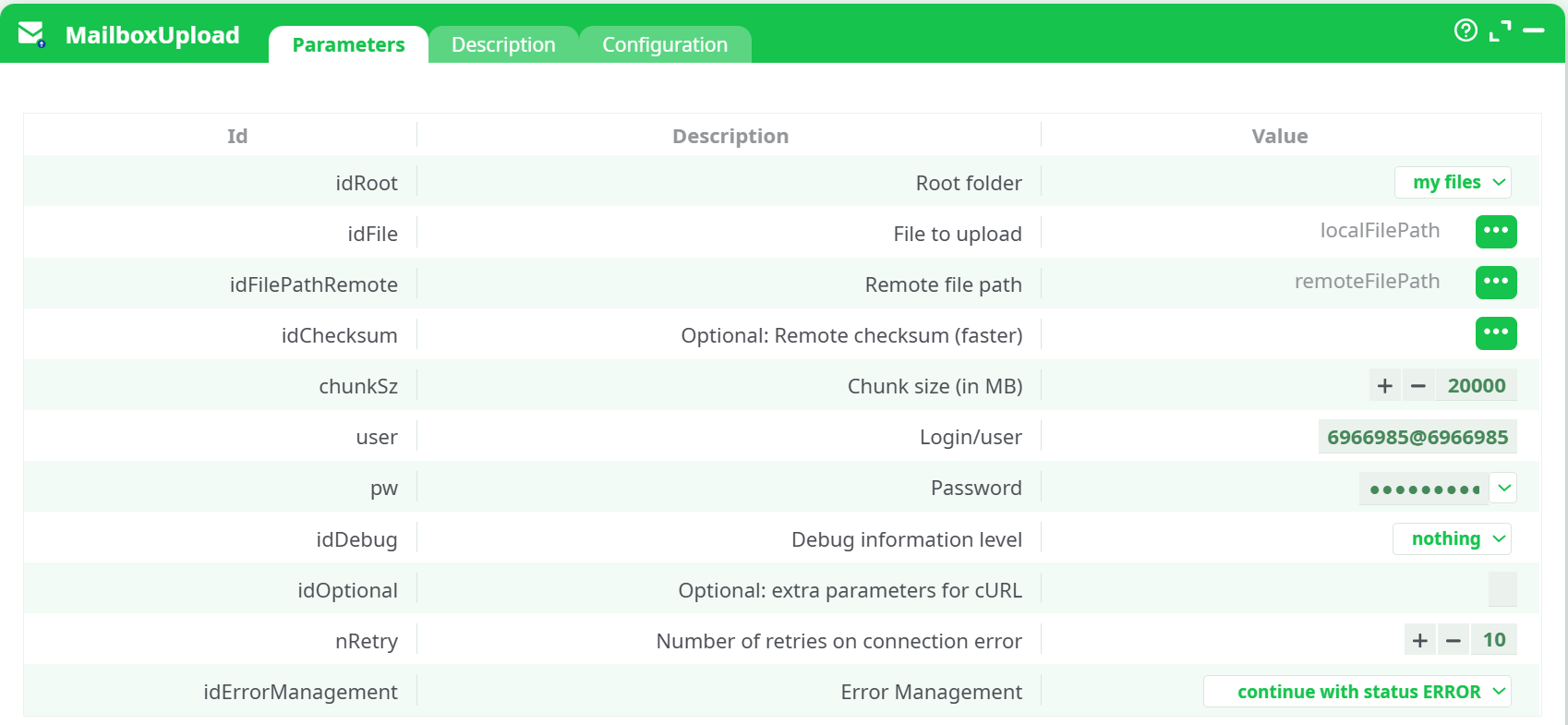
Set the parameters:
-
Root folder:
my files -
File to upload:
localFilePath -
Remote file path:
remoteFilePath -
Optional: Remote checksum (faster): leave blank unless you precompute an MD5 (hex, 32 chars)
-
Chunk size (in MB): default is fine
-
Login/user:
- Try your email first (e.g.,
user@mailbox.org). - If you see Drive permission errors, switch to
<LoginName>@<LoginName>format.
- Try your email first (e.g.,
-
Password: paste the Application Password you created
-
Debug information level:
nothing(useverbosewhen troubleshooting)
Click Run.
¶ 5) Verify
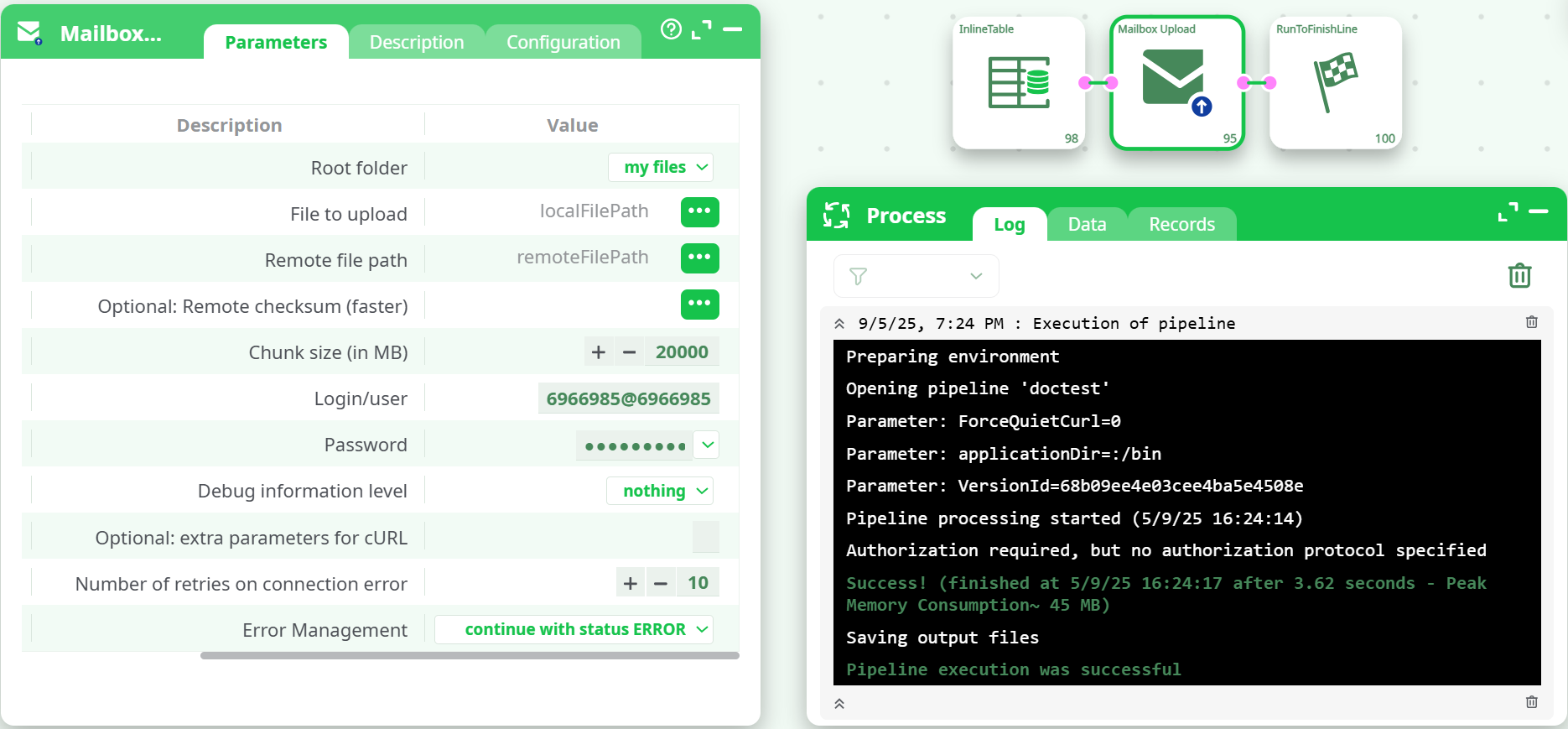
- The Log should end with: “Pipeline execution was successful.”
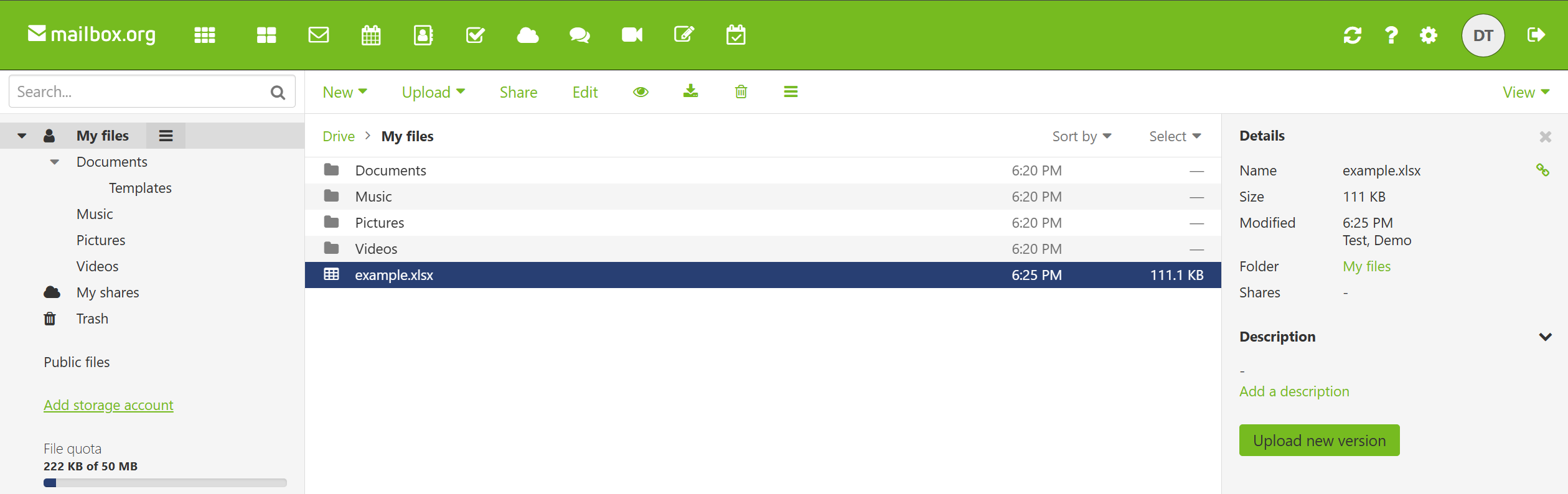
You may see an informational line like “Authorization required …” before the final success; that can be ignored if the file appears. - Open Drive → My files and confirm the files are there.
¶ Parameter reference
| Field | Description |
|---|---|
| Root folder | Drive area to target. Use my files. |
| File to upload | Input column with the local file path. Supports project variables (e.g., %assets%/…). |
| Remote file path | Destination in Drive, starting with My files/…. Include filename. Example: My files/Reports/sales.xlsx. |
| Optional: Remote checksum (faster) | Provide MD5 (hex) to let the server detect “no change” faster. Leave empty if unsure. |
| Chunk size (in MB) | Upload chunk size; large values favor throughput, smaller values reduce memory/MTU issues. |
| Login/user | Prefer your mailbox.org email. If you hit Drive permission errors, use <LoginName>@<LoginName>. |
| Password | The Application Password for WebDAV Client. |
| Debug information level | nothing / basic / verbose. Use verbose to inspect HTTP exchanges (sanitized). |
| Optional: extra parameters for cURL | Advanced: append custom switches (e.g., TLS ciphers, proxies). |
| Number of retries on connection error | How many times to retry transient network errors. |
| Error Management | abort pipeline or continue with status ERROR. |
¶ Usage patterns
¶ Upload one file
- Upstream row:
%assets%/example.xlsx→My files/example.xlsx - Run. The file appears under My files.
¶ Upload into a subfolder
remoteFilePath:My files/Documents/Monthly/Report.xlsx
Subfolders are created as needed.
¶ Bulk upload
Feed multiple rows into the box. Each row is processed independently with retries.
¶ Troubleshooting
| Symptom / Log | Likely cause | Fix |
|---|---|---|
PERMISSION_DENIED FLD-0003: Folder "10" is not visible… |
Drive API session bound to a different identity than email login | In Login/user, switch from your email to the numeric format <LoginName>@<LoginName>. |
ASP-0001 required scope: read_drive during syncfiles |
Pre-flight probe on some tenants | Usually harmless; if the upload finishes with success and the file appears, you can ignore it. |
401 Unauthorized or login failed |
Wrong password or used the normal password | Use the Application Password (WebDAV Client). Regenerate if lost. |
| Upload “succeeds” but file not visible | Wrong destination path | Ensure it starts with My files/ and includes the filename. Check exact capitalization used by your UI. |
| Quota / size issues | Drive storage limit reached | Check left quota in UI. Remove files or upgrade storage. |
| Unicode path glitches | Special characters in path | Prefer ASCII in remoteFilePath. If needed, test with a simple name first. |
| Corporate proxy / TLS errors | Outbound restrictions | Add cURL options (proxy, CA bundle) in extra parameters. |
¶ Security best practices
- Treat Application Passwords like API keys: store them in your secret manager or parameter vault.
- Create one password per project and revoke unused ones in Settings → Security → Application Passwords.
- Do not hard-code secrets in flows committed to VCS.
¶ FAQs
Q: Do I need the WebDAV URL?
A: Not for this box—the action talks directly to mailbox.org’s Drive endpoints. If you want to test with a third-party client, the usual WebDAV endpoint is https://dav.mailbox.org/servlet/webdav.infostore (path /drive/My files/...), authenticated with your Application Password.
Q: Can I overwrite existing files?
A: Yes. Specify the same remoteFilePath; mailbox.org will replace the file (keeps a version you can restore from the UI).
Q: Can I upload many files fast?
A: Yes—feed multiple rows. Increase Chunk size if your network is reliable; raise retries for flaky links.