¶ Description
Sends a message to slack.
¶ Parameters
¶ Parameters
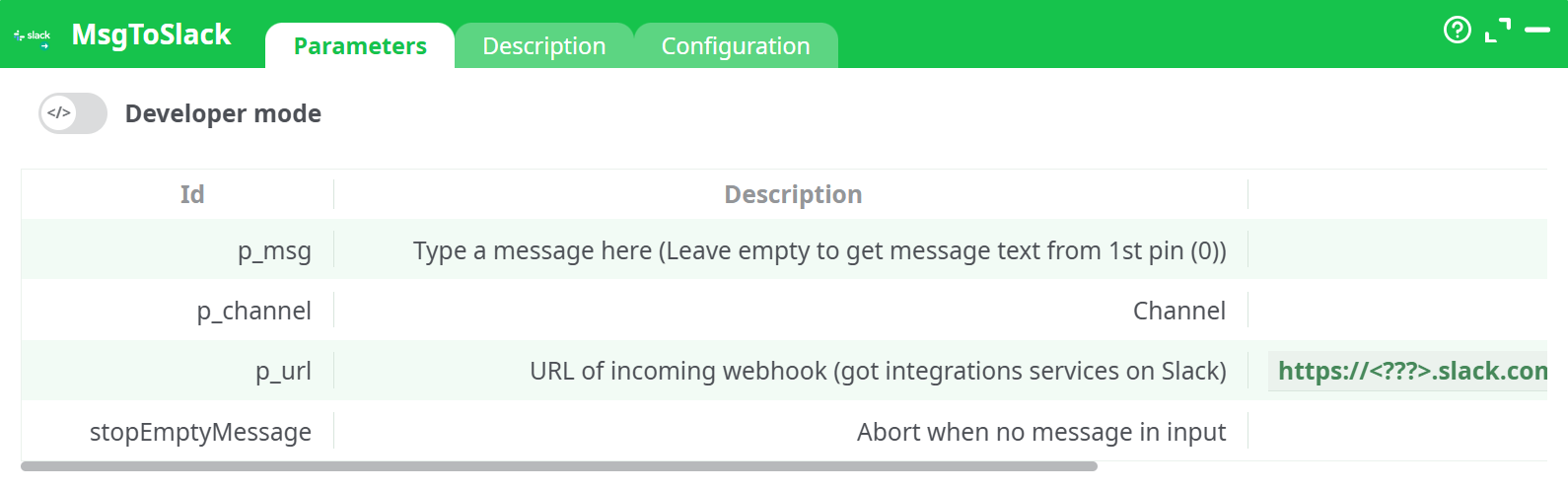
Parameters:
- Developer mode: activate/deactivate code tab.
- Type a message here (Leave empty to get message text from pin 0)
- Channel
- URL of incoming webhook (got integrations services on Slack)
- Abort when no message in input
¶ Description tab
See dedicated page for more information.
¶ Code tab
MsgToSlack is a scripted action. Embedded code is accessible and customizable through this tab.
¶ Configuration tab
See dedicated page for more information.
¶ About
Send a message to a Slack channel (via Incoming Webhooks). Supports static text or text coming from the input pin.
¶ What you’ll need
- A Slack workspace you can configure
- An Incoming Webhook URL (created once per channel or app)
¶ Step-by-step setup
-
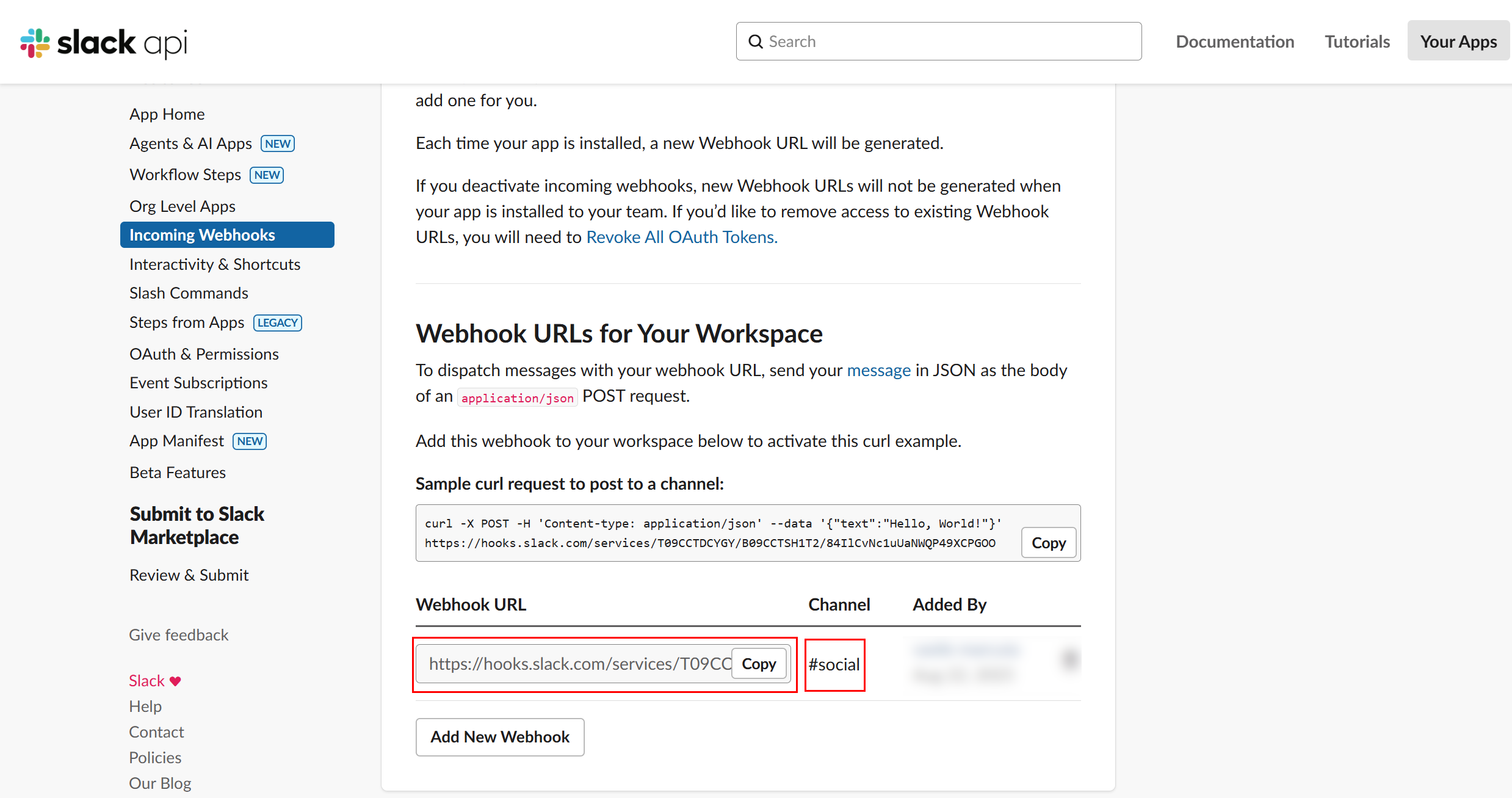
Create / enable an Incoming Webhook in Slack
- Open Slack ➜ “Add apps” ➜ search Incoming Webhooks ➜ Add to Slack.
- Pick a default channel (you can override it later).
- Copy the generated webhook URL. It looks like:
https://hooks.slack.com/services/T09…/B09…/84lICvNc1uUaNWQP49XCPGOO
-
Invite the app to the target channel (if needed)
- In
#social(or your channel), run/invite @<your app name>so it can post.
- In
-
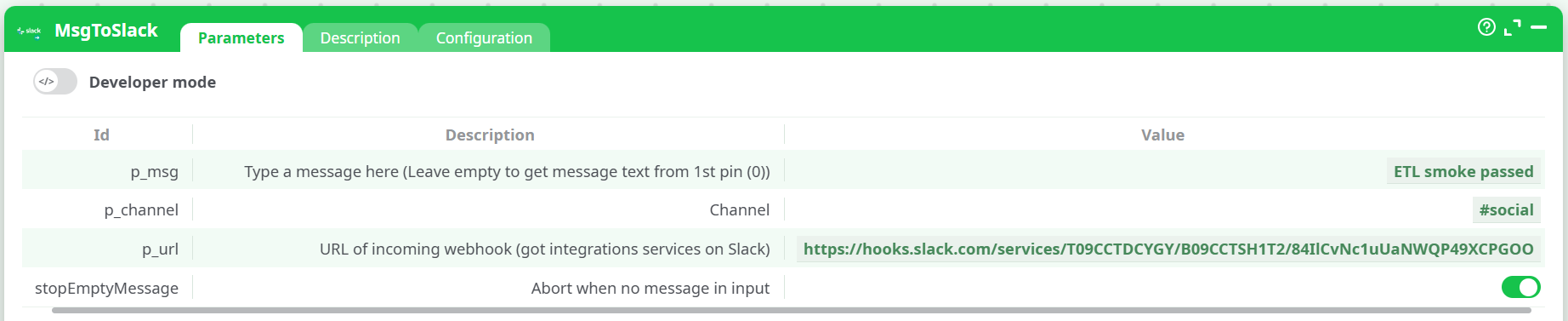
Configure the MsgToSlack action
Open the action’s Parameters tab and fill in:- Message (
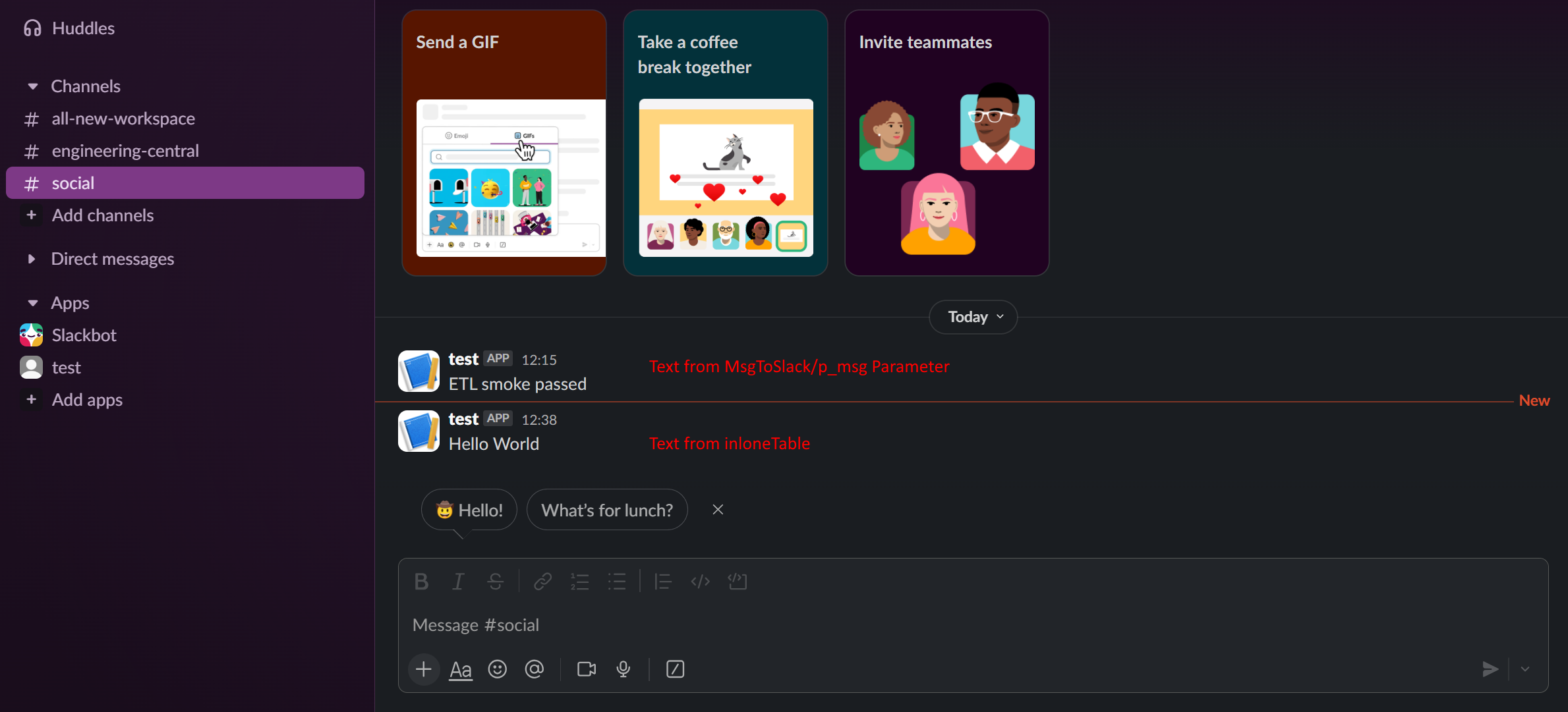
p_msg):ETL smoke passed
(Leave empty if you want to take the text from pin 0.) - Channel (
p_channel):#social
(Optional; leave empty to post to the webhook’s default channel.) - Webhook URL (
p_url): paste the URL from step 1. - Abort when no message in input: ON (recommended).
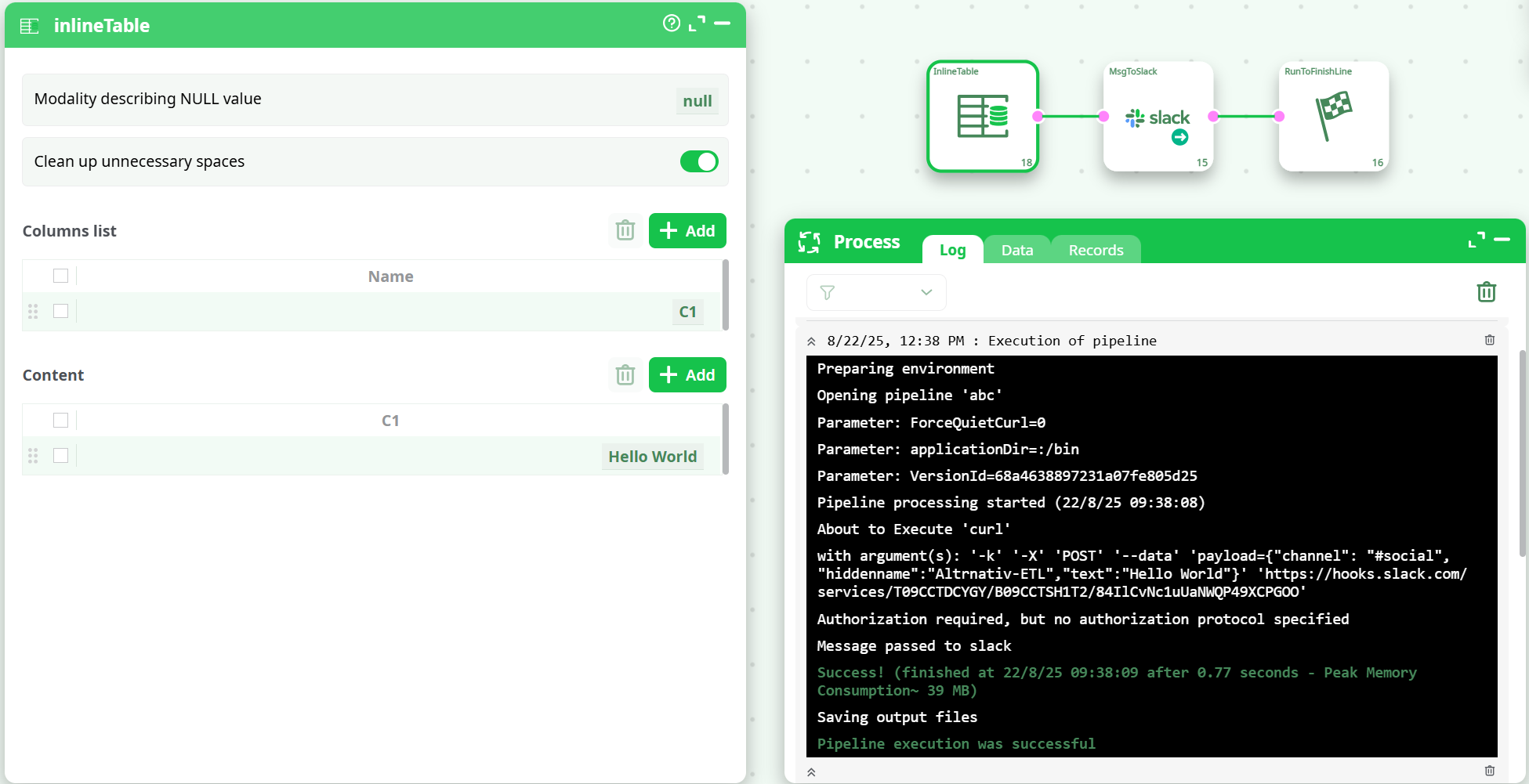
Optional wiring:
- If another node produces the message dynamically, wire that node to pin 0 of MsgToSlack and leave Message blank.
- Message (
-
Run and verify
- Execute the pipeline. In the log you should see
Message passed to slackandSuccess!. - Confirm the message shows up in the Slack channel.
- Execute the pipeline. In the log you should see
¶ Troubleshooting
- No message appears: Make sure the app is invited to the channel; confirm the channel name; verify the webhook URL.
- HTTP 400 (invalid_payload): JSON is malformed or field names are wrong.
- HTTP 404/410: The webhook was deleted or the app removed from the channel.
- Muted by policy: Some orgs restrict webhooks—check with your Slack admin.