¶ Description
Upload files to a container in an Azure Blob Storage.
¶ Parameters
¶ Parameters tab
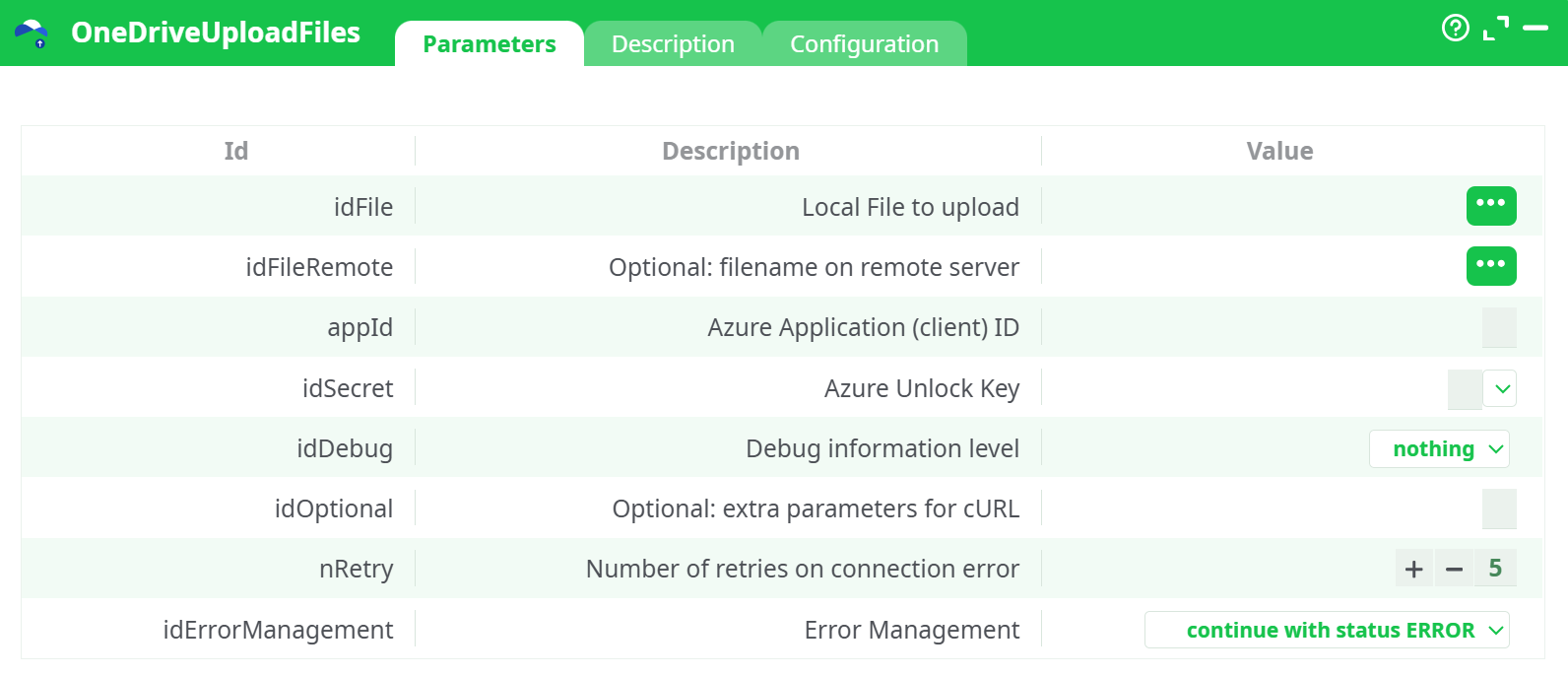
Parameters:
- Local File to upload
- Optional: filename on remote server
- Azure Application (client) ID
- Azure Unlock key
- Debug information level
- Optional: extra parameters for cURL
- Retries on connection error
- Error Management
¶ Description tab
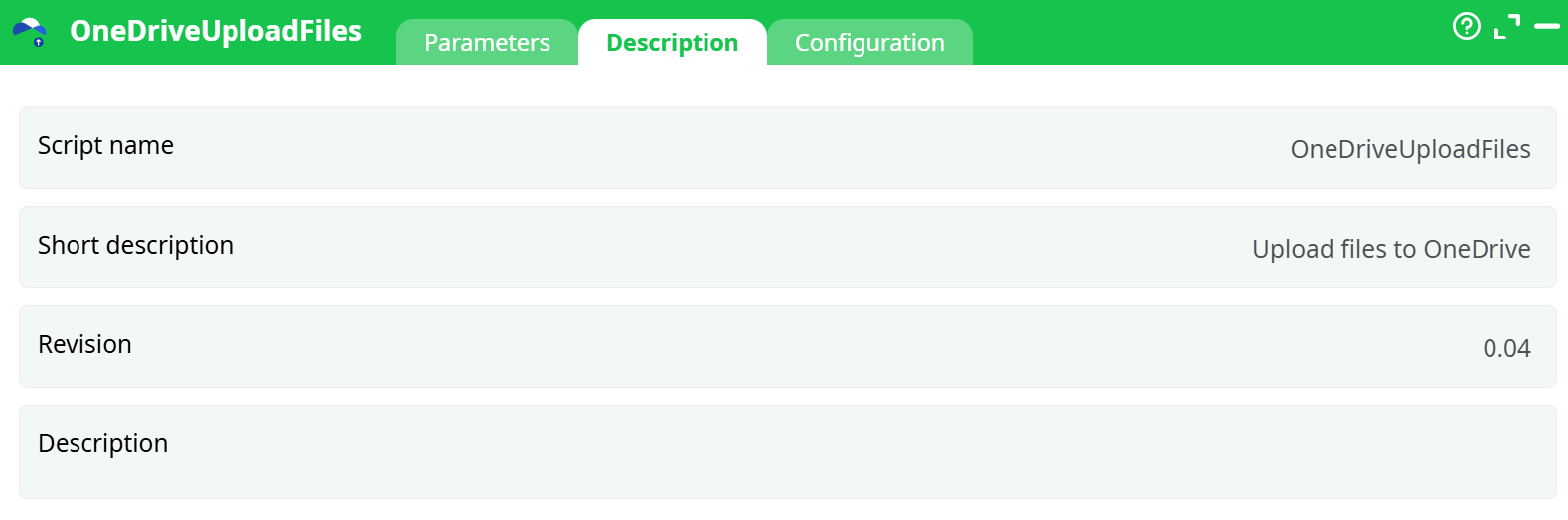
Parameters:
- Script name
- Short description
- Revision
- Decription
¶ Configuration tab
See dedicated page for more information.
¶ About
Uploads one or more local files to OneDrive for Business (or SharePoint/Teams drive) using Microsoft Graph, with app-only credentials. It supports single-file and batch uploads (one row = one file).
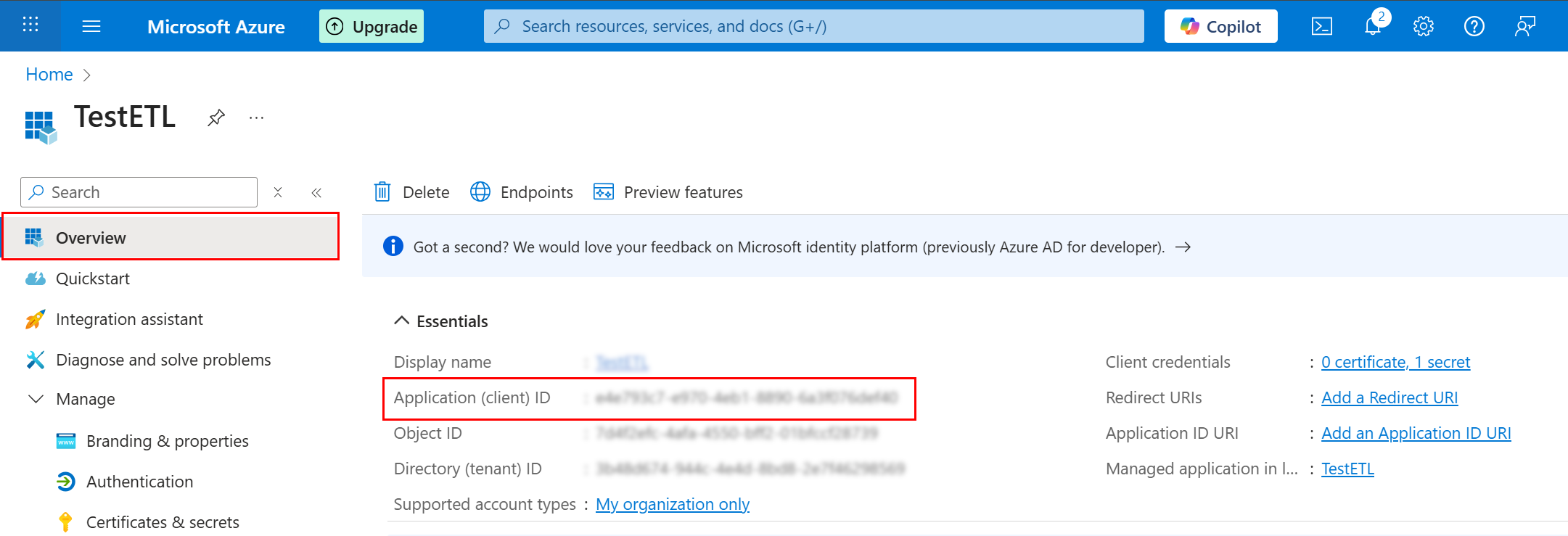
Auth model: this action uses the Azure Unlock Key produced by the AzureUnlock box (created from your App Registration’s Client Secret and the scopes you selected). See AzureUnlock document for how to obtain Application (client) ID and Client Secret; then run AzureUnlock to get the Unlock Key string and paste it here.
¶ Prerequisites
-
Azure AD (Entra ID) App Registration
-
Collect:
-
Application (client) ID
-
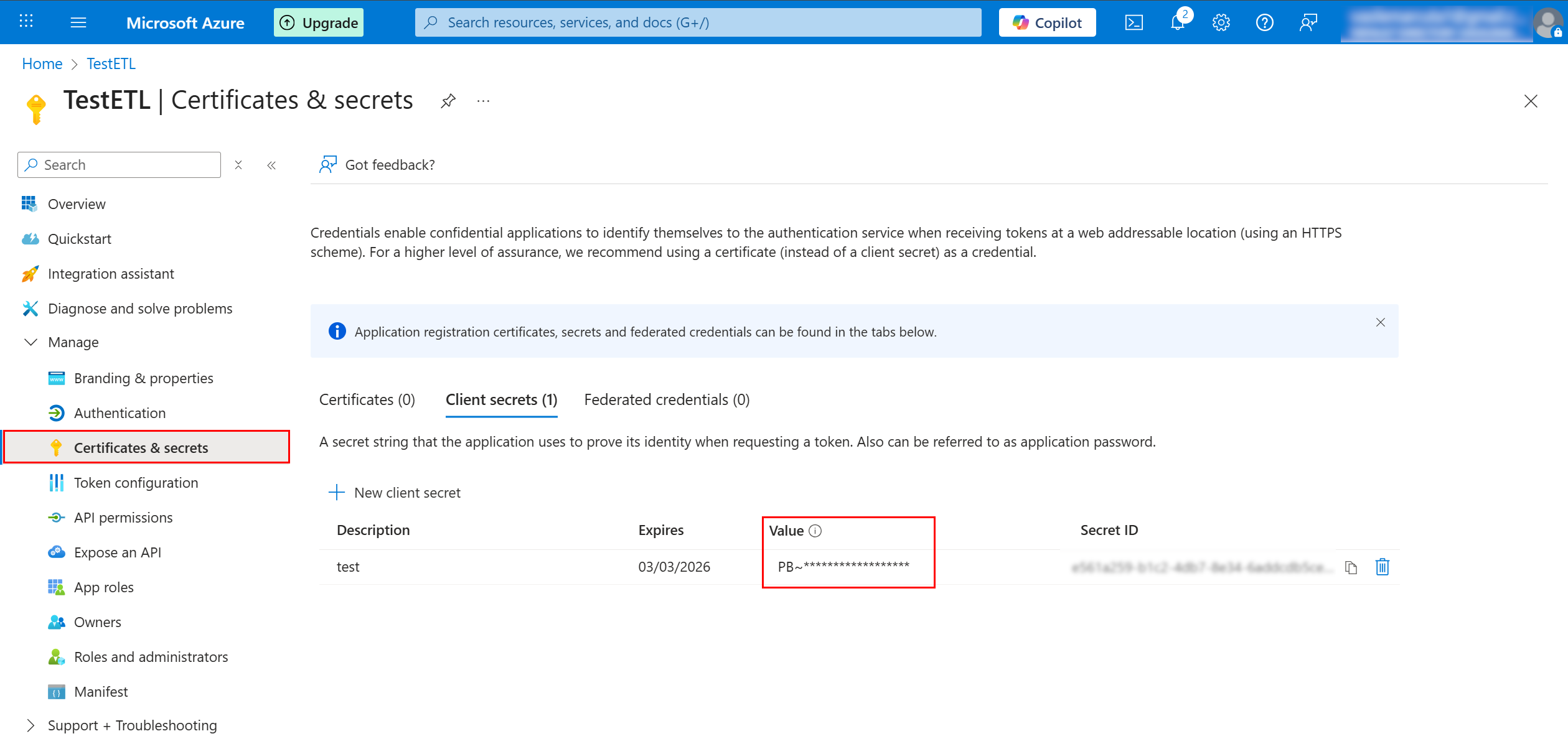
Client Secret (VALUE) — the string starting with
PB~…(you created it earlier)
-
-
-
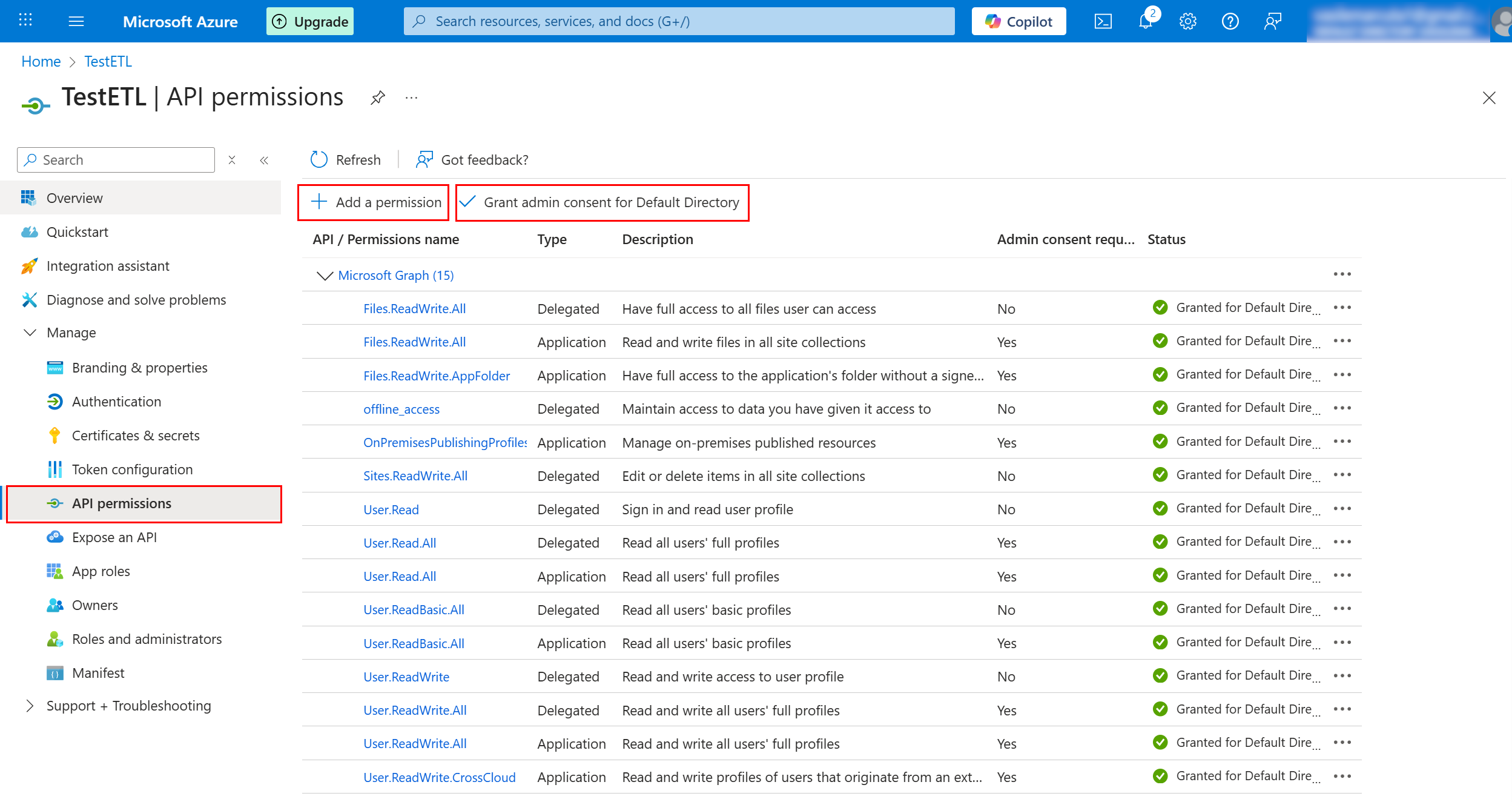
Graph API Application permissions (grant Admin consent):
Files.ReadWrite.All(OneDrive / SharePoint files)- If targeting SharePoint sites or Teams libraries, also add
Sites.ReadWrite.All.
-
OneDrive for Business / SharePoint target (consumer/personal OneDrive is not supported by app-only Graph).
¶ Inputs & Outputs
-
Inputs: optional tabular flow. You can either:
- set literal values in the parameters (single file), or
- feed a table and select columns for Local File and Remote Name. Each row is one upload.
-
Outputs: one row per attempted upload with status information (success/failure). Check the Log for HTTP details when debugging.
¶ Typical setups
¶ A) Single file upload (literal values)
- idFile:
assets/Customer_Orders.csv - idFileRemote:
Customer_Orders.csv(orReports/Customer_Orders.csv) - appId: your Application (client) ID
- idSecret: paste the Unlock Key produced by AzureUnlock
- idDebug:
basic - nRetry:
5 - idErrorManagement:
abort pipeline execution with error
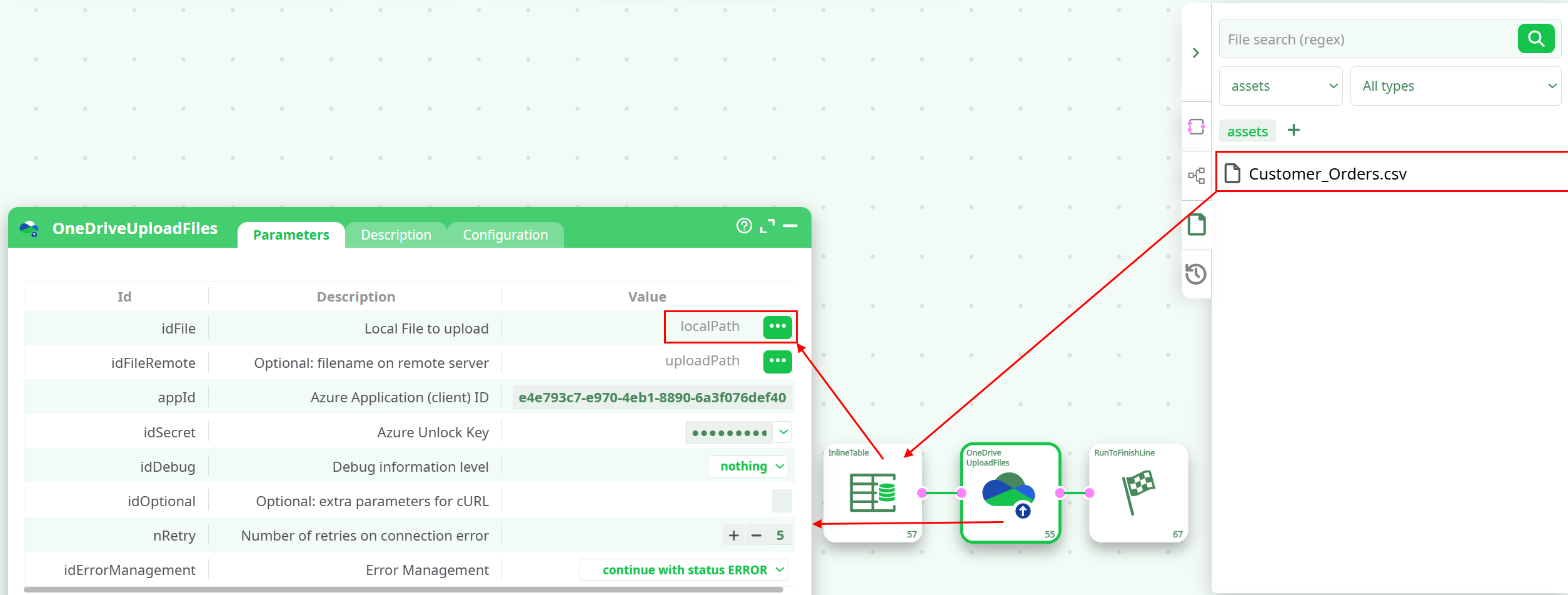
Run the pipeline. Check Log and Data for the result.
¶ Notes & best practices
- Unlock Key vs Client Secret: Don’t paste the Secret ID; use the Unlock Key from AzureUnlock (built from the Client Secret VALUE and your selected scopes).
- Folders: You can include subfolder paths in idFileRemote (
FolderA/FolderB/file.csv). The action will address the path; ensure the target drive/folder exists or your app has rights to create it. - Large files: The action uses Graph upload; for very large files Graph may transparently switch to upload sessions. If you hit timeouts, increase nRetry and consider
verbosedebug temporarily. - Security: Treat the Unlock Key like a password. Rotate your Client Secret periodically; rerun AzureUnlock after rotation.
¶ Troubleshooting
| Symptom | Likely cause | Fix |
|---|---|---|
401/403 in log |
Missing consent or wrong account type | Ensure Application permissions (Files.ReadWrite.All, Sites.ReadWrite.All if needed) and click Grant admin consent in Azure. Confirm this is OneDrive for Business. |
| “Authorization required, but no authorization protocol specified” appears in pipeline log but no upload happens | The action ran but no actual HTTP call executed (often due to empty inputs or earlier step not providing values) | Verify idFile resolves to a valid file (or a non-empty input table) and idSecret contains a valid Unlock Key. |
404 |
Wrong remote path or drive | Check the destination path/library; verify the account/drive you’re writing to. |
| Upload intermittently fails | Network instability | Increase nRetry and set idDebug to basic to capture retry details. |