¶ Description
Upload files to a S3 bucket.
¶ Parameters
¶ Parameters Tab
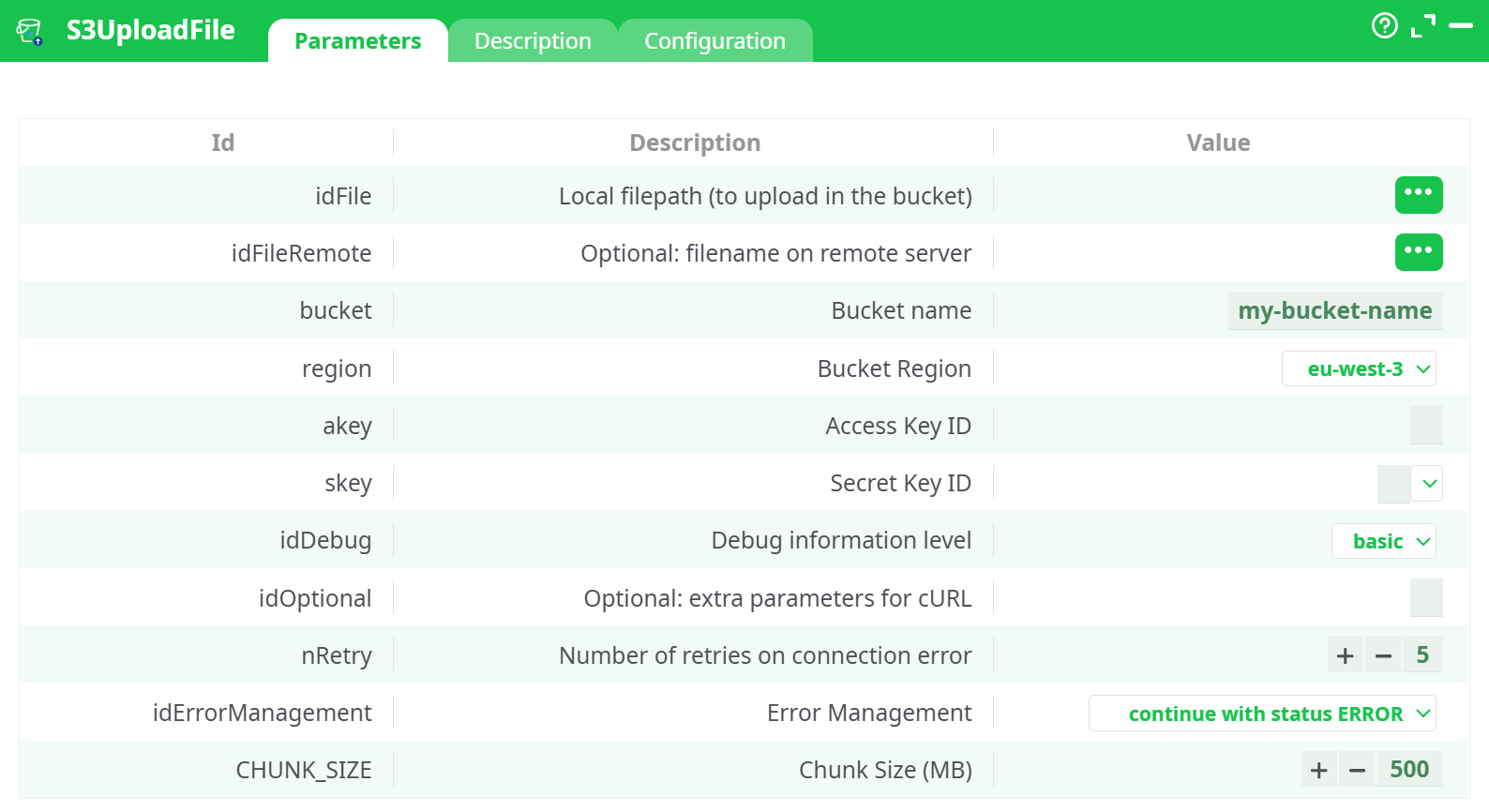
Parameters:
- parameters.S3.UploadFile.idFile
- parameters.S3.UploadFile.idFileRemote
- parameters.S3.bucketName
- parameters.S3.region
- parameters.S3.akey
- parameters.S3.skey
- parameters.idDebug.desc
- parameters.curlParams
- parameters.nRetry
- parameters.idErrorManagement.desc
- parameters.S3.UploadFile.chunkSize
¶ Description Tab
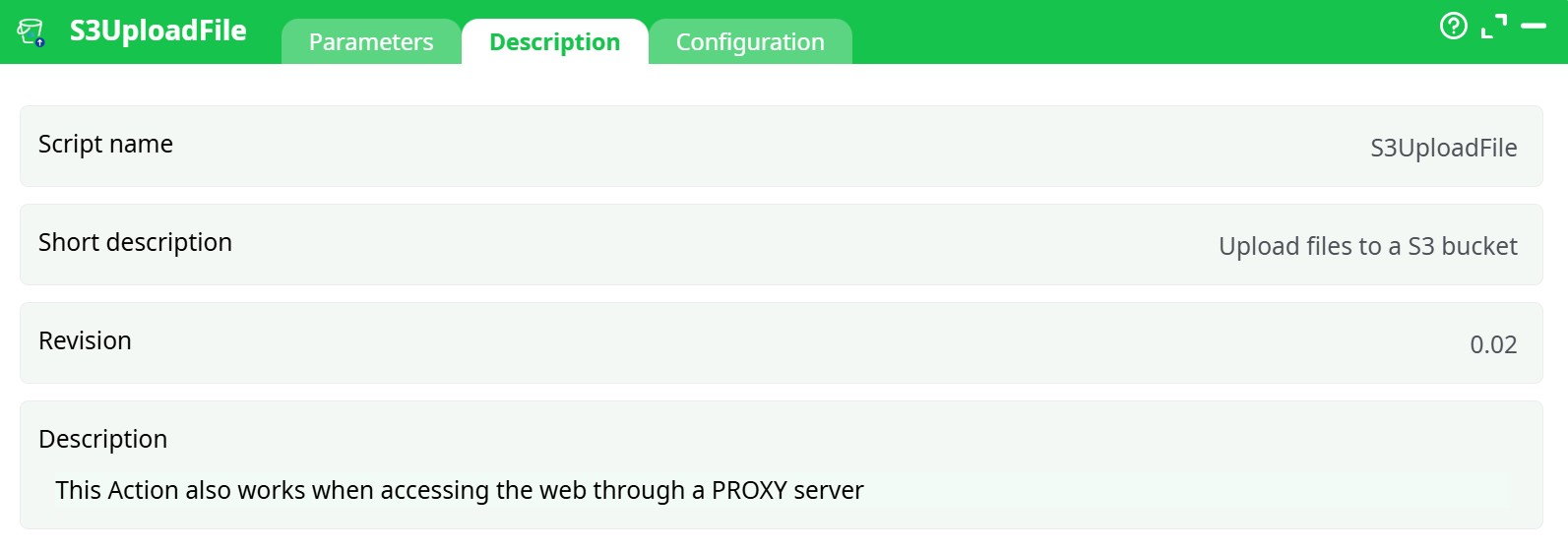
Parameters:
- Script name
- Short description
- Revision
- Decription
¶ Configuration Tab
See dedicated page for more information.
¶ About
Upload one or more local files to an Amazon S3 bucket using the S3 UploadFile box.
Input comes from an InlineTable withlocalFilePathands3FilePath. The box writes a per-row status so you can audit each upload.
¶ 0) Quick architecture
- Source: InlineTable (one row per file)
- Processor: S3 UploadFile (uses your IAM access key & secret)
- Destination: S3 bucket (region eu-west-3, e.g.
altrnativetl1) - Outputs: Adds
_S3_Status(OK or AWS error)
¶ 1) AWS prerequisites (one-time)
¶ 1.1 Switch the console region
At the top right of the AWS console, pick Europe (Paris) eu-west-3.

¶ 1.2 Create an S3 bucket
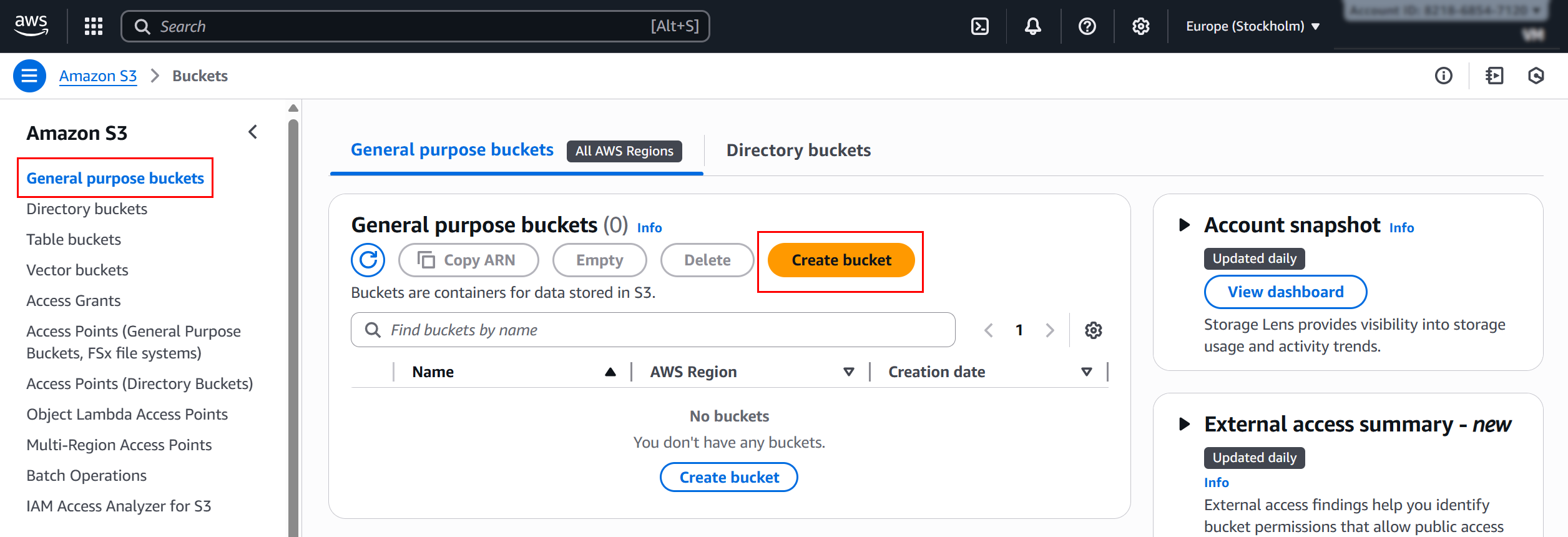
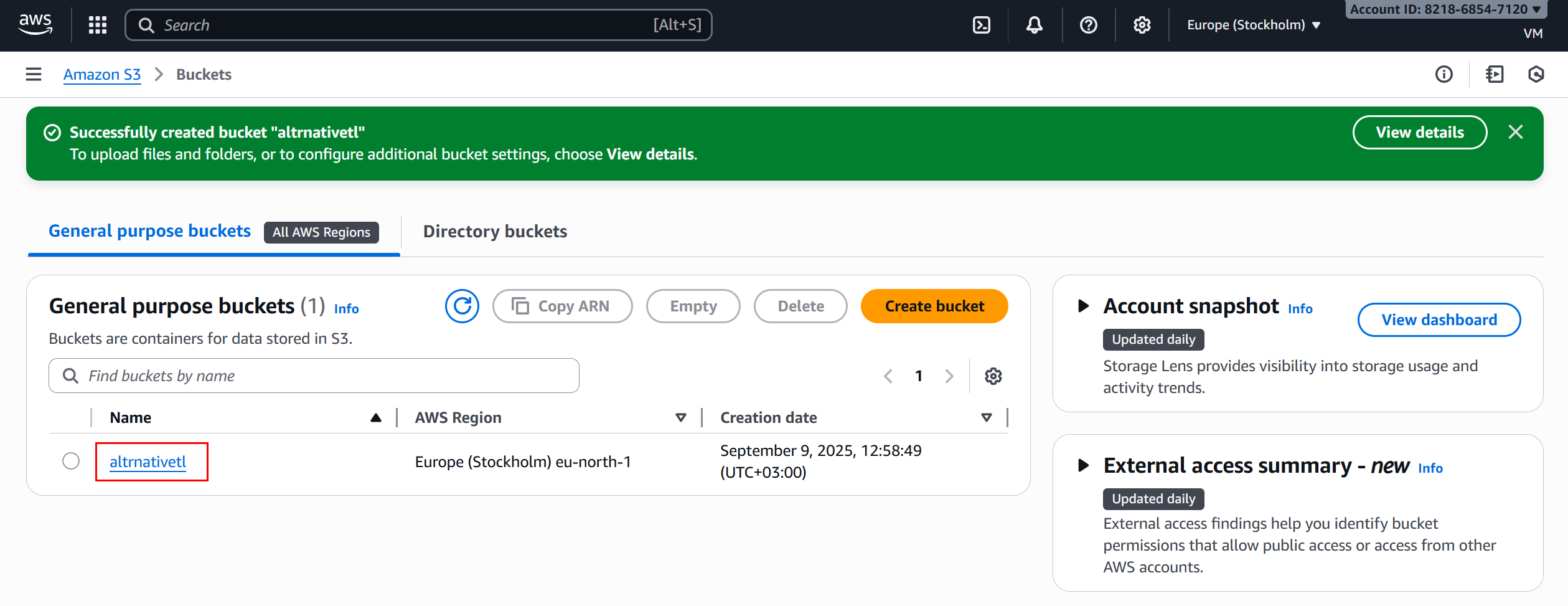
- S3 → Buckets → Create bucket
- Bucket name:
altrnativetl1(must be globally unique) - AWS Region: eu-west-3
- Block Public Access: leave ON (recommended)
- (Optional) Default encryption: SSE-S3
- Create
¶ 1.3 Create an IAM user + keys
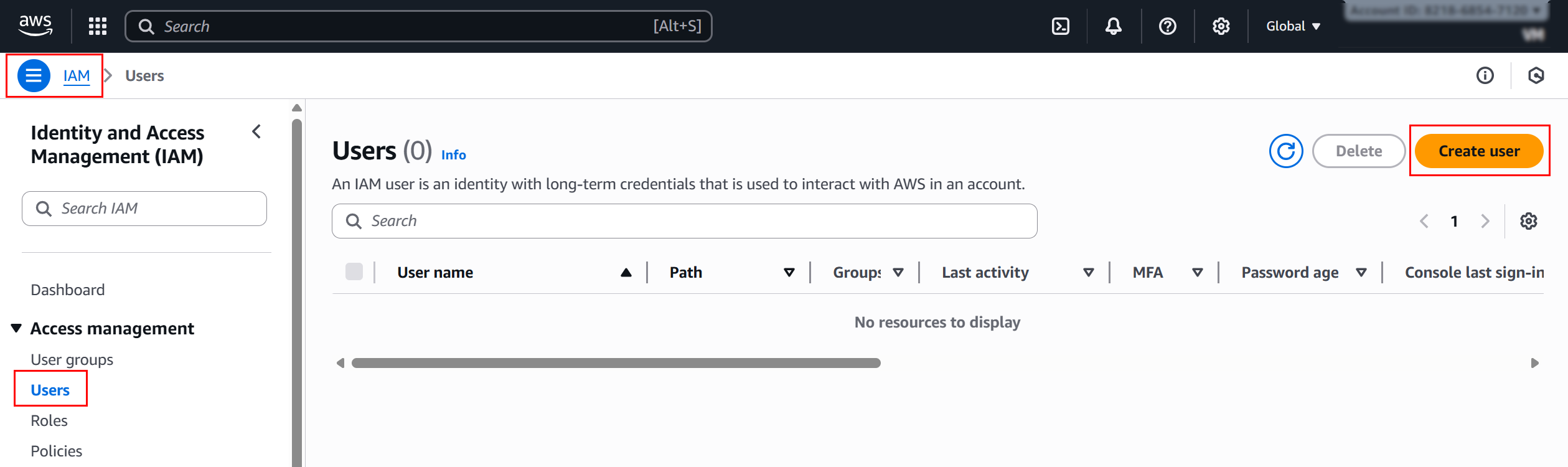
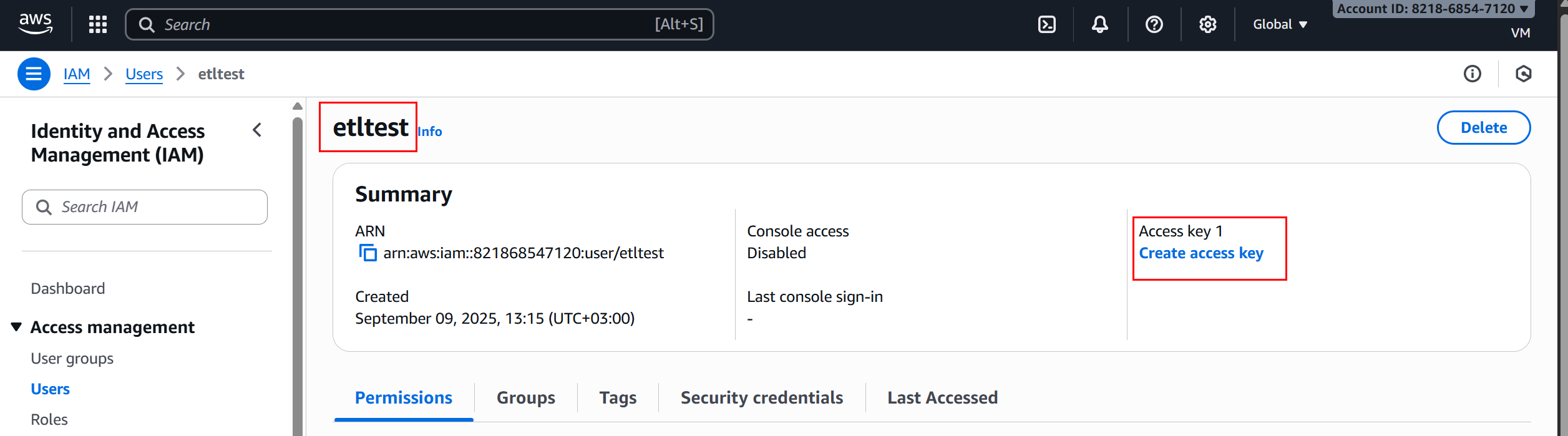
- IAM → Users → Create user:
etl-s3-user - Attach policies directly → Create policy (JSON) → paste the policy below → Create as
ETL-S3-Full→ Attach to user - Open the user → Security credentials → Create access key → copy Access key ID and Secret access key
¶ 2) Prepare the input table
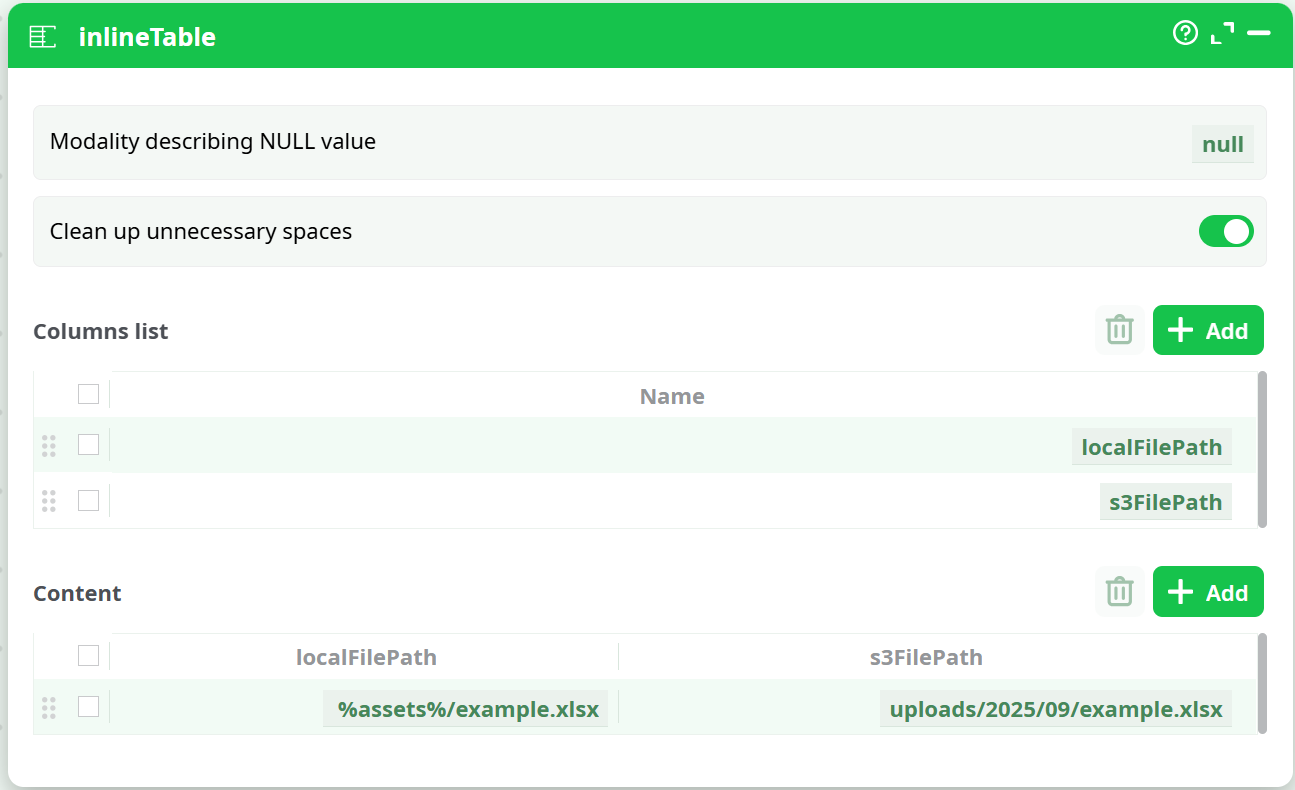
Create an InlineTable with two columns:
| Column | Meaning | Example value |
|---|---|---|
localFilePath |
Full path to the local file in the job | %assets%/example.xlsx |
s3FilePath |
Destination key in S3 (no leading slash) | uploads/2025/09/example.xlsx |
Notes
•%assets%is your platform’s asset path.
• Folders in S3 are virtual—S3 creates them on first write.
¶ 3) Configure the S3 UploadFile box
Open the box Parameters tab and set:
| Field (as shown in the box) | Value / Setting |
|---|---|
| Local filepath (to upload in the bucket) | localFilePath (from the InlineTable) |
| Optional: filename on remote server | s3FilePath (from the InlineTable) |
| Bucket name | altrnativetl1 |
| Bucket Region | eu-west-3 |
| Access Key ID | (paste from IAM user) |
| Secret Key ID | (paste from IAM user) |
| Debug information level | basic (use verbose while testing) |
| Optional: extra parameters for cURL | (leave empty) |
| Number of retries on connection error | 5 |
| Error Management | continue with status ERROR |
| Chunk Size (MB) | 500 (256–512 MB works well for large files) |

Wire the nodes
Connect InlineTable ➜ S3 UploadFile ➜ RunToFinishLine.
¶ 4) Run the action button
-
Click Run (or your action button trigger).
-
Open Process → Data to review results. Expected columns:
s3FilePath(destination key)_S3_Status(OKor an AWS error message)
¶ 5) Troubleshooting (error → fix)
Symptom / _S3_Status |
Likely cause | What to check / fix |
|---|---|---|
TemporaryRedirect |
Region mismatch | Bucket is eu-west-3 and the box Bucket Region is also eu-west-3. Bucket name is the eu-west-3 bucket you created. |
AccessDenied / SignatureDoesNotMatch |
Keys/policy issue | Re-paste Access key ID & Secret (no spaces). IAM policy includes s3:PutObject on arn:aws:s3:::<bucket>/*. |
NoSuchBucket |
Bucket name typo or wrong account | Exact name? In the same AWS account? Exists in eu-west-3? |
_S3_Status shows error but pipeline continues |
Expected with Error Mgmt = continue |
Open Logs for the exact AWS message; fix cause; re-run. |
| Very large files fail | Multipart tuning | Keep Chunk Size 256–512 MB; retries = 5+. |
¶ 6) Conventions & best practices
- Key layout:
uploads/YYYY/MM/filename.extkeeps things tidy and list-friendly. - Overwrites: Uploading the same
s3FilePathreplaces the object. - Safety: Keep keys in secret fields; rotate IAM keys periodically.
- Scalability: Add one row per file; the box uploads each row independently.
- Reusability: The IAM policy above already covers Download, List, and Delete—use the same user/keys for those boxes to avoid policy edits later.