¶ Description
Send SMS to a SMSC (Short Message Service Center) server using the SMPP protocol.
¶ Parameters
¶ SMS contents Tab
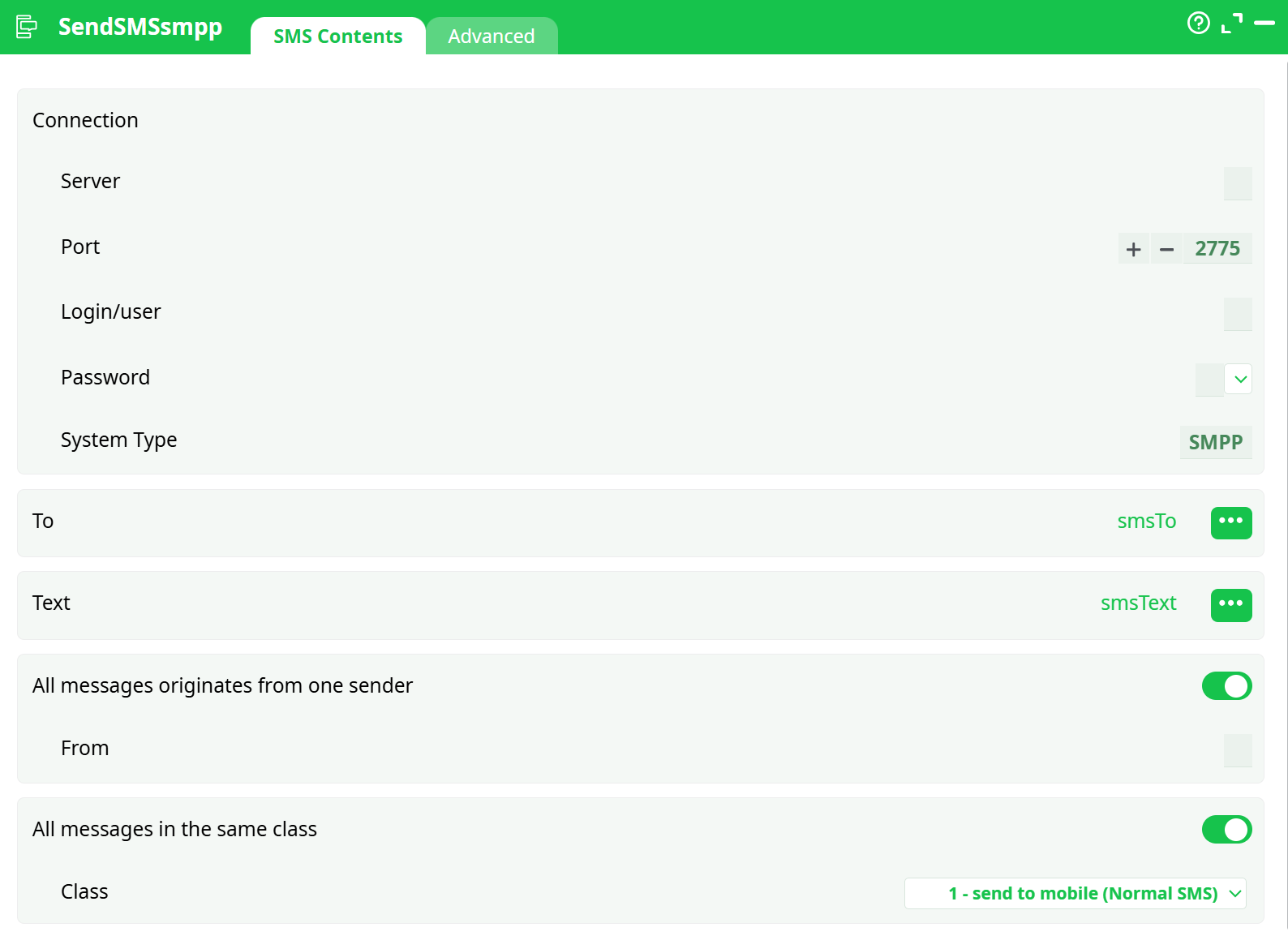
Parameters:
- To
- Text
- All messages from one sender
- From
- All messages are in the same class
- Class
¶ Advanced Tab

Parameters:
- Server
- Port
- Authentication
- Login/user
- Password
- System Type
- Payload
- High priority SMS
- Replace if present
- Insert a NULL byte at the end of text
- Registered delivery
- Text encoding
- "Long" message splitting
- Message validity (0, 0 = default)
- Throttling
- Max throughput (0 = no limit)
- SMS/minute
- When connection with server is lost
- Time interval between each connection attempt
- Retries on connection error
- TCP/IP network read time-out
- TCP/IP network write time-out
- SMS really advanced connection parameters
- Bind TON
- Source TON
- Destination TON
- Bind NPI
- Source NPI
- Destination NPI
- Error management
- If the SMPP server refuses to respond
¶ About
The advantages of using the SMPP protocol over the simpler HTTP protocol are:
- You can define any “source/origin phone number”. Source phone-number can be alphabetic (ex: "MY_COMPANY") allowing for a better branding of your SMS.
- You can send FLASH SMS: These are SMS that directly “pop-up” on the phone screen instead of being stored inside the phone memory alongside with the other SMS.
- You can send SMS directly to the SIM toolkit to re-program the GSM (e.g.: To automatically configure internet settings for your network).
- You can have a delivery report: The SMSC server make its best effort to deliver all your SMS to your recipients but it can happen that some GSM phones are off and thus not contactable. In such situation, the SMSC server will continuously try to send your undelivered SMS’s during a period of (typically) some days (this period is configurable using the “Message Validity” parameter).
- You have more control on the text encoding used inside the SMS’s. The text encoding can be:
- Unicode UTF-16 (1 SMS=70 characters): All characters are available.
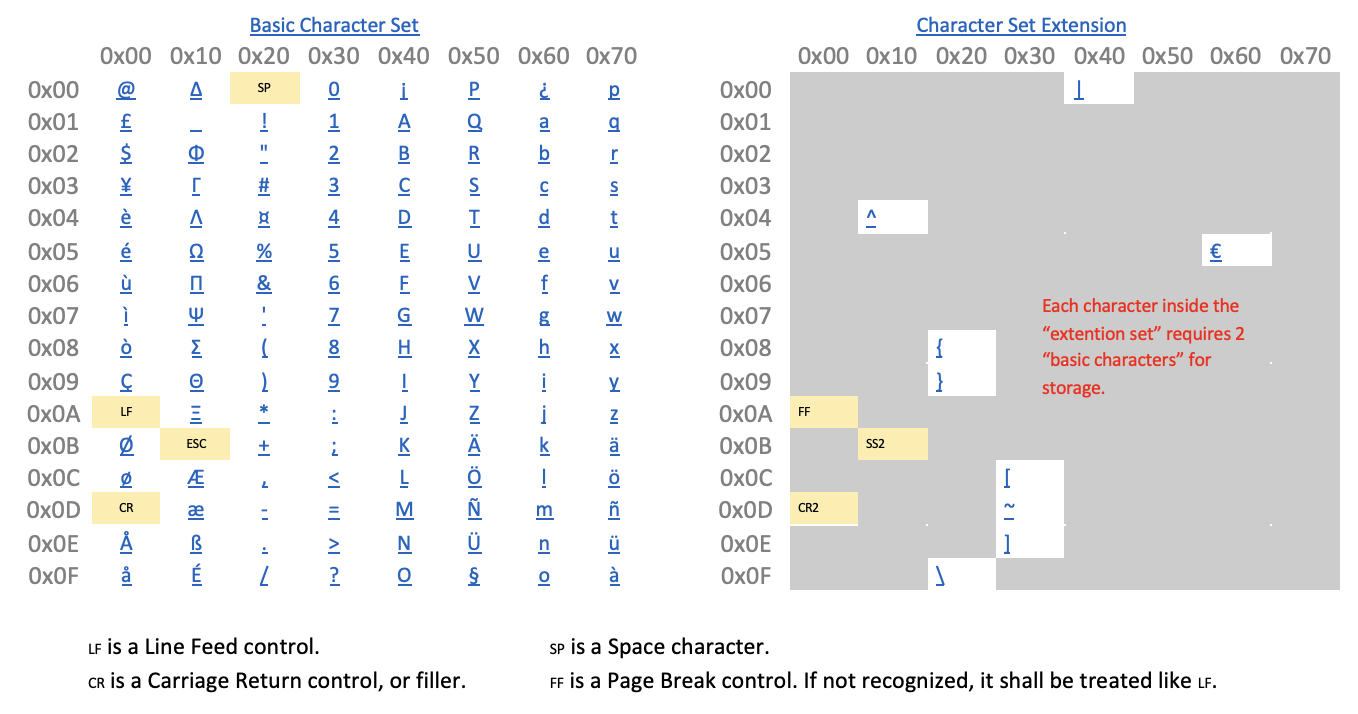
- GSM 03.38 (1 SMS=160 characters). A reduced set of character is available:
- The SMPP protocol is slightly faster than the HTTP protocol.
If you activated the “Registered delivery” parameter (inside the “connection” tab), you can query, at any moment, the status of all your SMS’s: The SMSC returns a delivery report with the status of your SMS’s. This status can be: ENROUTE, DELIVERED, EXPIRED, DELETED, UNDELIVERABLE, ACCEPTED, UNKNOWN, REJECTED, QUERY REQUEST FAILED.
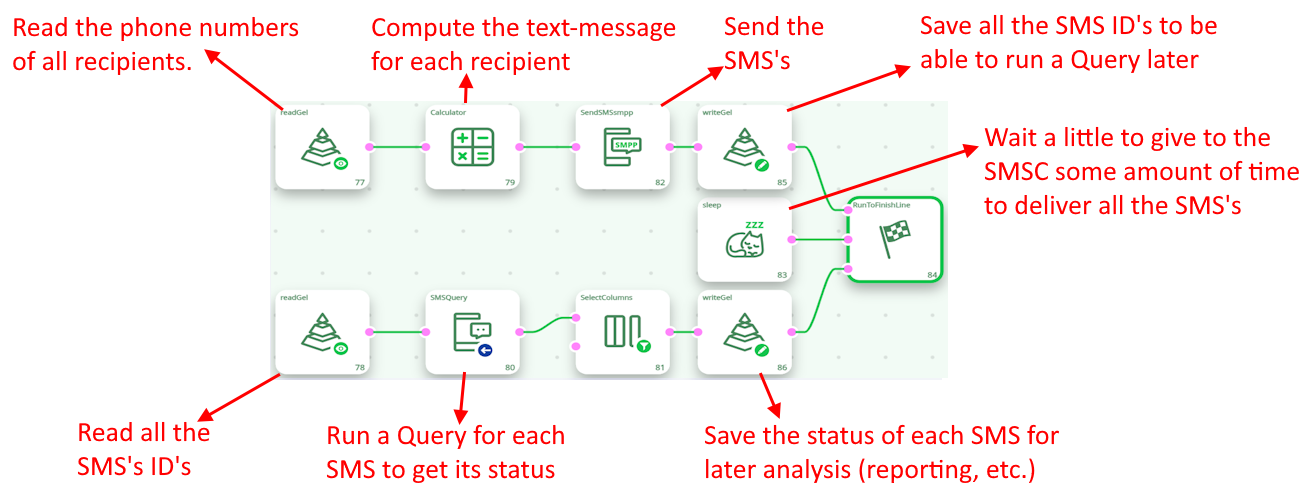
For each SMS sent, the SendSMSsmpp action returns a unique indentifier attached to the SMS. You can thereafter use this SMS identifier with the QuerySMS action (see readEDIX12 action documentation) to know the status of each of your SMS’s. You’ll typically have an ETL-data-transformation pipeline such as this one: