¶ Description
Upload data to Microsoft SharePoint.
¶ Parameters
¶ Standard tab
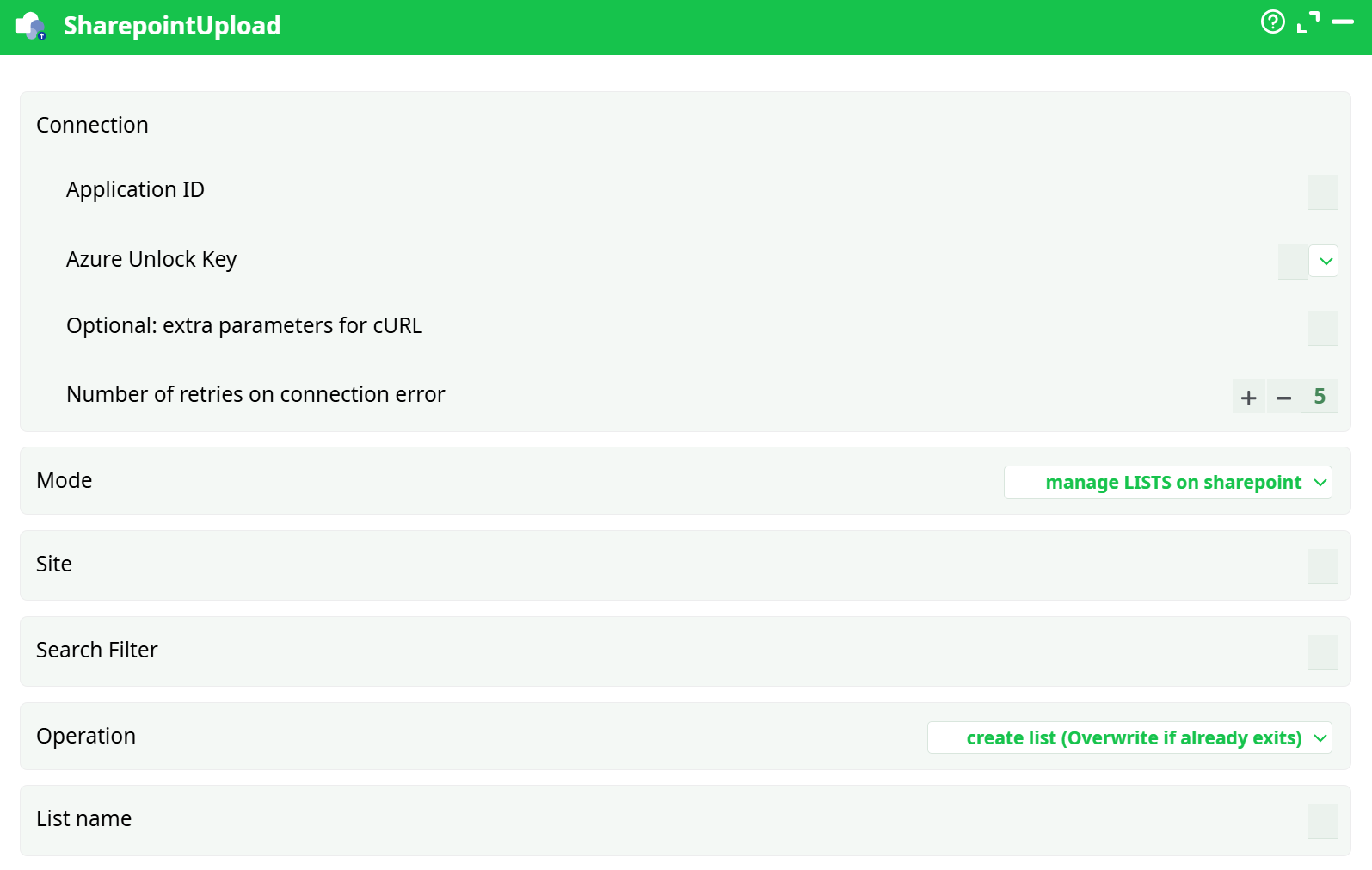
Parameters:
- Connection
- Application ID
- Azure Unlock Key
- Optional: extra parameters for cURL
- Number of retries on connection error
- Mode
- Site
- Search Filter
- Operation
- List name
¶ About
This action also works when accessing the web through a PROXY server.
To use this action, you’ll need to setup several parameters on the Microsoft Websites and you’ll also need to obtain your “Application ID” (parameter P1), also from the Microsoft Website.
Once you have completed the “setup process”, you can use the parameters P6 to P9 to upload data to your Microsoft SharePoint system.
The parameter P6 defines this action operating mode: it can have different values:
- Create List (Overwrite if already exists)
- Append to list
- Delete list
- Delete list and Append
- Update list
All these operating modes (with the exception of the “Delete list” operating mode) are expecting a table in input. This input table will be injected inside the given list inside the given Sharepoint site in Azure. Ideally, this input table should have a column named “Title” because Sharepoint is imposing that all lists have a “Title” column. We are suggesting you to have a “Title” column in the table in input but you can also decide to ignore our recommendation: In this case, SharePoint will automatically add an empty “Title” column inside your list. Hopefully, you can easily hide this empty “Title” column in this way:
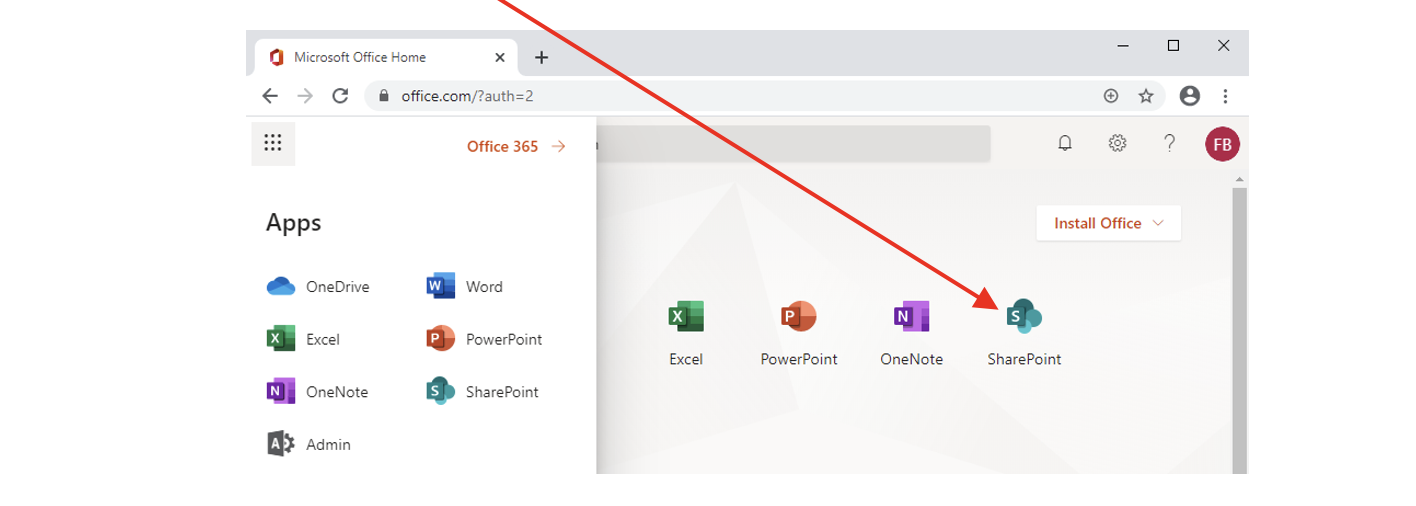
- Open this URL: https://www.office.com and log-in into your Office account
- Select “Sharepoint”:
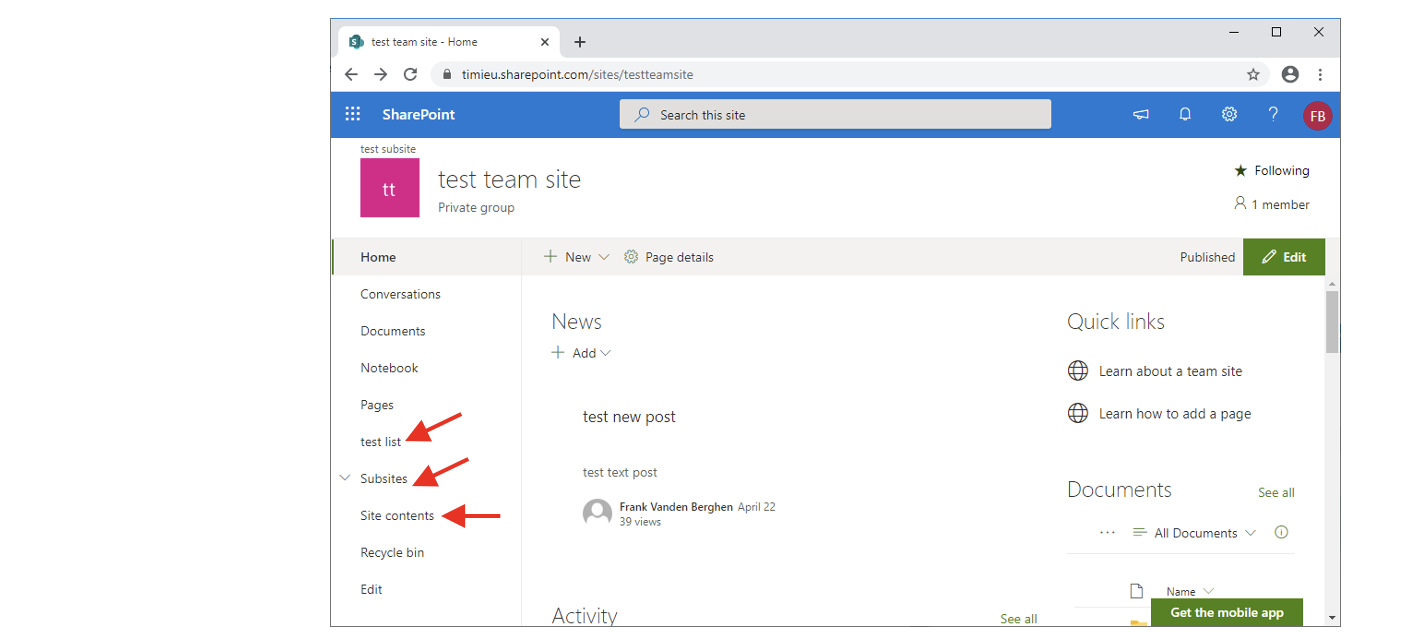
- Navigate to the site and to the list to edit:
1.1. Select a site: Click here:
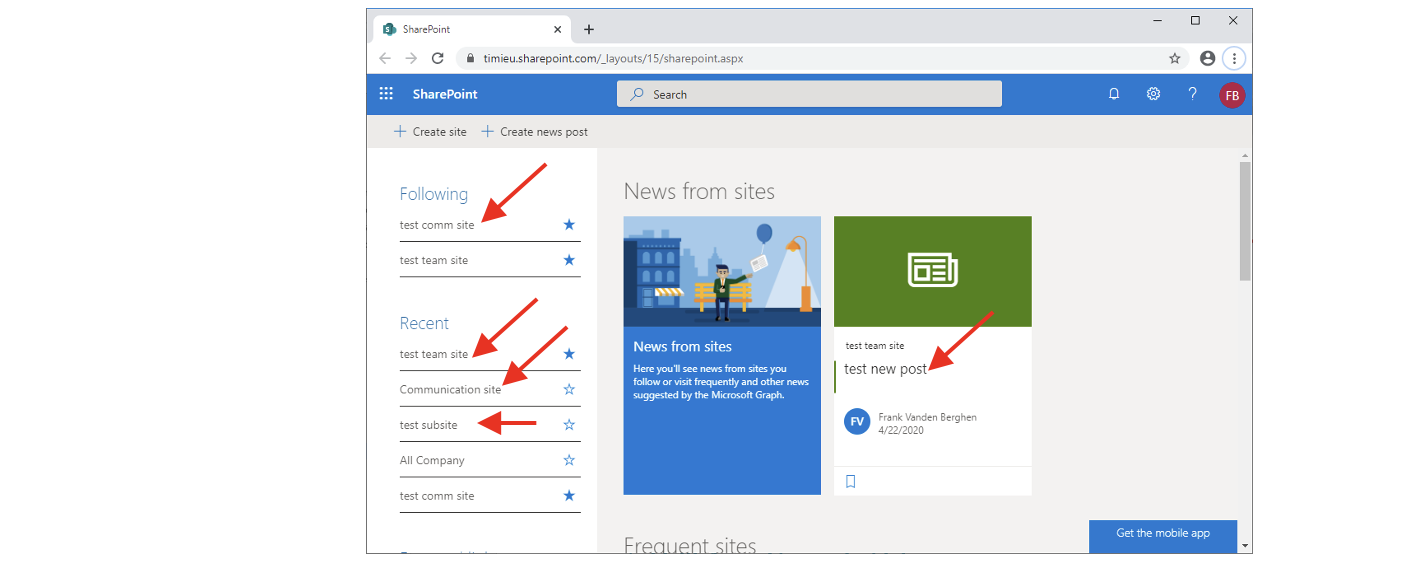
1.2. Select a list to edit inside your site: Click here:
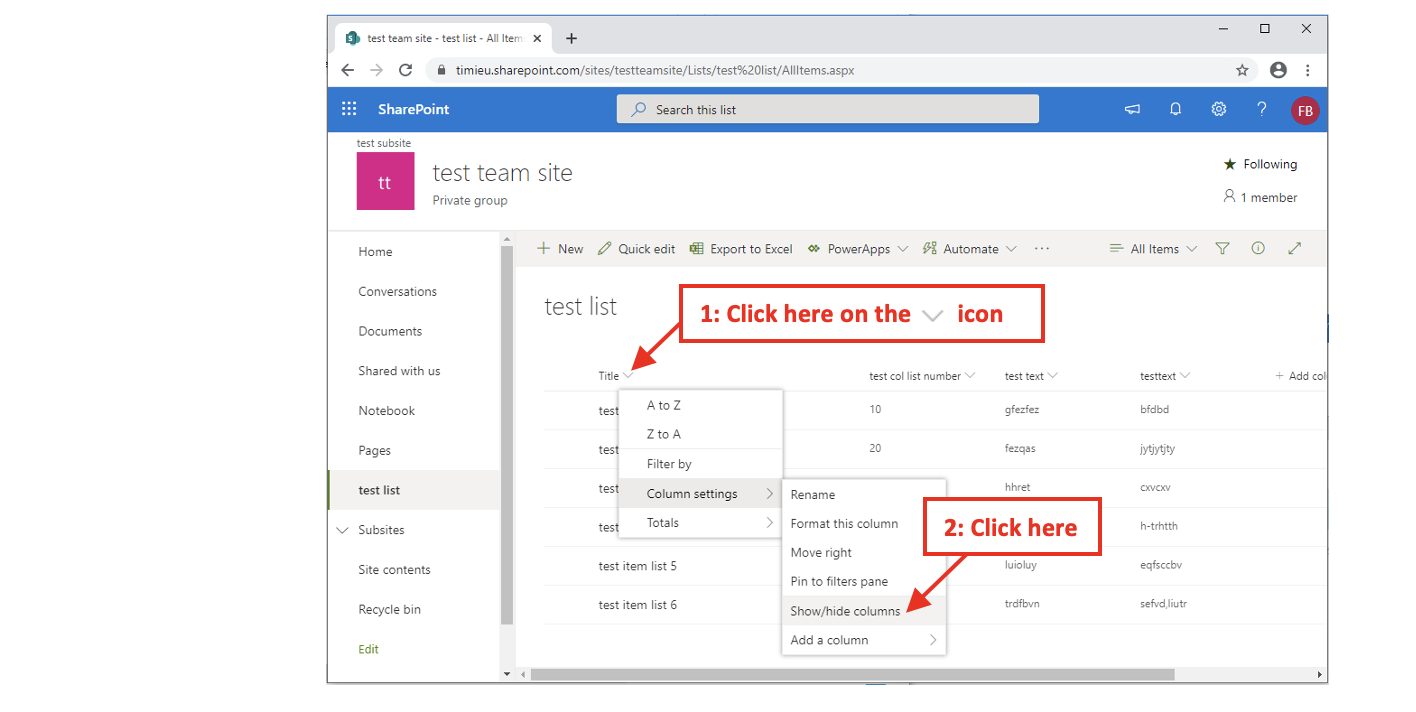
- Click the icon next to the header of the column “Title”: This opens a contextual menu: Navigate to the “Show/hide columns” Option:
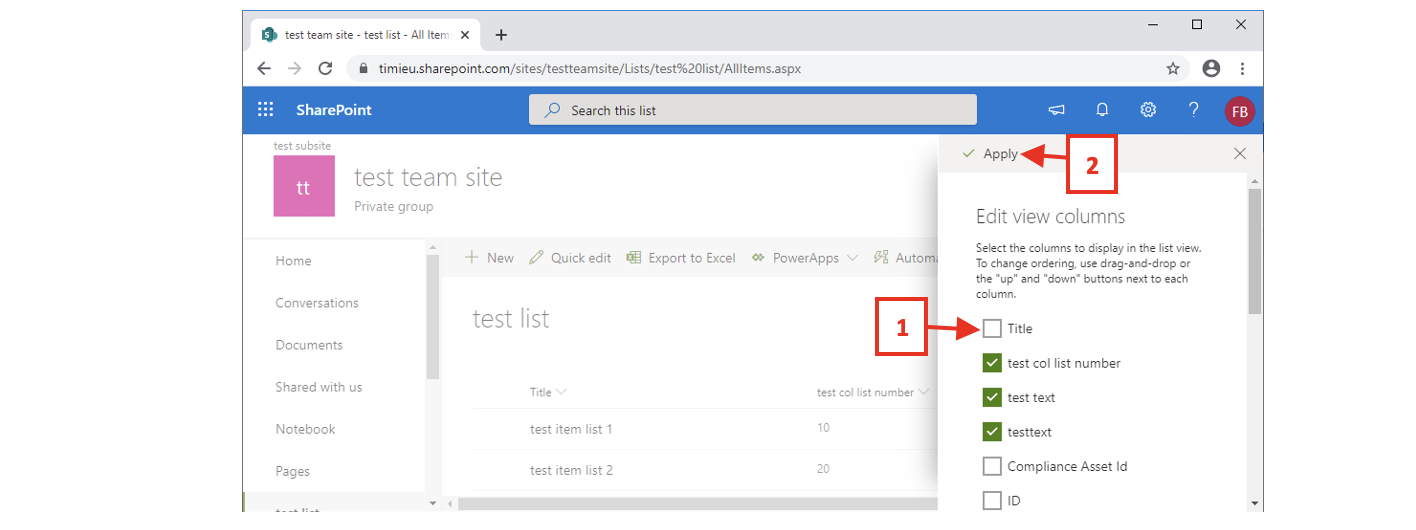
- Unchek the checkbox near “Title” and click the “Apply” button: