¶ Description
Send SMS using OVH.
¶ Parameters
¶ Parameters tab
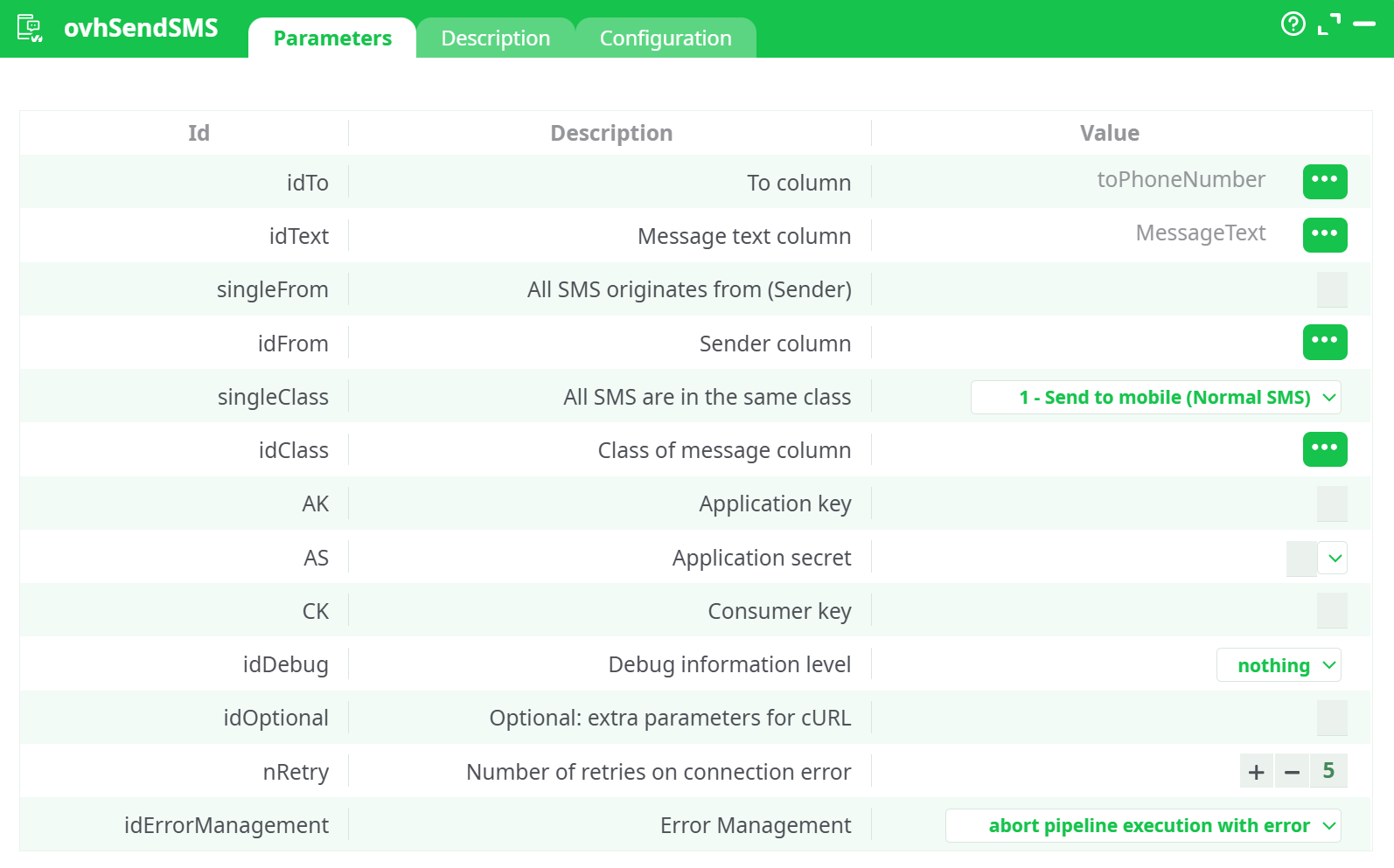
Parameters:
- To column
- Message text column
- All SMS originates from (Sender)
- "parameters.ovh.SendSMS.idFrom
- All SMS are in the same class
- Class of message column
- Application key
- Application secret
- Consumer key
- Debug information level
- Optional: extra parameters for cURL
- Retries on connection error
- Error Management
¶ Description tab
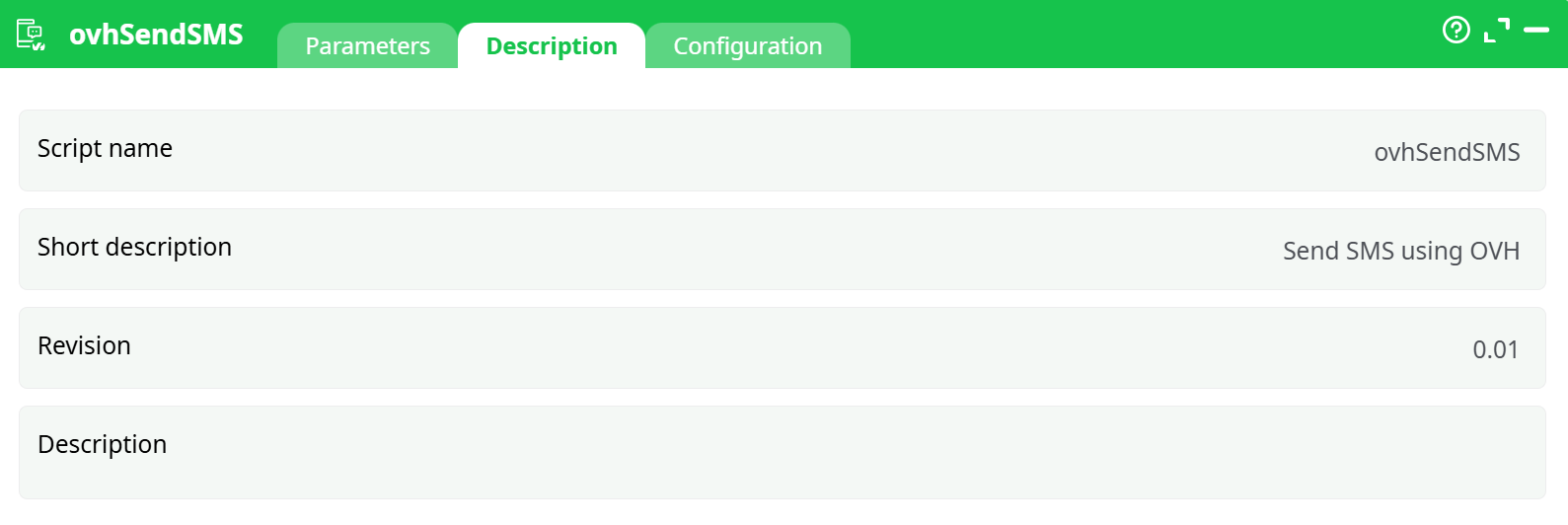
Parameters:
- Script name
- Short description
- Revision
- Decription
¶ Configuration tab
See dedicated page for more information.
¶ About
ovhSendSMS sends one or more SMS messages through OVHcloud SMS.
You provide a dataset with at least:
- a recipient column (E.164 phone number), and
- a message column (SMS body).
Optional columns let you vary the sender and message class per row. The action uses your OVHcloud API credentials (Application Key, Application Secret, Consumer Key).
¶ Quick Start (TL;DR)
-
Create/validate a Sender in OVHcloud (alphanumeric or numeric in E.164).
-
Create API credentials in OVHcloud:
- Application Key (AK)
- Application Secret (AS)
- Consumer Key (CK) with
GET/POST/PUT /sms/*rights
-
Prepare a small table with columns:
toPhoneNumber,MessageText(and optionallySender,MessageClass)
-
Configure the action:
- idTo →
toPhoneNumber - idText →
MessageText - singleFrom = your validated sender or map idFrom →
Sender - singleClass =
1 - Send to mobile (Normal SMS)or map idClass →MessageClass - Paste AK, AS, CK
- idTo →
-
Run. Check logs and the recipient’s phone.
¶ First-time Setup (Credentials)
¶ 1) OVHcloud SMS service
- Sign in to OVHcloud Control Panel → Telecom → SMS.
- Create an SMS service/account if you don’t have one and add credits.
- (Optional) Note your service name (e.g.,
sms-xx…) for testing in the API console.
¶ 2) Register a Sender (From)
-
Control Panel → Telecom → SMS → Senders → Add sender.
-
Choose:
- Alphanumeric (3–11 chars, requires validation and may be restricted in some countries), or
- Phone number you own (numeric, in E.164).
-
Wait for the sender to be validated. Use this exact value in the action.
¶ 3) Create API credentials (AK / AS / CK)
-
Application Key (AK) & Application Secret (AS)
- Create an “application” in OVHcloud (give it a name like “ETL SMS”).
- Copy Application Key and Application Secret.
-
Consumer Key (CK)
-
In the OVHcloud API console, request credentials with access rules:
GET /sms/* POST /sms/* PUT /sms/* -
Log in and validate the token when prompted.
-
Copy the Consumer Key.
-
Region: Make sure you’re using the same OVH endpoint/region (EU/CA/US) for both creation of CK and your account.
¶ Action Parameters
¶ Required mapping
-
idTo
Column containing the recipient number in E.164 (e.g.,+14155550123). -
idText
Column containing the SMS body.
¶ Sender (choose one approach)
-
singleFrom (toggle ON)
All SMS use the same Sender; type the validated sender value (alphanumeric or numeric E.164). -
idFrom (if
singleFromis OFF)
Map to a column (e.g.,Sender) to vary the sender per row.
¶ Message class (choose one approach)
-
singleClass (recommended)
Select one value:0— Flash (display only)1— Send to mobile (Normal SMS)2— To SIM3— To SIM toolkit
-
idClass (if you vary class per row)
Map to a column (e.g.,MessageClass) with integer values0,1,2,3.
¶ Credentials
- AK — OVHcloud Application Key
- AS — OVHcloud Application Secret
- CK — OVHcloud Consumer Key with
/sms/*rights
¶ Reliability & diagnostics
-
idDebug:
nothing|basic|verbose
Start withnothing; switch tobasic/verbosefor troubleshooting. -
nRetry: number of retries on connection errors (default 5 is fine).
-
idOptional: extra cURL params (rarely needed).
-
idErrorManagement:
abort pipeline execution with error(strict)continue with status ERROR(let downstream handle failures)
¶ Input Data Requirements
-
Phone format: E.164 only (leading
+, country code, no spaces). -
Message length:
- GSM-7: 160 chars per segment,
- UCS-2 (e.g., emojis): 70 chars per segment.
- Longer content is split into multiple segments (consumes multiple credits).
-
Sender:
- Must be validated in OVHcloud.
- Alphanumeric may be blocked in some countries—use numeric when in doubt.
Example dataset
| toPhoneNumber | MessageText | Sender | MessageClass |
|---|---|---|---|
| +14155550123 | Hello from OVH + ETL! | MyBrand | 1 |
| +33612345678 | Promo – use code ABC! | +33123456789 | 1 |
¶ Example Configuration
- idTo →
toPhoneNumber - idText →
MessageText - singleFrom = ON, value =
MyBrand(or OFF and map idFrom →Sender) - singleClass =
1 - Send to mobile (Normal SMS)(or map idClass →MessageClass) - AK/AS/CK pasted from your OVHcloud application/credential
- idDebug =
nothing - nRetry =
5 - idErrorManagement =
abort pipeline execution with error
Run the pipeline—messages should arrive in seconds.
¶ Troubleshooting
| Symptom / Error | What to check |
|---|---|
Invalid credential / Unknown application |
Confirm AK/AS/CK values; recreate CK if region or rights are wrong. |
Invalid sender / This service does not exist |
Sender must be validated and spelled exactly; numeric must be E.164. |
| Delivered = 0 | Ensure credit balance; try a simple ASCII message; set class to 1. |
| No logs, immediate failure | Set idDebug=basic; review HTTP response and OVH status text. |
| Garbled characters | Message likely encoded UCS-2 (emojis/accents); segments & cost increase—trim or use GSM-7 when possible. |
¶ Compliance & Best Practices
- Respect local rules (e.g., STOP instructions for marketing in some countries).
- Don’t spam—use fair throughput; OVH queues large batches.
- Prefer numeric senders for destinations that block alphanumeric.
- Store AK/AS/CK as secrets in the platform; never hard-code in datasets.
¶ FAQ
Can I personalize the sender per row?
Yes—turn singleFrom OFF and map idFrom to a Sender column (values must be validated senders).
How do I keep costs predictable?
Stay within GSM-7 where possible to keep one segment (160 chars). Avoid emojis or accented characters.
What’s the safest default message class?
1 - Send to mobile (Normal SMS).