¶ Description
Upload logs from a Splunk server.
¶ Parameters
¶ Parameters tab
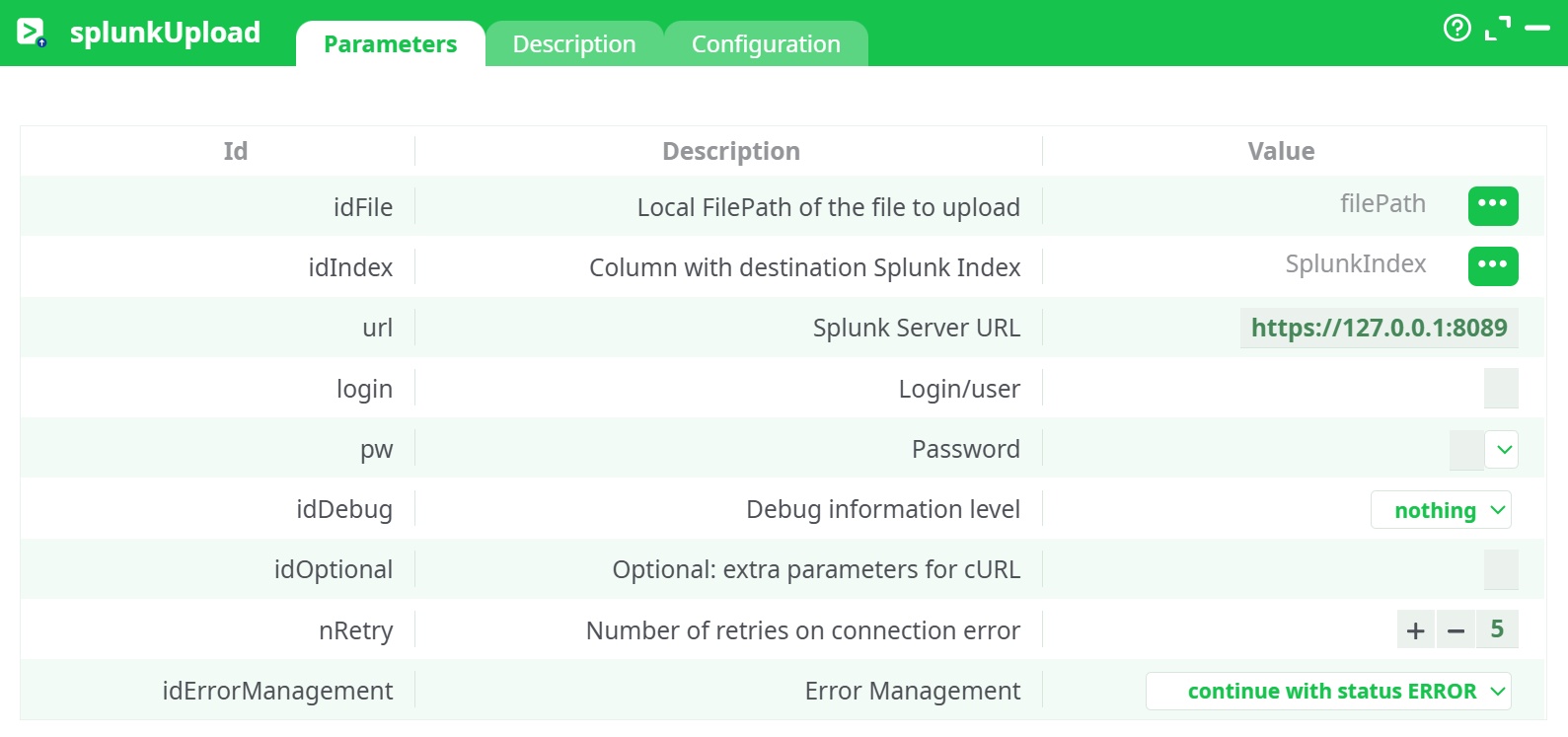
Parameters:
- Local FilePath of the file to upload
- Column with destination Splunk Index
- Splunk Server URL
- Login/user
- Password
- Debug information level
- Optional: extra parameters for cURL
- Retries on connection error
- Error Management
¶ Description tab
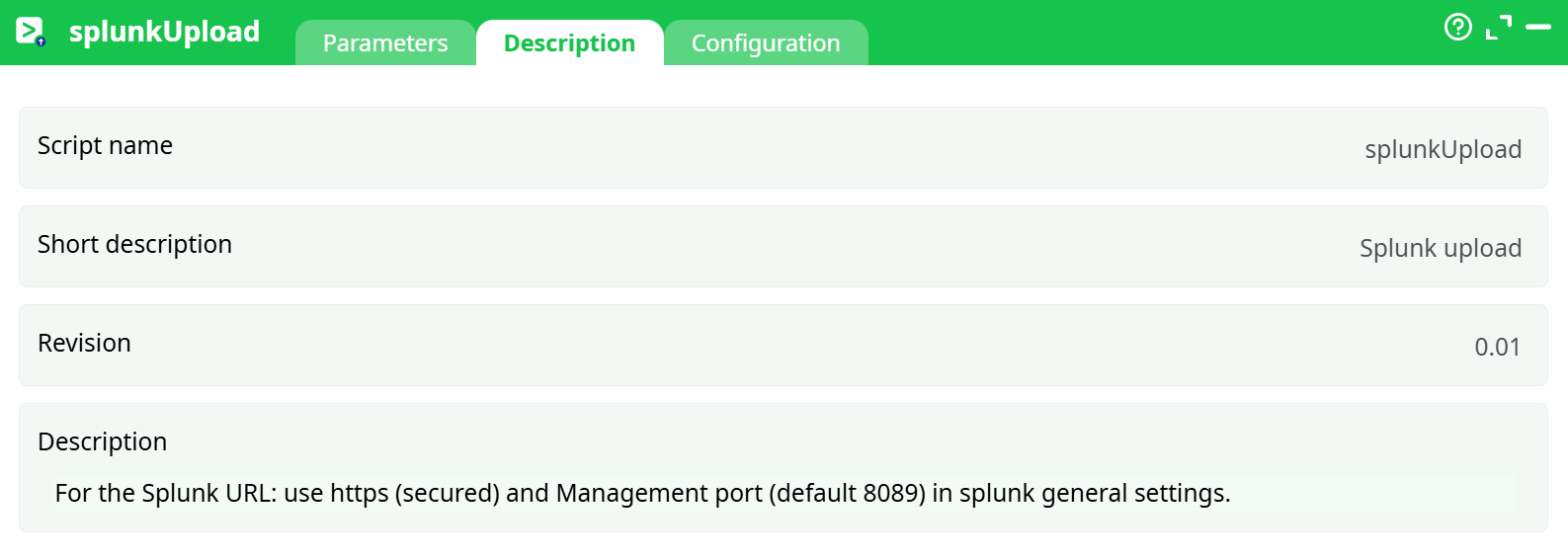
Parameters:
- Script name
- Short description
- Revision
- Decription
¶ Configuration tab
See dedicated page for more information.
¶ About
Upload one or more local files (CSV/JSON/log/text) to a Splunk Enterprise server via the Splunk Management REST API (HTTPS on port 8089).
Heads-up (Splunk Cloud): Splunk Cloud trial usually does not expose 8089 publicly. If you’re on Splunk Cloud, use HTTP Event Collector (HEC) instead (token +
https://http-inputs-<stack>.splunkcloud.com) with a HEC/HTTP action.
¶ 1) Prerequisites (Splunk Enterprise)
You need a reachable Splunk Enterprise instance with 8089 open and HTTPS enabled.
Quick local spin-up (optional, for testing):
docker run -it --name splunk -p 8000:8000 -p 8089:8089 \
  -e SPLUNK_START_ARGS=--accept-license \
  -e SPLUNK_PASSWORD='Changeme123!' \
  splunk/splunk:latest
Inside Splunk (Web at http://:8000):
-
Create an index: Settings → Indexes → New Index (e.g.,
app_logs). -
Create a user (optional but recommended): Settings → Access controls → Users → New. Role
poweroradminis fine for a test. -
Enable & confirm the Splunk Management Port: Settings → Server settings → General settings → Management port = 8089 (required for this action).
-
Sanity test (oneshot upload) from a terminal:
curl -k -u <user>:<pass> \
  https://<host>:8089/services/data/inputs/oneshot?index=app_logs \
  -d @/path/to/sample.log
This action also works when accessing the web through a PROXY server (configure standard environment proxy variables or the runner’s proxy settings).
¶ 2) What you pass into the box
- A column with the local file path(s) to send (e.g.,
filePath). - A column with the Splunk index name (e.g.,
SplunkIndex) if your files go to different indexes. If all files go to one index, set that column upstream to a constant value.
¶ 3) Configure the action
¶ Pins
-
Input: a table that has:
filePath– full local path to the fileSplunkIndex– target index name (constant or per row)
¶ Parameters (fill exactly like this; keep names as shown by your UI)
| Id | Value (example) |
|---|---|
idFile |
filePath |
idIndex |
SplunkIndex |
url |
https://<your-host-or-ip>:8089 |
login |
splunk_user |
pw |
******** |
idDebug |
basic (or nothing) |
idOptional |
(optional) e.g. --insecure for self-signed certs |
nRetry |
3 |
idErrorManagement |
continue with status ERROR (or your policy) |
TLS/self-signed certs: if your Splunk uses a self-signed cert, add
--insecurein Optional: extra parameters for cURL.
¶ 4) Run & verify
-
Execute the pipeline.
-
In Splunk, search:
index=<your index name>The syntax of the Search Query is described here: https://docs.splunk.com/Documentation/SCS/current/SearchReference/Introduction
¶ 5) Common issues & fixes
- 401/403 – Check username/password; user role must be allowed to write to the index.
- Connection refused / timeout – Ensure 8089 is reachable from the runner (firewall, container, security groups).
- SSL errors – Use
--insecurefor tests, or install a trusted cert. - Wrong index – Ensure
SplunkIndexmatches the index name exactly.
¶ 6) Using Splunk Cloud instead (recommended path)
If you’re on Splunk Cloud trial, use HTTP Event Collector (HEC):
-
Settings → Data → Data Inputs → HTTP Event Collector → Enable.
-
New Token, choose your index, copy the token.
-
Endpoint:
https://http-inputs-<your-stack>.splunkcloud.com/services/collector/event -
Use a HEC uploader (if available) or a generic HTTP POST step with:
- Header:
Authorization: Splunk <HEC_TOKEN> - Body:
{"event": <your payload>, "index": "<index>", "sourcetype": "_json"}
- Header:
¶ 7) Minimal end-to-end example (Enterprise)
-
Upstream table:
filePath SplunkIndex /data/out/orders.csv app_logs -
Configure
splunkUploadas above. -
Run → Search
index=app_logsin Splunk.