¶ Description
Upload files.
¶ Parameters
¶ Parameters tab
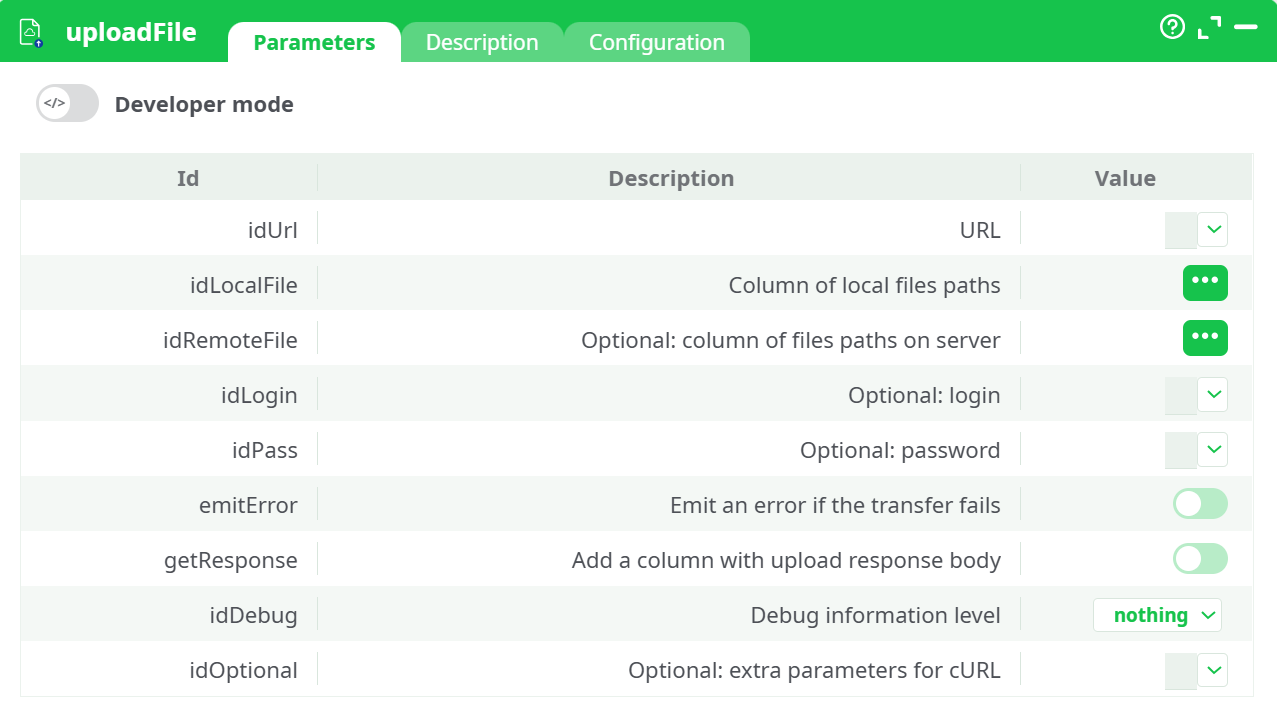
Parameters:
- URL
- Column of local files paths
- Optional: column of files paths on server
- Optional: login
- Optional: password
- Emit an error if the transfer fails
- Add a column with upload response body
- Debug information level
- Optional parameters for cURL
¶ Description tab
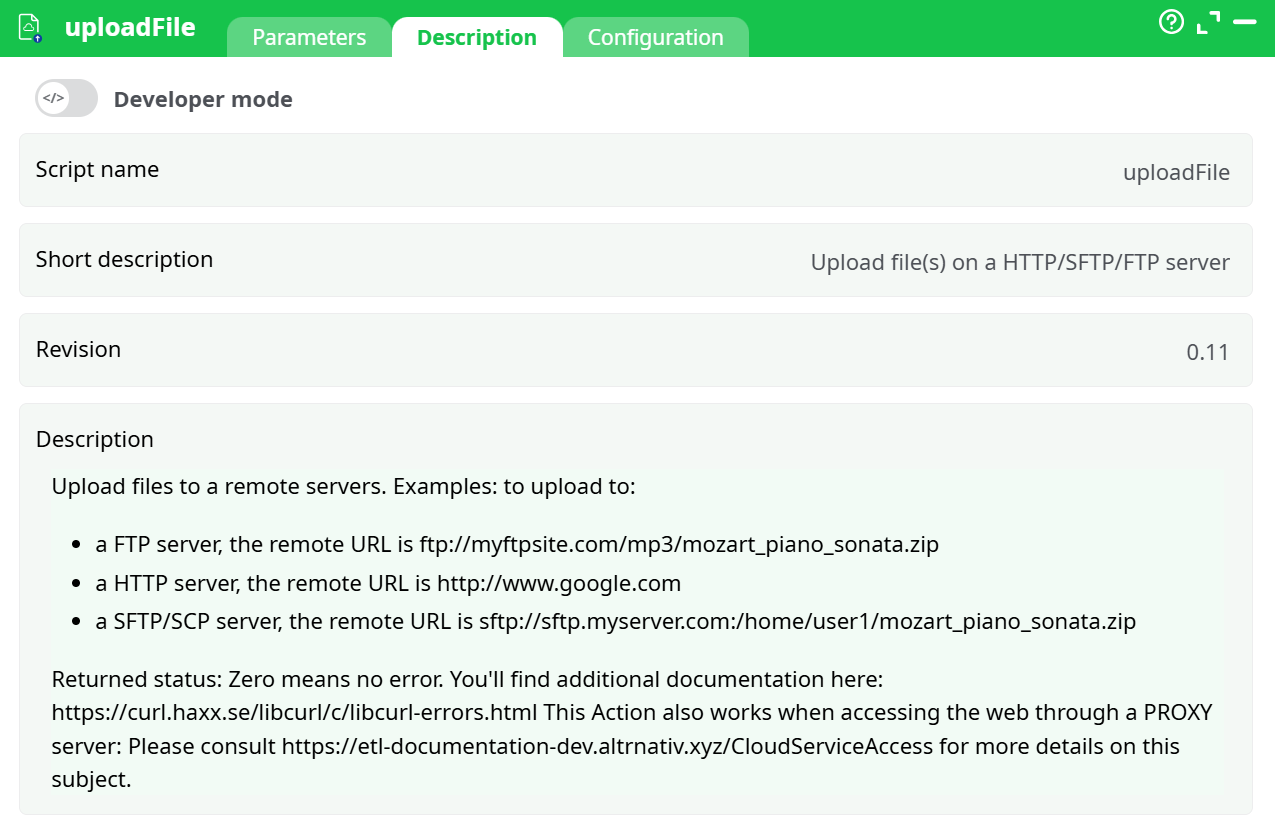
Parameters:
- Script name
- Short description
- Revision
- Decription
¶ Configuration tab
See dedicated page for more information.
¶ About
uploadFile sends local files to remote locations using protocols supported by cURL: HTTP/HTTPS, FTP/FTPS, SFTP/SCP, and presigned URLs (e.g., S3-compatible PUT). It can run:
- Single-file mode (no input pin): you provide one local file path and a single destination URL/path.
- Batch mode (input pin connected): each input row provides the local file path and, optionally, a per-row remote path/URL.
Returned status 0 indicates success. You can also capture the server response body for auditing or debugging.
Typical uses
- Push CSV/ZIP/JSON artifacts to an SFTP or FTP drop.
- Upload exports to a presigned HTTPS URL (S3/OVH Object Storage).
- Send generated reports to a web service endpoint.
Caveats
- The local file must exist at runtime and be readable.
- For FTP/SFTP, the destination directory must exist (unless your server allows
-Q/--ftp-create-dirs; see tips). - For HTTP uploads, the remote endpoint must accept the method used (usually PUT for presigned URLs or POST for form endpoints).
¶ Prerequisites
- Network access to the target host/port (22 SFTP, 21/990 FTP/FTPS, 443 HTTPS).
- Credentials if required (username/password, token, or presigned URL).
- Read permission on the local file(s) you upload.
- If behind a corporate proxy, the proxy URL and port.
¶ Input Requirements
-
Pin 0 (optional, table) — use for batch uploads. Recommended columns:
local_file— absolute or workspace-relative path to the file on disk.url— full destination URL (HTTP(S), SFTP, FTP), or the server root with the path provided separately.remote_file(optional) — server path to upload to (mainly for SFTP/FTP whenurlis just the host).
-
Column names are case-sensitive and must match the pickers you set in the node.
Partitioning
- The box processes rows partition by partition, one file per row.
¶ Parameters
-
idUrl (URL)
Destination.- HTTP/HTTPS: full URL (e.g., presigned PUT).
- SFTP/FTP: either full URL with path (
sftp://host/home/user/in/report.csv) or just the host (sftp://host) while providing the path in idRemoteFile.
-
idLocalFile (Column of local files paths)
The local file to upload (per-row or constant). Must be an exact file path (no wildcards). -
idRemoteFile (Optional: column of files paths on server)
Remote destination path (used when idUrl doesn’t include a path, mostly for SFTP/FTP). Leave empty when idUrl already has a complete path or for presigned HTTPS URLs. -
idLogin / idPass
Optional credentials for FTP/SFTP/HTTP Basic.
Tip: Prefer these fields (or your platform’s secret store) over embedding creds in URLs. -
emitError
If ON, a failed transfer raises an action error (recommended for strict pipelines). -
getResponse
If ON, appends a column containing the server response body (e.g., API JSON reply) to the output stream. Useful with HTTP APIs. -
idDebug
Logging verbosity (nothing,basic,verbose). Start with basic; use verbose only to troubleshoot TLS/proxy/auth. -
idOptional
Extra cURL flags (space-separated), e.g.:--max-time 120(timeout)--proxy http://proxy.company.local:3128(proxy)--ftp-create-dirs(ask FTP server to create target dirs)--insecure(TLS testing only; avoid in production)-H "Content-Type: text/csv"(HTTP header)
¶ How It Works
-
For each row (or once in single-file mode), the node builds a cURL upload command:
- HTTP/HTTPS: typically uses
PUTwith-T <file>(orPOSTif required by the endpoint; provide headers/body via idOptional). - FTP/SFTP: uses
-T <file>to send the file to the server/path.
- HTTP/HTTPS: typically uses
-
The node streams the file, captures cURL’s exit code, and (optionally) captures the response body.
-
With emitError ON, any non-zero exit code stops the pipeline.
What the action emits
-
Data tab: pass-through of your input rows, plus:
status(0 on success, cURL exit code otherwise).response(when getResponse ON) containing the remote server’s reply.
-
Records tab: not used by uploads unless your pipeline separately writes files to recorded data.
¶ Minimal Setup to Run
-
Choose your mode:
- Single-file: set a constant Local file path and a constant URL.
- Batch: connect a table and map Local file and URL to columns.
-
Fill Login/Password only if required.
-
Leave Remote file empty unless you’re doing SFTP/FTP with a host-only URL.
-
Turn emitError ON, idDebug = basic.
-
(Optional) Turn getResponse ON for HTTP APIs.
¶ Step-by-Step Run Instructions
-
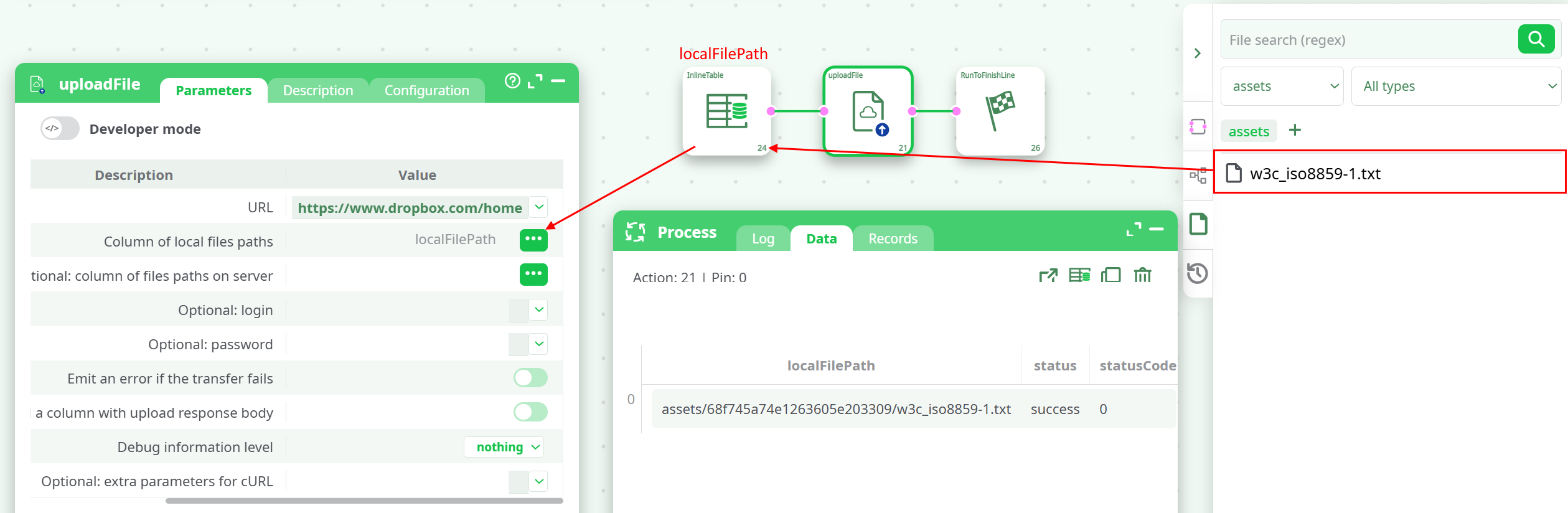
Prepare the file you want to upload your file (e.g.,
%assets%/w3c_iso8859-1.txt). -
Open Parameters.
-
Set URL:
- Presigned HTTPS example:
https://s3.gra.perf.cloud.ovh.net/…?X-Amz-Algorithm=… - SFTP example:
sftp://sftp.example.com.
- Presigned HTTPS example:
-
Set Local file: pick or type the exact path (e.g.,
%assets%/w3c_iso8859-1.txt). -
Remote file: only for SFTP/FTP if the URL has no path.
-
Credentials: fill idLogin/idPass if the server requires auth (SFTP/FTP, HTTP basic).
-
emitError ON; getResponse ON if you need the server’s reply.
-
Run and check the Log (transfer details) and Data (status/response).
¶ Examples
¶ A) Upload to SFTP
- URL:
sftp://sftp.example.com - Remote file:
/home/team/in/report.csv - Local file:
records/out/report.csv - Login/Password: filled
- idOptional:
--max-time 120 - Result:
status = 0in Data; file appears on the SFTP server.
¶ B) Upload to FTP (create dirs)
- URL:
ftp://ftp.example.com - Remote file:
/incoming/2025/10/report.zip - Local file:
records/out/report.zip - idOptional:
--ftp-create-dirs - Result:
status = 0if server permits directory creation.
¶ C) Upload via HTTPS (presigned PUT)
- URL:
https://storage.example.com/bucket/report.csv?X-Amz-…(presigned) - Local file:
records/out/report.csv - getResponse: ON
- idOptional:
-H "Content-Type: text/csv" --max-time 120 - Result:
status = 0;responsecolumn contains the storage service JSON (if any).
¶ D) HTTP form POST to an API (advanced)
- URL:
https://api.example.com/upload - Local file:
records/out/report.csv - idOptional:
-F "file=@records/out/report.csv" -H "Authorization: Bearer xxxxx" - Note: This overrides the default
-Twith-Fto match form-based endpoints.
¶ Post-Run Validation
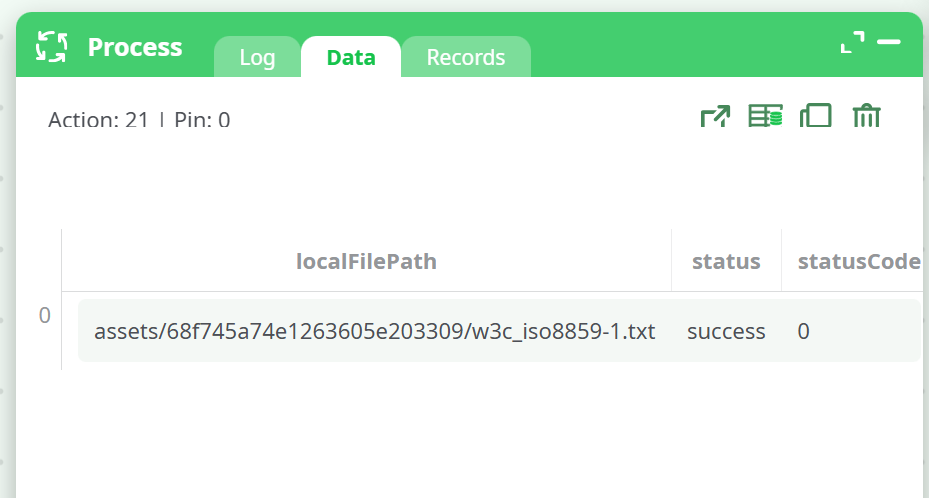
- Data → status = 0.
- If getResponse ON, ensure the response column contains expected text/JSON (e.g.,
{ "ok": true }). - Confirm the file exists at the remote location (SFTP/FTP list, storage console, or API response).
- For HTTP APIs, verify content type and server checksum if provided.
¶ Troubleshooting
-
Status 6 — could not resolve host
CheckidUrlhost; verify DNS/proxy. If on a corporate network, add--proxy http://proxy:3128. -
Status 7 — failed to connect
Firewall/egress or wrong port. Confirm SFTP (22) vs FTPS implicit/explicit modes. Try--max-time 120and check security rules. -
Status 67 — login/authentication failed
Wrong credentials or method. For SFTP, ensure the account can write in the target folder. For HTTPS authorization, add headers via idOptional. -
Status 78 — remote file/path not found
For SFTP/FTP, verify idRemoteFile path exists. Use--ftp-create-dirsif allowed. For HTTPS, check the presigned URL has not expired. -
Status 23 — write error
Local file unreadable. Confirm path, permissions, and that the file isn’t locked by another process. -
TLS errors (35 / certificate)
Corporate MITM or self-signed cert. Test with--insecure(temporary), then install the proper CA or use the official endpoint. -
Endpoint expects POST (multipart) but you used PUT
Switch to a form upload: add-F "file=@/path/to/file"in idOptional and ensure the API accepts multipart/form-data.
¶ Use Cases & Tips
- Nightly exports: chain a report-producer node →
uploadFileto SFTP with--ftp-create-dirsand emitError ON to fail visible on issues. - Cloud storage: generate a presigned URL server-side, then call
uploadFilewith-H "Content-Type: …"so the object has the correct metadata. - Auditable pipelines: enable getResponse and store the JSON reply for compliance or traceability.