¶ Description
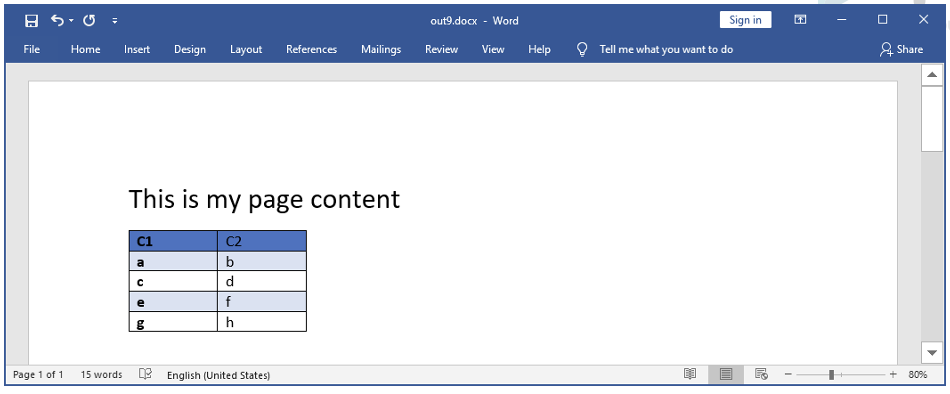
Inject a data table inside a MS-Word template document with Table-Style support.
¶ Parameters
¶ Standard Tab
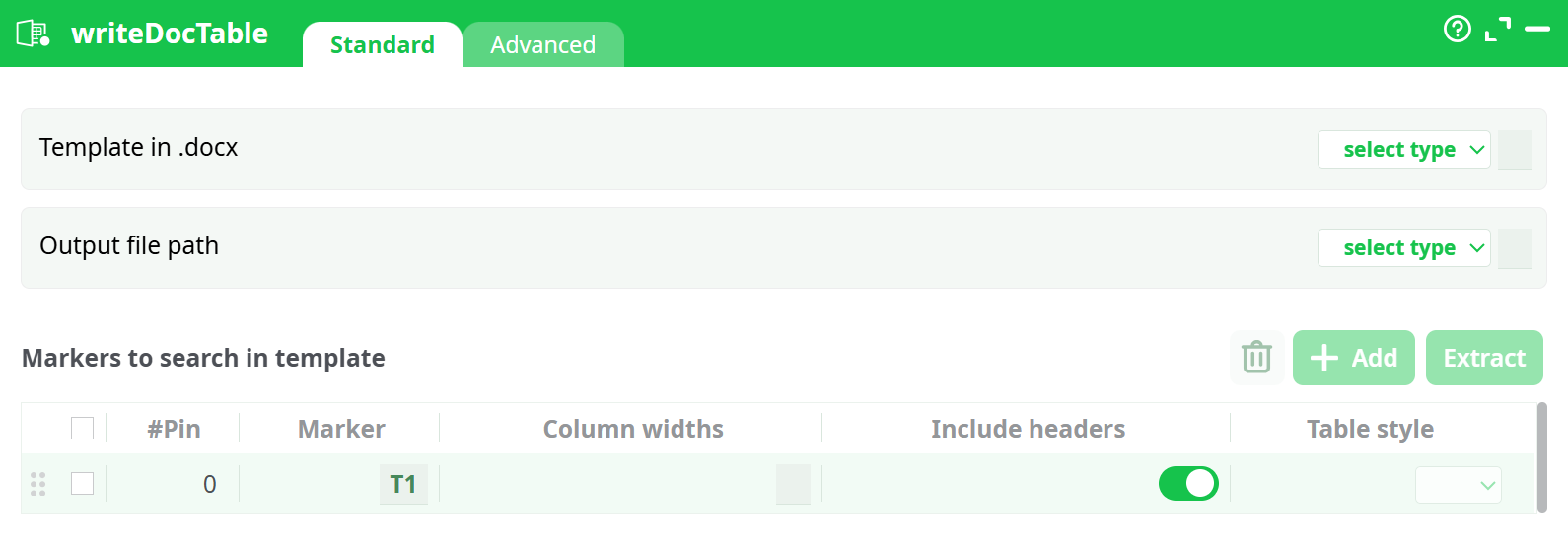
Parameters:
- Template in .docx
- Output file path
- Pin
- Marker
- Column widths
- Include headers
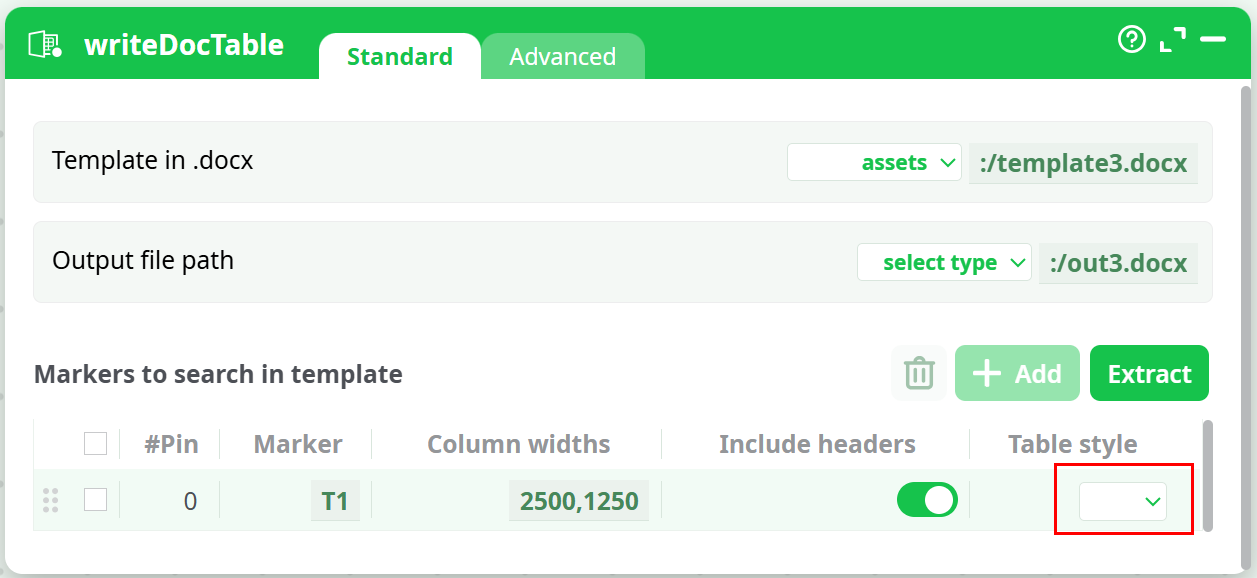
- Table style
¶ Advanced Tab

Parameters:
- Process Carriage Returns so that MS-Word recognize them
- Replace \n with Carriage Return supported by MS-Word
¶ About
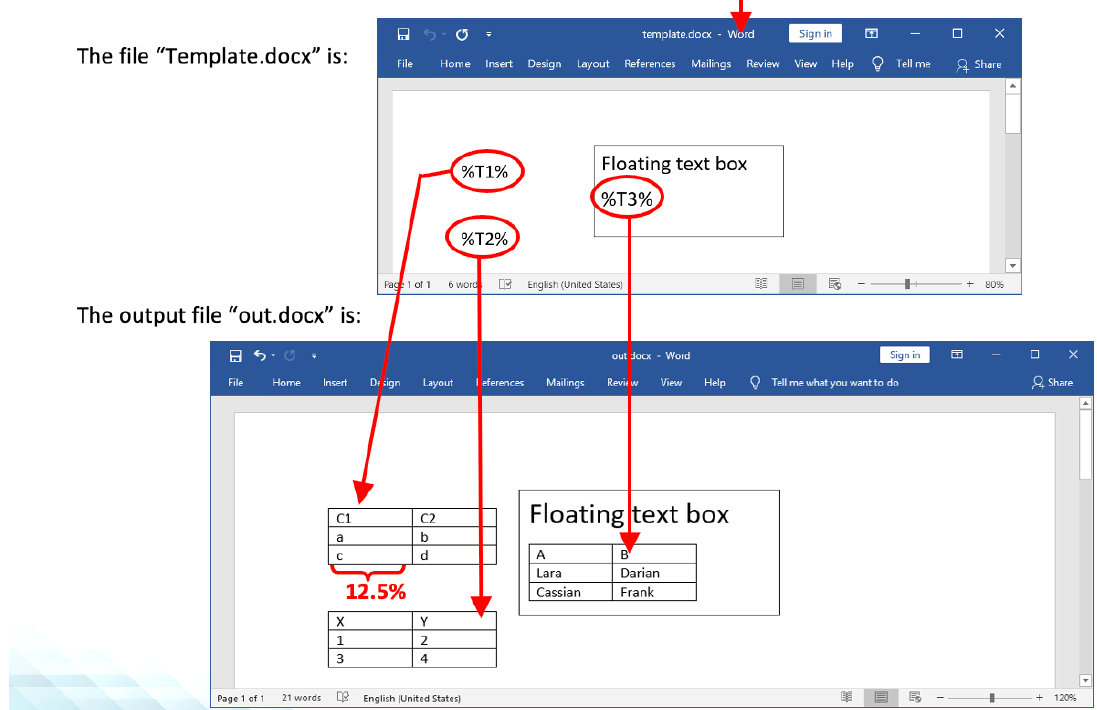
ETL searches for the different markers and replaces them with the tables given in the input pins.
New versions of MS-Word are adding some invisible tags inside the .docx documents. These invisible tags might prevent the “marker substitution process” to work.
Here is an example:
The parameter “column width” has 3 operating modes:
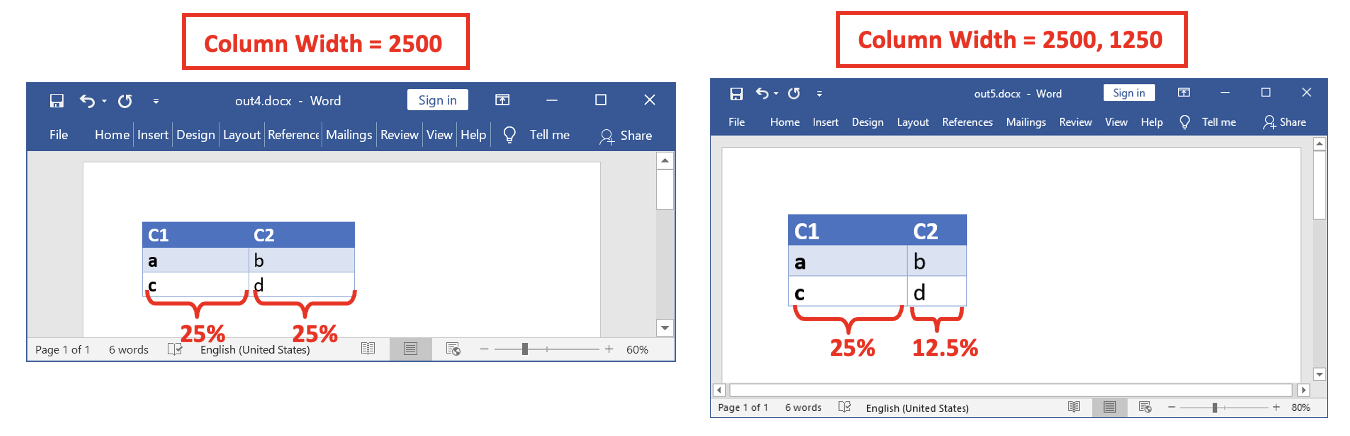
• Operating mode 1: The “column width” parameter is empty: the width of the injected Table inside the MS-Word document is 100% of the available width.
• Operating mode 2: you only give one number. This number defines the width of all of the columns inside the Table inside the MS-Word document.
• Operating mode 3: you give a list of comma-separated numbers. These numbers define the width of each of the columns inside the Table inside the MS-Word document.
The length-unit used inside the “column width” parameter is the “% multiplied by 100” (i.e. the “per-ten-thousands”). For example:
The “Table Style” parameter is a combo action that only works after you have defined the “Template” parameter. Once the “Template” parameter is defined, ETL analyzes it and displays all the “Table Style” available inside the “Template” file: In the example below, the “template3.docx” document contains 3 “table styles”:
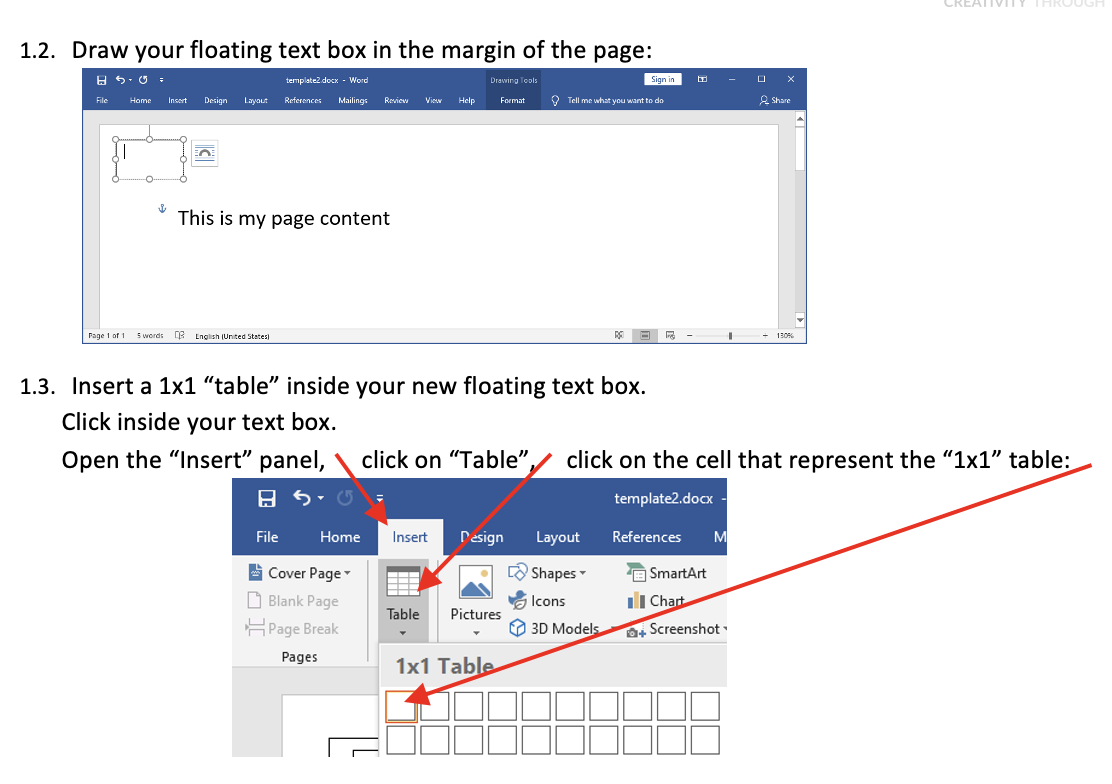
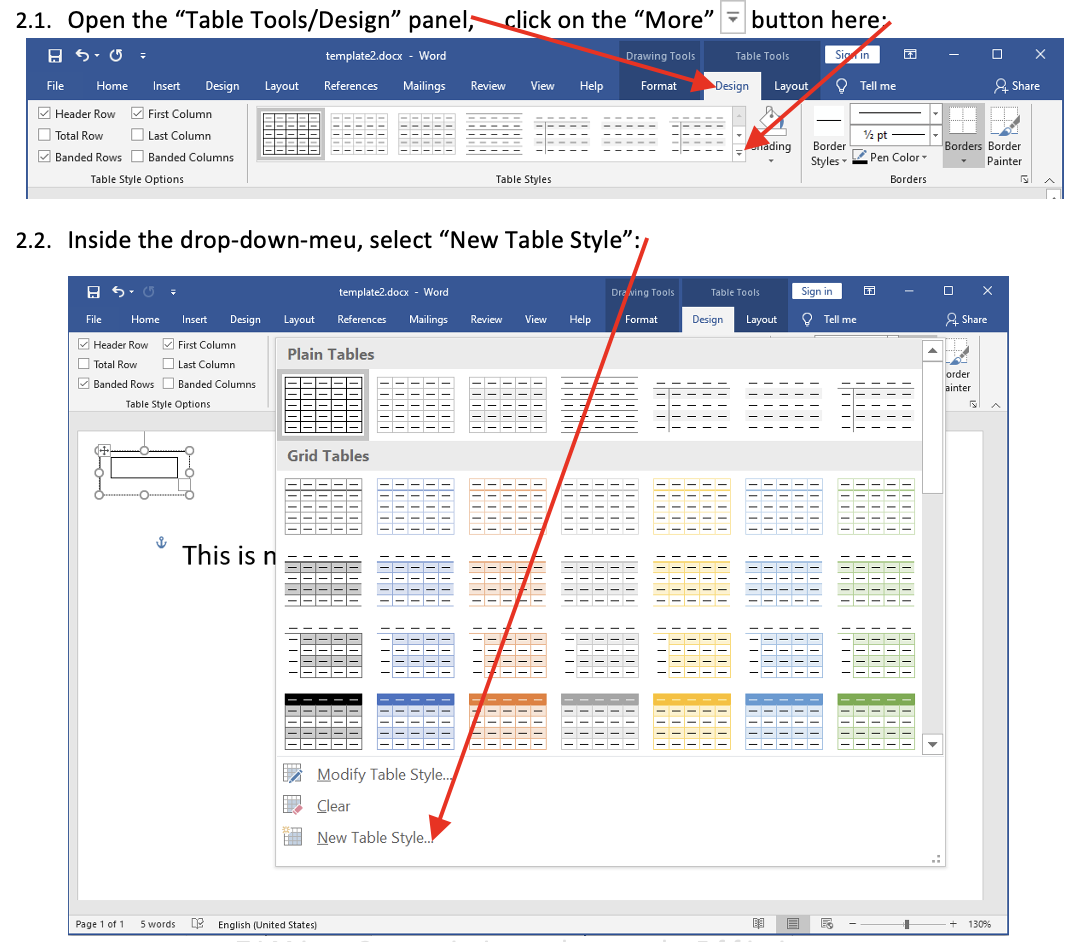
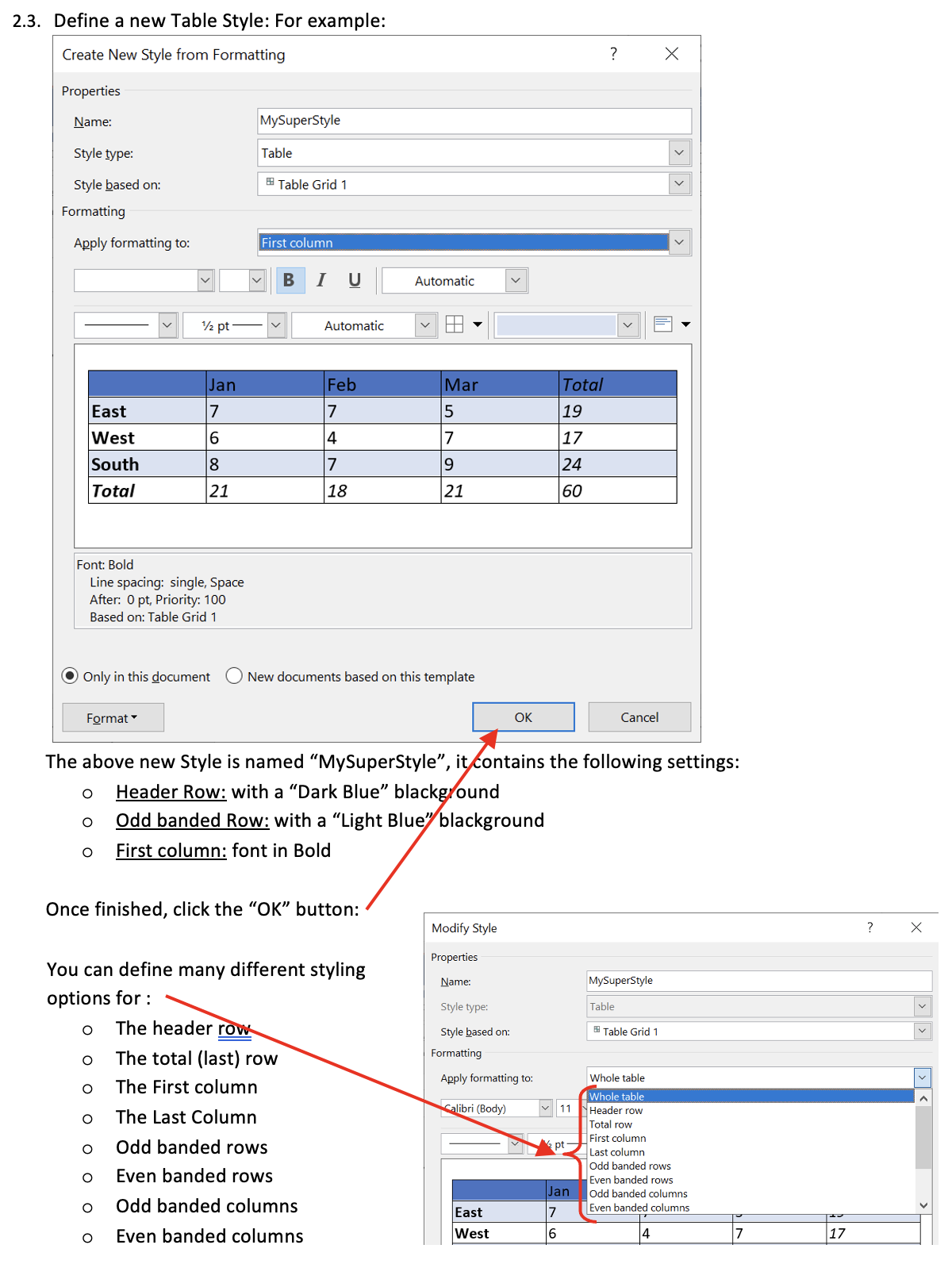
- Define a new style for your new 1x1 table.
- Hide the small 1x1 table (i.e. cover it with a white rectangle)
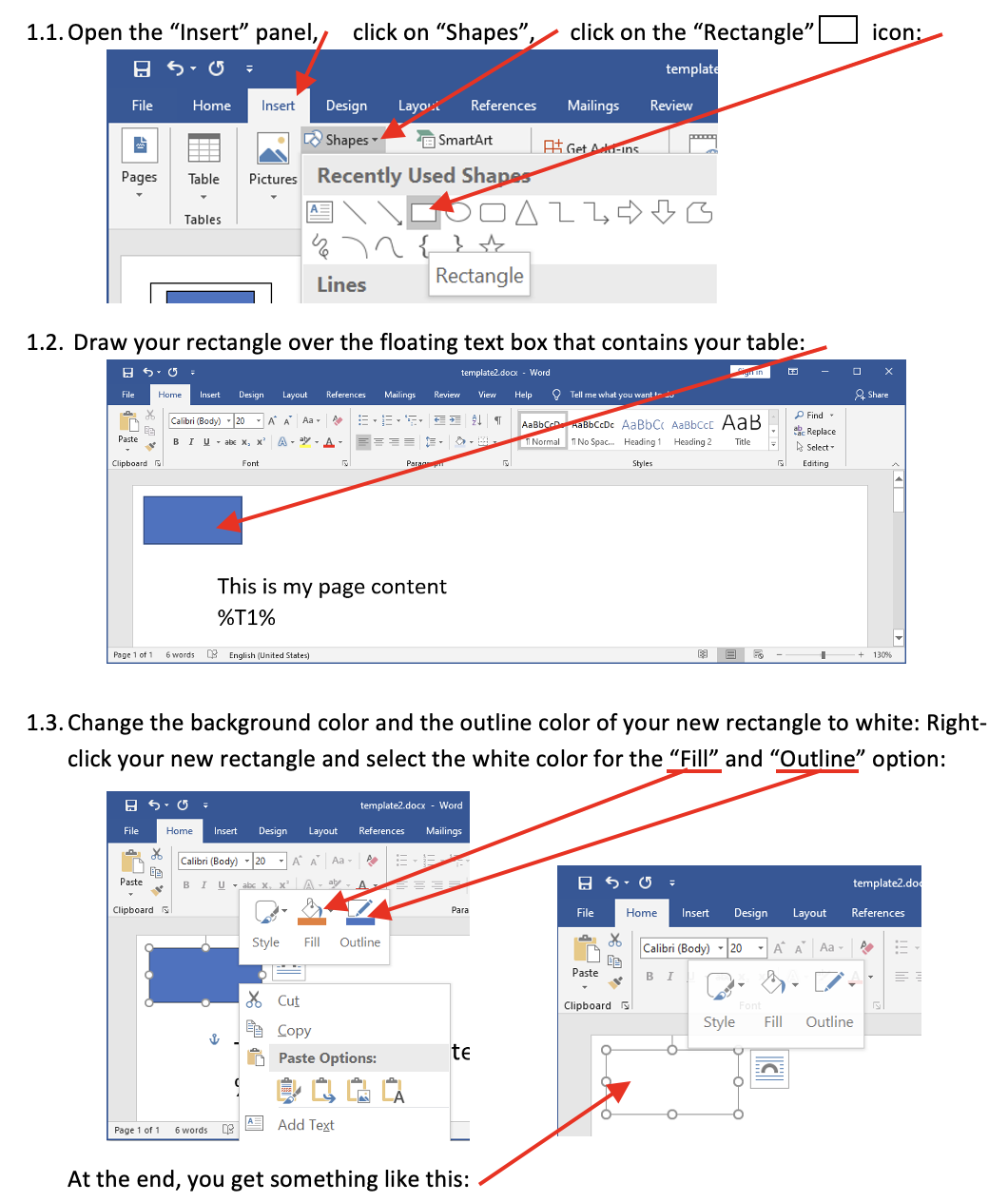
- Save your .docx document: press [CTRL]+[S].
We obtain: