¶ Description
Create/Update a .xlsx Excel file using data coming from the transformation pipeline.
¶ Parameters
¶ Standard Tab
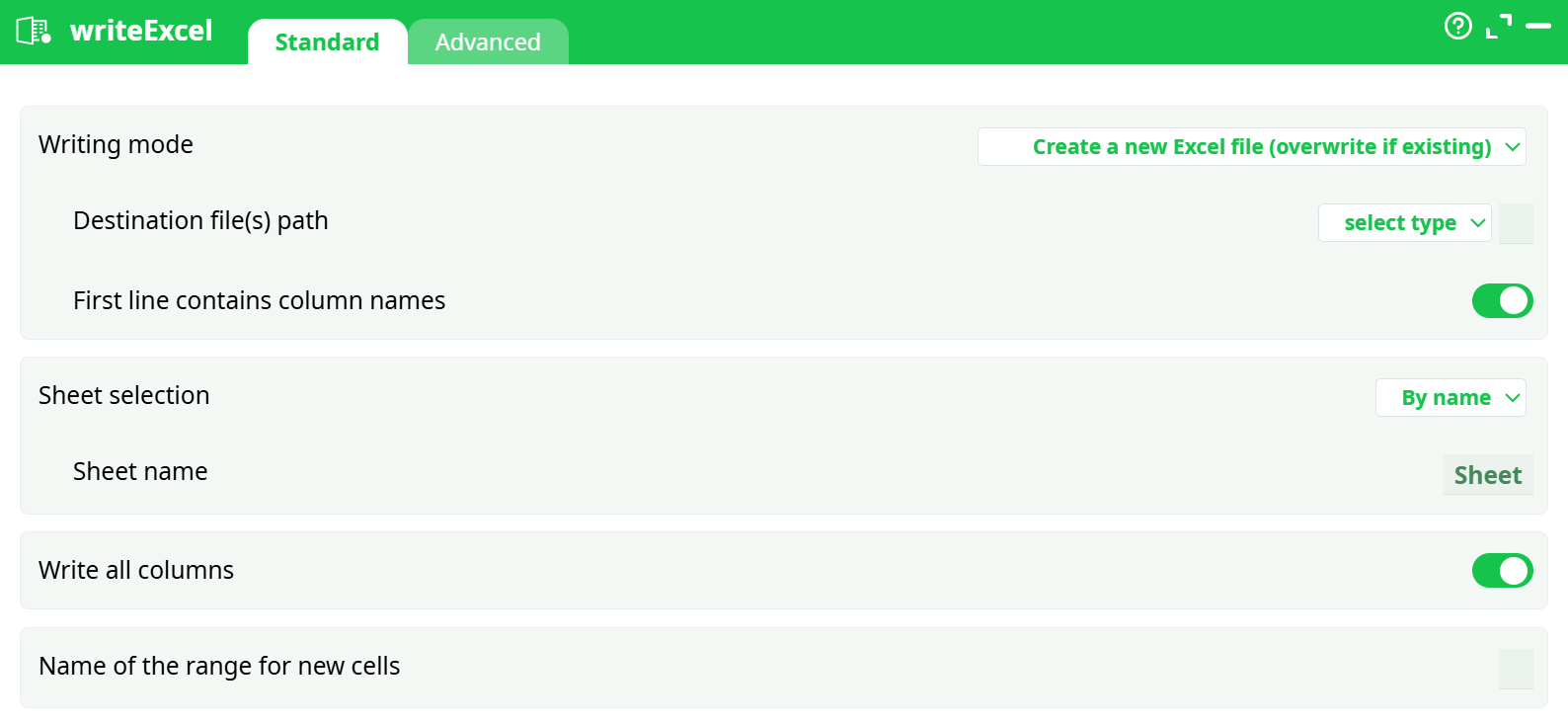
Parameters:
- Writing mode
- Destination file(s) path
- First line contains column names
- Sheet selection
- Sheet name
- Write all columns
- Name of the range for new cells
¶ Advanced Tab
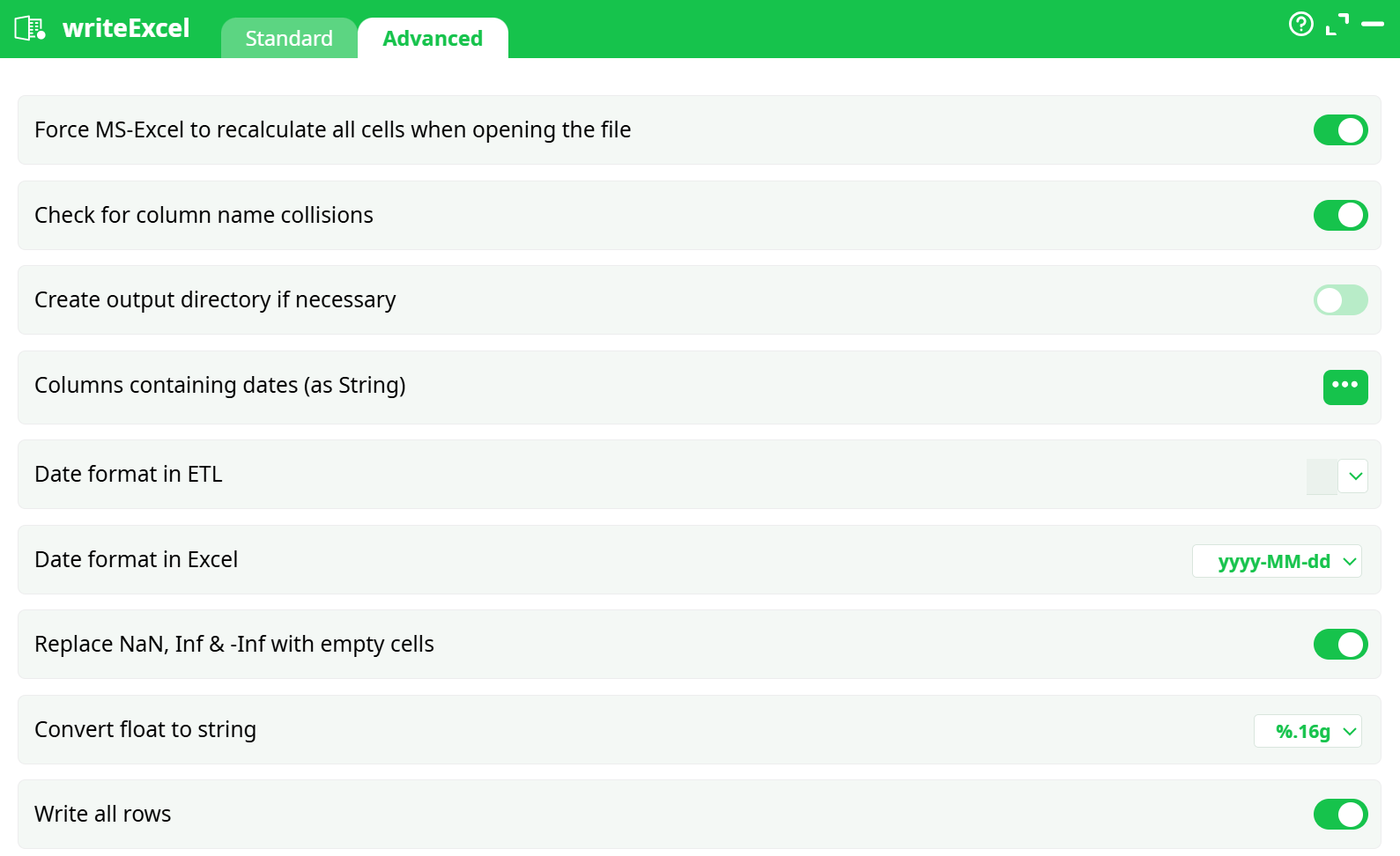
Parameters:
- Force MS-Excel to recalculate all cells when opening the file
- Check for column name collisions
- Create output directory if necessary
- Columns containing dates (stored as strings)
- Date format in ETL
- Date format in Excel
- Replace NaN, Inf & -Inf with empty cells
- Convert float to string
- Write all rows
¶ About
Self-explanatory
Warning: The ETL option "Force MS-Excel to recompute all the cells when opening the .xlsx file” is not refreshing the cells inside the pivot tables. To refresh automatically the pivot tables, follow this procedure:
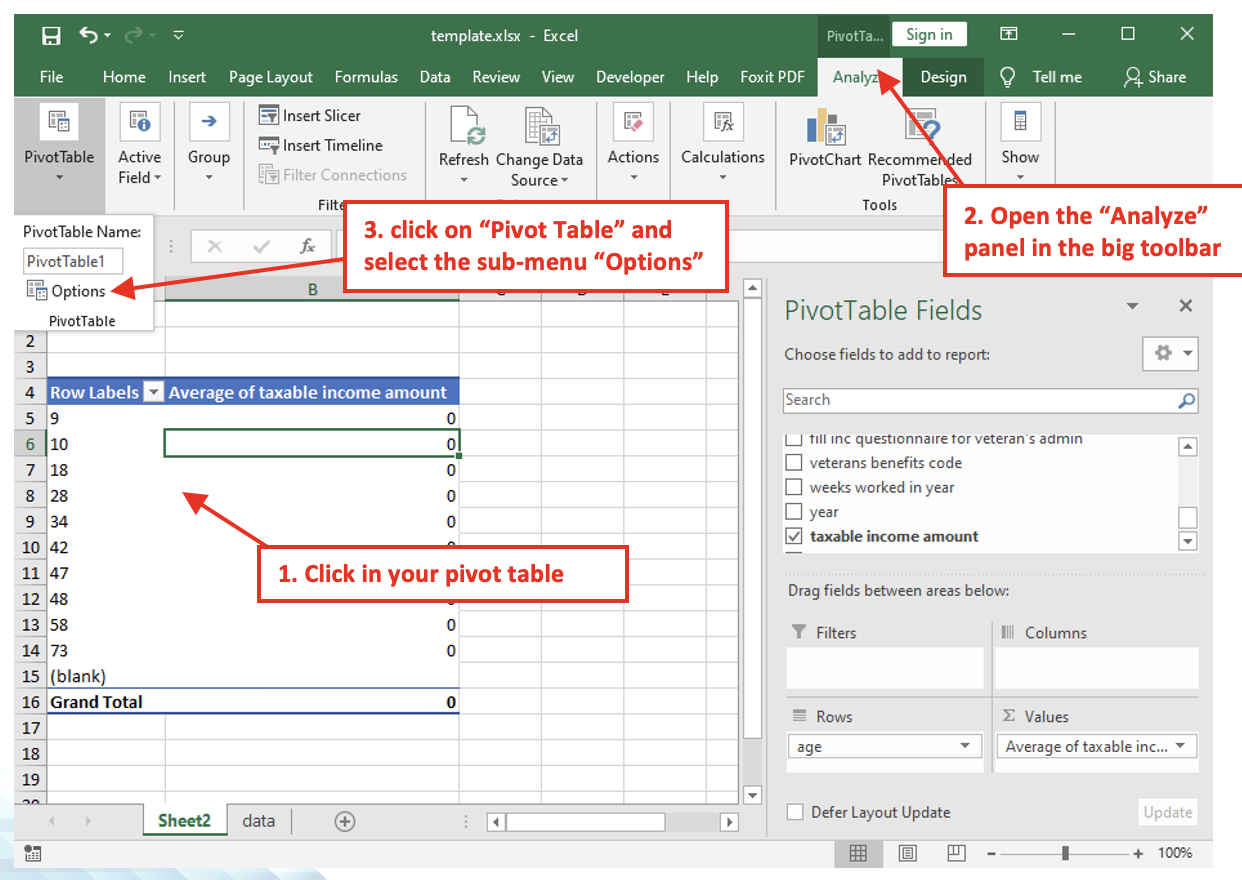
- Click anywhere inside your pivot table
- Open the “Analyze” panel in the big toolbar
- In the big toolbar, click on “Pivot Table” and select (click) the sub-menu “Options”
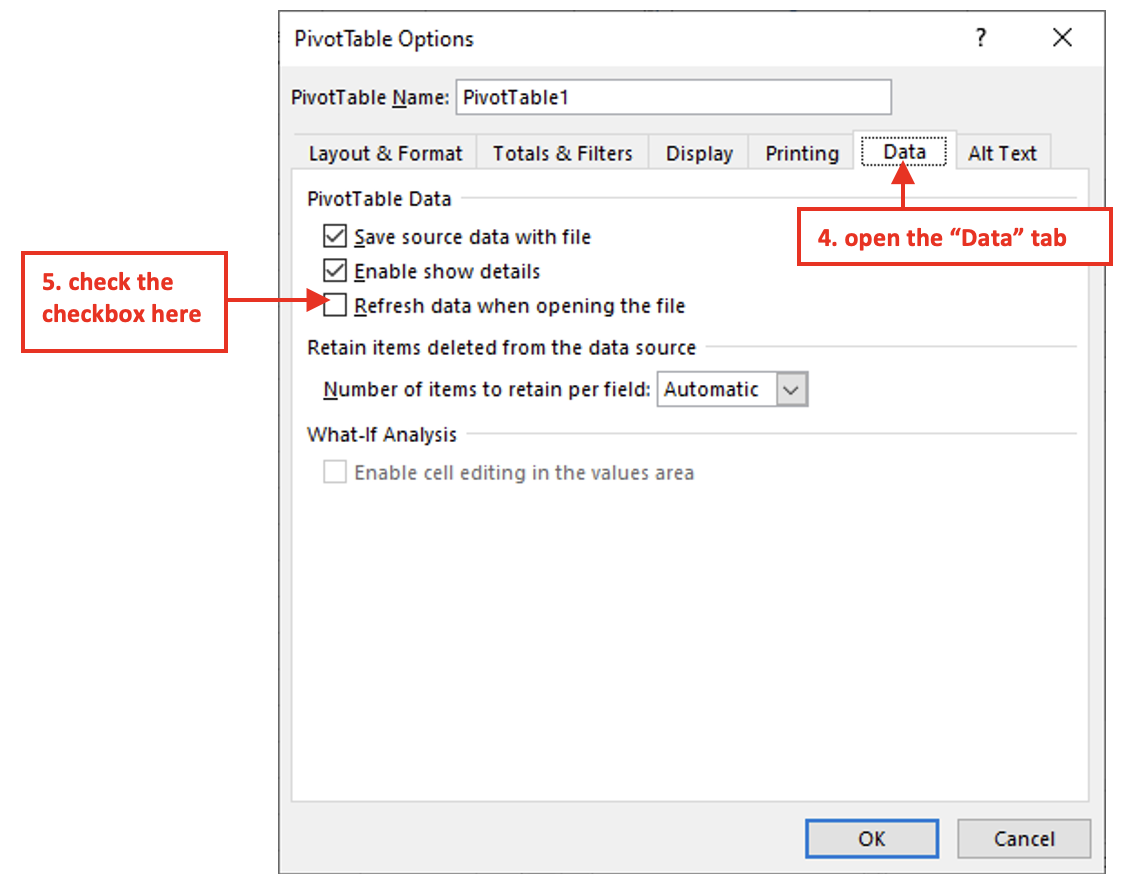
- Inside the “Pivot Table Options” window, open the “Data” tab
- Check the option named “Refresh Data when opening the file”
- Save your .xlsx file (press [CTRL]+[S]).