¶ Description
Writes a table to a “.gel” file
¶ Parameters
¶ Standard tab

Parameters:
- Output file path
- Number of compression tasks (-1 for default value)
¶ Advanced tab
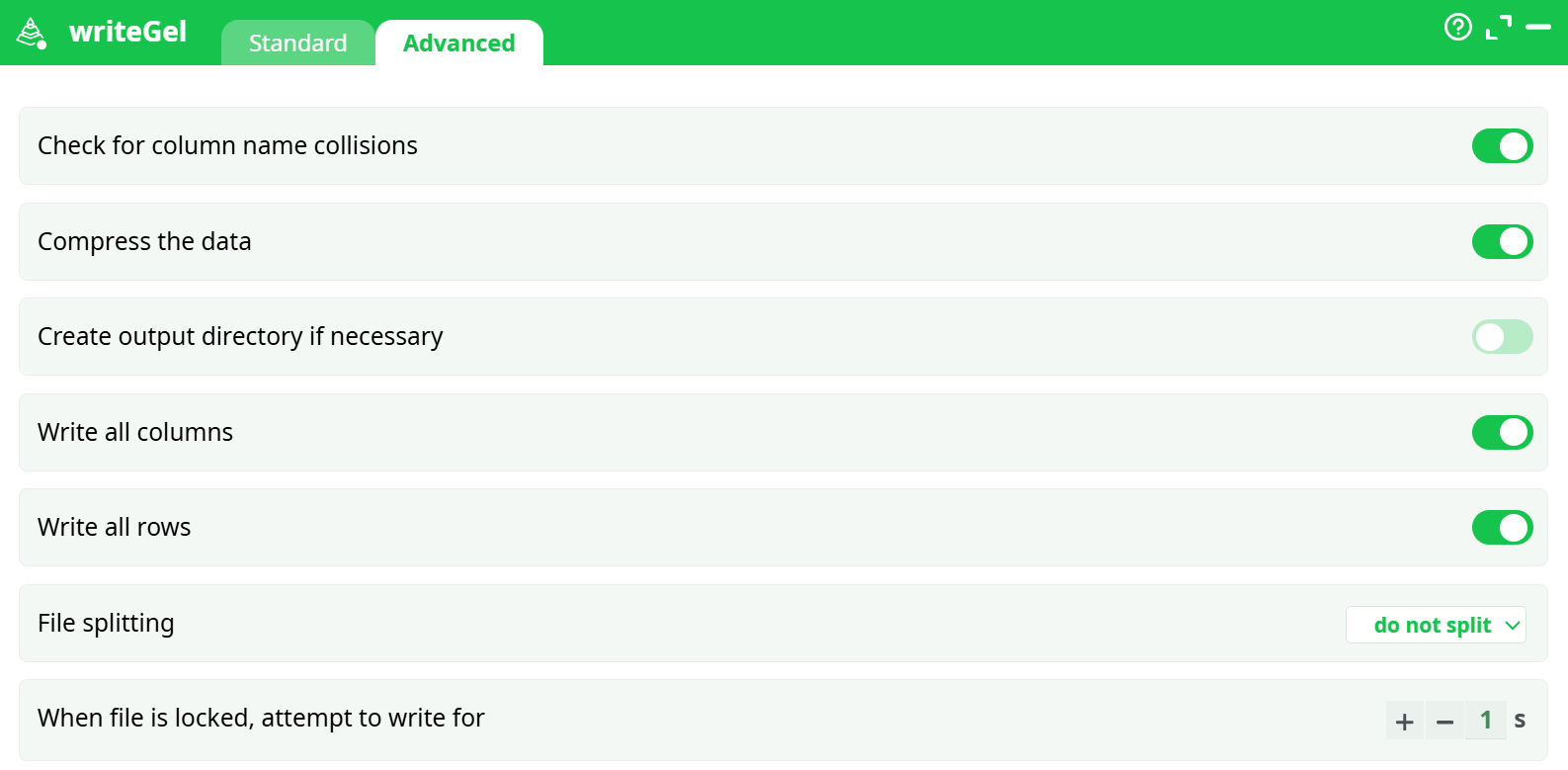
Parameters:
- Check for column name collisions
- Compress the data
- Create output directory if necessary
- Write all columns
- Write all rows
- File splitting
- When file is locked, attempt to write for
¶ About
The .gel files contain data in a proprietary compressed format. The maximum de-compression speed (when reading a .gel file) is around 600 MB/sec (uncompressed) (600 MB/Sec of uncompressed data is roughly equal to 170 MB/sec of compressed data because the compression ratio is usually between 1:3 and 1:4). The typical compression speed (on a Intel Core I7 processor) is around 60MB/sec (uncompressed data) (when using one thread). This (relatively) slow compression speed can sometime become the main “bottleneck” inside your data-transformation pipeline. To avoid such situation, you can decide to use several threads/CPU’s for data compression. For example, when using 3 CPU’s, you get around 3x60=180 MB/sec of compression speed.
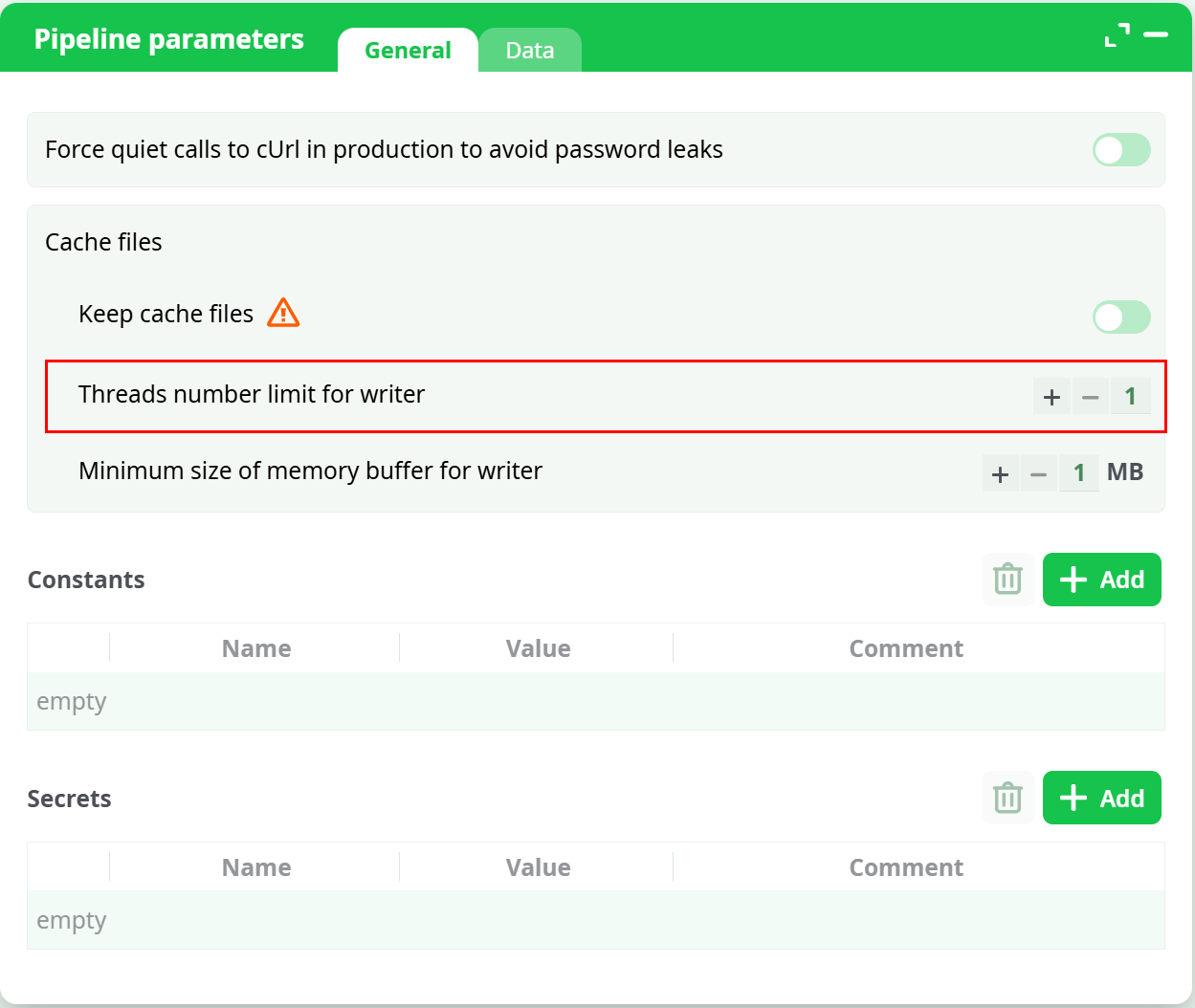
You can set the number of CPU’s used for compression using the “Number of compression Threads” parameter. When this parameter is “-1”, ETL uses the default value given inside the “Pipeline Global Parameters” window:
The ETL automatic “HD cache” system also creates “Gel Files” when you click on the output pins of the different actions. These “Gel Files” are also useful when you want to exchange data with other ETL processes: See the documentation of runPipelines action about this subject.
NOTE
ETL has a special behaviour when you click the output pin of the [WriteGel] action. The output pin of the writeGel action is slightly different than the output pins of ALL the other actions and this can sometime be a little bit disturbing, if you don’t expect that.
These are the three main differences:
Difference 1. You cannot click the output pin of the writeGel action to run the data transformation up to this point. Instead, you right-click the action and select the Run Button inside the Circular Menu:
Once the data transformation is complete, you’ll get the data-preview as usual.
Difference 2. When you “split” the input table in several different files (using the “Gel File Splitting” option), you won’t get any data preview when clicking the output pin of the writeGel action (Instead, if you still want a data-preview, simply click the output pin of the previous or the next action).
Difference 3. When you activate the “column selection” option (to write inside your .gel file a (sub)selection of some specific columns of the input table), the data-preview that you obtain when clicking the output pin of the writeGel action only includes the selected column (and not ALL the columns). Nevertheless, the WHOLE table (including ALL the columns) is still propagated to the “next” Action.
NOTE
About Blocking (and Non-blocking) I/O Algorithm
A typical algorithm that writes some rows inside a file on the Hard Drive follows these 4 steps:1. Receive from the input pin of the GelFileWriter action one row to write on the hard drive.2. Copy the content of the row inside a large RAM buffer.3. When the large RAM buffer is “full”:
● Compress the RAM buffer to get one data-block, containing compressed data.
● Compute the CRC code used to validate the data-block when reading the “.gel”.
● Write the data-block to the Hard Drive.4. If there are no more rows to write on the input pin one of the GelFileWriter action, stop here. Otherwise, go back to step 1.
In terms of speed, the above algorithm is not very efficient because, it’s a “blocking” I/O algorithm: i.e. When the large RAM buffer is “full”, the action connected to the input pin of the GelFileWrite action cannot send any more rows (i.e. because there is no space left in the RAM buffer to store them!). Instead, this transformation must block until the content of the large RAM buffer is “flushed” on the hard drive: More precisely, it must:
● Block until the compression of the data-block is completed.
● Block until the computation of the CRC code used to validate of data-block is completed.
● Block until the write of the data-block in the Hard Drive is completed.
…and then (and only then) the data-transformation unblocks and it can process the next rows.
ETL always use a (better) non-blocking I/O algorithm to create all the “.gel” file. The GelFileWriter action always uses one (or more) dedicated compression thread(s) when writing the .gel files to the hard drive. This means that all the tasks from the step 3 herabove will be performed continuously using “one (or several) background thread(s)”, so that the data-transformation-process never blocks (i.e. it will never block if enough dedicated compression threads are used).
When reading or writing Gel Files (row-based “.gel” or columnar “.cgel”, all I/O’s inside ETL are non-blocking).