¶ Description
writeSAS writes the incoming table to a SAS dataset
¶ Parameters
¶ Standard Tab
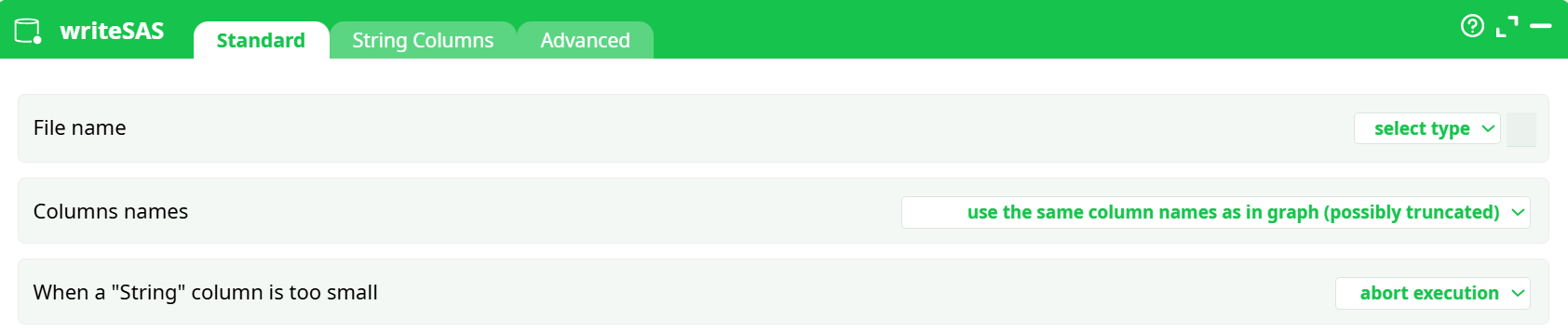
Parameters:
- File name
- Columns names
- When a "String" column is too small
¶ String Columns Tab
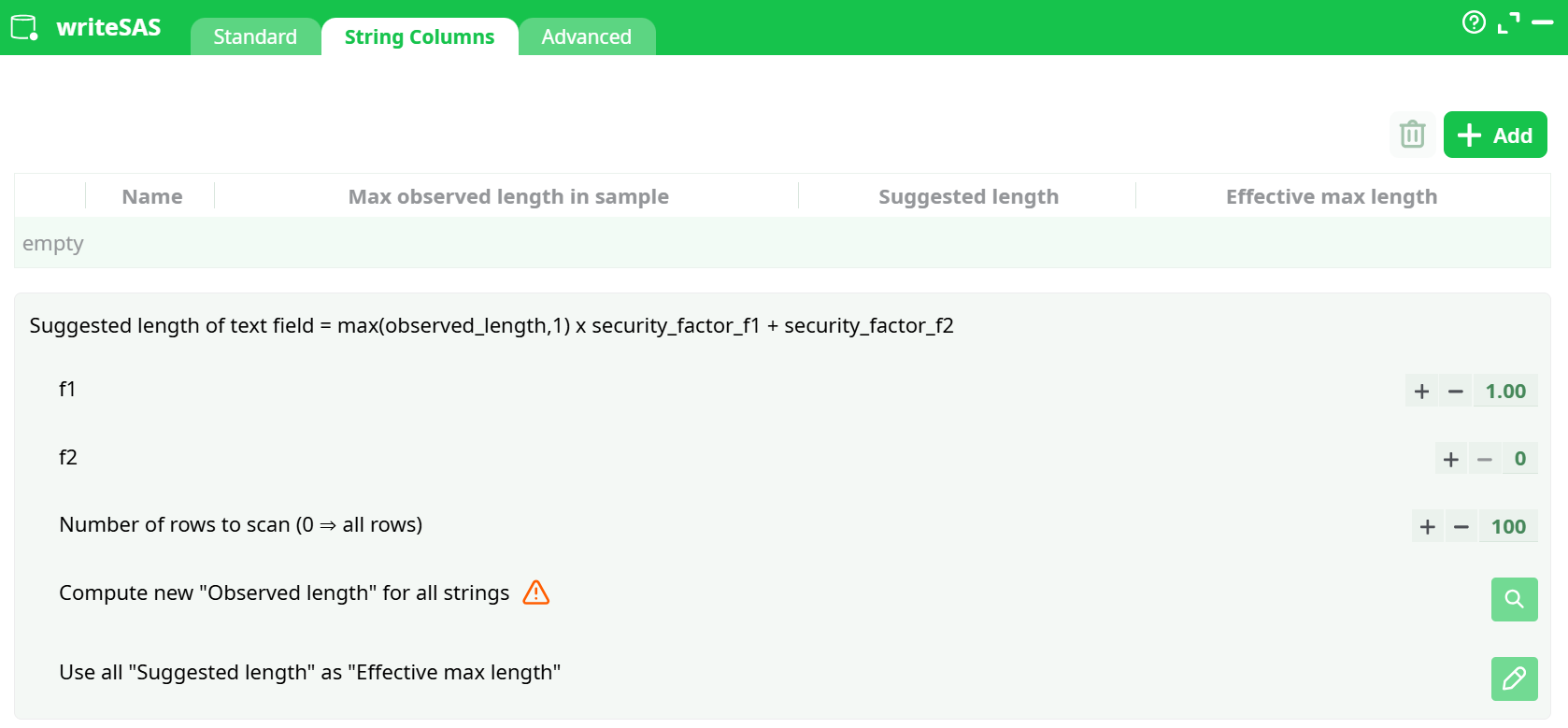
Parameters:
- FSuggested length of text field = max(observed_length,1) x security_factor_f1 + security_factor_f2
¶ Advanced Tab
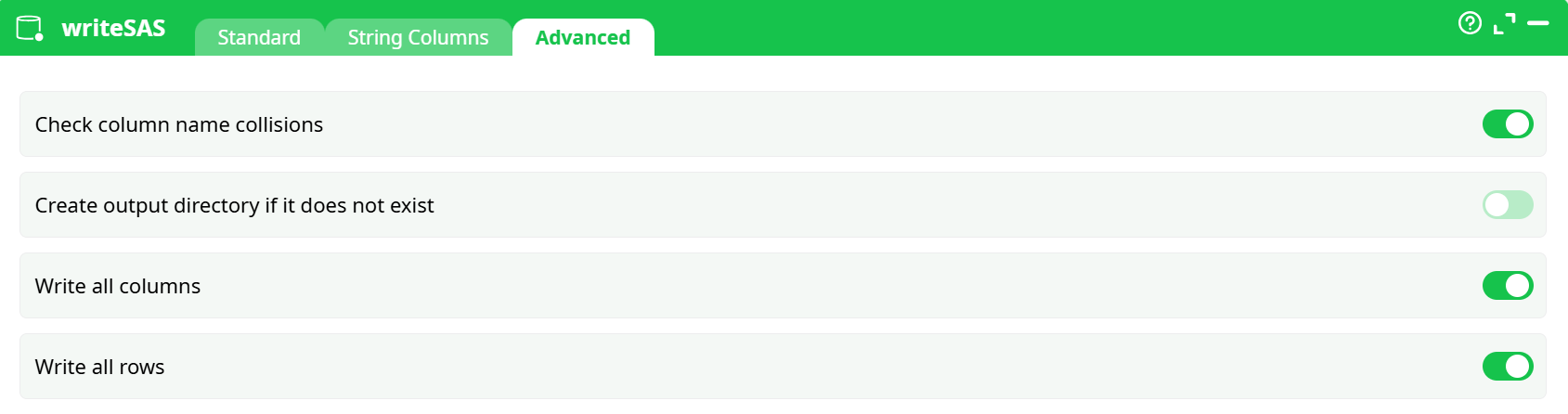
Parameters:
- Check column name collisions
- Create output directory if it does not exist
- WWrite all columns
- Write all rows
¶ About
writeSAS writes the incoming table to a SAS dataset (e.g. *.sas7bdat). It lets you:
- choose how column names are created,
- control what happens when String columns are too short for your data,
- auto-size String columns using a simple, transparent formula,
- and perform a few safety checks (name collisions, folder creation, etc.).
Use it whenever you need to hand a result to SAS users, push data into a SAS job, or archive a run in SAS format.
¶ Quick start (demo)
You can run the following tiny pipeline to see the action in context:
Build the graph
- readCSV → point to
assets/sas_orders.csv. - (Optional) add transforms/joins.
- writeSAS → set File name to
assets/out.sas7bdat. - Run.
You’ll find the result under Records or in the assets folder as out.sas7bdat.
¶ Inputs & outputs
- Input: one table from the upstream pin.
- Output file: a SAS dataset (
.sas7bdat) written to the path you choose.
¶ Standard tab
¶ File name
Where to write the SAS dataset.
Example: assets/out.sas7bdat
- The parent folder must exist unless you enable Create output directory if it does not exist (Advanced tab).
¶ Columns names
How writeSAS derives variable names in the SAS file:
-
use the same column names as in graph (possibly truncated) (default)
- SAS variable names are limited to 32 characters. Longer names are truncated.
-
use the same column names as in graph (abort if truncation)
- Safer when you must guarantee exact names; run stops if any would be truncated.
-
column names are C1, C2, … and column labels are ETL column names
- Exports generic
C1 … Cnas SAS variable names and stores the original ETL names as labels.
- Exports generic
¶ When a "String" column is too small
Determines the behavior when a String column’s effective max length is smaller than at least one row value:
- abort execution – strict, prevents silent truncation (recommended for prod).
- truncate with warnings – continues and logs which variables truncated.
¶ String Columns tab (auto-size helper)
This tab helps you compute a safe length for your String variables. It uses the rule shown at the top of the panel:
Suggested length = max(observed_length, 1) × security_factor_f1 + security_factor_f2
Controls you’ll see:
- f1 (default 1.00) – multiplicative padding (e.g., 1.2 adds 20% headroom).
- f2 (default 0) – additive padding in characters (e.g., add 8 chars).
- Number of rows to scan (default 100; 0 = scan all rows) – speed vs accuracy.
- Compute new "Observed length" for all strings – forces re-scan even if cached.
- Use all "Suggested length" as "Effective max length" – applies the suggested values to the export.
- Add / Column selector – pick which string columns you want to size; you can also type names manually.
Typical workflow
- Click Add and choose the String variables you care about (e.g.,
product_name,notes,marketing_copy). - (Optional) set
f1 = 1.1andf2 = 4to give a little buffer. - Set Number of rows to scan (0 if your dataset isn’t huge).
- Toggle Use all "Suggested length" as "Effective max length".
- Run once; review warnings. Adjust f1/f2 if you still see truncation notices.
¶ When to use which options
-
Strict, production hand-off
- Columns names: abort if truncation
- When String too small: abort execution
- Use String Columns tab to size critical variables (scan all or large sample).
-
Exploratory exports / ad-hoc sharing
- Columns names: possibly truncated
- When String too small: truncate with warnings
- Quick scan (e.g., 10k rows) with mild padding (
f1=1.1, f2=8).
-
Interoperability with legacy SAS code expecting C1…Cn
- Columns names: C1, C2, … and labels are ETL names
- Share a mapping doc from labels to business names if needed.
¶ Best practices & gotchas
- Mind SAS limits: variable names ≤ 32 chars; labels up to 256; character length up to ~32K. If your ETL column names are long, prefer abort if truncation and rename upstream.
- Unicode & encodings: ensure upstream data uses a consistent encoding; test non-ASCII characters (e.g.,
—, accents) with a small sample export. - Deterministic schemas: lock down String lengths with the helper so downstream SAS code (formats, PROC steps) won’t change run-to-run.
- Folders: if you write to versioned subfolders (e.g.,
assets/exports/2025-08-26/out.sas7bdat), enable Create output directory.
¶ Troubleshooting
- “Name collision” error at start
Some column names collide after truncation (e.g.,very_long_name_Aandvery_long_name_B).
→ Rename upstream, or pick the abort if truncation mode to locate offenders. - “String too small” warnings
Increasef1/f2or toggle Use all "Suggested length"… to apply computed lengths. - File wasn’t created
Check folder permissions and whether Create output directory is off while the folder doesn’t exist.