¶ Description
Create/Update SQLite databases.
¶ Parameters
¶ Standard Tab
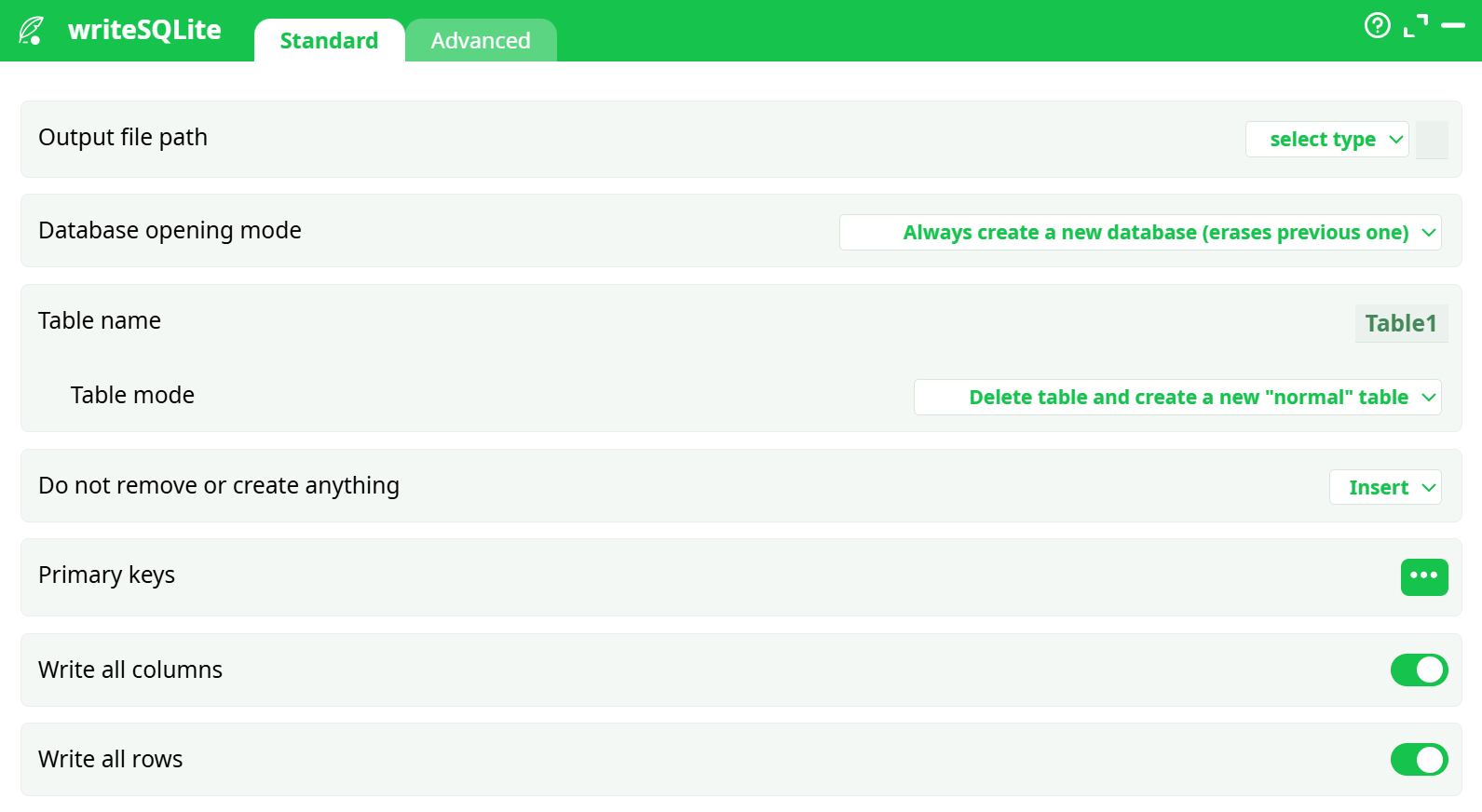
Parameters:
- Output file path
- Database opening mode
- Table name
- Table mode
- Do not remove or create anything
- Primary keys
- Write all columns
- Write all rows
¶ Advanced Tab
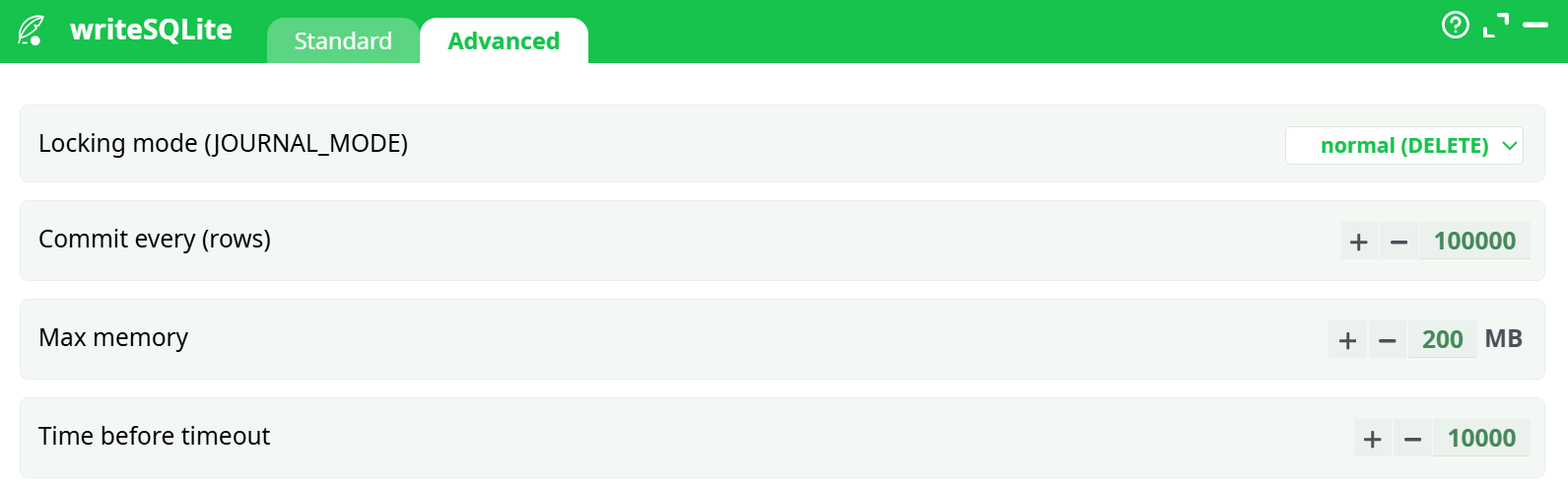
Parameters:
- Locking mode
- Commit every (rows)
- Max memory
- Time before timeout
¶ About
writeSQLite takes the rows coming into this box and writes them into a local SQLite database file (.sqlite). You control whether the database is created from scratch or appended to, what the table is called, how the table is (re)created, and how rows are applied (insert, update, erase, or upsert). It’s ideal for:
- producing a portable analytics dataset,
- quick ad-hoc QA with SQL,
- staged hand-off to tools that read SQLite.
This guide documents the exact configuration used in the successful run:
- DB file:
records/out.sqlite - Table:
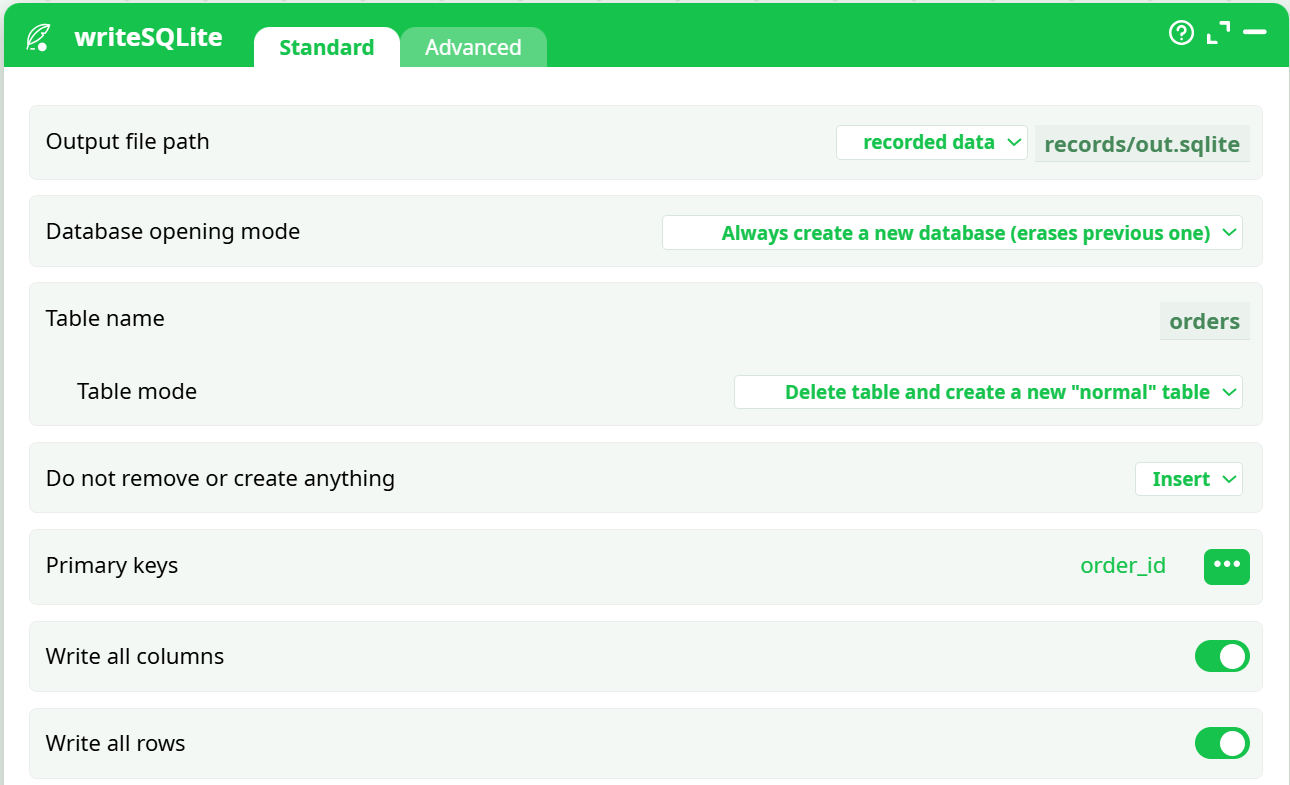
orders - Mode: create new DB, recreate normal table, insert all rows, PK = order_id
¶ Prerequisites
- The runtime has write permission to the chosen output location.
- Upstream action provides a tabular dataset (columns with headers).
- For incremental loads or updates, your input must include primary key column(s).
¶ Input Requirements
- Tabular data with a header row.
- All values will be written as provided; SQLite is type-flexible. If you need strict types, pre-create the table (see Table mode notes).
Example CSV used in validation (first rows):
order_id,customer,created_at,amount,status
1,CUST1001,2025-08-01 15:00:00,93.15,paid
2,CUST1002,2025-08-01 21:00:00,59.42,paid
3,CUST1003,2025-08-02 03:00:00,156.93,paid
4,CUST1004,2025-08-02 09:00:00,44.13,paid
5,CUST1005,2025-08-02 15:00:00,134.50,paid
Parameters used:
¶ Output
- A SQLite file at your chosen path (e.g.,
records/out.sqlite). - A table named as configured (e.g.,
orders) populated with incoming rows.
Schema creation behavior
- With Table mode = Delete & create normal, the table is recreated each run. SQLite column affinities may default to TEXT based on the writer and incoming types.
- To enforce custom types/indexes: create the table once with the exact DDL you want, then set Table mode = Do not remove or create anything and use Action = Insert / Update / Insert or replace.
¶ Example Workflow (step-by-step)
-
Reader
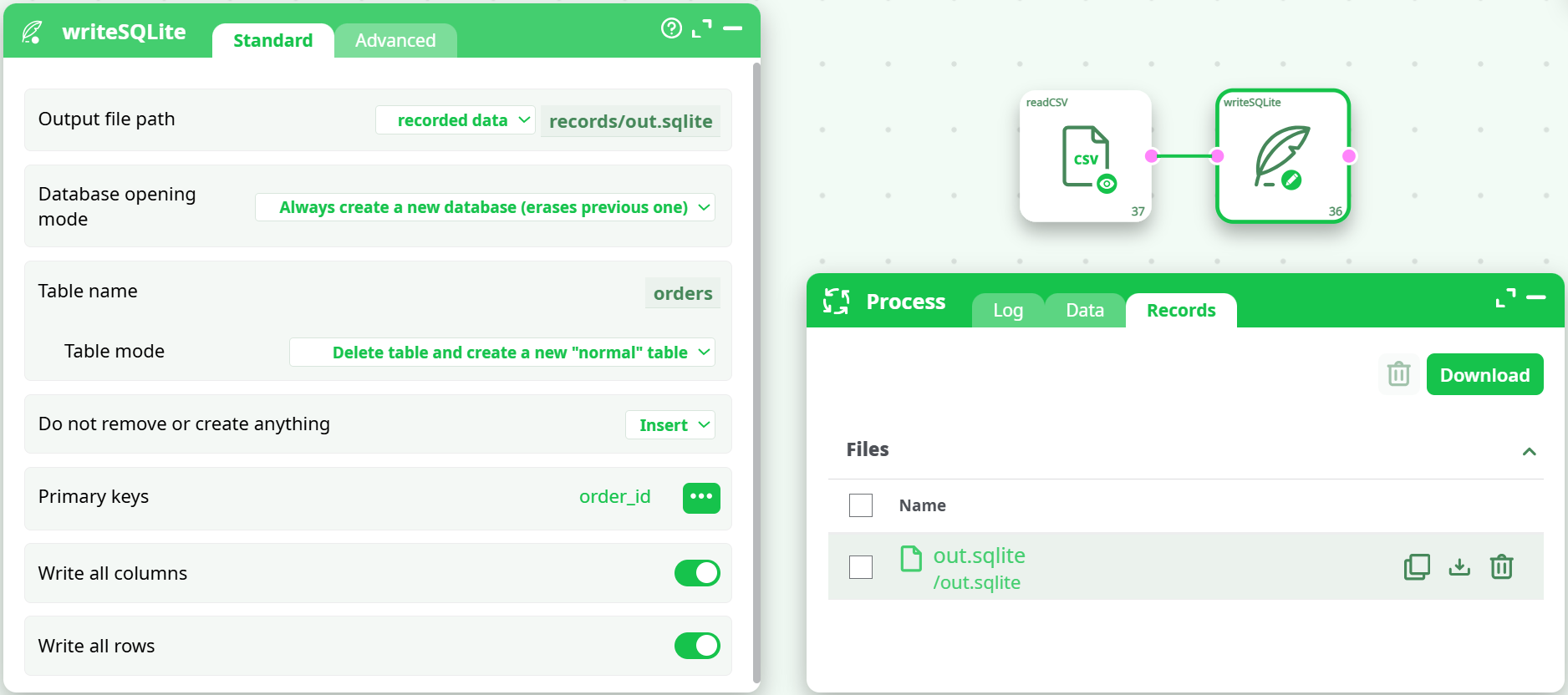
Use readCSV with defaults (UTF-8,,, header ON). -
writeSQLite (Standard tab)
- Output file path:
recorded data / records/out.sqlite - Database opening mode:
Always create a new database (erases previous one) - Table name:
orders - Table mode:
Delete table and create a new "normal" table - Action:
Insert - Primary keys:
order_id - Write all columns: ON
- Write all rows: ON
- Output file path:
-
Advanced (optional)
Leave defaults for a small example. For large loads, set JOURNAL_MODE = WAL and Commit every = 10000. -
Run
Confirm in the Records tab thatout.sqlitewas produced. -
Validate
Add a quick SQL reader and run:
SELECT COUNT(*) AS n, MIN(order_id) AS first, MAX(order_id) AS last FROM orders;
Expectn = 20,first = 1,last = 20.
¶ Troubleshooting
- Database gets wiped every run
Use Database opening mode = Open existing… and Table mode ≠ Delete… for incremental loads. - Updates don’t change any rows
Ensure Primary keys match the target table’s PK columns and values; use Action = Update or Insert or replace for upserts. - Type mismatches or unexpected TEXT columns
Pre-create the table with your exact DDL and then choose Table mode = Do not remove or create anything. - Slow on big files
Switch to JOURNAL_MODE = WAL, reduce Commit every to10,000, and target fast local storage. - Locks/timeouts
Increase Time before timeout; avoid parallel writers to the same DB file; keep the DB on a local disk, not a flaky network share.
¶ Use Cases
- Shipping a compact, portable dataset to analysts or notebooks.
- Building small marts or lookup tables for downstream joins.
- Quick prototyping of BI extracts before moving to a warehouse.
- Local caching layer for iterative data science experiments.