¶ Description
Receive from a TCP/IP connection a table and its meta-data.
¶ Parameters
¶ Standard tab
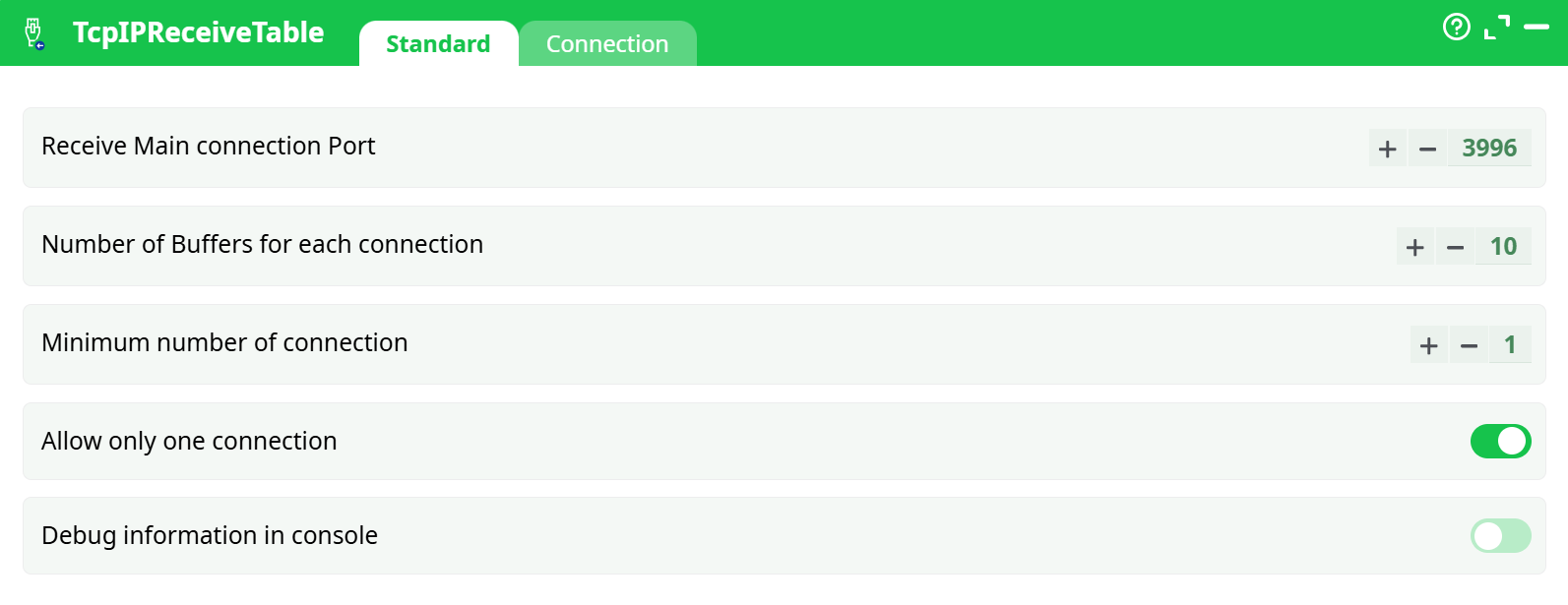
Parameters:
- Receive Main connection Port
- Number of Buffers for each connection
- Minimum number of connection
- Allow only one connection
- Debug information in console
¶ Connection tab
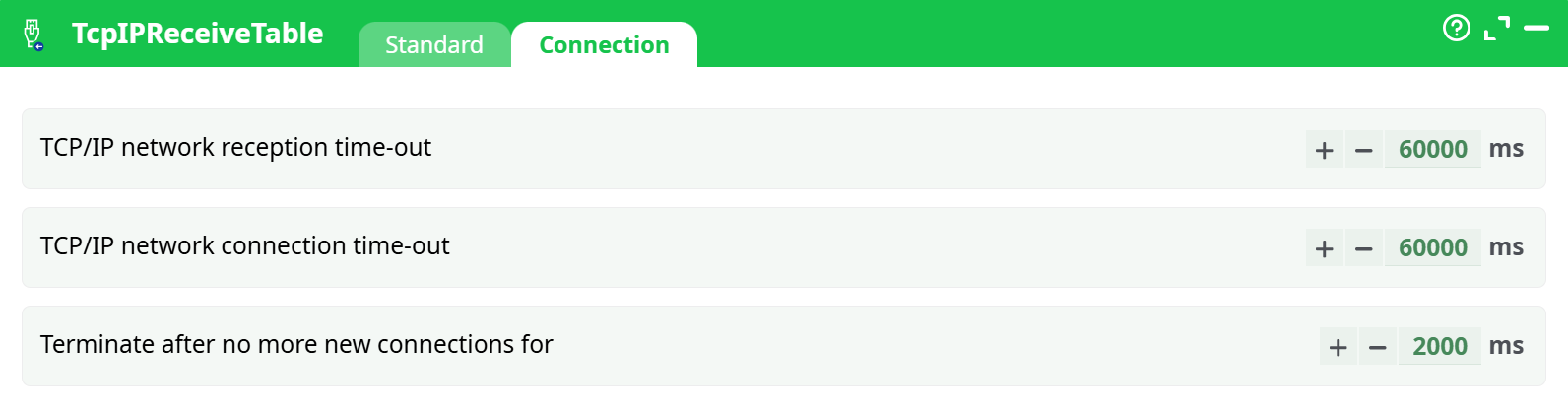
Parameters:
- TCP/IP network reception time-out
- TCP/IP network connection time-out
- Terminate after no more new connections for
¶ About
This action receive a table on a specific TCP/IP port (the default port value is 3996).
The TcpIPReceiveTable action and the TcpIPSendTable action are used together to form the “Map” part inside a “Map-Reduce” algorithm (i.e. it allows ETL to make distributed computations on several PC’s).
When the option “Allow only one connection” is:
- Disabled: Several TcpIPSendTable action can connect simultaneously to the same TCP/IP port: The rows sent by the different TcpIPSendTable will be combined into one unique output table. The “sort flags” of the sent tables are dropped (since all the rows from the different incoming tables are mixed in a random order).
The TcpIPReceiveTable action detects the end of the table (i.e. the end of all transmissions from all the different TcpIPSendTable action) using two mechanisms:- The option “Minimum Number of connection” forces ETL to wait for a specific number of emettors (i.e. a minimum number of TcpIPSendTable action) before closing all connections and ending the table.
- The option “Terminate after no more connections for” forces ETL to wait for a specific duration (the counter starts after the last “live” connection is closed) before ending the table.
- Enabled: The “sort flags” of the (unique) sent table is preserved.
The data transferred using the TcpIPSendTable action and the TcpIPReceiveTable action is compressed to reduce the traffic on your computer network (it’s the same row-based compression than inside .gel files). The compression ratio (25%) typically obtained inside the TcpIPSendTable and the TcpIPReceiveTable action is thus lower than the compression ratio typically obtained using WinRAR (8%). This means that, when you can choose between:
- Transfer a table using the the TcpIPSendTable and the TcpIPReceiveTable actions.
- Transfer a table stored inside a WinRAR file and using a MS-Windows “shared network drive”.
…the later choice might be better because it reduces more the traffic on your computer network (because the volume of data transferred over the network is lower because of the better compression).
For faster processing, all data receptions are using an asynchronious I/O algorith. This means that ETL can receive (and also CRC-check and also decompress) several data-block (each data-block containing many rows) while, simultaneously, processing the required data transformations on the rows that are already available. The maximum quantity of data-block kept in RAM is defined inside the parameter “Number of buffers for each connection”. A large value allows to cope with sudden&brief “speed drops” of your computer network (but it also implies a higher RAM consumption).
If you need to tranfert different tables using the TcpIPReceiveTable action, than each TcpIPReceiveTable action must have a different port number. You can change the port number using the parameter “Receiver Main connection Port”.