¶ Description
Print a table into the log.
¶ Parameters
¶ Parameters tab
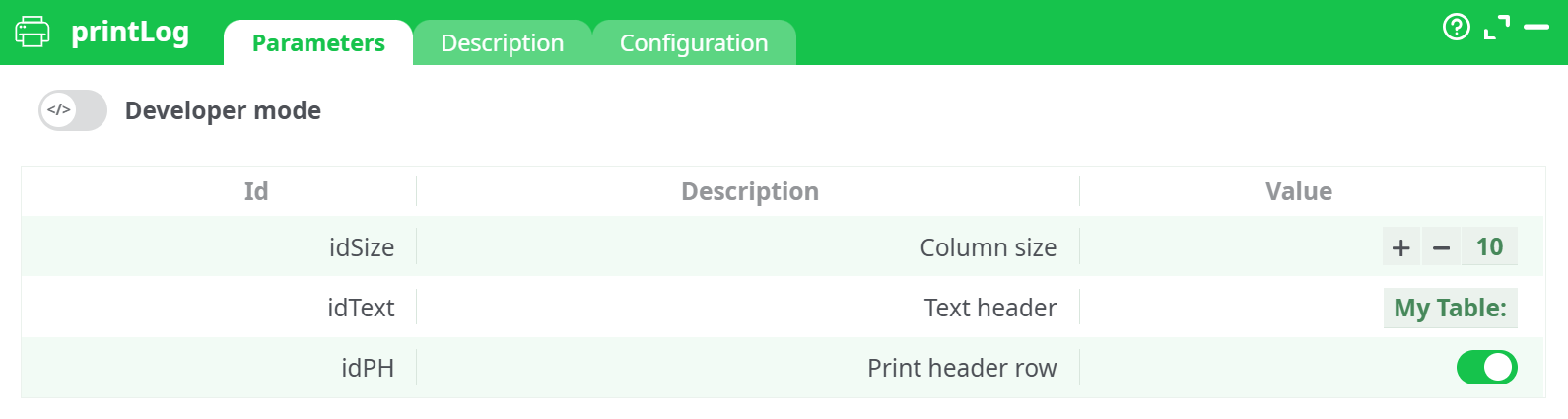
Parameters:
- Developer mode: activate/deactivate code tab.
- Column size Fixed width (characters) for each column in the printed table. Longer values are truncated; smaller values are padded for alignment.
- Text header Optional title printed above the table. Leave blank to skip the title line.
- Print header row When enabled, prints the upstream column names as the first row.
¶ Description tab
See dedicated page for more information.
¶ Code tab
printLog is a scripted action. Embedded code is accessible and customizable through this tab.
¶ Configuration tab
See dedicated page for more information.
¶ About
printLog writes a formatted, fixed-width preview of the upstream table into the Run Log.
Use it to quickly verify data flowing through a pipeline (schema, sample values, alignment) without persisting a file or opening a grid viewer.
¶ Input
- Upstream tabular data
Any table produced by a previous node (e.g.,readCSV, SQL reader, join, transform).
Accepted formats:
- All scalar cell types (text, number, boolean, null).
- Very long values are trimmed to the configured column width.
¶ Output
- Run Log text: an ASCII table printed to the log (optionally with a custom title and header row).
- No data files are created and the action does not change the dataset.
Where to see it:
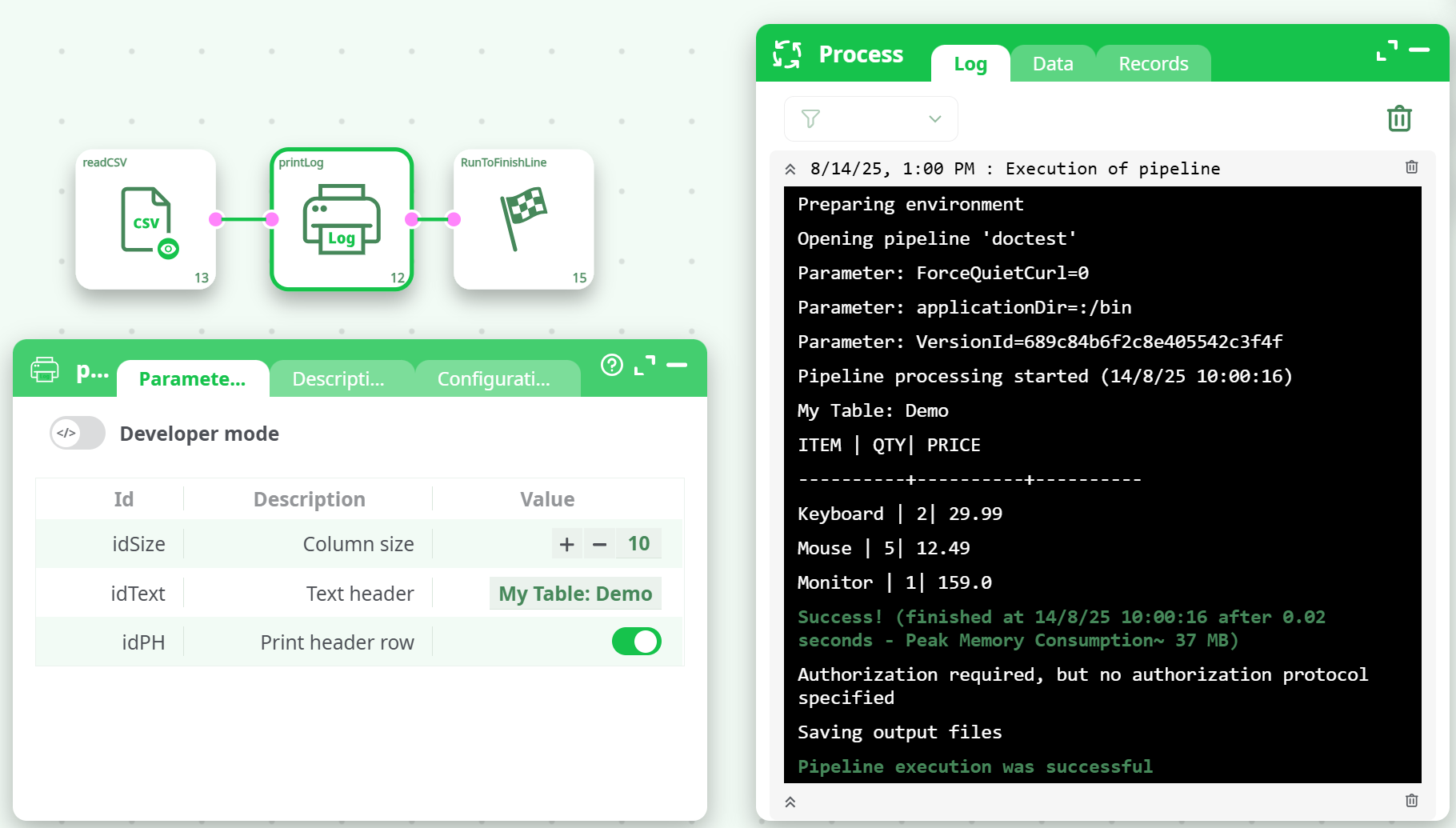
- Run panel → Log.
¶ How to Run
-
Place the node in your flow
Example: readCSV → printLog → RunToFinishLine. -
Set parameters
- Column size: e.g.,
10 - Text header: e.g.,
My Table: Demo - Print header row: On
- Column size: e.g.,
-
Run the pipeline
Open Log to see the formatted table.
¶ Example
Upstream input (readCSV output)
| ITEM | QTY | PRICE |
|---|---|---|
| Keyboard | 2 | 29.99 |
| Mouse | 5 | 12.49 |
| Monitor | 1 | 159.0 |
Parameters
idSize:10idText:My Table: DemoidPH:true
Log output (excerpt)
My Table: Demo
ITEM      | QTY | PRICE
----------+-----+----------
Keyboard  |   2 | 29.99
Mouse     |   5 | 12.49
Monitor   |   1 | 159.0
¶ Use Cases
- Quick data sanity check during pipeline development (column names, sample values, formatting).
- Debugging: print intermediate results after a filter/join before committing to disk or sending to an API.
- Audit trail: include a small, human-readable snapshot of processed rows in the run log.
¶ Notes & Tips
- Choose Column size large enough to avoid truncating meaningful values; reduce it to keep logs compact.
- For very large datasets, consider printing after a limit/sample node to keep logs readable.
- This action is observational: it does not modify the data stream. Downstream nodes (if any) receive the same rows as produced upstream.