¶ Description
Query the Status of Anatella Jobs running in Jenkins.
¶ Parameters
¶ Parameters tab
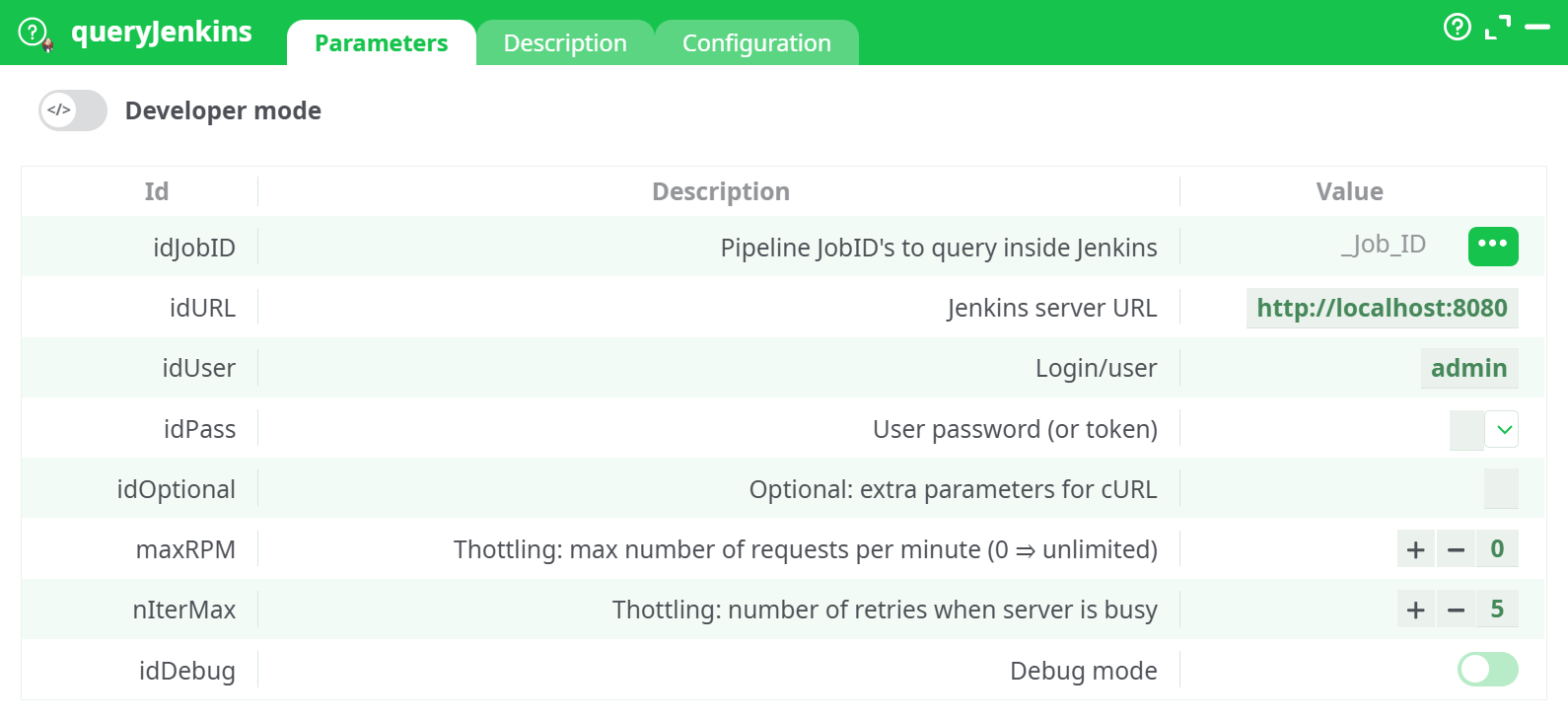
Parameters:
- Pipeline Job IDs to query inside Jenkins Name of the input column that holds the Jenkins job names/IDs to query (default:
_Job_ID). - Jenkins server URL Examples:
http://localhost:8080,http://<LAN-IP>:8080, or your public tunnel URL (e.g., Cloudflare Tunnel). - Login/user Jenkins username.
- User password (or token) Jenkins API token (recommended) or password.
- Optional: extra parameters for cURL Extra cURL options (advanced). Useful for custom headers, DNS overrides, timeouts, etc.
- Throttling: max number of requests per minute (0 = unlimited) maximum requests per minute (0 = unlimited). Helps avoid overloading Jenkins.
- Throttling: number of retries when server is busy. Retry count when Jenkins is busy/transient errors occur.
- Debug mode (more verbose logs in the Process panel).
¶ Description tab
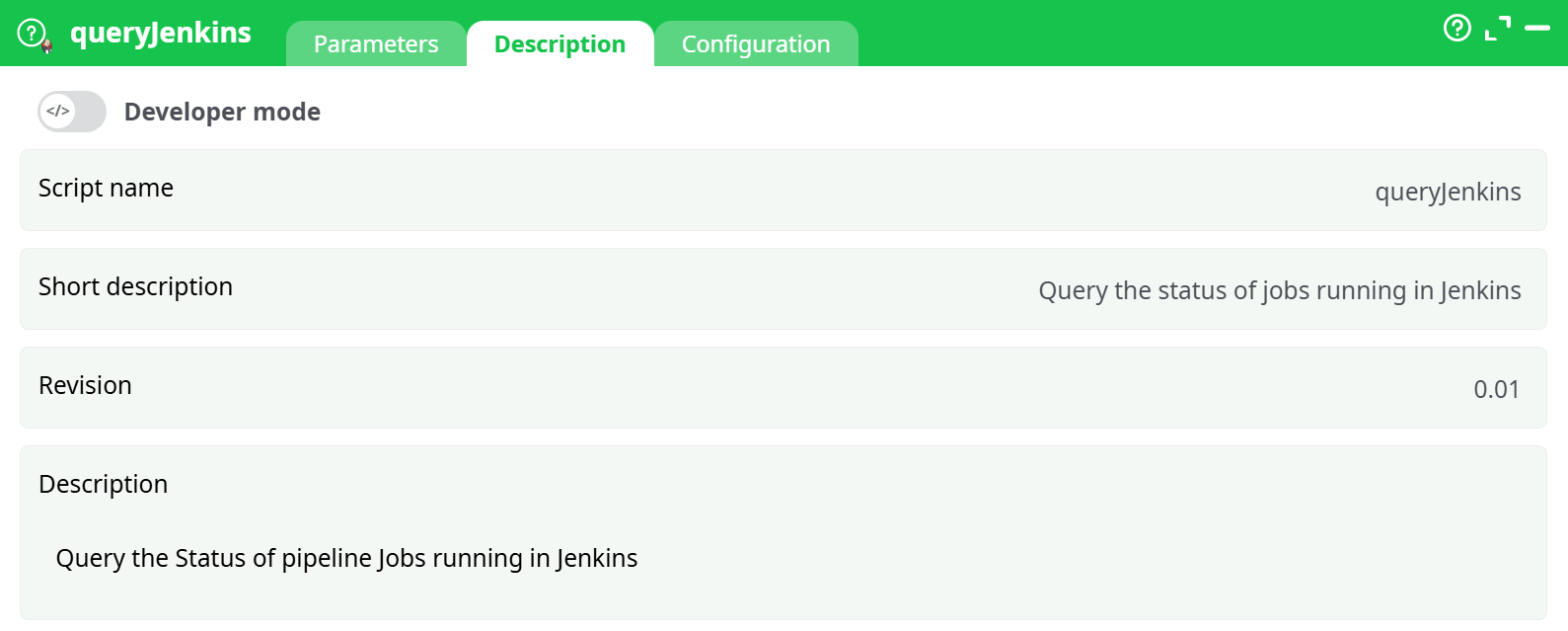
Parameters:
- Script name
- Short description
- Revision
- Description
¶ Configuration tab
See dedicated page for more information.
¶ About
queryJenkins checks the current status of Jenkins jobs and returns a table you can use in pipelines (e.g., to monitor builds, gate deployments, or trigger alerts).
¶ What it expects / what it returns
Input (Pin 1)
A table with a column containing Jenkins job IDs (job names).
- Default column name:
_Job_ID(you can change it with the Pipeline JobIDs to query inside Jenkins parameter).
Output
A table with one row per job containing key status fields fetched from the Jenkins REST API, including (depending on your Jenkins version/plugins):
job(name)url(job URL)status(e.g.,blue,red,notbuilt,aborted, etc.)in_queue/building(booleans when available)last_build_number,last_build_result,last_build_urllast_completed_build_number,last_completed_build_resulttimestamp,duration,estimated_duration(when available)
¶ Configuration / Requirements
-
Jenkins credentials
- Create a Personal API Token in Jenkins (
<your user> » Configure » API Token) and use it in idPass. - Basic auth with token is sufficient for GET requests.
- Create a Personal API Token in Jenkins (
-
Reachability
-
From the machine running, the URL in idURL must resolve and reach Jenkins.
-
For local setups:
- Same host:
http://localhost:8080 - Different host:
http://<your-LAN-IP>:8080(open firewall TCP 8080) - Remote access: use a reverse proxy/VPN/tunnel (e.g., a Cloudflare Tunnel URL).
- Same host:
-
-
CSRF crumbs
- Jenkins often has “Use Crumbs” enabled. GET endpoints used for status are typically allowed without a crumb; if you later extend calls to POST/trigger builds, you’ll need a crumb or an API token that bypasses crumb checks.
¶ Quick Start
- Add queryJenkins to your graph.
- Connect a table to Pin 1 that contains a column (default
_Job_ID) with the Jenkins job names you want to monitor. - Fill idURL, idUser, idPass (API token).
- (Optional) Set maxRPM and nIterMax to protect Jenkins under load.
- Run the node. The output table lists each job with its latest status details.
¶ Tips & Examples
-
Multiple jobs: Put many rows in
_Job_ID; the action will query each job and merge results. -
Public tunnel (Cloudflare): Put your tunnel URL (e.g.,
https://<random>.trycloudflare.com) in idURL. -
Extra cURL:
- Timeouts:
--connect-timeout 5 --max-time 20 - Follow redirects:
-L - Force IPv4:
-4(if IPv6 is flaky)
- Timeouts:
¶ Troubleshooting
-
401 / 403 Unauthorized
- Wrong user/token; token revoked; user lacks permissions.
-
Could not resolve host / Host unreachable
- DNS or firewall issue. Verify idURL opens in a browser from the same machine.
- For
localhost, ensure Jenkins runs on this computer; otherwise use the correct LAN IP or tunnel URL.
-
Red/aborted/notbuilt but you expect success
- The
statusreflects the last reported state. Verify the job actually ran and succeeded in Jenkins UI. - Some pipelines only update status after the first completed run.
- The
-
Busy/429/5xx
- Increase nIterMax, reduce maxRPM.
-
Crumb errors (if you later add POST)
- For POST endpoints, add crumb handling or use API token-based auth that bypasses crumbs.
¶ Security
- Prefer API tokens over passwords.
- Keep tokens in secure vaults/Anatella protected parameters where possible.
- If exposing Jenkins over the internet, use HTTPS (reverse proxy / tunnel) and hardened auth.