¶ Description
Runs sequentially (When the parameter “maximum number of concurrent processes” is one) or in parallel (When the parameter “maximum number of concurrent processes” is two or more) several ETL pipelines.
¶ Parameters
¶ Standard tab
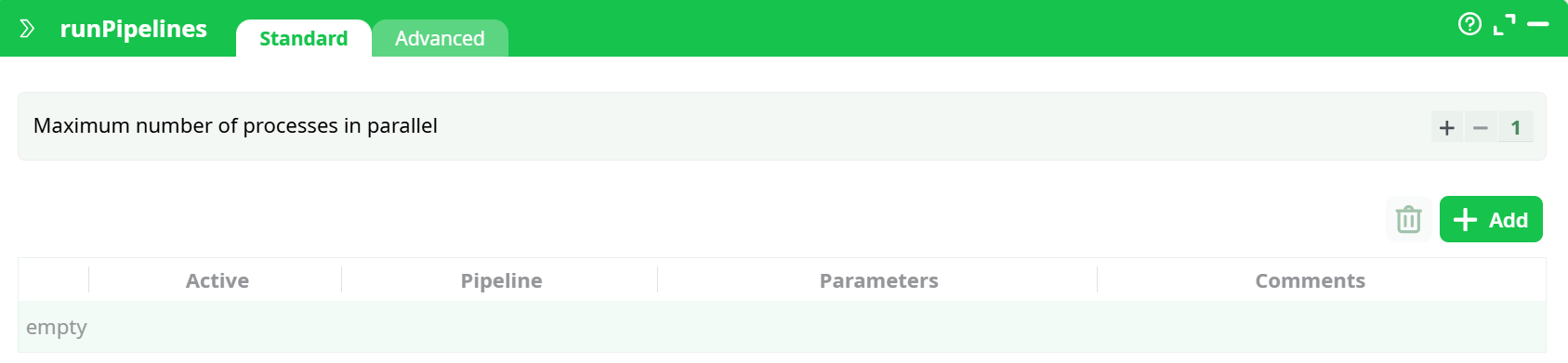
Parameters:
- Maximum number of processes in parallel
¶ Advanced tab
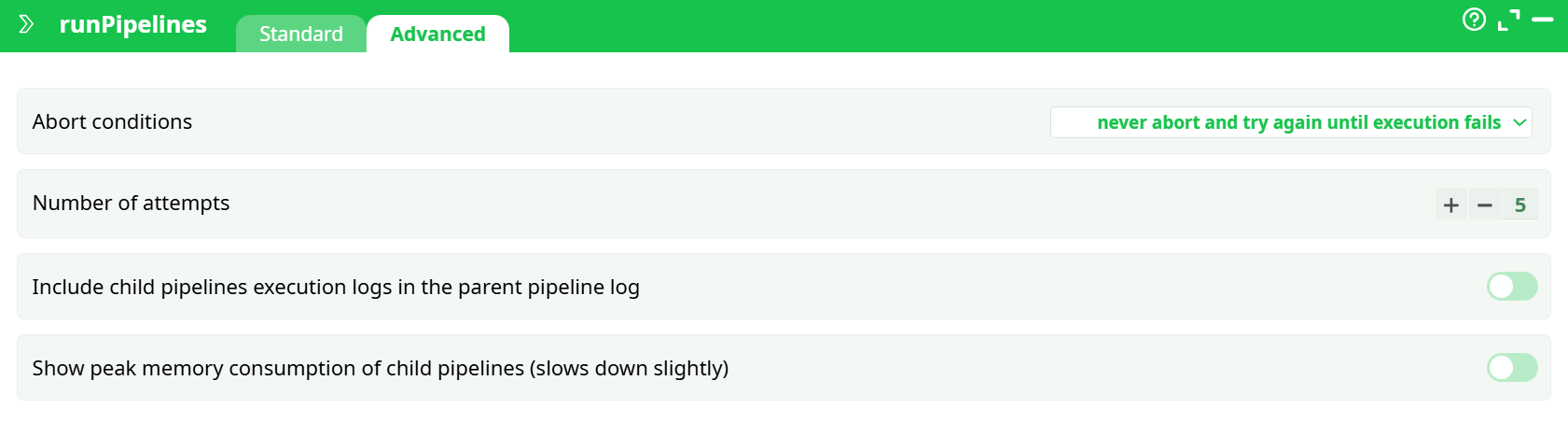
Parameters:
- Abort conditions
- Number of attempts
- Include child pipelines execution logs in the parent pipeline log
- Show peak memory consumption of child pipelines (slows down slightly)
¶ About
For large data-transformation, it can be interesting to divide all the transformations to perform into several pipelines. Division is interesting for several reasons:
- It allows you to better organize your work.
- It allows easier collaboration between a team of different data miners (each one working on a different set of ETL pipelines).
- It’s an easy way to create synchronization-barriers.
- It’s an easy way to run the same data transformation inside a “loop” (with some “loop-variable” passed as parameter of the pipeline).
- It’s an easy way to monitor the success (or the failure) of each of your ETL pipelines (e.g. looking at the output table of the runPipelines action, you can automatically send an email to a site administrator, in case of failure).
- It allows you to use more than 2GB RAM on a 32-bit OS (on a 32-bit OS, each different process can use maximum 2GB RAM, but you can have several processes running at the same time).
- It’s an easy way to reduce computation time, running in parallel several independent ETL pipelines.
If you want to use in parallel the many CPU’s available on your computer, you can use the Multithread action or the runPipelines action.
Let’s take a small example:

The above example pipeline will send an email to the system administrator if an error (or a warning) is detected during the execution of one of the ETL pipelines launched by the runPipelines action.
How does this work? The ouput of the runPipelines action is a table that contains the final “error level” returned after the execution of each of the ETL pipelines (See section 4.7. to know more about “error levels”). We look at all the “error levels” returned by the runPipelines action and we send an email if there exists a non-null “error level” (because a non-null “error level” signals an error or a warning during the execution of the ETL pipeline). We could have achieved the same result using only Javascript: i.e. using the ProcessRunner Javascript Class and the SendMail Javascript Class.
When you run the above example pipeline, the runPipelines action launches the simultaneously execution of two ETL-Data-Transformation-Pipelines out of the 4 ETL-Pipeline to execute (because the parameter “maximum number of concurrent processes” is two). As soon as one of the 2 running ETL-Pipeline are finished, ETL directly launches the next ETL-Pipeline, so that there are always at least two ETL-pipeline running at the same time. Internally, to launch the execution of the first pipeline, ETL will run (you can see that line in the log-file window of ETL):
[TODO: replace .exe command line call by ETL process]
When the parameter “maximum number of concurrent processes” is one, the ETL pipelines are executed sequentially in the exact order given by the user. When the parameter “maximum number of concurrent processes” is greater than one, the order in which the pipelines are executed is not fixed (i.e. it’s partially random).
Inside the “Parameters” field of the runPipelines action, you can pass some “initialization” parameters to the ETL pipeline that will be launched. These “initialization” parameters are typically “Global Parameters”. If the “Parameters” field starts with a “>” character, then it contains a javascript program that computes a string that is used to define the “Parameters”. For example:
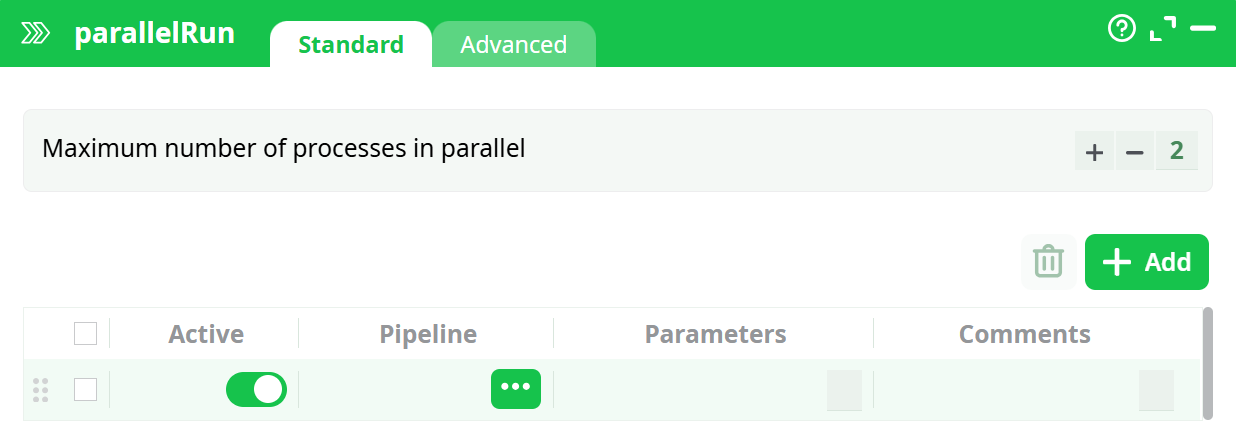
This will run the ETL graph “C_90_sliceAndDice2_v5.age” with the 2 command-line parameters: “-ta” (that creates a trace files) and “-DObservationDate=…” (that re-defines the value of the Pipeline-Global-Parameter “ObservationDate” that is used inside the “C_90_sliceAndDice2_v5.age” pipeline). Note that to compute the value of the “ObservationDate” parameter we used the value of the current “ObservationDate” Graph-Global-Parameter: We are, in fact, “propagating” the value of the “ObservationDate” Pipeline-Global-Parameter to the child process (i.e. to the “C_90_sliceAndDice2_v5.age” graph).
When you click the STOP button, ETL automatically aborts all the child processes that were running (i.e. You don’t need to “manually” abort each of the possibly many child processes currently running). For example, when you click the STOP button during execution of the above example pipeline, it will abort the current “main” pipeline but also the 4 other pipelines: “SubPipeline_no_error.age”, “SubPipeline_error_2.age”, “SubPipeline_error_10.age”, “SubPipeline_error_22.age”.
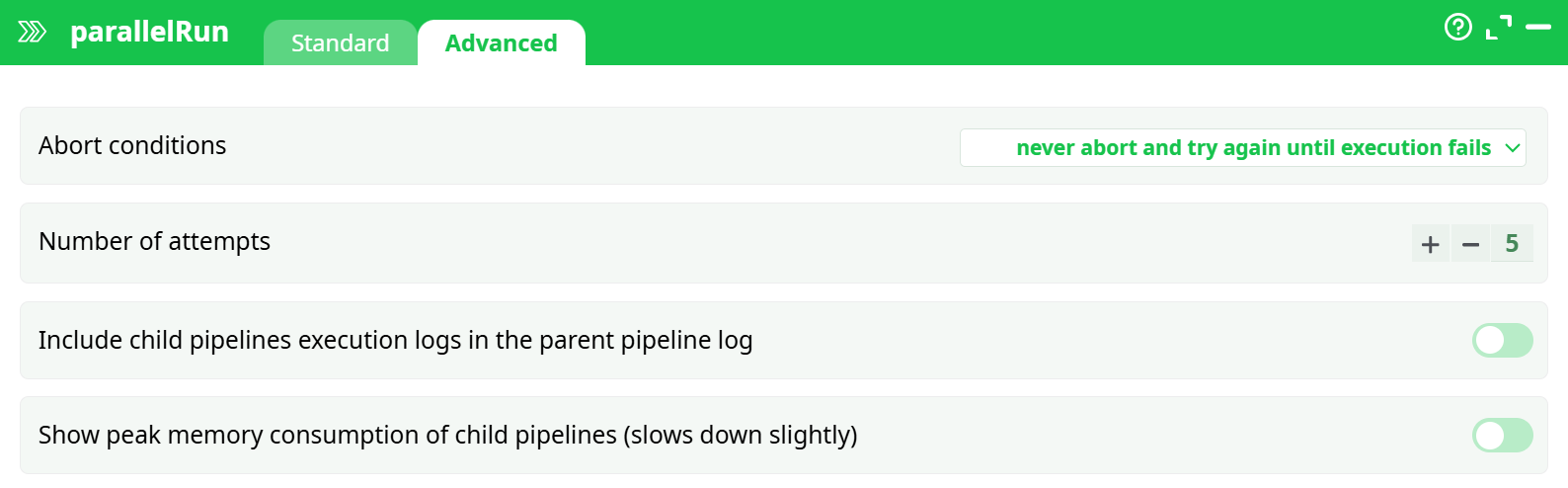
The runPipelines action has also a parameter named “Abort Condition”. This parameter can have the following values:
- Never abort (No retry)
- Never abort but does retry while the run FAILED
- Abort if the run still FAILED after some retry
- Abort if the run had still a WARNING after some retry
To detect a FAILURE or a WARNING during a pipeline execution, ETL uses the “error level” of the process: See section 4.7. to know more about “error levels”.
The typical usage of the option “Abort if the run still FAILED after some retry” is to to execute a FTP file transfer (e.g. using curl). Such type of task can easily fail. Failure is detected and ETL re-attempt a new FTP file transfer (the maximum number of attempt is specified using the parameter “number of retries”).
Let’s now assume that you are re-using all the time the same (sub)pipeline.
In such situation, you want to:
- …place this (sub)pipeline inside a specific location on your hard drive (i.e. your graph library), to be sure to always be able to access it.
- ...associate with this pipeline a specific icon, so that you can directly visualize, inside your data-transformation-pipeline, the call to your specific (sub)Pipeline. To associate an icon to the execution of a specific (sub)Pipeline, click here: … and select a .png file.