¶ Description
Run external processes.
¶ Parameters
¶ Parameters tab
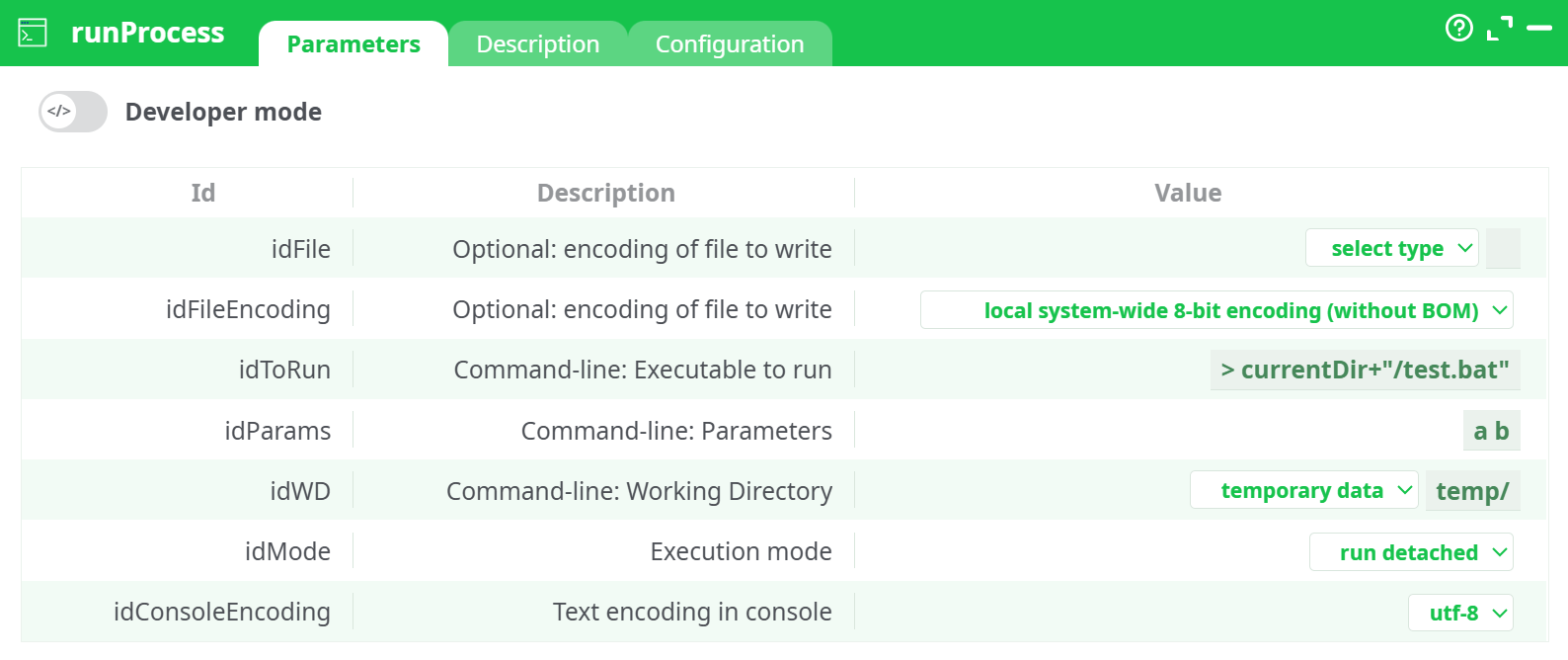
Parameters:
- Optional: encoding of file to write
- Command-line: Executable to run
- Command-line: Parameters
- Command-line: Working Directory
- Execution mode
- Text encoding in console
¶ Description tab
See dedicated page for more information.
¶ Configuration tab
See dedicated page for more information.
¶ About
The runProcess action does basically the same thing as the runPipelines action. The main difference is that it allows running any executable instead of just ETL-Data-Transformations. You can use the Javascript code of the runProcess action as a “template” to start designing your own “tasks automation” (also called “task scheduling”).
¶ Input
This action does not require an upstream table. It only uses its parameters.
Accepted executables:
- Any executable or script available on the runner (e.g.,
.bat,.cmd,.ps1,.sh, compiled binaries). - Paths may be literal file paths or JavaScript expressions (e.g.,
> currentDir+"/test.bat").
Accepted working directories:
assets/,temporary data/(e.g.,temp/),recorded data/- Sources (e.g.,
@shared/) - JavaScript expression (resolve to a path at runtime)
¶ Output
Depending on Execution mode and capture options:
-
Run detached
The node launches the process and returns immediately.
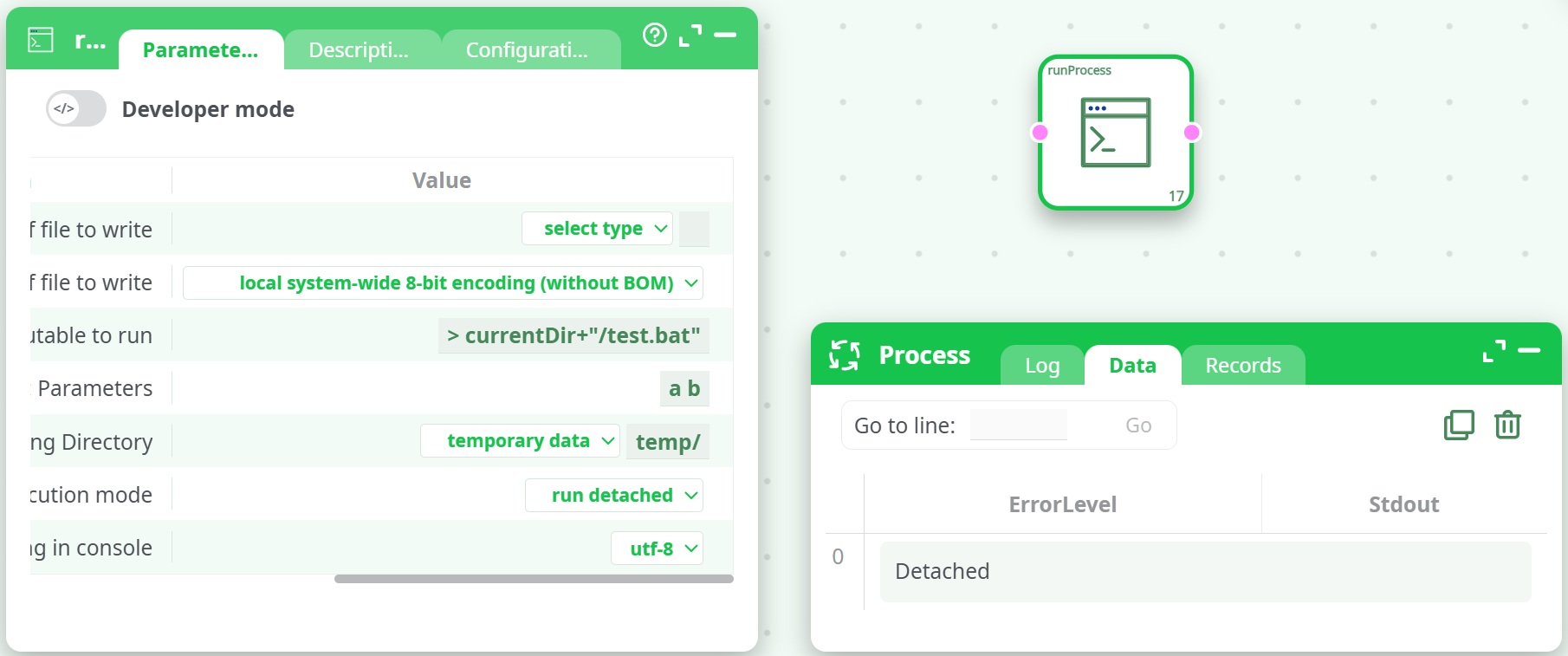
Data shows one row:ErrorLevel = Detached. (NoStdout.) -
Run and wait for termination
The node waits for exit and writes one row to Data:ErrorLevel= process exit code (0= success)
-
Read back text from console
The node waits and captures standard output. Data contains:ErrorLevel— exit codeStdout— captured console text (single cell or one row per line, depending on runner)
Optional file output:
- If File to write is set, the captured console text is written to the file you specify (e.g.,
records/out.txt) using the chosen File encoding.
Where to find results:
- Process → Data for
ErrorLevel/Stdout. - Process → Records if you wrote an output file under
records/.
¶ How to Run
-
Prepare the script or program
Place your executable in the selected working directory (e.g., droptest.batintotemp/), or reference a fully-qualified path. -
Add and configure
runProcess- Executable to run:
> currentDir+"/test.bat" - Command-line parameters:
a b - Working Directory:
temporary data → temp/ - Execution mode: pick one (see below)
- (Optional) File to write:
records/out.txtand File encoding:utf-8
- Executable to run:
-
Run and verify
- Check Log for runtime messages.
- Open Data for
ErrorLevel/Stdout. - If you specified
records/out.txt, download it from Records.
¶ Use Cases
- Orchestrate system tools — call native CLI utilities as part of ETL (compression, checksums, image/ffmpeg utilities, gsutil/azcopy, etc.).
- Custom scripts — run bespoke
.bat/.shlogic that isn’t available as a built-in action. - Integration hooks — trigger external services that expose a command-line client, then capture their output into your pipeline.
¶ Troubleshooting
-
Save File: cannot open file 'records/out.*' for write
Wildcards are not allowed when specifying File to write. Use a concrete filename, e.g.,records/out.txt. -
No console text captured
Switch Execution mode to read back text from console (or run and wait if you only need the exit code). Ensure idConsoleEncoding matches the program’s output. -
Executable not found
Verify the file exists in the chosen Working Directory, or provide an absolute path. When using a JavaScript expression (prefixed with>), confirm the expression resolves to the correct path (e.g.,currentDir). -
Quoting/parameters
Wrap parameters with spaces in quotes. Example:
idParams:"C:\Program Files\My App\tool.exe" --flag "some value" -
Permissions
The runner must have OS permissions to execute the file and to write to the target folder (e.g.,records/).