¶ Description
Unlocks access to Zoho CRM.
¶ Parameters
¶ Parameters tab
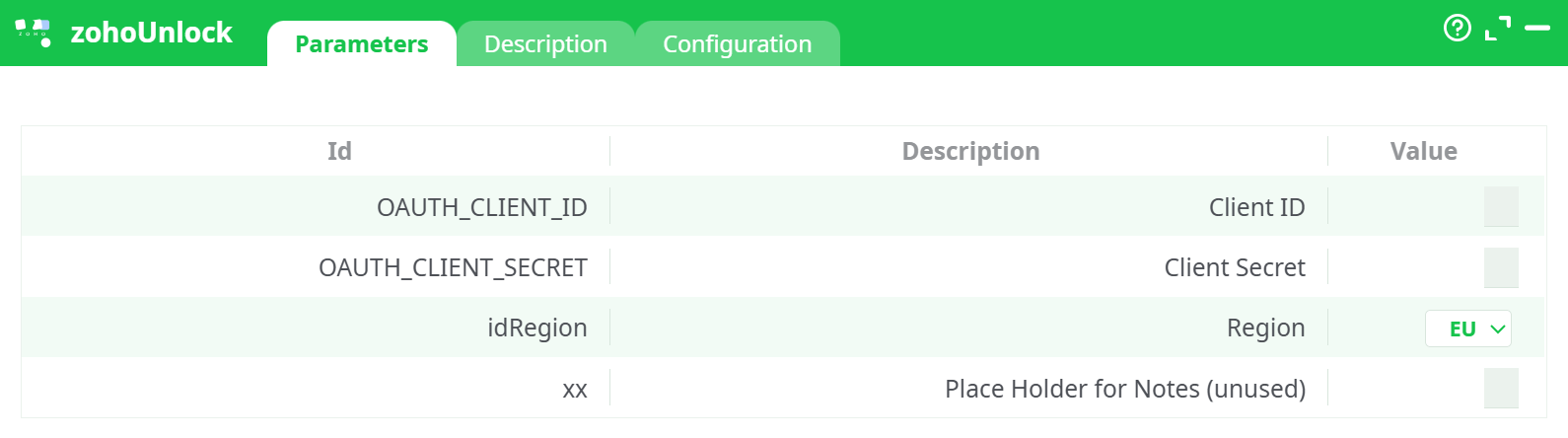
Parameters:
- Client ID
- Client Secret
- Region
- Place Holder for Notes (unused)
¶ Description tab
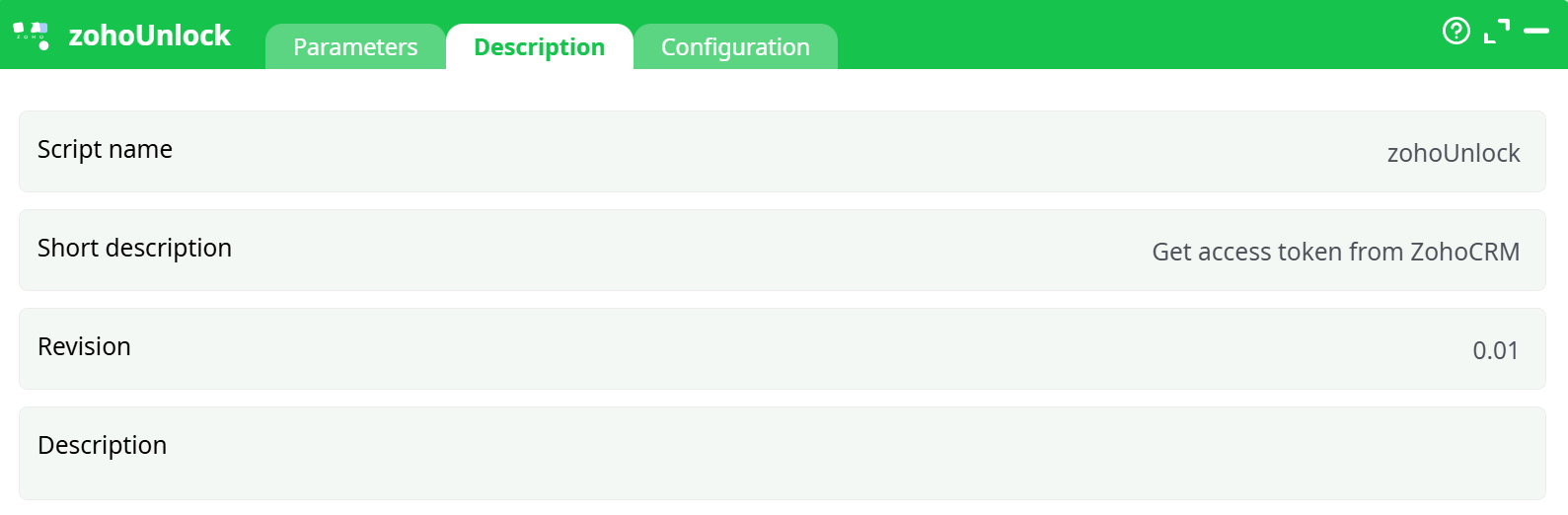
Parameters:
- Script name
- Short description
- Revision
- Decription
¶ Configuration tab
See dedicated page for more information.
¶ About
zohoUnlock is a one-shot helper that guides you through the Zoho OAuth2 “3-legged” flow to obtain a Refresh Token.
That refresh token is then reused by your other Zoho boxes (e.g., read/write CRM) to request short-lived Access Tokens automatically, without asking the user to log in again.
- No input or output tables are involved.
- The box does not store anything: it simply opens your browser, you sign in and approve the requested scopes, and a page displays the Refresh Token so you can copy/paste it into your Zoho actions.
- The token is region-specific (US/EU/AU/IN/CN). Be sure to select the region that matches your Zoho account, otherwise Zoho will reject the authorization with invalid_client/redirect_uri_mismatch.
Tip: Keep the refresh token and your client credentials in a credential manager. A Zoho refresh token usually remains valid until you revoke it or regenerate the client secret.
Before downloading data from Zoho CRM with ETL, you need to get the 4 parameters:
- Client ID (Parameter P1)
- Cient Secret (Parameter P2)
- Region (Parameter P3)
- Refresh Token: You get this parameter using the current zohoUnlock action from the ZohoCRM website.
Here are the steps to get these 4 parameters:
Region → base domains
- US:
accounts.zoho.com,api-console.zoho.com - EU:
accounts.zoho.eu,api-console.zoho.eu - AU:
accounts.zoho.com.au,api-console.zoho.com.au - IN:
accounts.zoho.in,api-console.zoho.in - CN:
accounts.zoho.com.cn,api-console.zoho.com.cn
¶ First-time setup (recap)
-
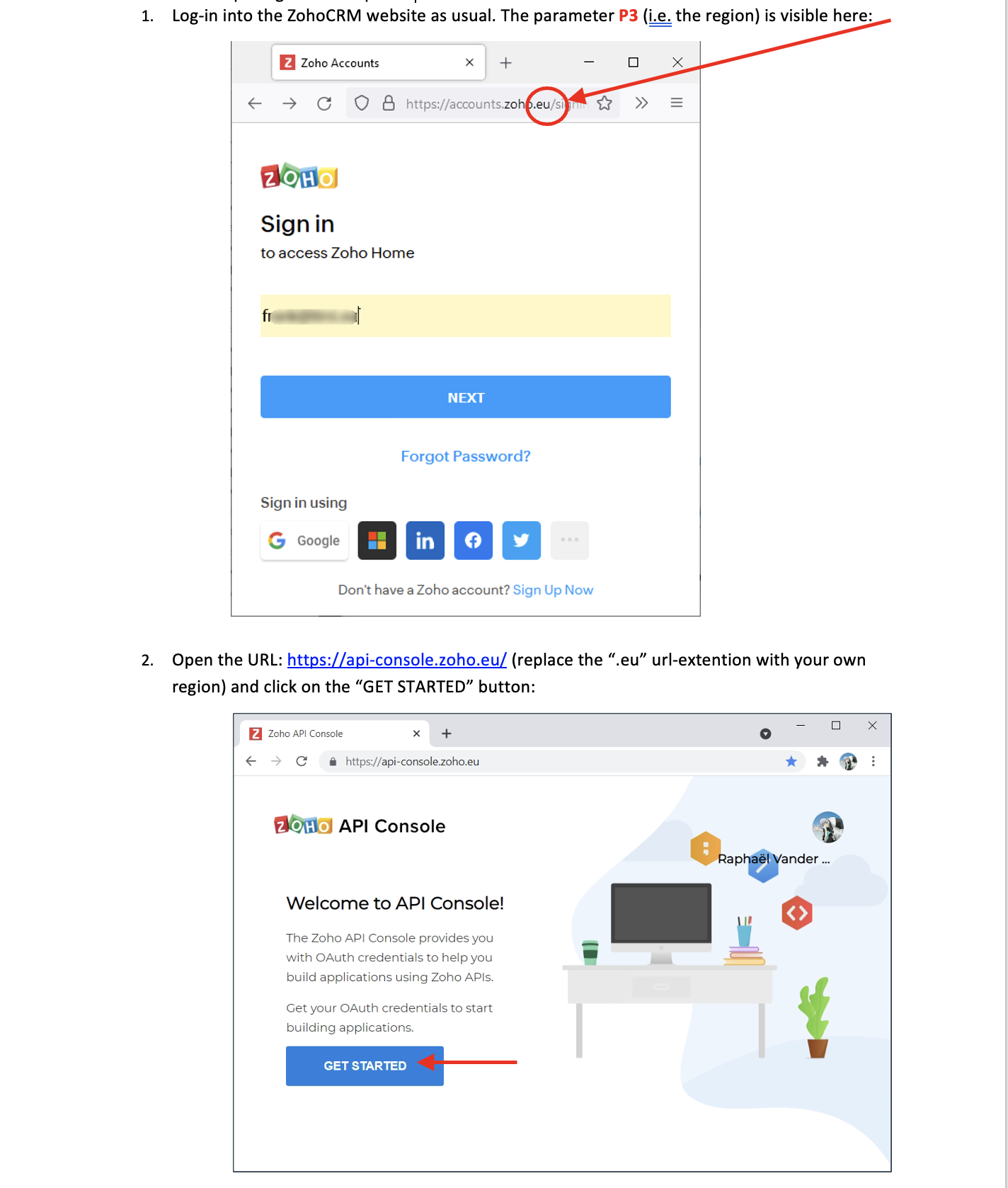
Identify your region
It’s visible in the sign-in URL (e.g.,accounts.zoho.eu⇒ Region EU). -
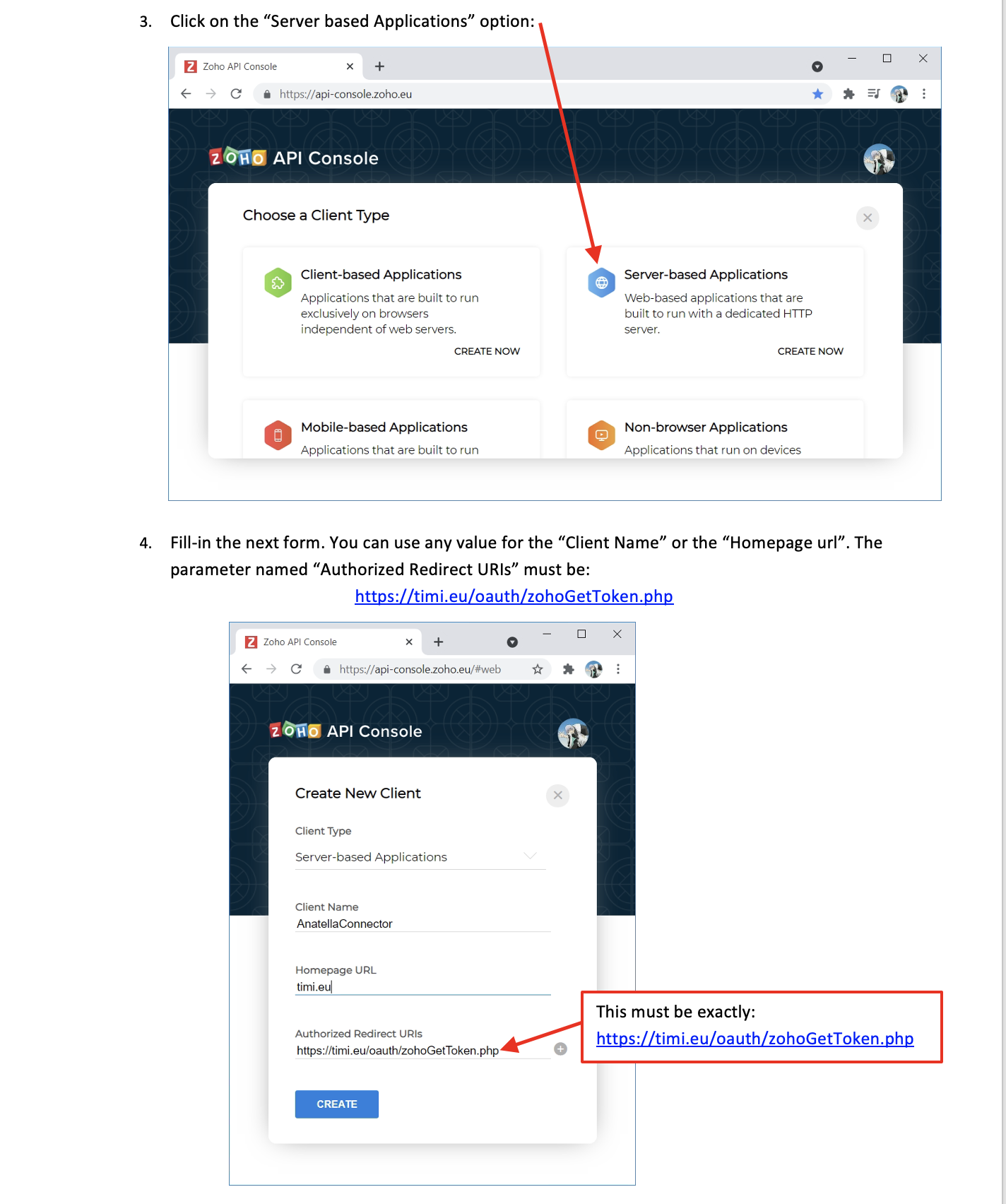
Create an OAuth client in the Zoho API Console (for your region).
Choose Server-based Applications. -
Authorized Redirect URI
-
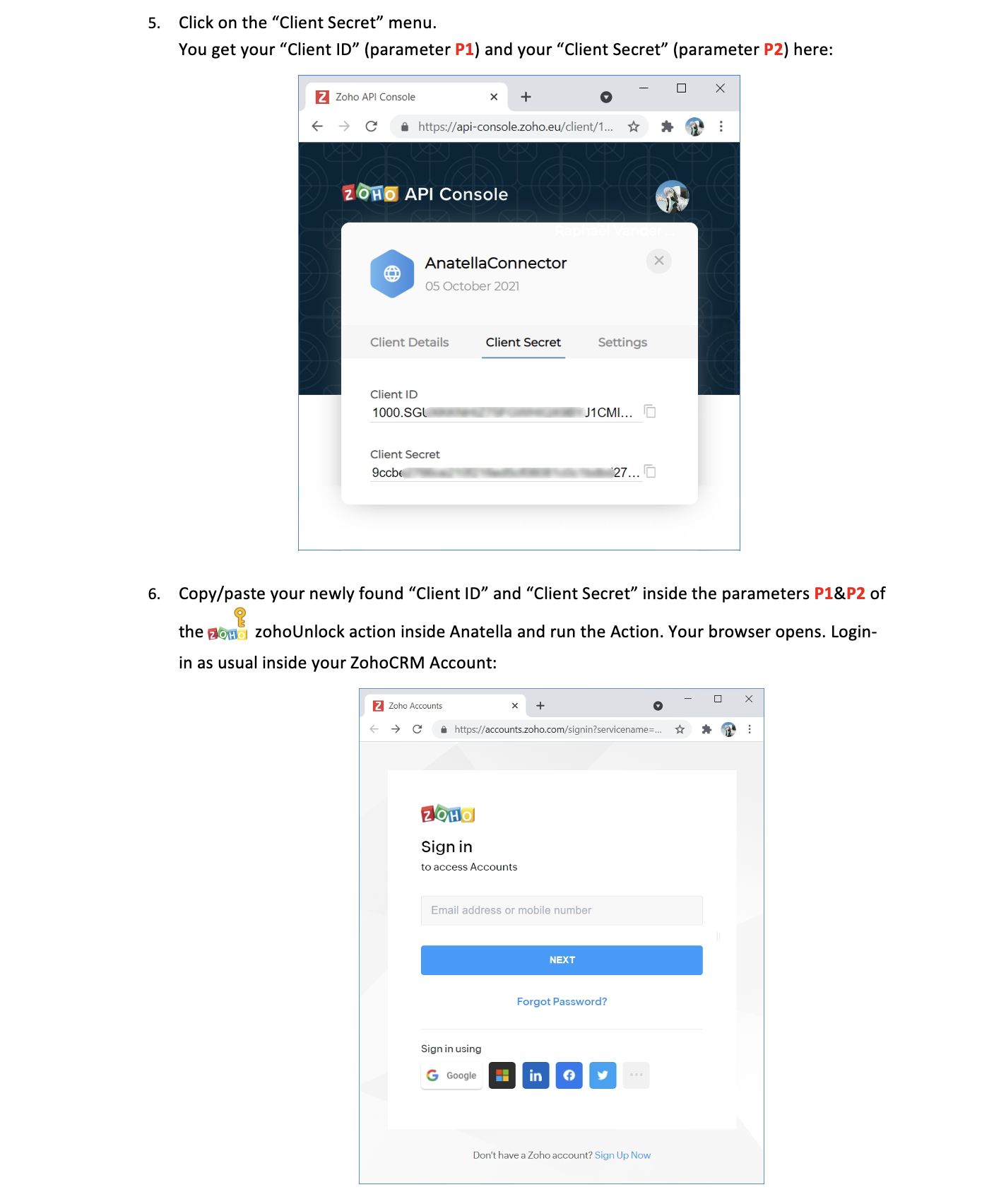
Copy the credentials
From Client Details / Client Secret: grab Client ID and Client Secret. -
Fill
zohoUnlockparametersOAUTH_CLIENT_ID= your Client IDOAUTH_CLIENT_SECRET= your Client SecretidRegion= your Zoho region
-
Run the box
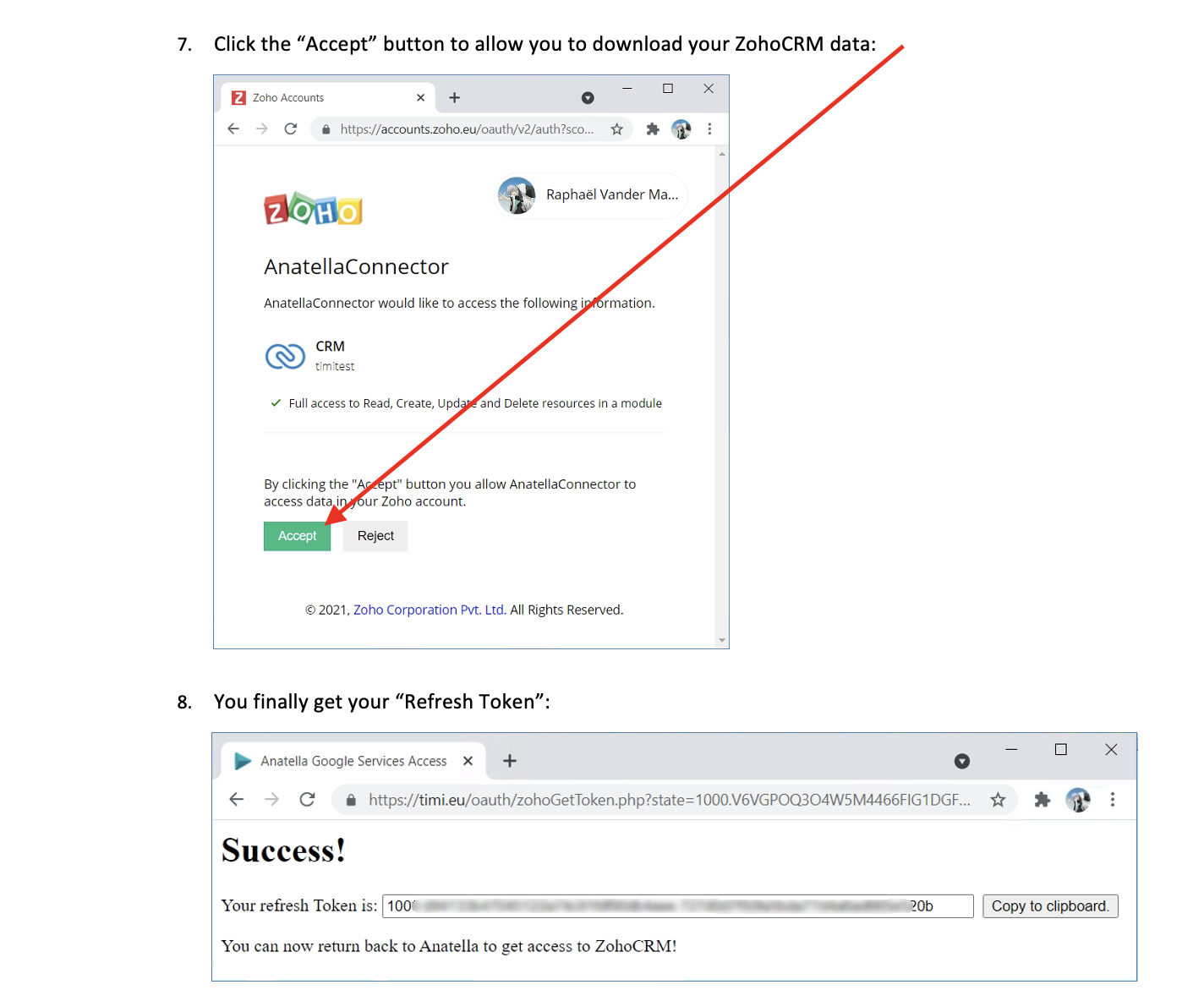
Your browser opens on the Zoho Accounts page for the selected region. Sign in and Accept the requested scopes (you’ll see the CRM scope on the consent screen). -
Copy the Refresh Token
You’ll be redirected to thetimi.eupage that shows Success! and your Refresh Token (with a Copy to clipboard button).
Paste this token into the Zoho action(s) that require it.
¶ Using the token
- Paste the value into the Refresh Token parameter of your Zoho data-access boxes.
- If you change region, regenerate the client secret, or revoke the app in Zoho, the old refresh token becomes invalid—run
zohoUnlockagain to obtain a new one.
¶ Security notes
- Treat Client Secret and Refresh Token as secrets. Avoid storing them in project files or logs; use your secrets vault/parameters store.
- You can revoke access anytime in Zoho API Console → Connected Apps (or by deleting the OAuth client).