¶ Description
Delete files from a container in an Azure Blob Storage
¶ Parameters
¶ Parameters tab
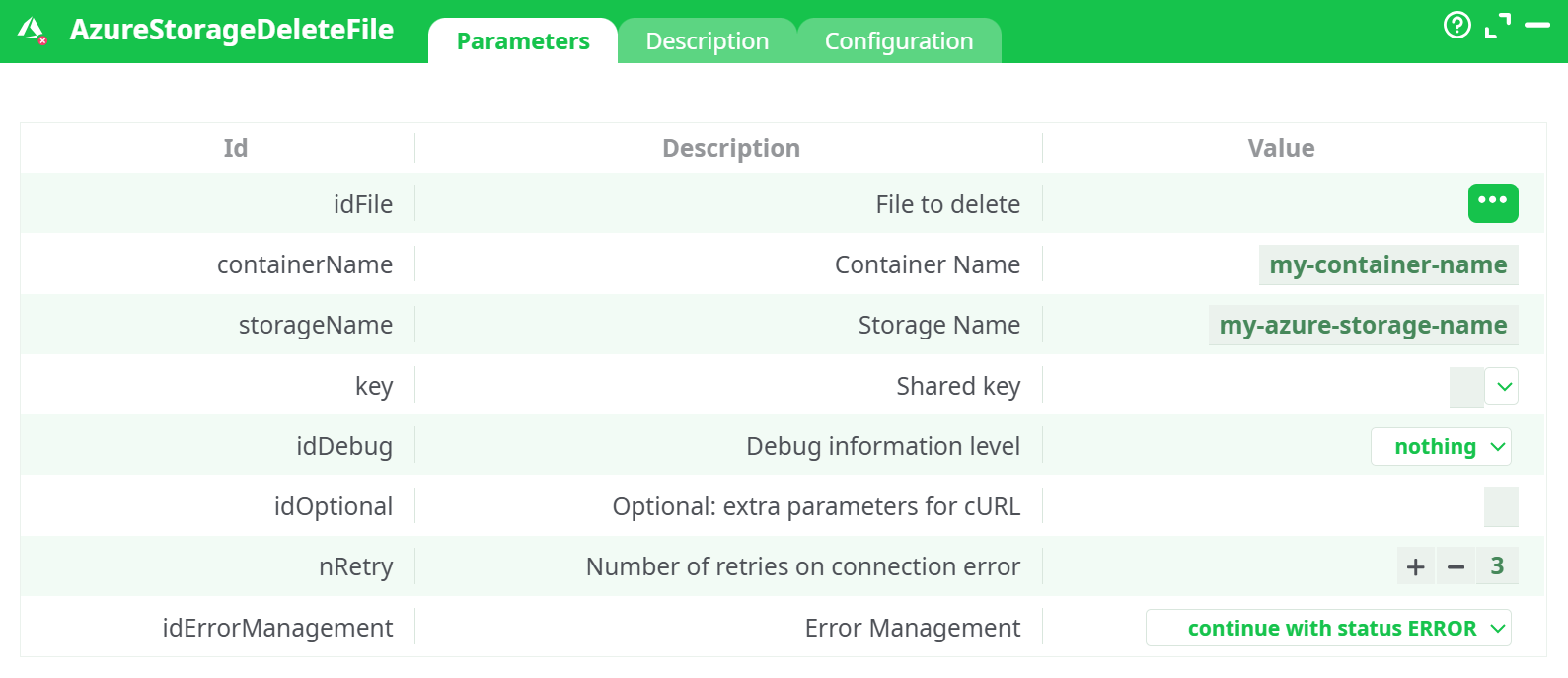
Parameters:
-
idFile — File to delete
The blob name (path inside the container), e.g.Customer_Orders.csvorinbox/customer_1.json.
Tip: It is case-sensitive and must not include the container name. -
containerName — Container Name
e.g.my-container-etl. -
storageName — Storage Name
Your storage account name, e.g.myetlazstorage. -
key — Shared key
The Storage Account access key (Key1 or Key2) from Storage account → Security + networking → Access keys. -
idDebug — Debug information level
nothing/basic/verbose. Useverbosewhile testing to see the HTTP interaction. -
idOptional — Optional: extra parameters for cURL
Advanced only. Lets you add custom headers/flags if you know the Azure REST option you need. -
nRetry — Number of retries on connection error
Default3. -
idErrorManagement — Error Management
Choose how the pipeline behaves on errors (e.g. continue with status ERROR).
¶ Description tab
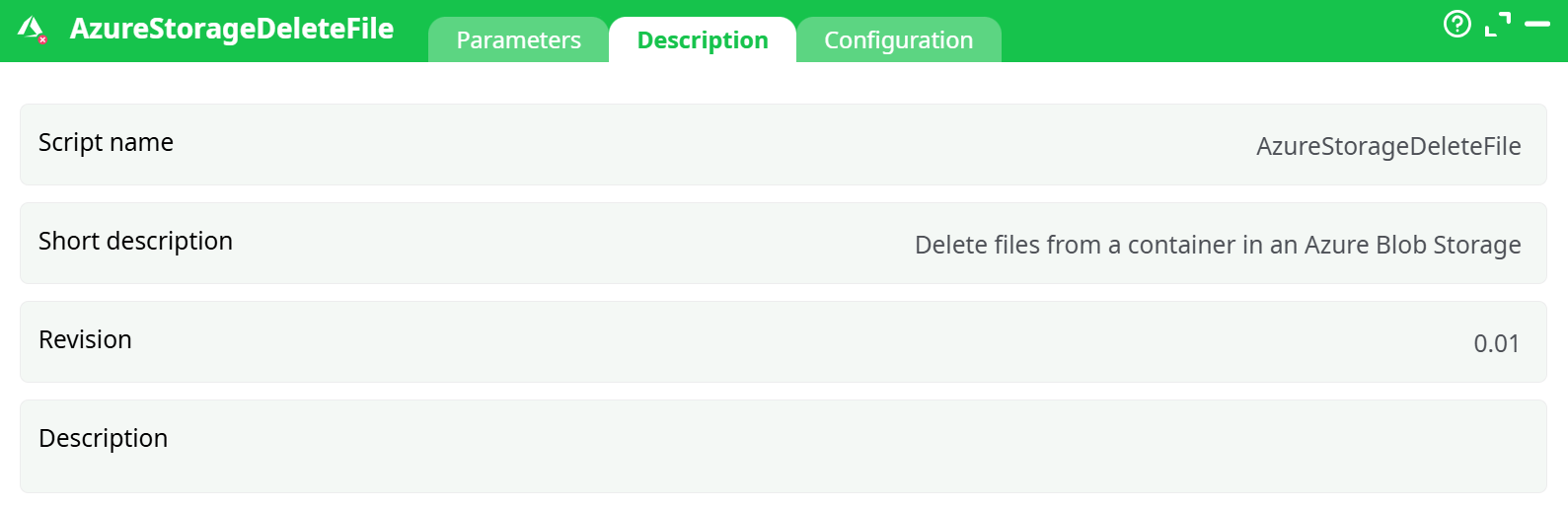
Parameters:
- Script name
- Short description
- Revision
- Decription
¶ Configuration tab
See dedicated page for more information.
¶ About
This action also works when accessing the web through a PROXY server.
Deletes a single blob (file) from a container in Azure Blob Storage.
Works with regular Blob Storage and ADLS Gen2 (hierarchical namespace).
Prerequisite: Before using this action, complete the one-time Azure setup to obtain your Storage account name and Access key.
See AzureStorageListFile
¶ How it works
The action calls Azure’s Delete Blob REST API using SharedKey authentication.
A successful delete returns HTTP 202 Accepted. If soft delete or versioning is enabled on your account, Azure may mark the blob as deleted (and keep it per your retention settings).
You’ll also see a status column in the Data tab: _AzureBlobStorage_Status = OK for each deleted row.
¶ Step-by-step example (single file)
-
Prepare the input (InlineTable or any upstream table) with a column named e.g.
File to deleteand one value:Customer_Orders.csv(A path like
inbox/customer_1.jsonis also valid.)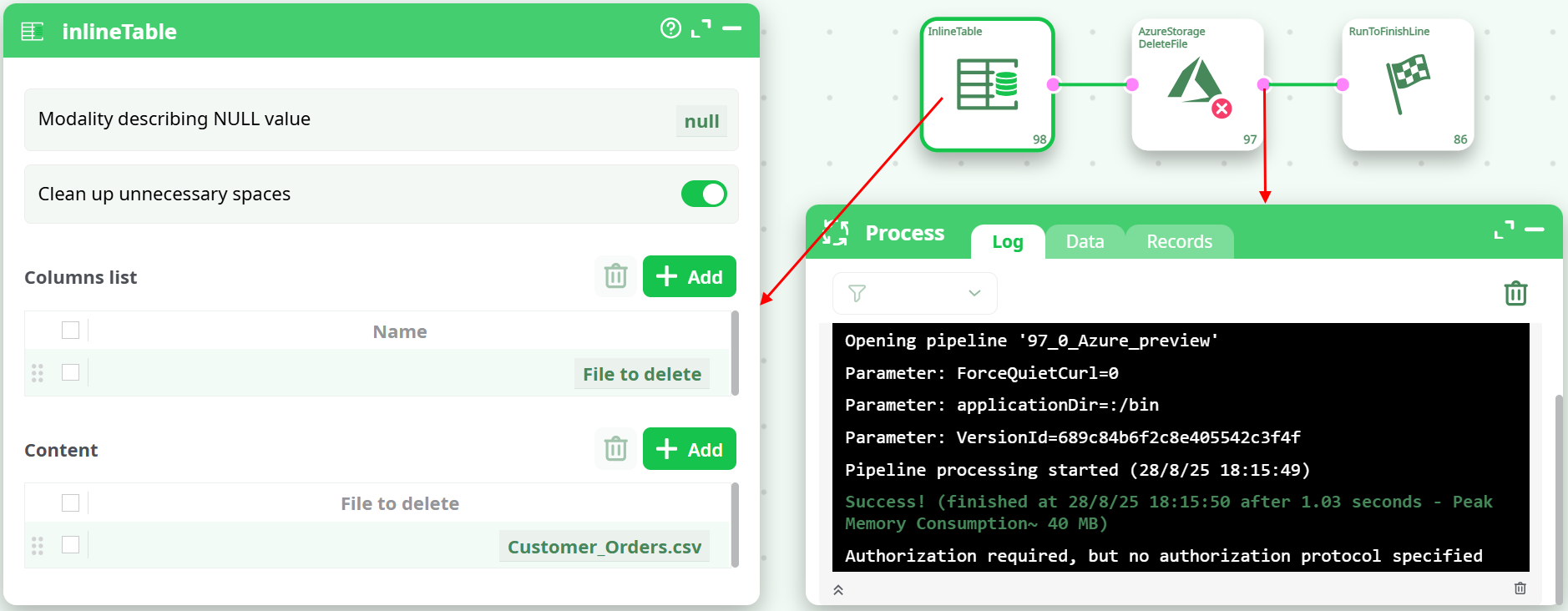
-
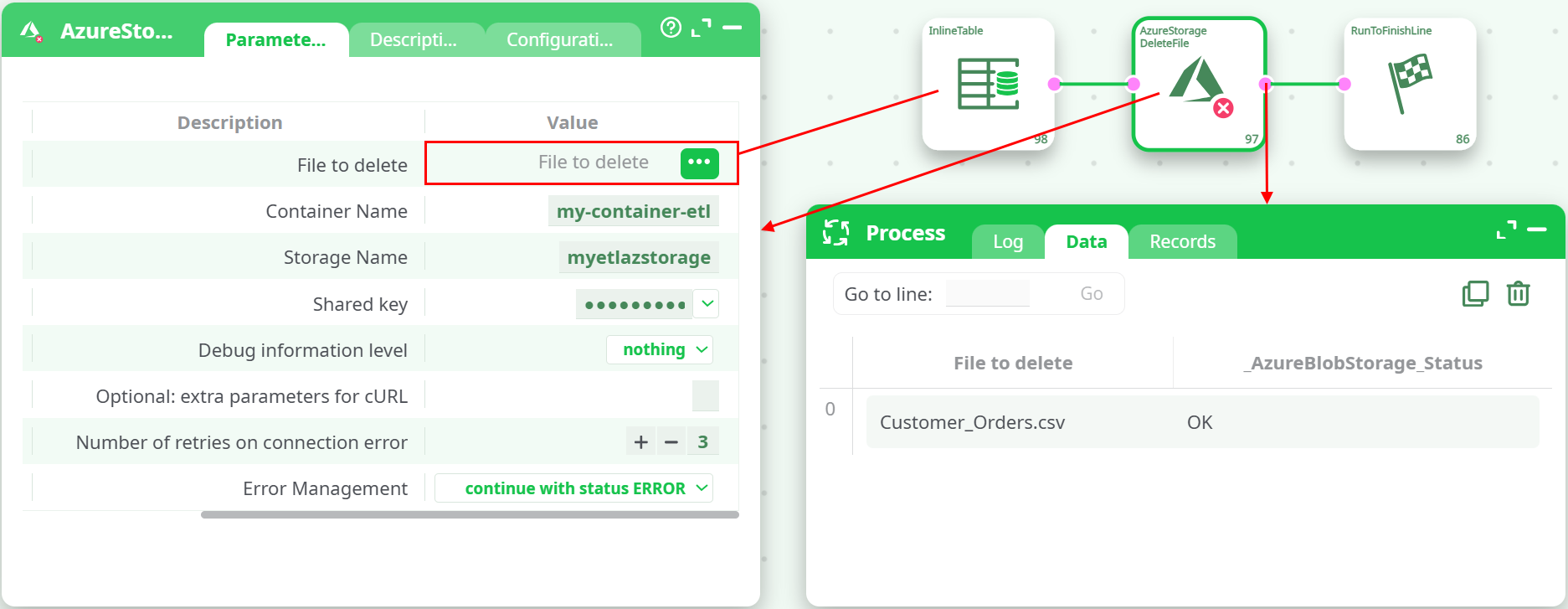
Wire the table into AzureStorageDeleteFile and set:
- idFile → column File to delete
- containerName →
my-container-etl - storageName →
myetlazstorage - key → your Access key
- idDebug →
verbose(while testing)
-
Run the pipeline.
-
Log shows
HTTP/1.1 202 AcceptedfromWindows-Azure-Blob/1.0. -
Data tab shows the row with
_AzureBlobStorage_Status = OK. -
In the Azure Portal, the blob disappears from the container list after refresh.
-
¶ Deleting many files
Feed multiple rows to the action—one row per blob name. The action deletes one blob per incoming row.
Typical patterns:
- Join Azure Storage List File (as a source of names) with your filter, then pass the resulting list into Delete File.
- Build an InlineTable with many rows of names to remove.
¶ Field mapping quick reference
| ETL Field | Example value | Notes |
|---|---|---|
| idFile | Customer_Orders.csv |
Or inbox/customer_1.json (no container) |
| containerName | my-container-etl |
Must exist |
| storageName | myetlazstorage |
Your storage account name |
| key | *** |
Access key (Key1/Key2) |
| idDebug | verbose |
Helpful during testing |
| nRetry | 3 |
Retries on connection error |
¶ Status & outputs
-
Success criteria:
- HTTP response 202 Accepted in the Log
_AzureBlobStorage_Status = OKin the Data tab
-
What gets recorded:
- The original file name you asked to delete
- A status field per row indicating the outcome
¶ Troubleshooting
-
AuthenticationFailed / 403
- The storageName or key is wrong, or the key has been rotated. Re-copy Key1/Key2 from Access keys.
-
ResourceNotFound / 404
- The blob name is wrong (case-sensitive), in a different folder/prefix, or the containerName is wrong.
-
AuthorizationPermissionMismatch
- Using a SAS token or an identity without delete permission. This action expects the account access key.
-
Proxy/network issues
- Set your proxy in Common configuration; the action supports PROXY connectivity.
Tips
- Blob names are case-sensitive and must not include the container name.
- If soft delete / versioning is enabled, Azure may retain deleted blobs for the configured period. Hard purge is governed by your account policy; the response header often includes
x-ms-delete-type-permanent: false. - To delete snapshots or versions explicitly, use Azure policies or pass advanced headers via idOptional only if you know the exact Azure REST requirement.