¶ Description
Compute many new columns easily.
¶ Parameters
¶ Standard tab
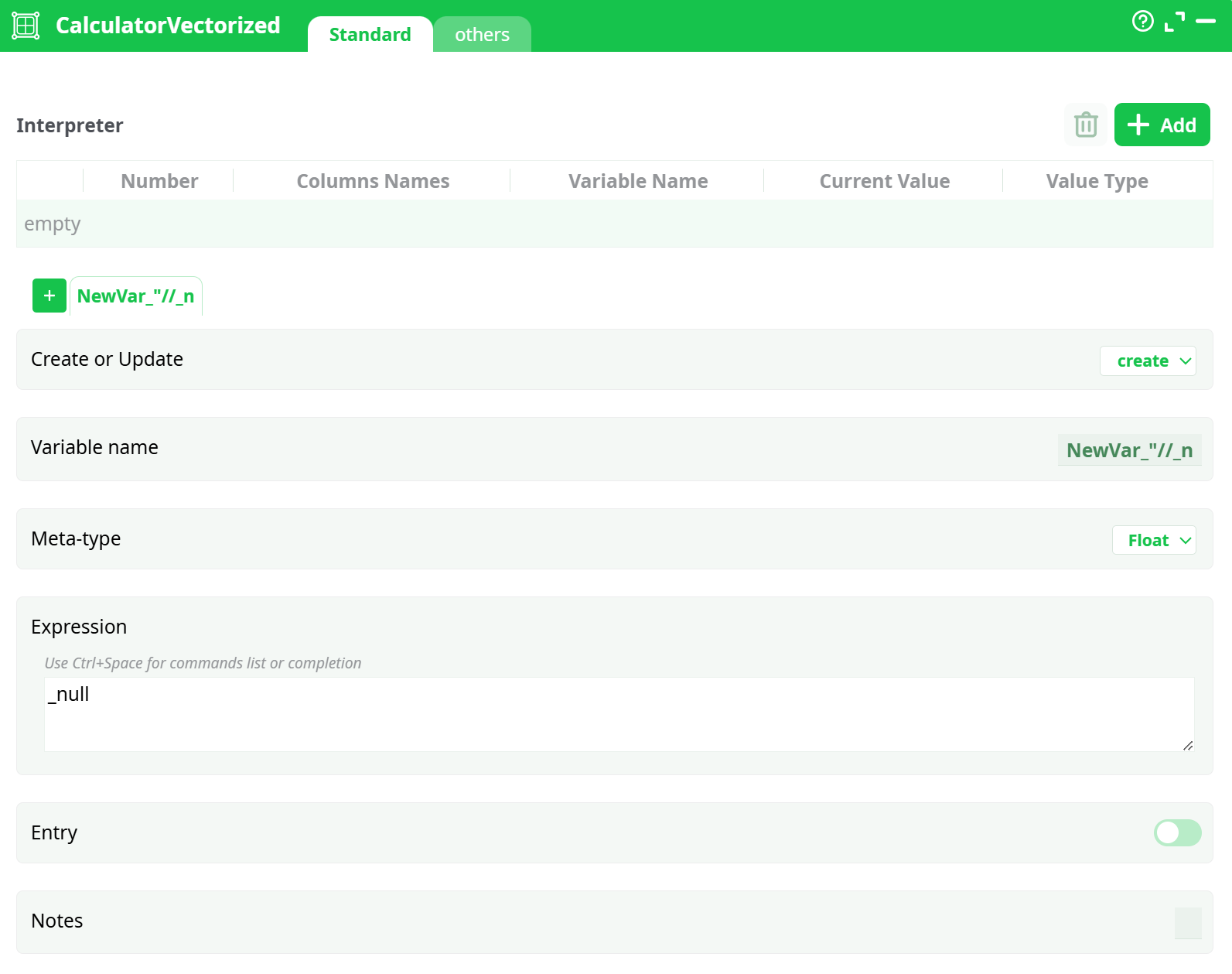
Parameters:
- Interpreter
- Create or update
- Variable name
- Meta-type
- Expression
- Entry
- Notes
¶ Others tab
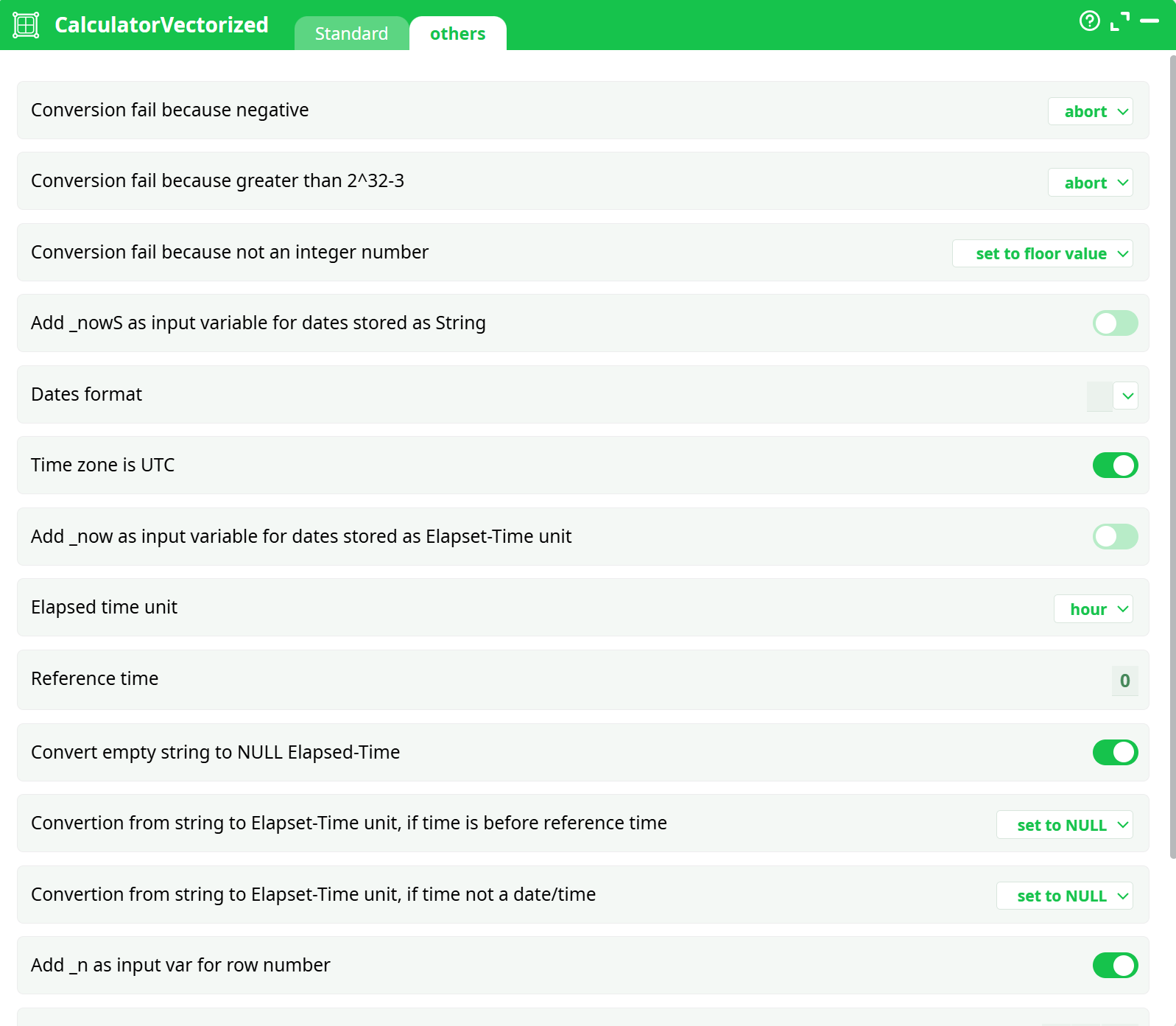
Parameters:
- Conversion fail because negative
- Conversion fail because greater the 2^32-3
- Conversion fail because not a integrer number
- Add _nowS as input variable for dates stored as Strings
- Dates format
- Time zone is UTC
- Add _now as input variable for dates stored as Elapsed Time Unit
- Elapsed Time Unit
- Reference time
- Convert empty string to NULL Elapsed Time
¶ About
The first step before creating a predictive model is to build a learning dataset that contains as many “good” features as possible (this is named “feature engineering”). For example, in telecom, if you want to predict if a subscriber will renew its subscription the next month (i.e. if you want to do a “churn” model), it’s interesting to look at the consumptions patterns of the previous months (i.e. to look at the Month “M-1”, “M-2” and also maybe “M-3”). This means that you’ll have a learning dataset that will include features such as:
- Month_M-1_Number_of_Voice_Calls
- Month_M-2_Number_of_Voice_Calls
- Month_M-1_Number_of_SMS
- Month_M-2_Number_of_SMS
- Month_M-1_Total_Duration_of_Voice_Calls
- Month_M-2_Total_Duration_of_Voice_Calls
- Month_M-1_Numbers_of_International_Calls
- Month_M-2_Numbers_of_International_Calls
The above 8 features are interesting in themselves but there exist some even better, more meaningful features: These features are named the “Evolution” features and represents the evolution over time of the “original, raw” features. Here are 4 “Evolution” features that are based on the list of 8 features shown here above:
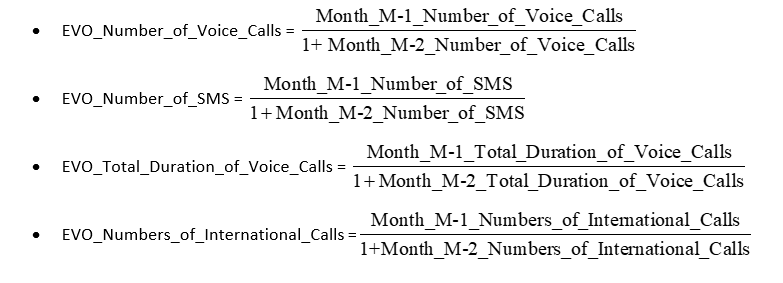
One of the (many) objective of the VectorizedCalculator action is to allow you to quickly create thousands of “Evolution” features. For example, to create the 4 “EVO_*” features shown here above, we’ll have:
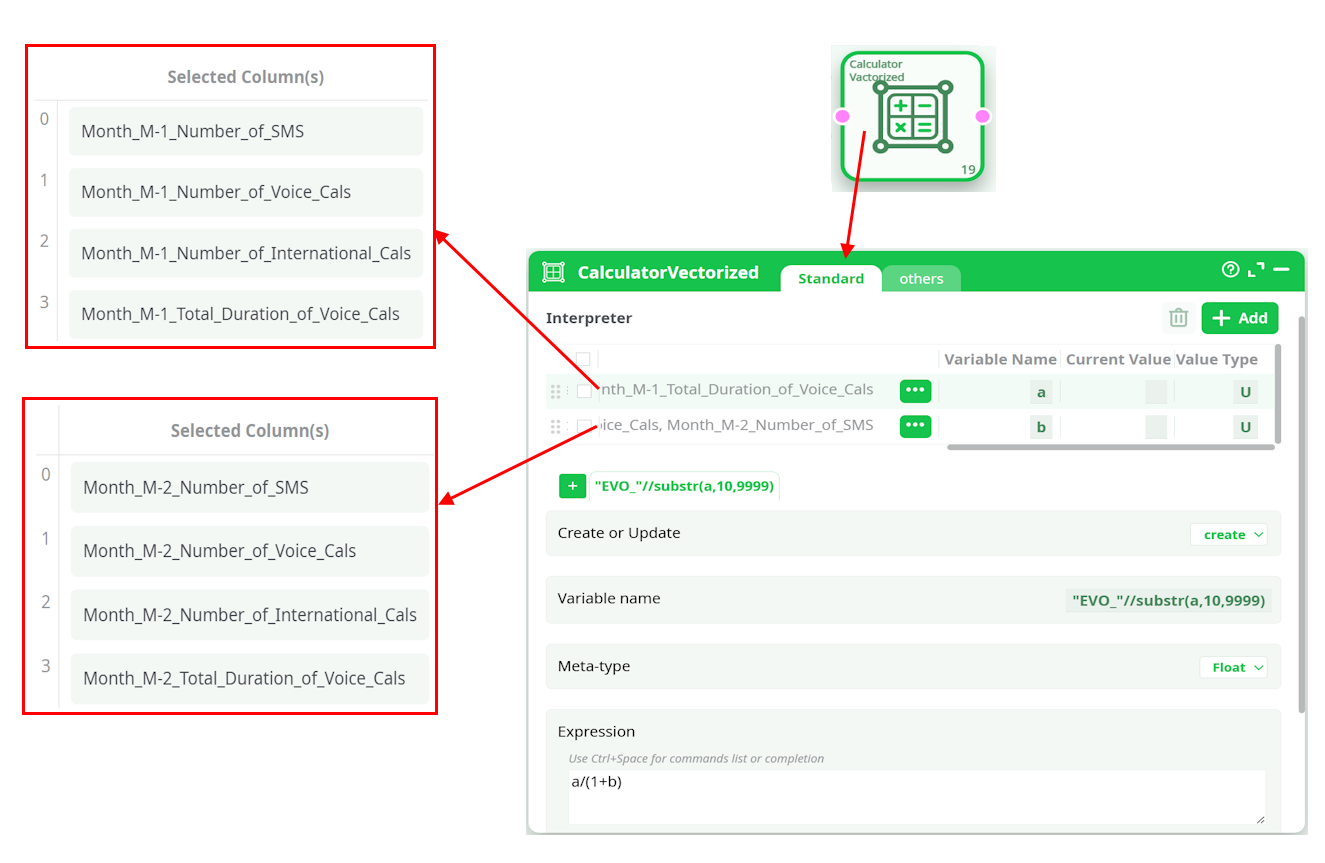
About the above example:
- The equation that is used to compute the “Evolution” variables is “a/(1+b)” but many other variations exist: For example: “a-b”, “b?a/b:0”, “2*a/(b+c)”, etc.
- We created 4 new “Evolution” variables/columns. In most “real-life” examples, the Vectorized Calculator Action is rather used to create between 100 and 1000 new variables/columns.
The different variables declared in the left panel of the Vectorized Calculator Action (in the above example: the variables “a” and “b”) can either be:
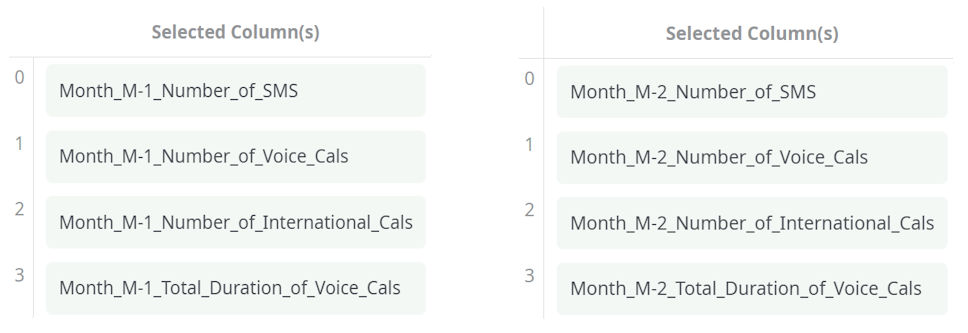
- A list of several columns. All the list that are declared must have the same size. In the example above, the list size is “4”, and there are two lists (“a” and “b”):
Here is second example (demonstrating the “one unique column” option):
We start with a table that contains the sales of the 12 months of the year (in absolute value):

…and we want to convert all these “absolute values” to some percentage.
To fix this small issue, we need two steps:
- Compute the sum of all the sales for the whole year (using the AggregateOnColumns Action)
- Compute the actual percentages (using the Vectorized Calculator Action)
More precisely, we have:
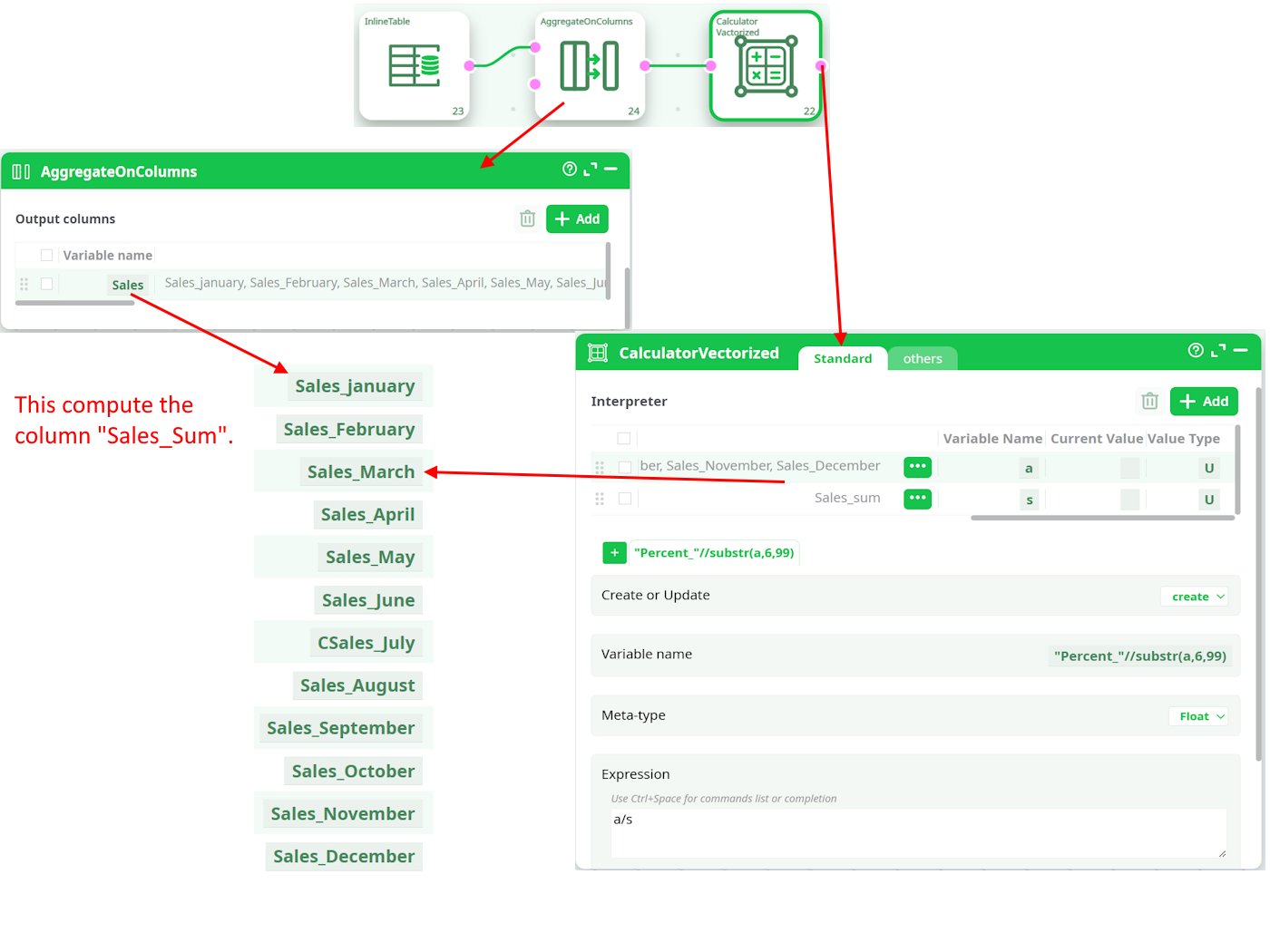
In the above example, the Vectorized Calculator Action adds these columns to the final, result table: