¶ Description
Rename some columns.
¶ Parameters
¶ Standard tab
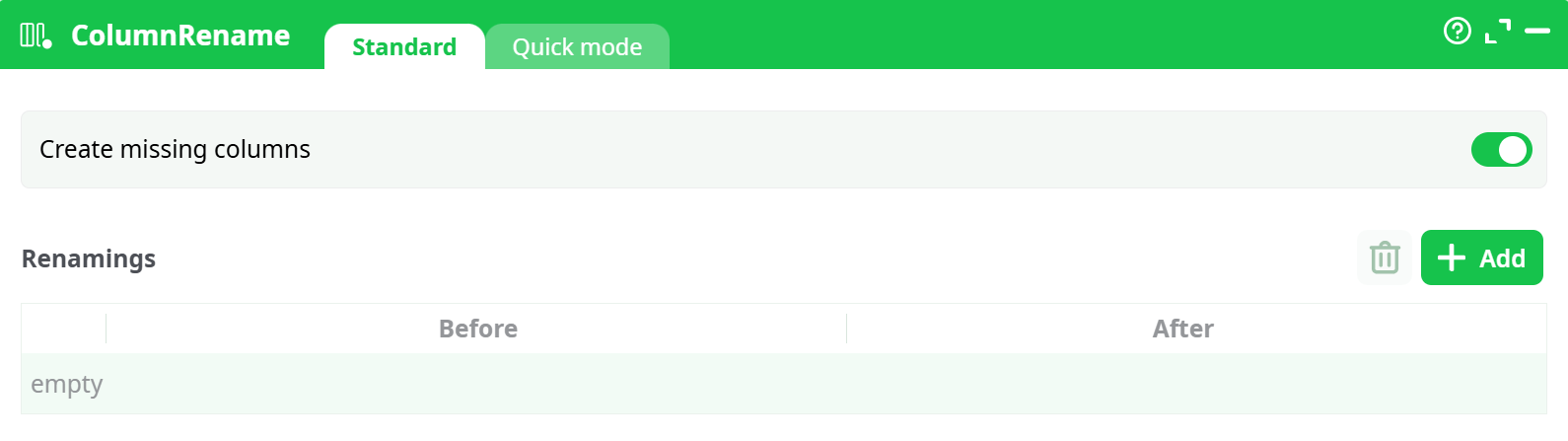
Parameters:
- Create missing columns: When enabled, it allows the creation of new columns even if the original ones are missing.
- Renamings: A table of mappings where each row defines:
- Before: the current column name
- After: the new column name
¶ Quick mode tab
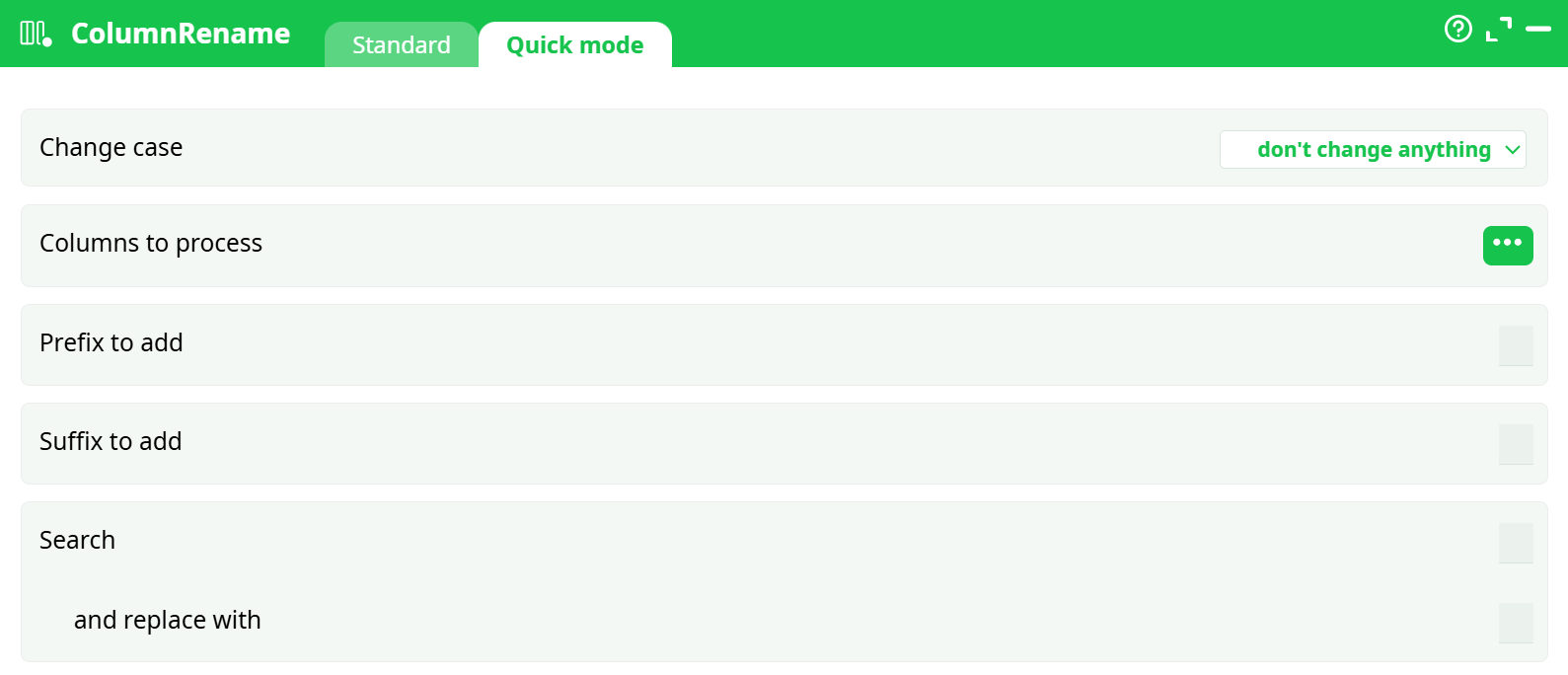
Parameters:
- Change case: Convert column names to:
- Upper case
- Lower case
- Title case
- No change
- Columns to process: Select specific columns to rename using the rules below
- Prefix to add: A string added at the beginning of the column names
- Suffix to add: A string added at the end of the column names
- Search / Replace: Replace specific substrings in column names
¶ About
This action renames one or more columns from an input table.
It offers two configuration modes:
- Standard mode: specify before/after names explicitly
- Quick mode: apply automated rules (case change, prefix/suffix, search & replace)
¶ Optional Configuration
- You can connect a second input pin with a table containing two columns:
- First column: the current column names ("before")
- Second column: the target column names ("after")
This allows dynamic bulk renaming, often driven by metadata or external control tables.
This action helps standardize column naming conventions or prepare datasets for joins, exports, or downstream compatibility.
Use the "Change case" option for compatibility with case-insensitive systems (e.g., SAS, SQL, or text file generators).
For instance, if column names in a weekly incoming file vary between A/B and a/b, this option avoids errors by forcing consistent casing.
¶ Example
¶ Standard Mode Example
- Rename column
C1toB1:
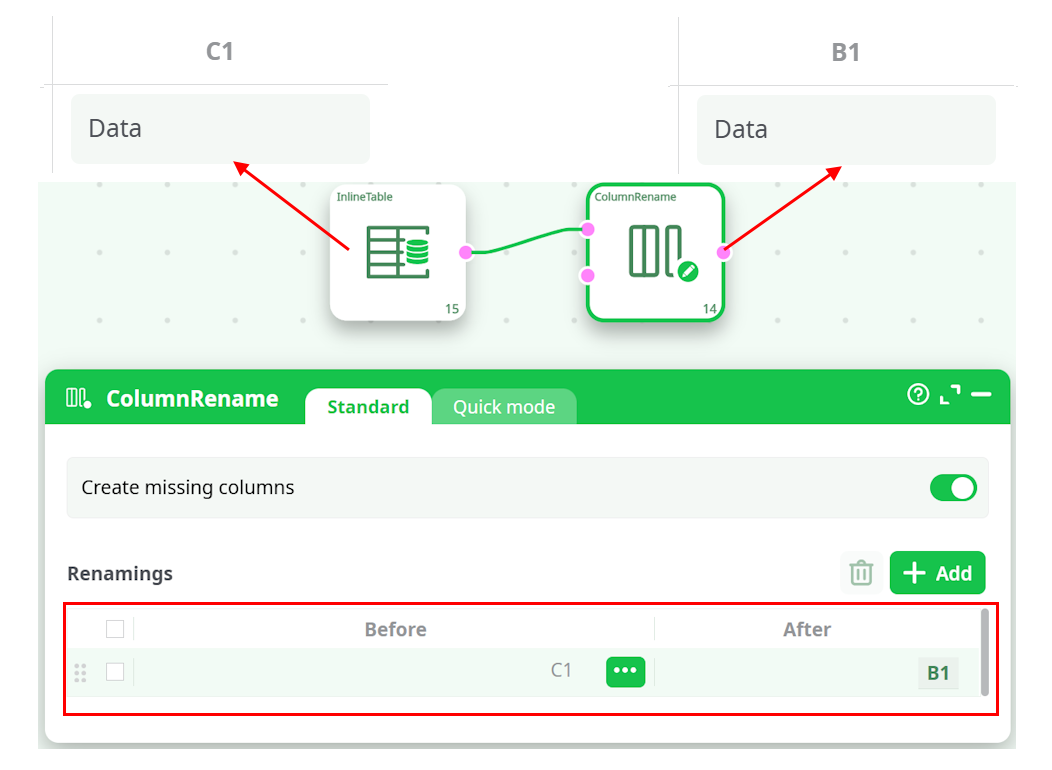
Before: C1
After: B1
¶ Quick Mode Example
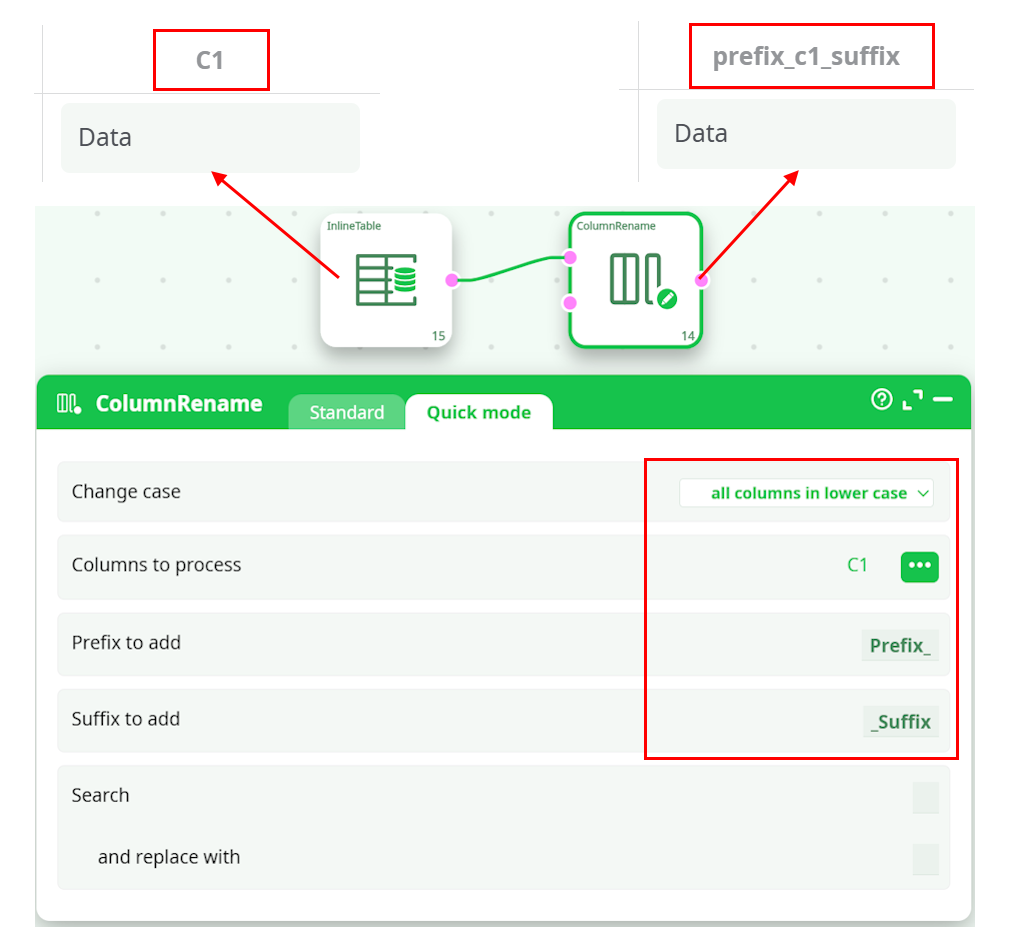
Given a column named C1, follow these instructions:
Change case: lowercase
Prefix: Prefix_
Suffix: _Suffix
As a result, the column names have been changed to lowercase and have the '_prefix' and '_suffix' added
Resulting name: prefix_c1_suffix
¶ Metadata-Driven Rename (via Second Pin)
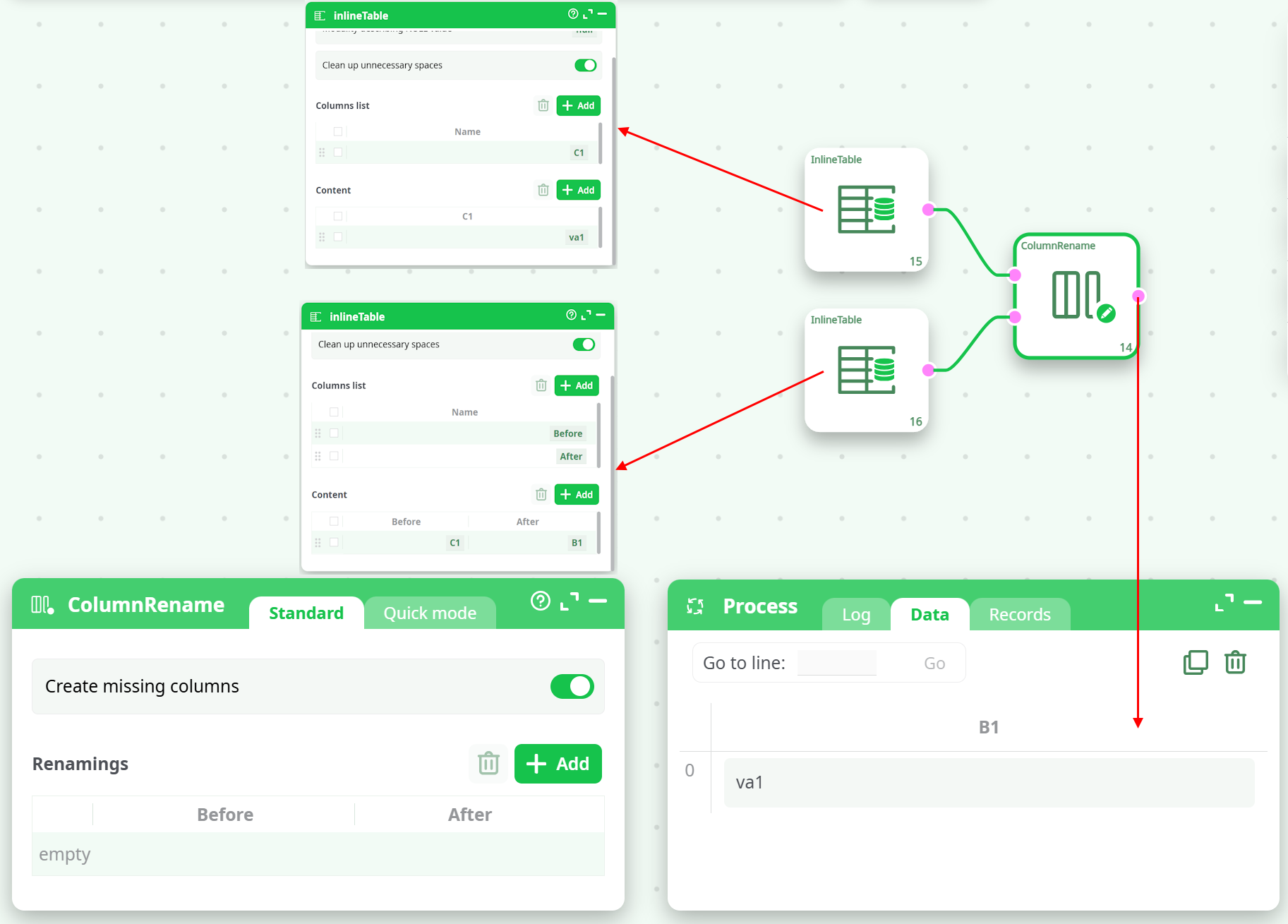
You can dynamically rename columns by connecting a second input pin to the Column Rename action. This input should be a table with two columns:
Column 1: Original column names (before)
Column 2: Target column names (after)
The action will match and rename columns from the first input accordingly.
Example
Let’s say the input data contains a column named C1 and we want to rename it to B1 using a metadata table.
Input Table:
| C1 |
|---|
| va1 |
Metadata Table (Second Input):
| before | after |
|---|---|
| C1 | B1 |
After processing, the output will contain:
| B1 |
|---|
| va1 |
Visual Example:
Note:
Use this approach when working with dynamic schemas or external metadata files (e.g., output from GetMetaData).