¶ Description
Fuzzy left join with in-memory table (using Dice similarity).
¶ Parameters
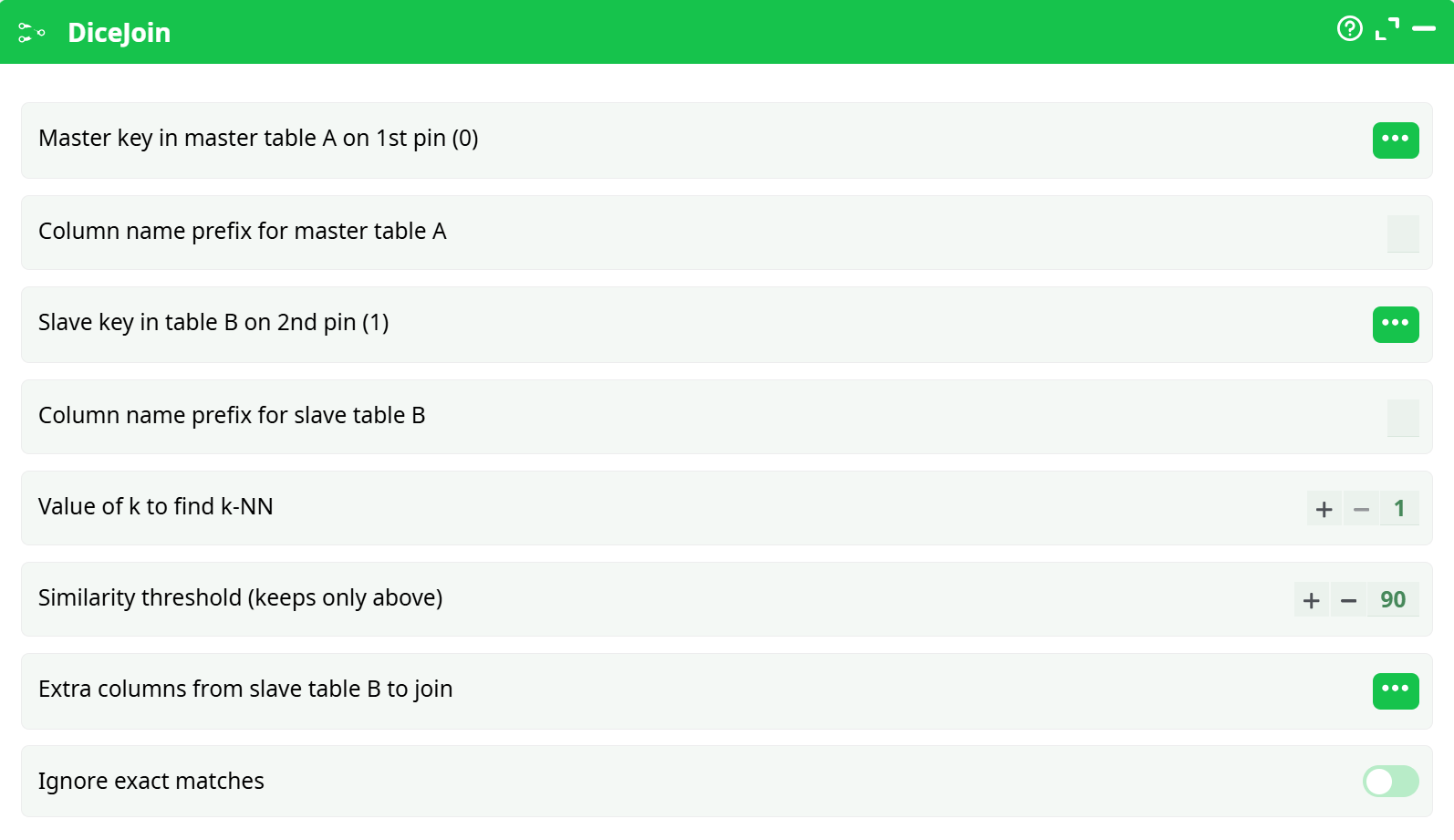
Parameters:
- Master key of master table A on 1st pin
- Select the column in master table A used for matching.
- Column name prefix for master table A
- Prefix applied to columns from master table A in output.
- Slave key in tanle B on 2nd pin (1)
- Select the column in slave table B used for matching.
- Column name prefix for master table B
- Prefix applied to columns from slave table B in output.
- Value of k to find k-NN
- Number of nearest neighbors to find (usually 1).
- Similarity threshold (keep ony above)
- Minimum Dice Similarity score to retain matches (0-100).
- Extra columns from slave table B to join
- Additional columns from table B to include in the result.
- Ignore exact matches
- If enabled, exact matches are ignored in output.
¶ About
The DiceJoin action performs a fuzzy join between two input tables using Dice Similarity. It identifies the closest matching records from the slave table (Table B) to the master table (Table A) based on a configurable similarity threshold.
This is particularly useful for approximate string matching tasks, such as name matching, where slight differences in spelling or formatting exist between datasets.
¶ Example Use Case
¶ Input Tables
¶ Master Table A (Pin 0)
| ID | Name |
|---|---|
| 1 | Jonathan Doe |
| 2 | Alice Smith |
| 3 | Robert King |
¶ Slave Table B (Pin 1)
| ID | Full Name |
|---|---|
| 101 | Johnathan Doe |
| 102 | Alice Smyth |
| 103 | Robbert King |
¶ Configuration
- Master Key:
Name - Slave Key:
Full Name - Prefixes:
Master_andSlave_ - k-NN:
1 - Similarity Threshold:
90 - Extra Column:
ID - Ignore Exact Matches:
OFF
¶ Result (Sample Output)
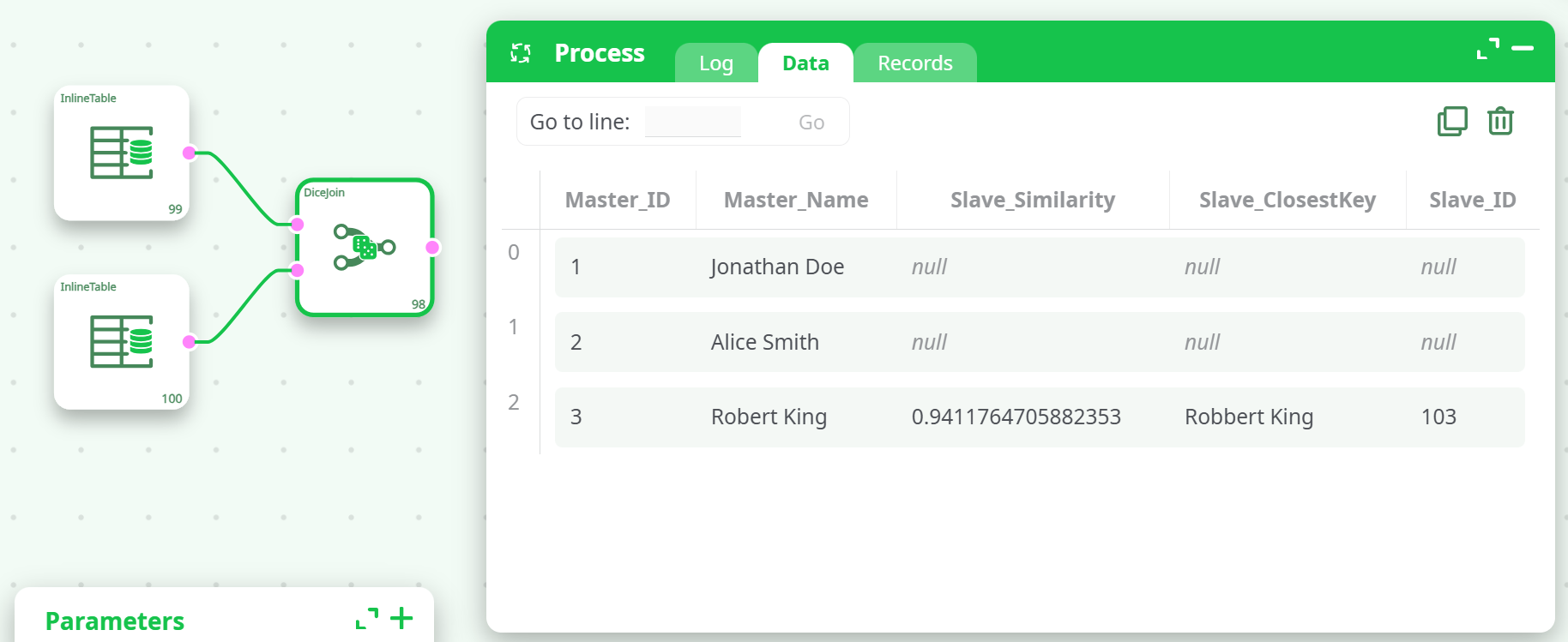
Only "Robert King" matched above the 90% similarity threshold.
Notes
- If no match meets the similarity threshold, the result will show null values.
- Tune the similarity threshold and k-NN to balance precision and recall.
- Best suited for textual data with slight spelling variations or typos.
¶ Best Practices
- Clean input text: remove extra spaces, apply consistent casing.
- Start with a lower threshold (e.g., 70) for exploratory analysis.
- Use higher threshold for strict matches in production pipelines.