¶ Description
Delete files inside Dropbox.
¶ Parameters
¶ Parameters Tab
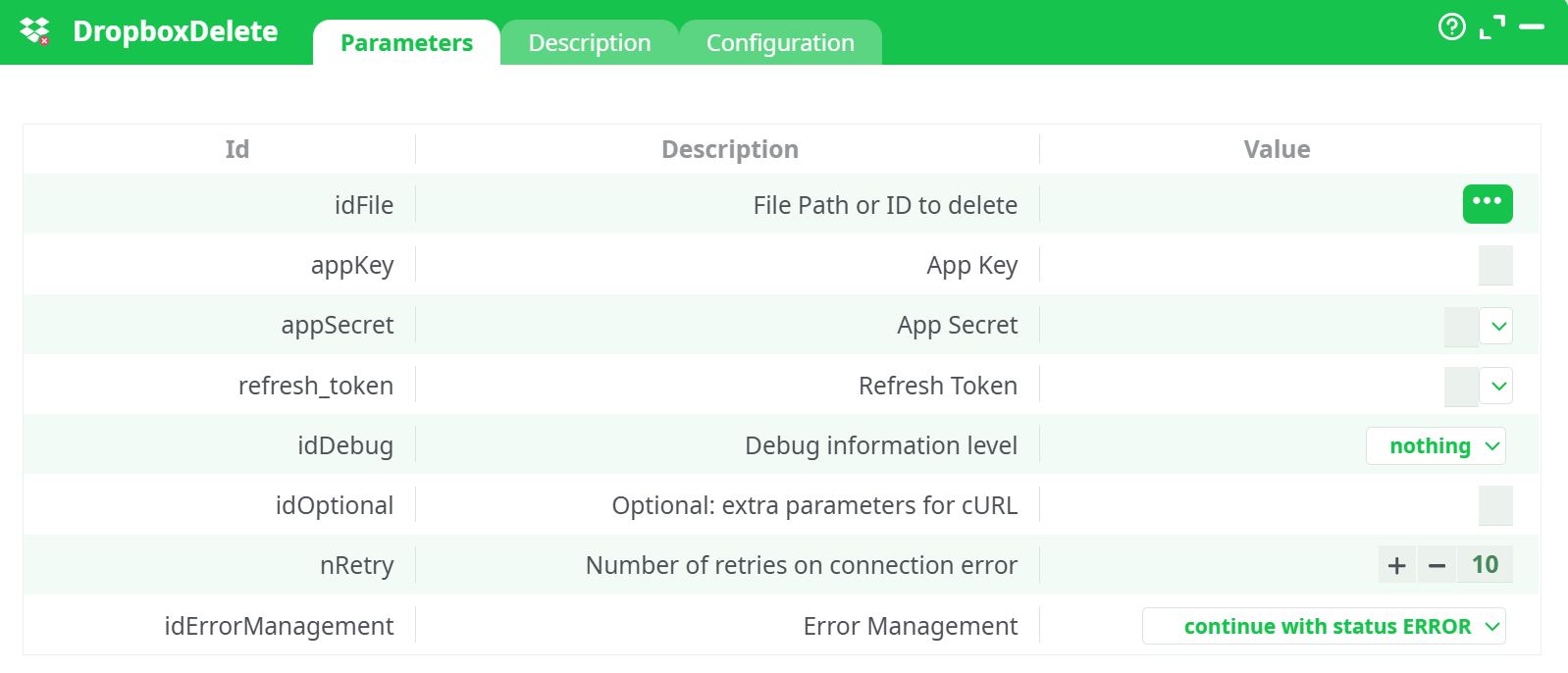
Parameters:
- File Path or ID to delete
- App Key
- App Secret
- Refresh Token
- Debug information level
- Optional: extra parameters for cURL
- Number of retries on connection error
- Error Management
¶ Description Tab
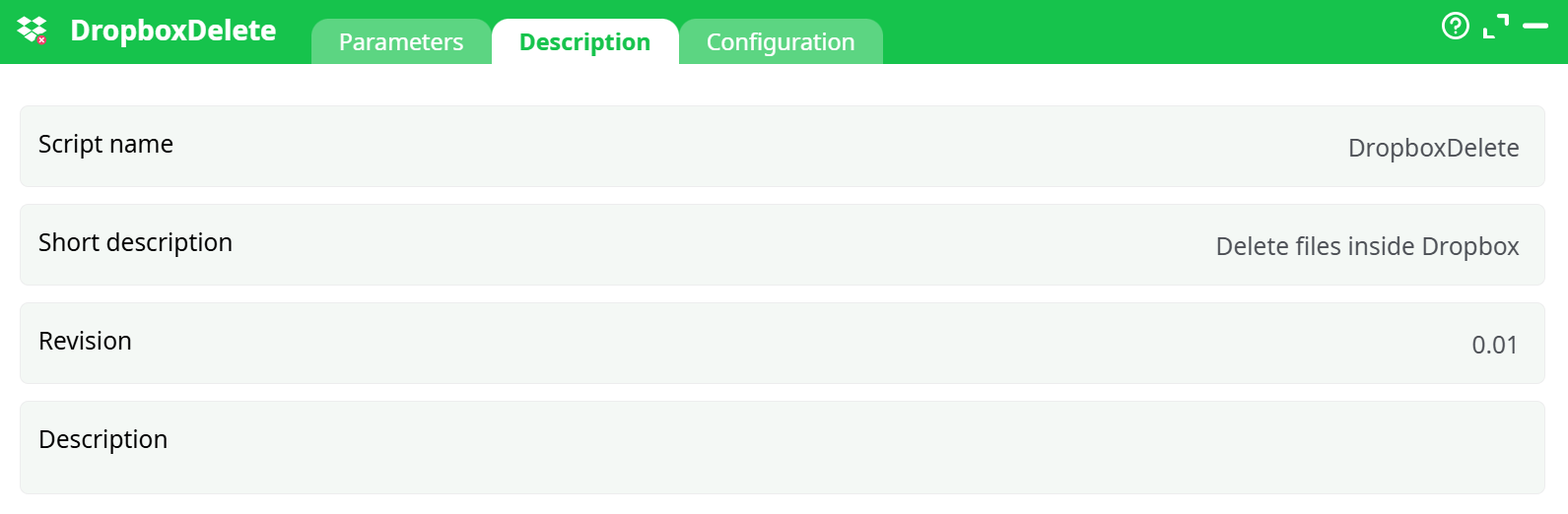
Parameters:
- Script name
- Short description
- Revision
- Decription
¶ Configuration Tab
See dedicated page for more information.
¶ About
The Dropbox Delete action calls Dropbox’s /2/files/delete_v2 API to remove a file or folder.
You can pass either a full path (e.g. /customer_orders.csv) or a stable File ID (e.g. id:bcpU3qGJdFcAAAAAAAAABw).
The node returns a status row so you can see which item was deleted (or why it failed). Retries and debug logging are built-in.
Credentials: we have full step-by-step instructions for creating the Dropbox app and collecting App Key, App Secret, and Refresh Token in the DropboxUnlock documentation.
¶ Prerequisites
-
App Key, App Secret, Refresh Token for an app that has at least:
files.content.writefiles.metadata.write
-
A path or File ID of the item you want to delete.
(You can grab the id from the output of Dropbox ListFiles or via Dropbox API metadata.)
¶ Quick start (the same setup as in your screenshots)
-
Prepare the input row
Add an InlineTable with a single column namedremotePathand one row.
Put the File ID there, e.g.:id:bcpU3qGJdFcAAAAAAAAABw(You can also use
/customer_orders.csv, but File ID is safer.) -
Wire the flow
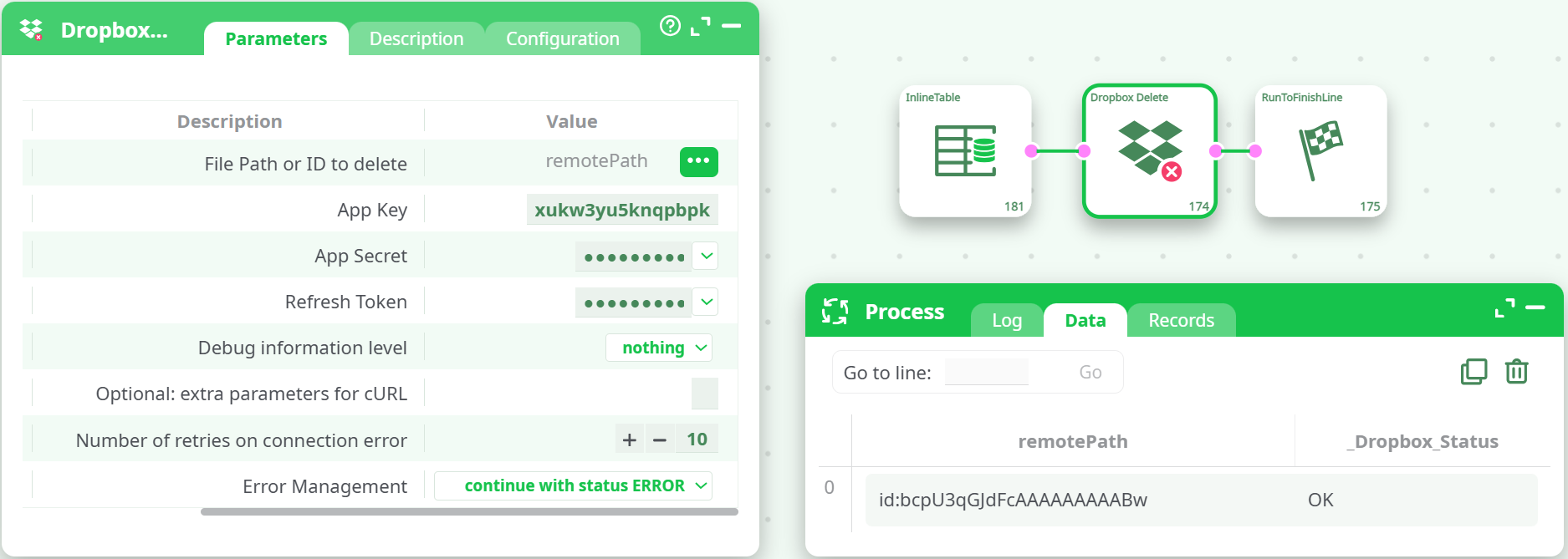
InlineTable ➜ Dropbox Delete ➜ RunToFinishLine -
Configure Dropbox Delete
- File Path or ID to delete (idFile): map to the incoming
remotePathfield (the three-dot button → choose the column). - App Key / App Secret / Refresh Token: paste your credentials.
- Debug level:
verbosewhile testing. - Leave the rest at defaults (retries and “continue with status ERROR”).
- File Path or ID to delete (idFile): map to the incoming
-
Run
In Process → Data you’ll see the echoedremotePathand a status column like_Dropbox_Status = OK.
In the Dropbox Web UI, the file will be moved to “Deleted files”.
Note: The console line “Authorization required, but no authorization protocol specified” you may see in previews is an environment notice; the request still authenticates using your Bearer token and the run succeeds.
¶ How it works (under the hood)
- The node exchanges your refresh token for a short-lived access token.
- It calls
/2/files/delete_v2with either the path or file ID you provide. - Dropbox responds with file metadata on success; the box turns that into a simple row with
_Dropbox_Status=OK(or an error summary if not).
¶ Tips & troubleshooting
- Prefer File ID over path. Paths in Dropbox are case-insensitive in the UI but can still cause “not_found” issues; File IDs don’t.
- Got
insufficient_scopeormissing_scope? Reconfigure your app withfiles.content.writeandfiles.metadata.write, then re-consent to obtain a new refresh token. - Rate limits / transient 5xx. Increase nRetry and leave error management to continue with status ERROR to keep the pipeline resilient.
- Shared or locked items. You must have permission to delete; if a file is locked, unlock it or remove the lock before retrying.
- Folders can be deleted as well (contents go to Deleted files). This is not a permanent purge; permanent deletion is handled by Dropbox retention.
¶ Minimal working example (from your run)
InlineTable (column: remotePath)
id:bcpU3qGJdFcAAAAAAAAABw
Dropbox Delete
- idFile ←
remotePath - appKey:
xukw3yu5knqpbpk - appSecret / refresh_token: (your secrets)
- idDebug:
verbose
Expected Data output
remotePath                              _Dropbox_Status
id:bcpU3qGJdFcAAAAAAAAABw               OK
¶ Where to get credentials
For a complete, click-by-click walkthrough on creating the Dropbox app, granting scopes, and collecting App Key, App Secret, and Refresh Token, see our DropboxUnlock documentation (it contains the full step-by-step credential setup).