¶ Description
Extract data flow between pipelines.
¶ Parameters
¶ Parameters tab
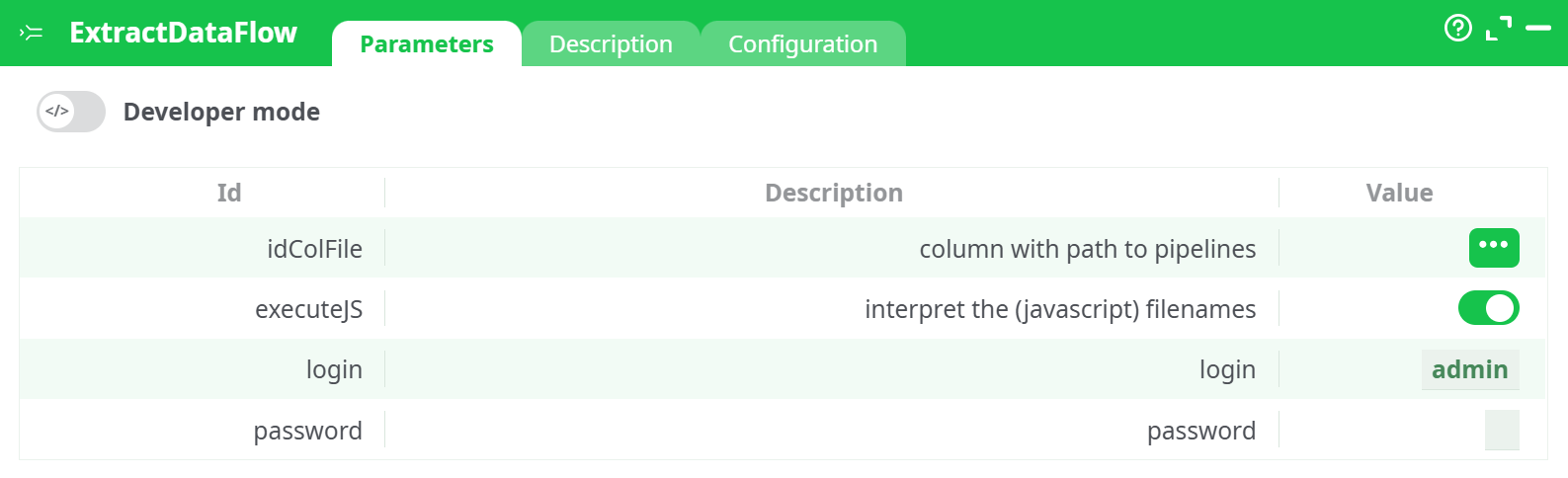
Parameters:
- Developer mode: activate/deactivate code tab.
- Add button: Add custom parameters
- Trash button: Delete selected parameter(s)
- Column with path to pipelines
- interpret the (javascript) filenames
¶ Description tab
See dedicated page for more information.
¶ Code tab
ExtractDataFlow is a scripted action. Embedded code is accessible and customizable through this tab.
¶ Configuration tab
See dedicated page for more information.
¶ About
The ExtractDataFlow action allows users to analyze and extract the flow of data between multiple ETL pipelines. This operation is useful for visualizing data dependencies and constructing data lineage graphs across complex pipeline architectures.
It works by scanning a column of input pipeline file paths (usually JavaScript-based ETL scripts), identifying their interconnections, and producing a structured table that illustrates how data flows from one pipeline to another. This is particularly useful for documentation, data governance, impact analysis, and visualizing global data architecture using tools like Gephi.
Note: All pipeline files must be accessible and syntactically valid. If a pipeline cannot be parsed, the action will return
Error Loading Graph.
¶ Input Example
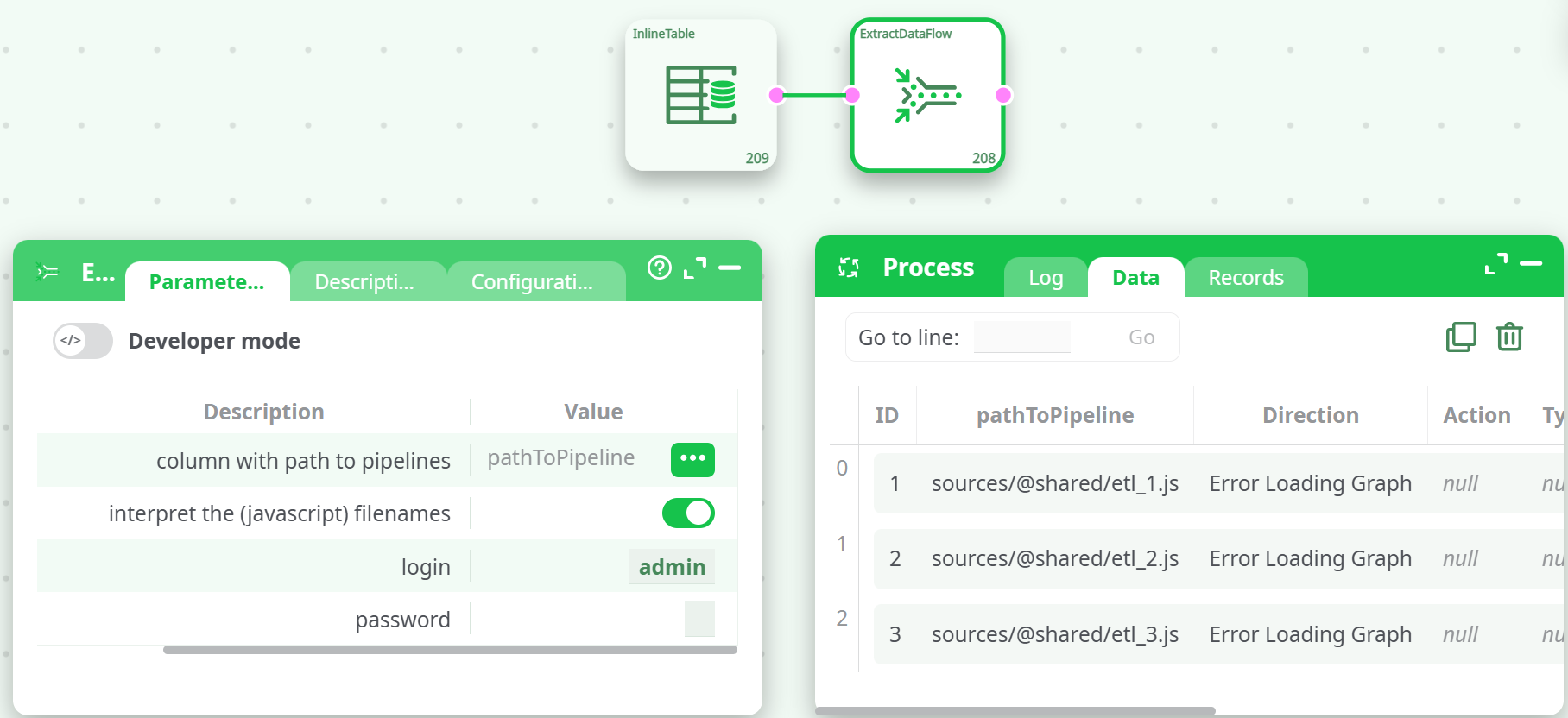
| ID | pathToPipeline |
|---|---|
| 1 | sources/@shared/etl_1.js |
| 2 | sources/@shared/etl_2.js |
| 3 | sources/@shared/etl_3.js |
This input table should be connected as input to the ExtractDataFlow action.
¶ Output