¶ Description
Extract new column names using the content of the first few rows of the dataset.
¶ Parameters
¶ Parameters tab
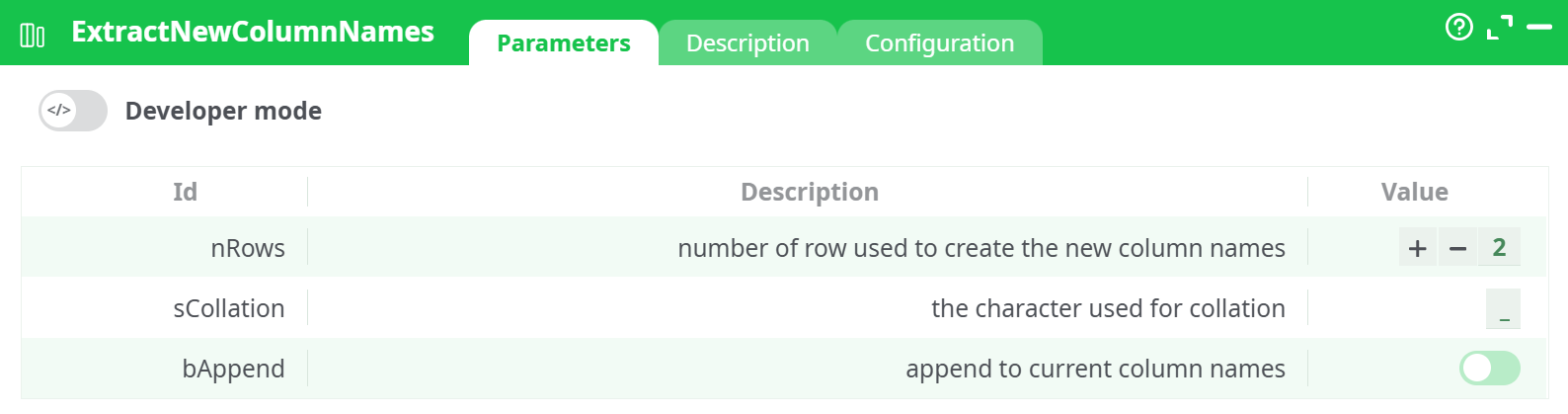
Parameters:
- number of row used to create the new column names
- the character used for collation
- append to current column names
¶ Decription tab
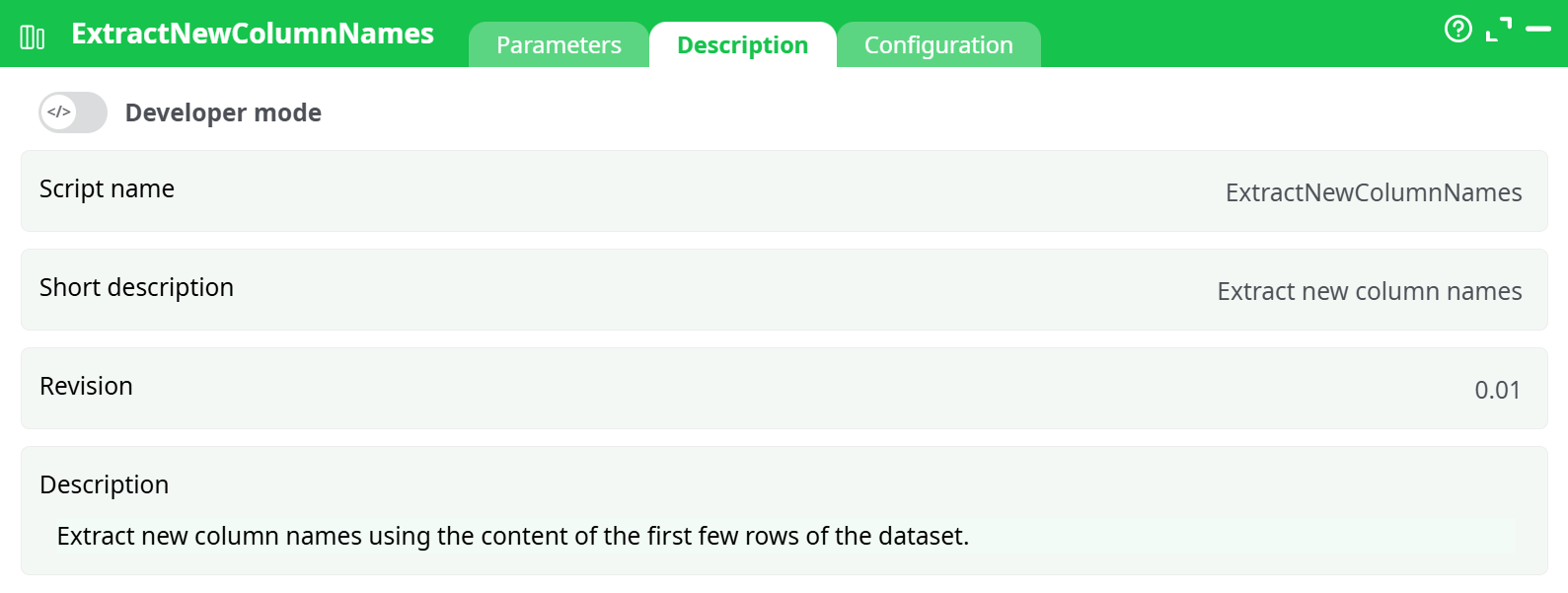
Parameters:
- Script name
- Short description
- Revision
- Decription
¶ Configuration tab
See dedicated page for more information.
¶ About
The ExtractNewColumnNames action generates new column headers using the values found in the first few rows of a dataset. This is useful when column headers are embedded within the data itself (often seen in Excel exports or semi-structured files).
This action will concatenate the text from the N first rows to create each column name. It optionally appends the result to the original column names using a specified separator.
¶ Parameters
-
nRows
Specifies the number of top rows to use when generating new column names.
Example:2will use the first two rows of each column to build the new header. -
sCollation
The character used to concatenate the multiple row values into a single column name.
Example:_or/ -
bAppend
When enabled, the generated name is appended to the current column name using the collation character.
Default:true(enabled)
Note
This action will concatenate the text from the first N rows to create column names.
To replace the original names (instead of appending), make sure to disable the optionAppend to current column names.
Otherwise, your new headers will look like:C1_a_b,C2_x_y, etc.
¶ Example 1: Use 2 header rows, append disabled
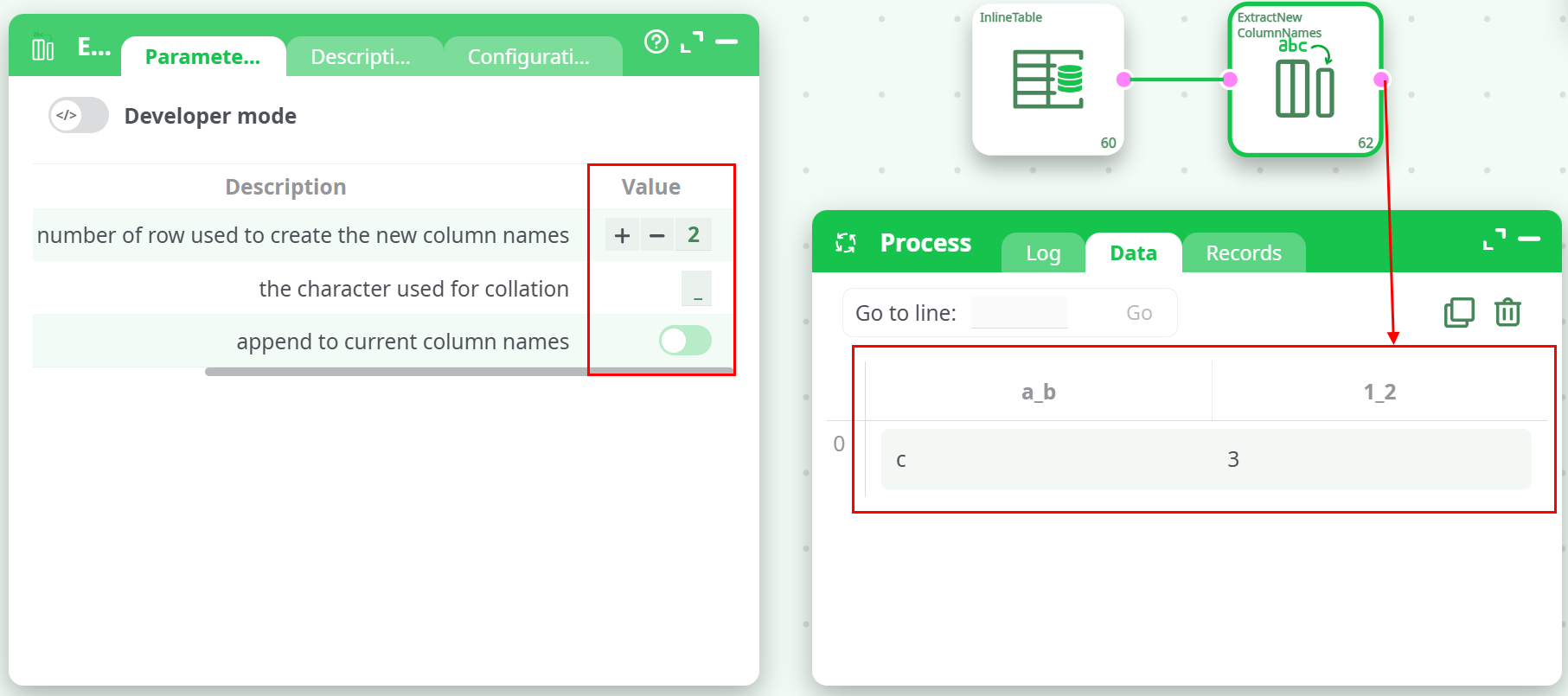
¶ Input
| Names | age |
|---|---|
| a | 1 |
| b | 2 |
| c | 3 |
¶ Parameters
- nRows:
2 - sCollation:
_ - bAppend:
false
¶ Output
¶ Example 2: Use 2 header rows, append enabled
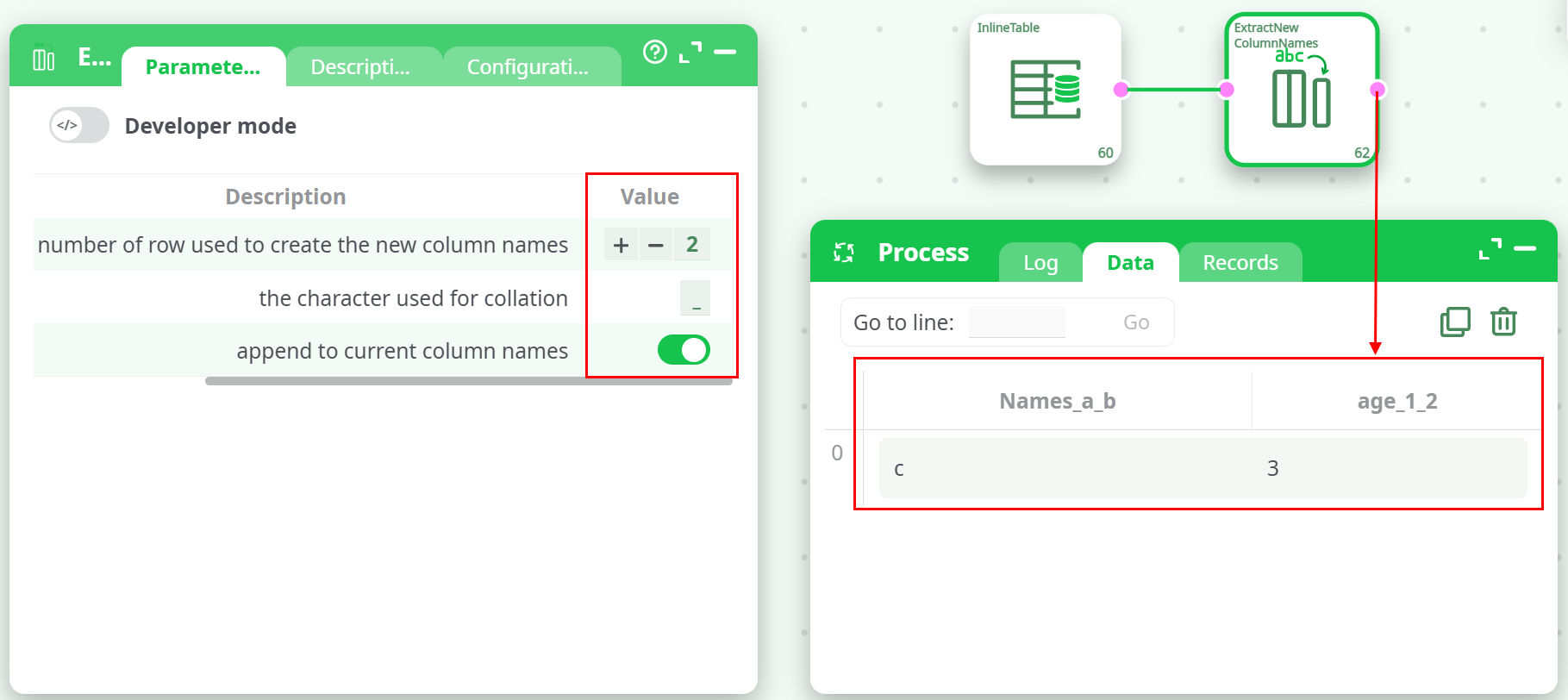
¶ Input
| Names | age |
|---|---|
| a | 1 |
| b | 2 |
| c | 3 |
¶ Parameters
- nRows:
2 - sCollation:
_ - bAppend:
true
¶ Output
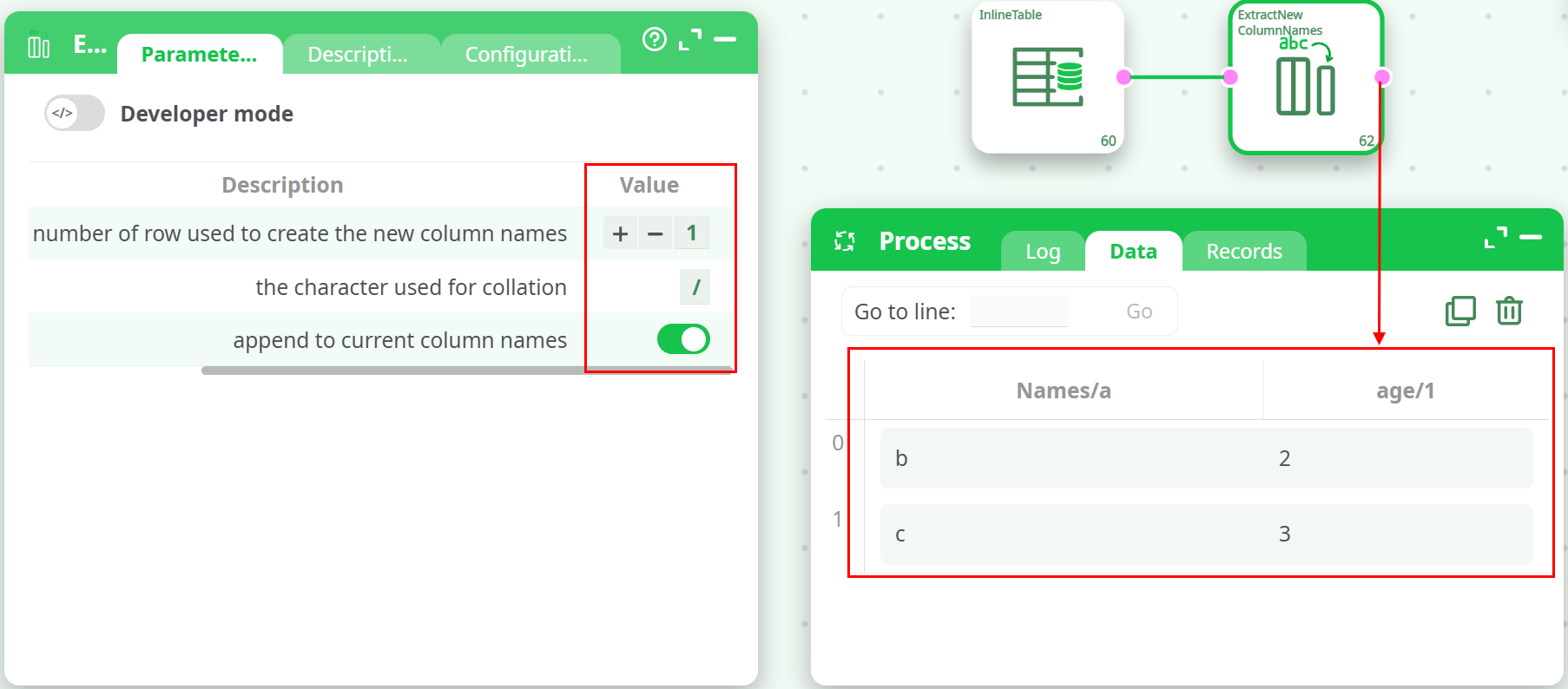
¶ Example 3: Use 1 header row, custom separator /
¶ Input
| Names | age |
|---|---|
| a | 1 |
| b | 2 |
| c | 3 |
¶ Parameters
- nRows:
1 - sCollation:
/ - bAppend:
true
¶ Output
¶ When to Use
- When headers are embedded in the first row(s) of the data file.
- To automatically build structured column names from sample content.
- When processing user-submitted files with unknown or inconsistent header formatting.
- To preserve original headers while adding informative suffixes.
Notes
- Rows used to build column names are removed from the final dataset.
- Choose
sCollationcarefully to match your naming conventions and avoid conflicts.