¶ Description
One row of the output table regroups several rows of the input table. This makes the output table “flatter” than the “input table” (thus the name: “flatten”).
¶ Parameters
¶ standard tab
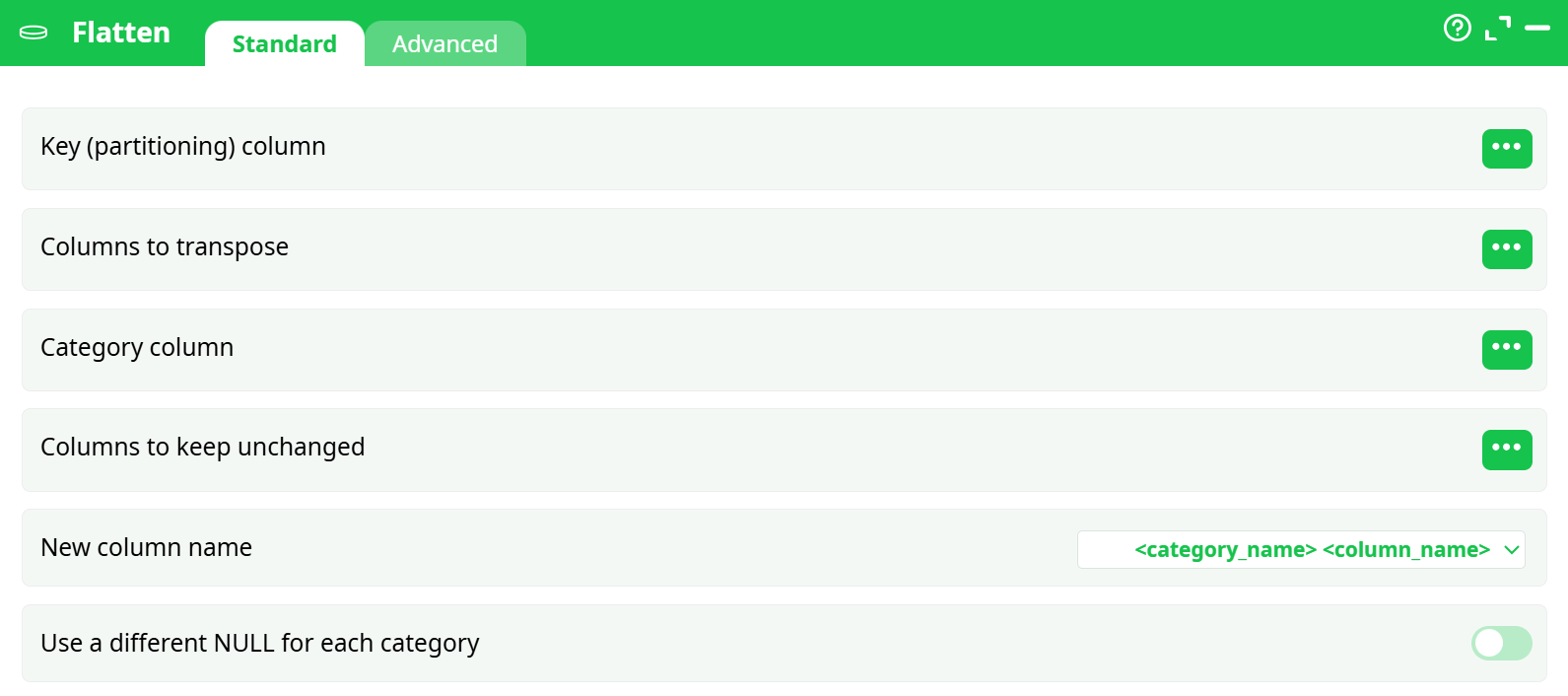
Parameters:
- Key (paritioning) column
- Column to transpose
- Category column
- Columns to keep unchanged
- New column name
- Use a different NULL for each category
¶ advanced tab
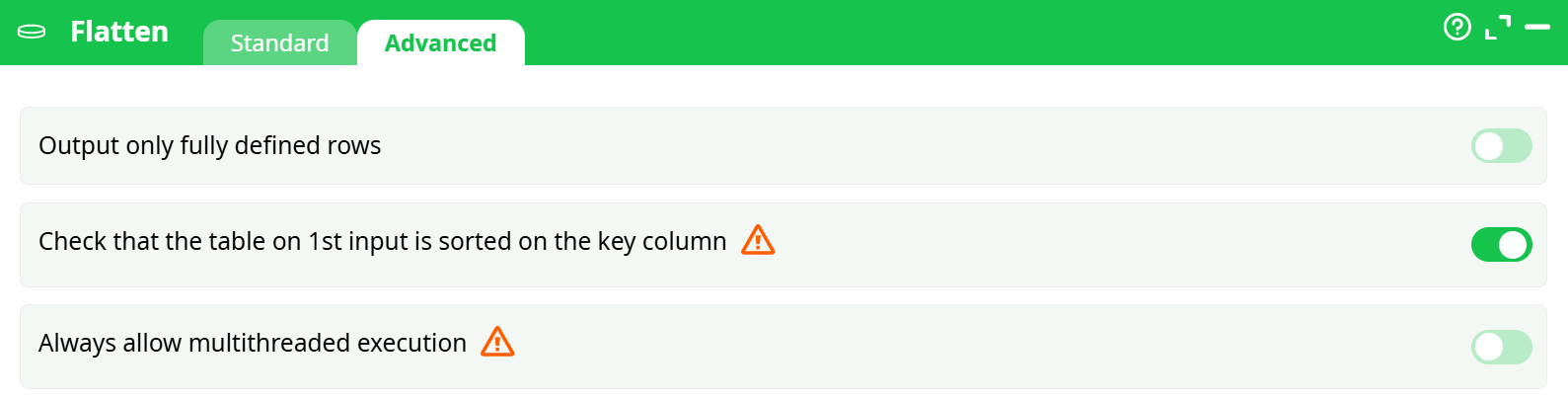
Parameters:
- Output only fully deinfed lines
- Verify primary entry table is sorted on key column
- Always authorise multithread computation
¶ About
For example: We want to transform this table (where each row is a day):
¶ Sample Sales Data Table
The Saturday row is missing in the input table. the output table contain a NULL for the coresponding cells
| Week | DayOfWeek | TotalSales | Count |
|---|---|---|---|
| 1 | Monday | 100 | 10 |
| 1 | Tuesday | 101 | 11 |
| 1 | Wednesday | 102 | 12 |
| 1 | Thursday | 103 | 13 |
| 1 | Friday | 104 | 14 |
| 1 | Sunday | 106 | 16 |
| 2 | Monday | 107 | 17 |
| 2 | Tuesday | 108 | 18 |
| 2 | Wednesday | 109 | 19 |
| 2 | Thursday | 110 | 20 |
| 2 | Friday | 111 | 21 |
| 2 | Saturday | 112 | 22 |
| 2 | Sunday | 113 | 23 |
| 3 | Monday | 114 | 24 |
| 3 | Tuesday | 115 | 25 |
| 3 | Wednesday | 116 | 26 |
| 3 | Thursday | 117 | 27 |
| 3 | Friday | 118 | 28 |
| 3 | Saturday | 119 | 29 |
| 3 | Sunday | 120 | 30 |
… into this one (where each row is a week):
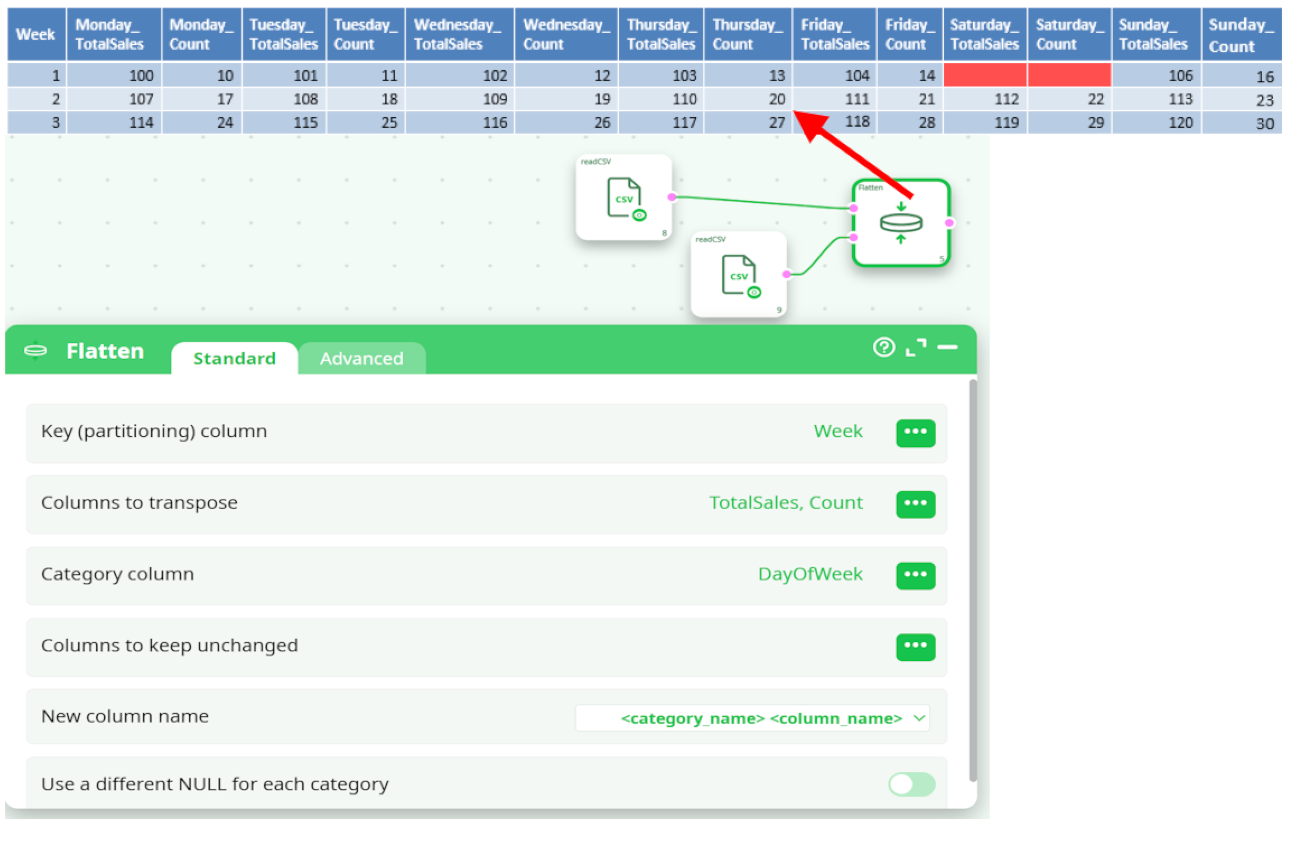
You can run the Flatten action inside a N-Way multithreaded Section if the “partitioning” parameter of the MultithreadRun action is equal to the “Key Column” of the the Flatten action.