¶ Description
Delete files contained in a Google Cloud Storage bucket
¶ Parameters
¶ Parameters tab
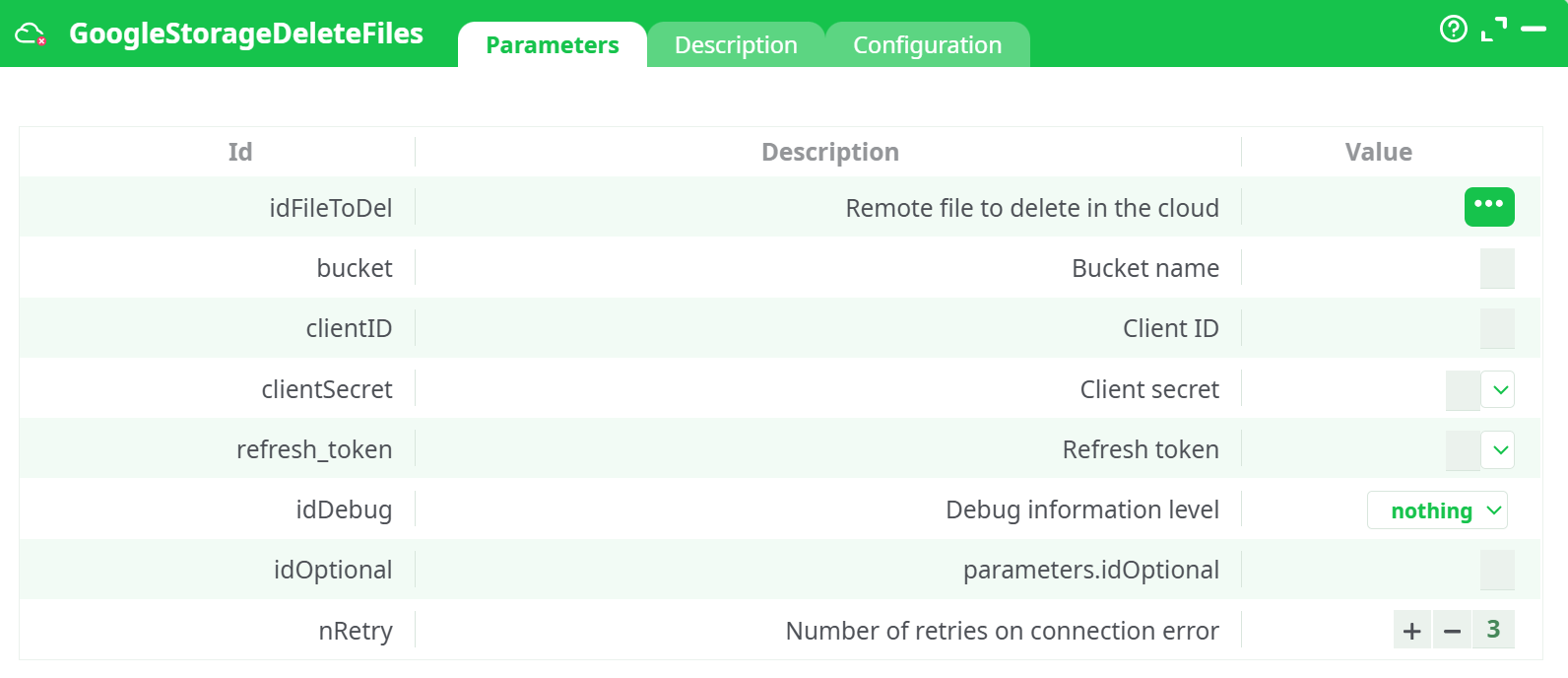
Parameters:
- Remote file to delete in the cloud
- Bucket name
- Client ID
- Client secret
- Refresh token
- Debug information level
- Optional: extra parameters for cURL
- Number of retries on connection error
¶ Description tab
See dedicated page for more information.
¶ Configuration tab
See dedicated page for more information
¶ About
GoogleStorageDeleteFiles removes one or more objects from a Google Cloud Storage (GCS) bucket.
It reads object names (keys) from upstream rows and issues authenticated delete requests.
Cloud setup note: Credential creation (OAuth client, refresh token) and bucket permissions are the same across all GCS actions. For a complete setup guide, see the documentation for the action button GoogleStorageListFiles.
¶ Input
-
Remote object name(s)
- Column with the exact object key inside the bucket (e.g.,
uploads/test.csv). - Provide one row per object; the action deletes all rows it receives.
- Column with the exact object key inside the bucket (e.g.,
-
Bucket name (e.g.,
my-etl-demo-bucket). -
OAuth2 credentials
- Client ID, Client Secret, Refresh Token with access to the Cloud Storage JSON API.
Accepted formats:
- remoteName: String path relative to the bucket root (prefixes act like folders).
- Multiple deletions: pass multiple rows; each row’s
remoteNameis deleted.
¶ Output
- Side effect: the specified objects are deleted from
gs://<bucket>/<remoteName>. - Run log: per-object success or failure details (visible in the ETL UI).
Where to verify:
- Google Cloud Console → Storage → Buckets → your bucket → target prefix.
Screenshot placeholder (before)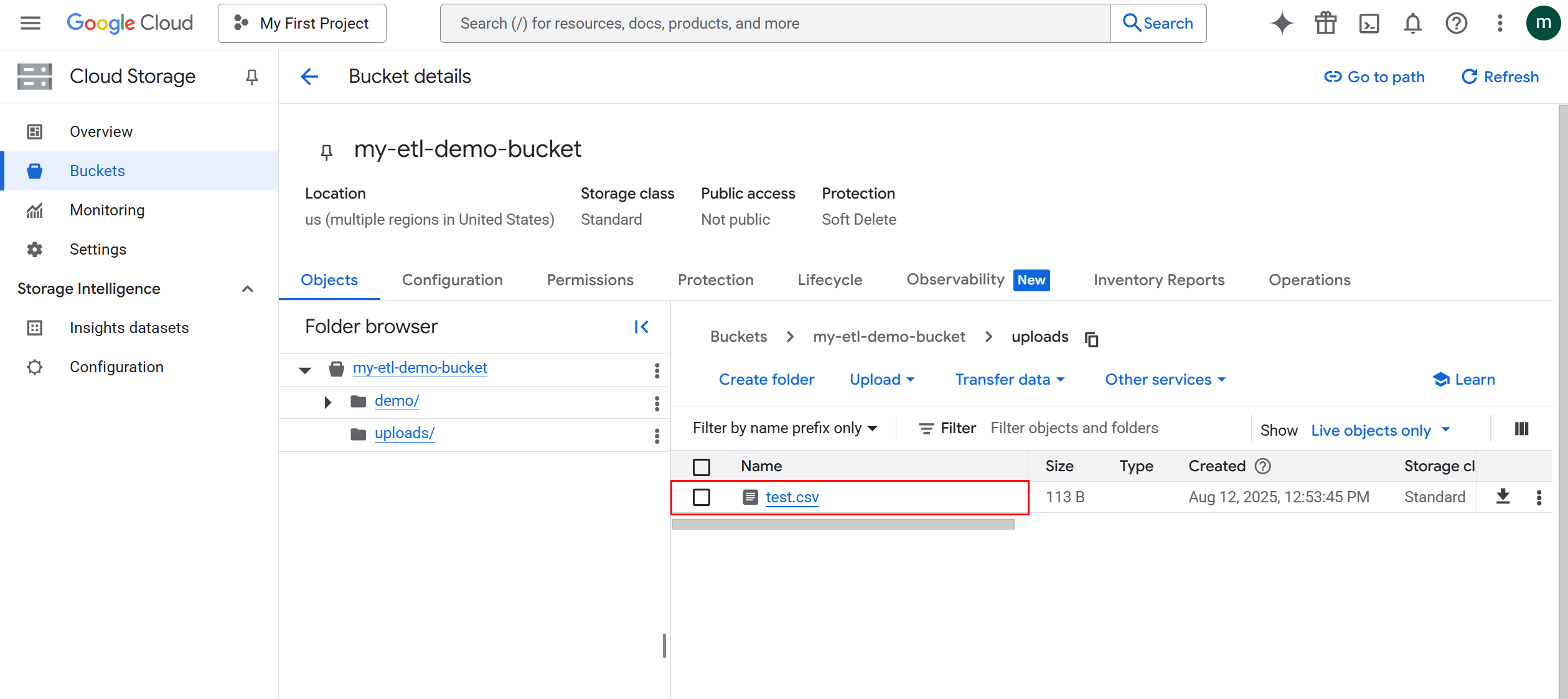
Screenshot placeholder (after)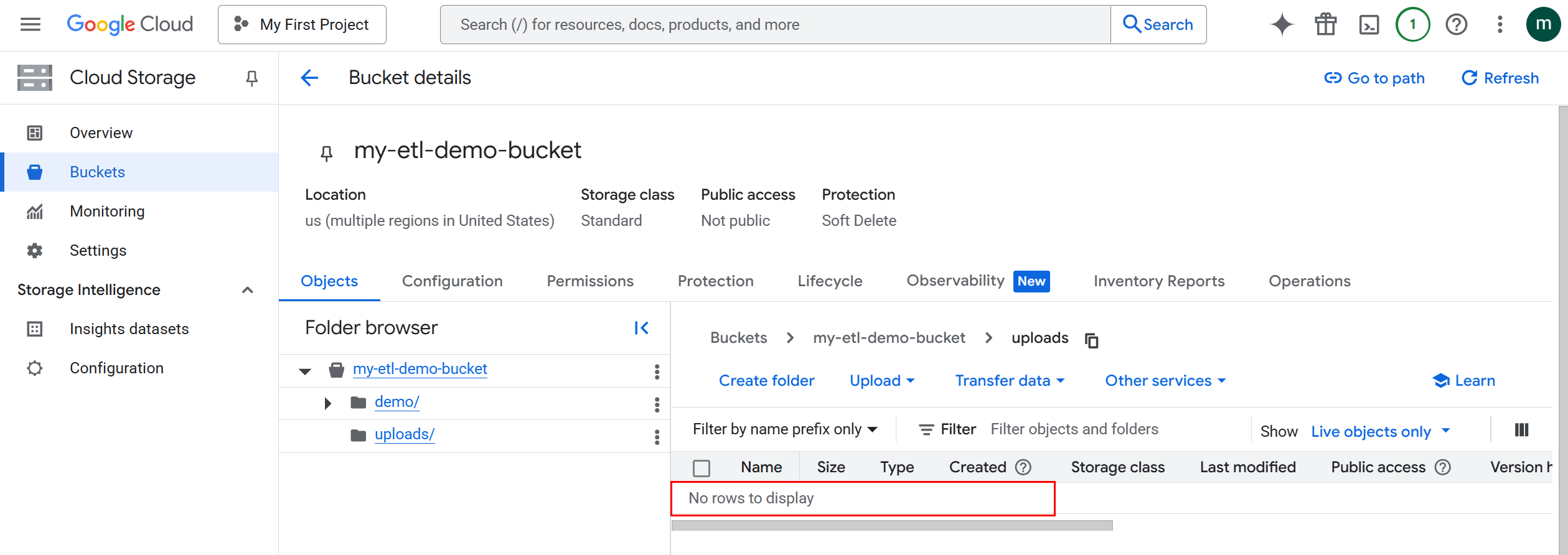
¶ Parameters
¶ How to Run
-
Prepare an upstream table with a column
remoteNamecontaining objects to delete.
Screenshot placeholder: -
Add the action and connect it after the table: InlineTable → GoogleStorageDeleteFiles → RunToFinishLine.
Screenshot placeholder: -
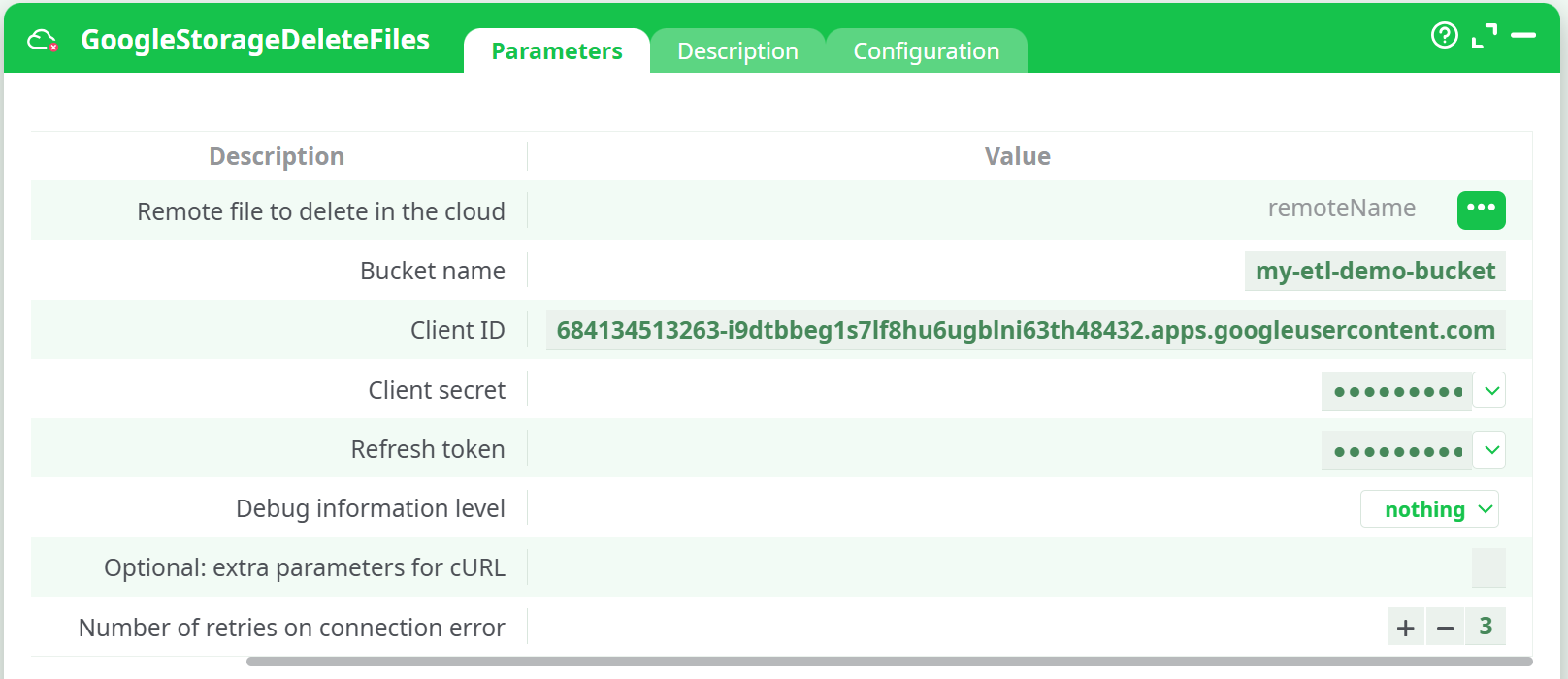
Open Parameters and set:
- Remote file to delete → bind to
remoteName. - Bucket name →
my-etl-demo-bucket. - Client ID / Client secret / Refresh token → your OAuth values.
- Optionally adjust Debug, Retries, Error Management.
Screenshot placeholder:
- Remote file to delete → bind to
-
Run the pipeline. Check the run log for delete responses.
-
Verify in GCS that the object(s) no longer appear under the chosen prefix.
¶ Example Pipeline
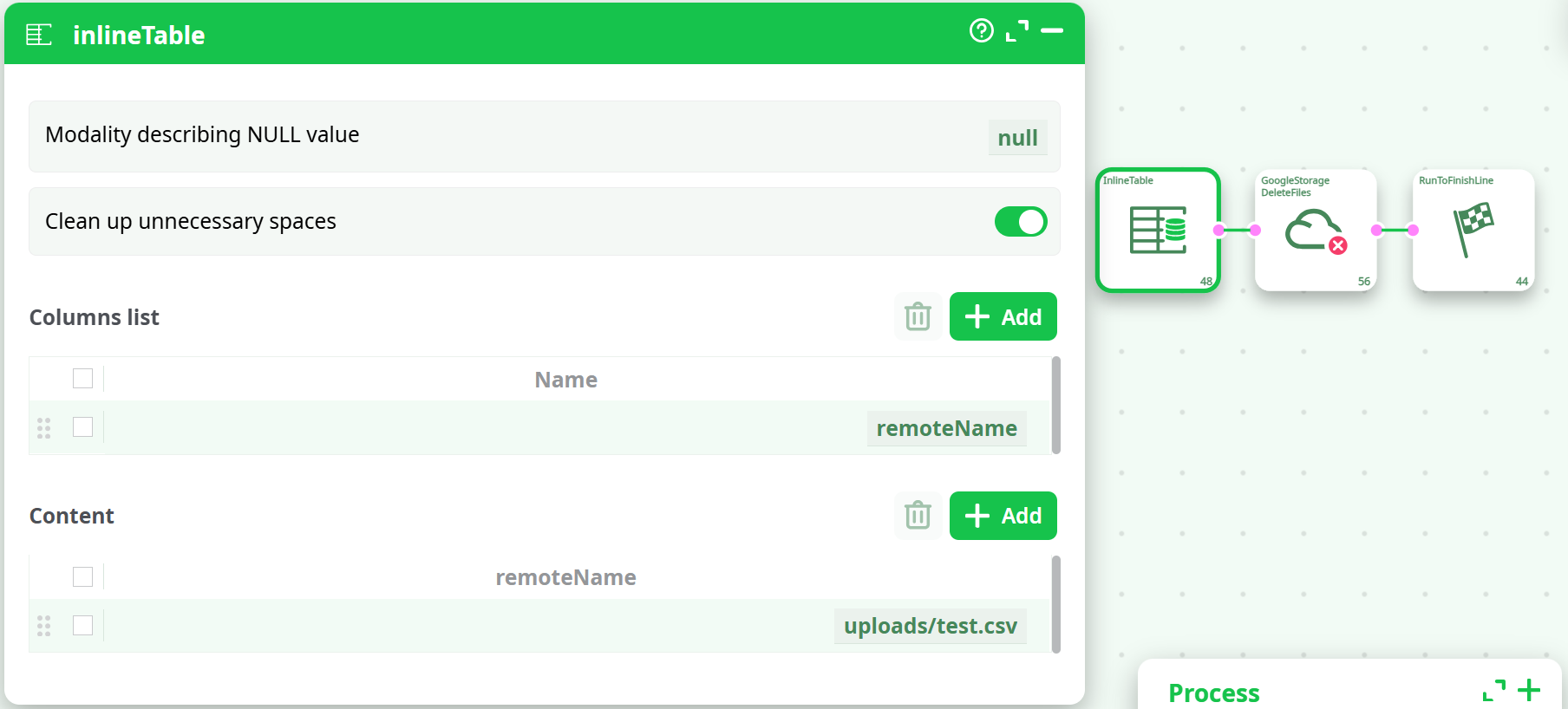
Result
- Object
gs://my-etl-demo-bucket/uploads/test.csvis removed. - GCS console shows the
uploads/prefix empty after refresh.
¶ Use Cases
- Post-publish cleanup: remove temporary exports after they’re consumed downstream.
- Retention enforcement: delete daily/hourly drops older than N days (combine with GoogleStorageListFiles to enumerate, then feed to this action).
- Error recovery: remove partially written artifacts before re-running pipelines.
¶ Troubleshooting
-
Nothing deleted / still visible:
- Verify the exact
remoteName(object keys are case-sensitive). - Refresh the Console and ensure “Show: Live objects only” is selected.
- Verify the exact
-
Permission denied: grant the OAuth principal
storage.objects.deleteon the bucket or specific prefix. -
Not found errors: object may already be deleted; choose Error Management → continue with status ERROR if you want the pipeline to proceed.
-
Batch deletion: supply multiple rows from upstream; the action deletes each row’s
remoteName.
For end-to-end Google Cloud credential creation and permissions, refer to the GoogleStorageListFiles action documentation.