¶ Description
Delete files stored in a Huwaei Blob Storage.
¶ Parameters
¶ Parameters Tab
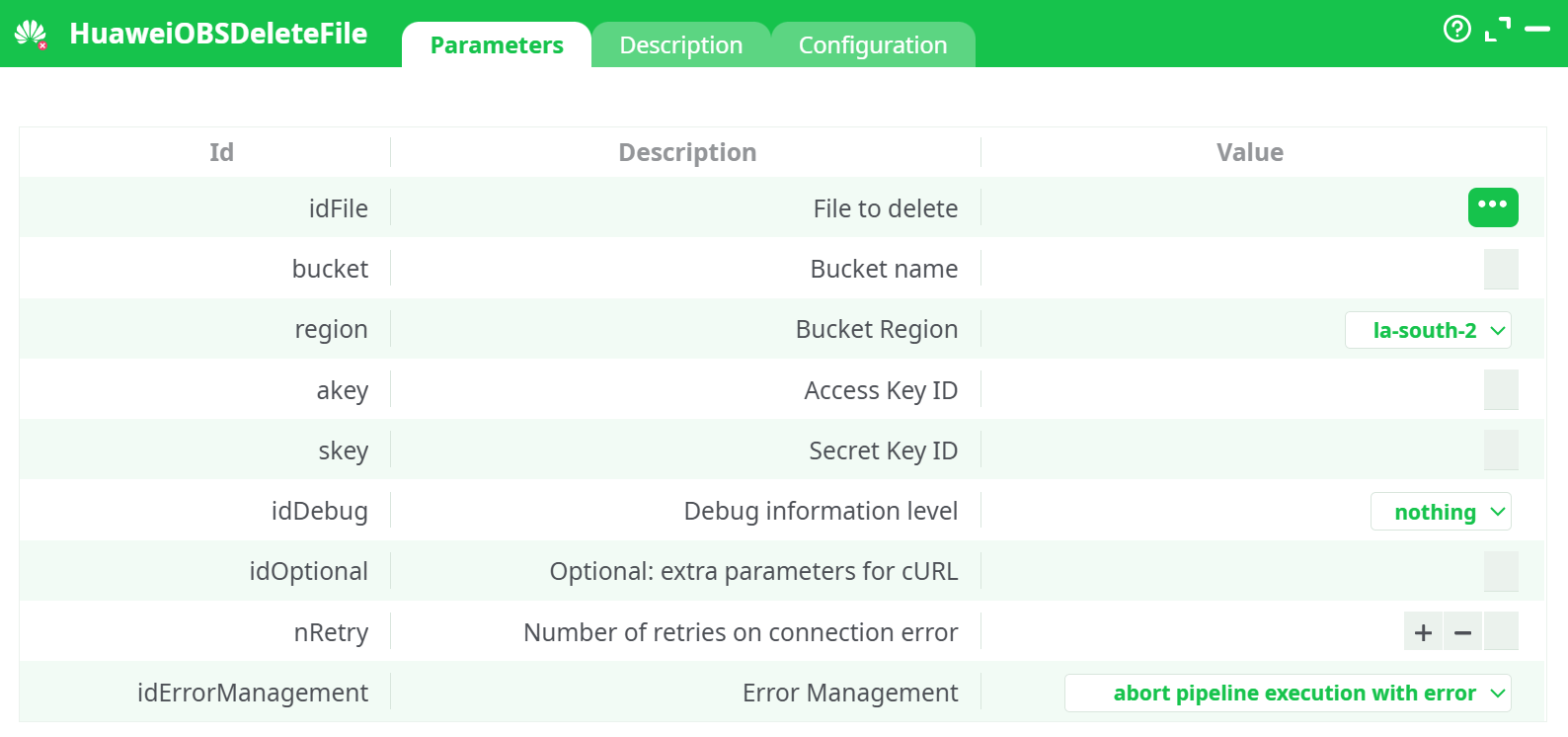
Parameters:
- File to delete
- Bucket name
- Bucket Region
- Access Key ID
- Access Key ID
- Debug information level
- Optional: extra parameters for cURL
- Retries on connection error
- Error Management
¶ Description Tab
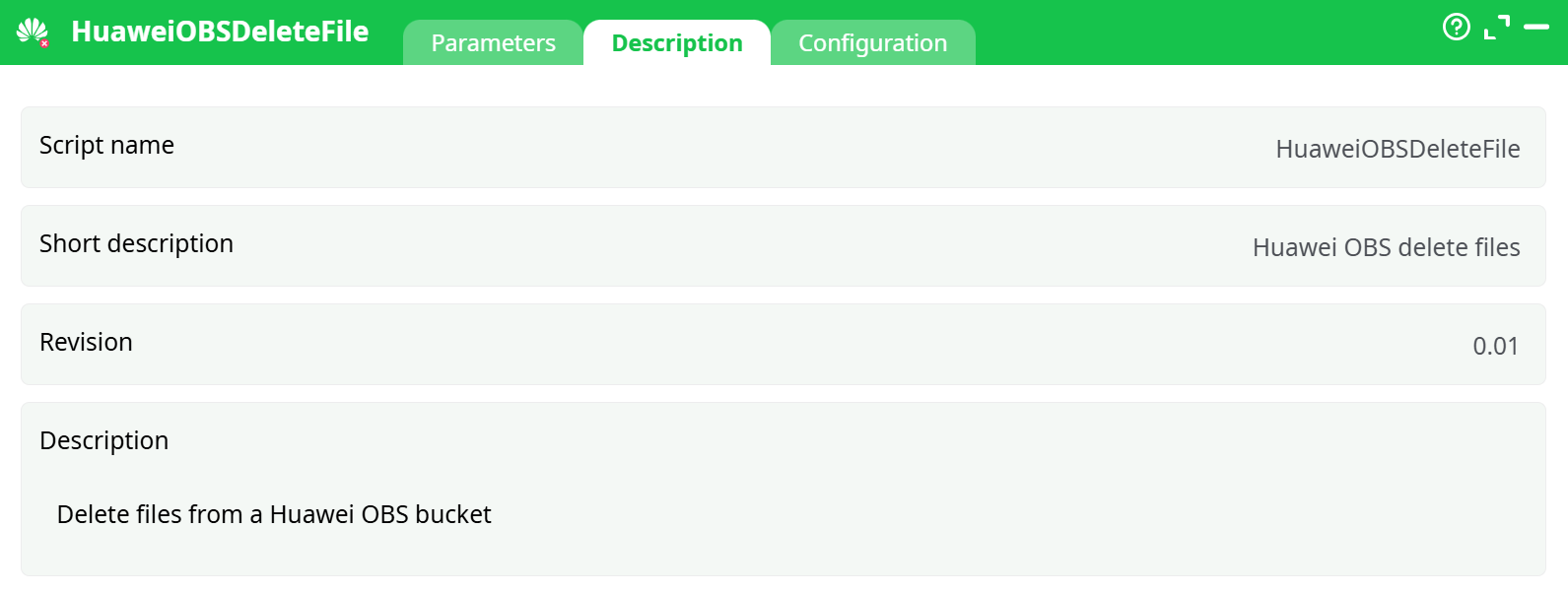
Parameters:
- Script name
- Short description
- Revision
- Decription
¶ Configuration Tab
See dedicated page for more information
¶ About
HuaweiOBSDeleteFile removes a single object in Huawei Cloud OBS (S3-compatible).
It is typically used to:
- Clean temporary artifacts created earlier in the pipeline (e.g., zips, staging exports).
- Enforce retention after a successful publish.
- Tidy a bucket after tests or regenerations.
Under the hood, the action calls the standard DeleteObject API via cURL:
- If the bucket uses versioning, a delete places a delete marker; previous versions remain (this action does not specify a
versionId). - Retries (nRetry) cover transient connectivity issues, not logical errors (wrong bucket, missing key, permission denied, wrong region, etc.).
- The operation is idempotent: deleting a non-existent key returns a not-found status; manage how the pipeline reacts using idErrorManagement.
Credentials & first-time setup
You need four values: Region, Bucket Name, Access Key (AK), Secret Key (SK).
The illustrated steps to obtain them (with screenshots) are already documented in HuaweiOBSListFiles. Reuse the same credentials here.
¶ Quick Start (single delete)
-
Provide the key to delete:
- Either type a constant in idFile (e.g.,
staging/tmp/result.csv), or - Connect an upstream step that outputs a column with keys and pick it via the ⋯ button.
- Either type a constant in idFile (e.g.,
-
Fill bucket, region (e.g.,
la-south-2), akey, skey. -
(Optional) Set idDebug = basic while testing.
-
Run the action. The log will show the HTTP status and the step’s final status.
¶ Bulk delete pattern (recommended)
To delete many objects:
- Use HuaweiOBSListFiles to list keys (optionally filter/prefix).
- Add a filter step to target only the objects you want to remove (date, prefix, size, etc.).
- Connect to HuaweiOBSDeleteFile and set idFile = the column containing the key.
- Set idErrorManagement = continue with status ERROR so the pipeline proceeds per row, logging which deletes succeeded or failed.
¶ Path & naming tips
- idFile is the object key inside the bucket:
✔reports/2025/out.parquet✖/reports/2025/out.parquet - Keys are case-sensitive.
- Region must match the bucket exactly; a mismatch yields redirects or errors.
¶ Common errors & fixes
- 301/307 redirect, region mismatch → Choose the correct region for the bucket.
- 403 Forbidden / SignatureDoesNotMatch → Wrong AK/SK, wrong bucket, or clock skew. Verify credentials and bucket name.
- 404 Not Found → Key does not exist (already deleted, wrong path). Decide whether to continue or abort via idErrorManagement.
- Timeout / connection reset → Network hiccup; raise nRetry and/or configure proxy in idOptional or the shared configuration page.
¶ Best practices
- Keep AK/SK in a secure parameter table/secret store; avoid hard-coding in the step.
- Use idDebug = nothing in production to keep logs clean.
- Prefer the bulk delete pattern with
continue with status ERRORto avoid stopping long cleanups because one key fails. - When bucket versioning is enabled and you need full purge, plan lifecycle rules, or use manual version cleanup (this action does not delete specific
versionIds).