¶ Description
- Adds one new column that contains a sequence of increasing number (i.e. a “Key” Column).
- Adds some new columns that each contain a constant value (i.e. a “Constant” Column).
¶ Parameters
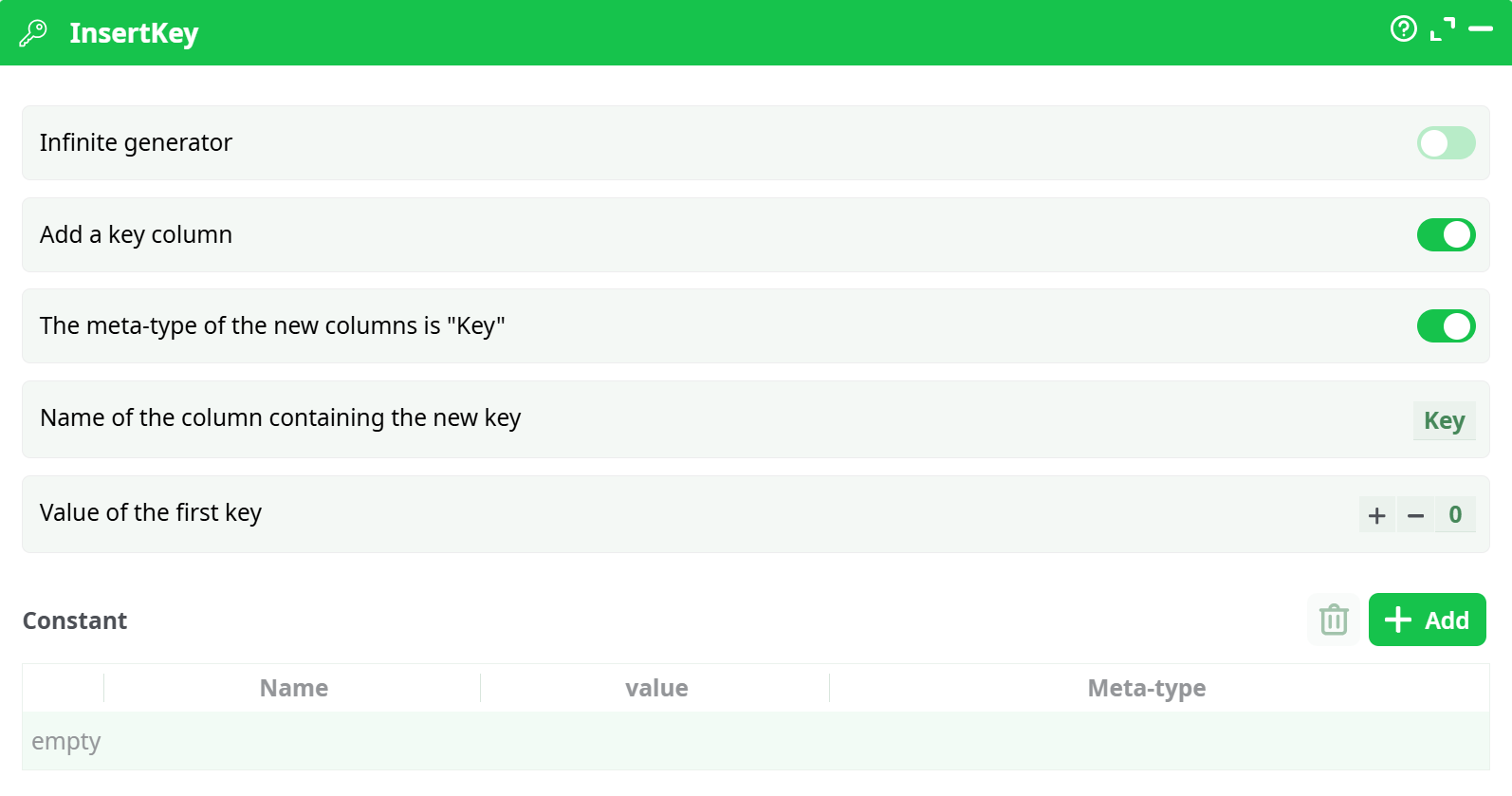
Parameters:
- Infinite generator If enabled, generates infinite rows. Usually disabled in ETL pipelines.
- Add a key column Adds a numeric key column that increments starting from the first key value.
- The meta-type of the new columns is Key Assigns a specific metadata type to the column (usually
Key). - Name of the column containing the new key Sets the name of the key column. Example:
Key - Value of the first key Defines the starting value of the key (e.g.,
0,1). - Contant Section where you define constant columns with name-value pairs.
¶ About
The InsertKey action is used to enrich your dataset by adding:
- A sequentially increasing numerical key column.
- One or more constant value columns with predefined names and values.
It is a fast and efficient way to generate surrogate keys or inject static parameters into your dataset before further transformation or file operations (e.g., defining file destinations for copy/move actions).
This action is especially useful in dynamic pipelines, allowing for:
- Auto-numbering rows.
- Injecting static values as constants (e.g., fixed output paths).
- Creating identifiers without needing external logic or scripting.
Parameter Notes:
- The key column is typically used to uniquely identify or order rows.
- Constants allow dynamic pipelines to insert fixed data (e.g., destination paths, tags, types).
- The metadata tag
Keyhelps future actions recognize the role of the column.
¶ How to Use
- Prepare input data using an upstream action (e.g.,
ListFiles). - Add
InsertKeyto inject:- A key column for row indexing or uniqueness.
- One or more constant columns to feed static values into the next step.
- Use the constants in subsequent actions, such as
simpleFileOps.
¶ Example Pipeline
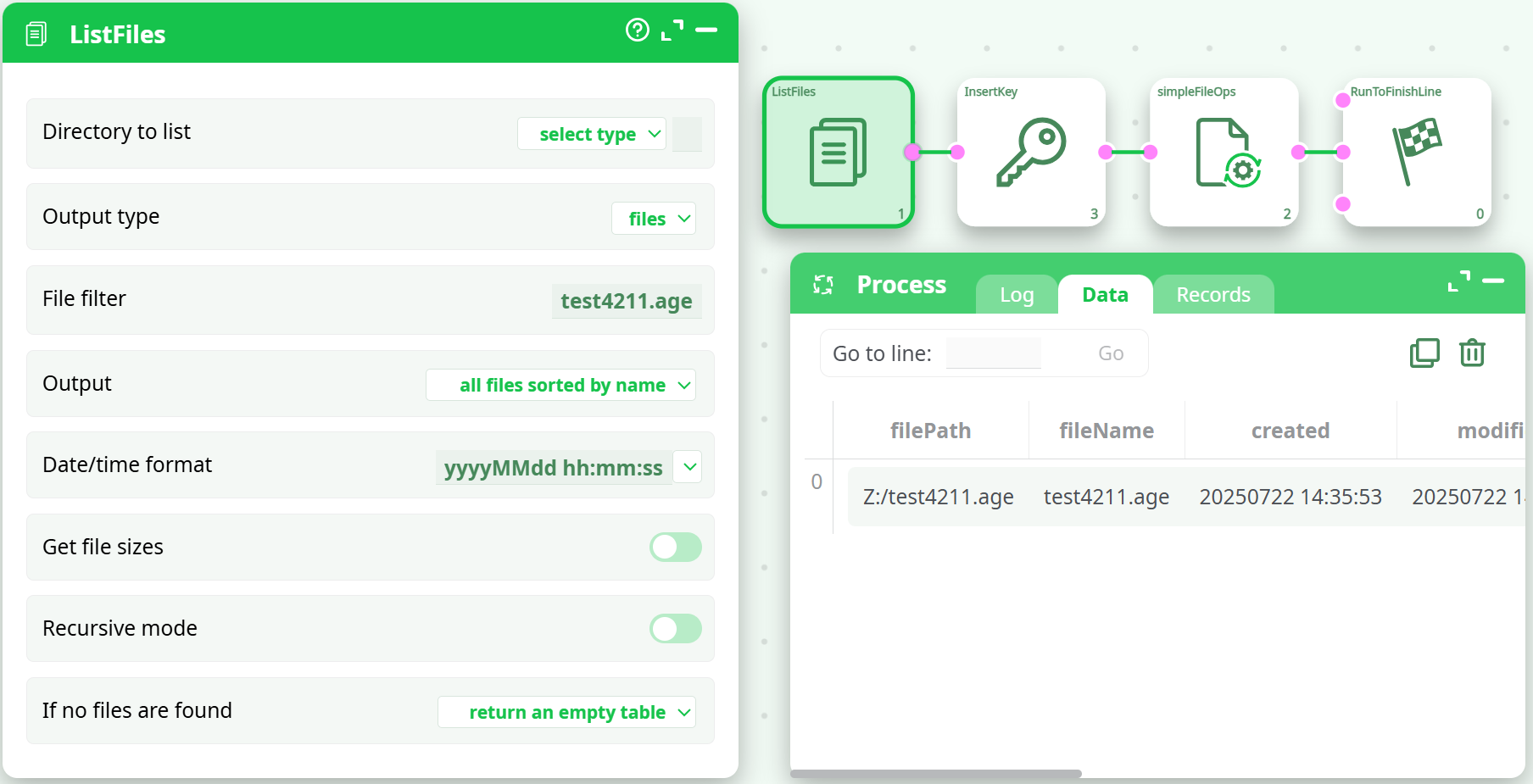
¶ 1. ListFiles
Scans a folder and lists files matching a pattern (test4211.age).
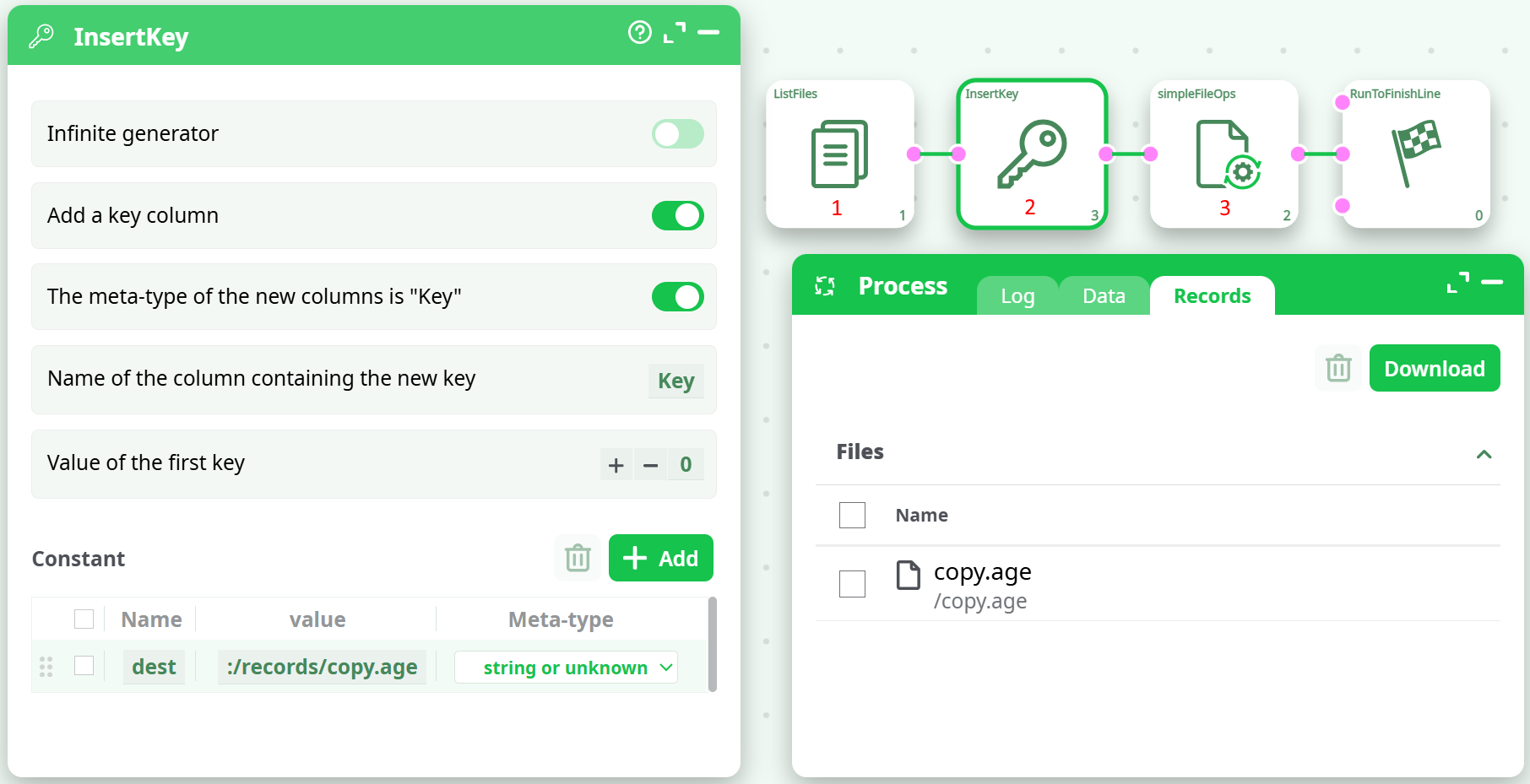
¶ 2. InsertKey
Adds a constant column named dest with value ./records/copy.age for use by simpleFileOps.
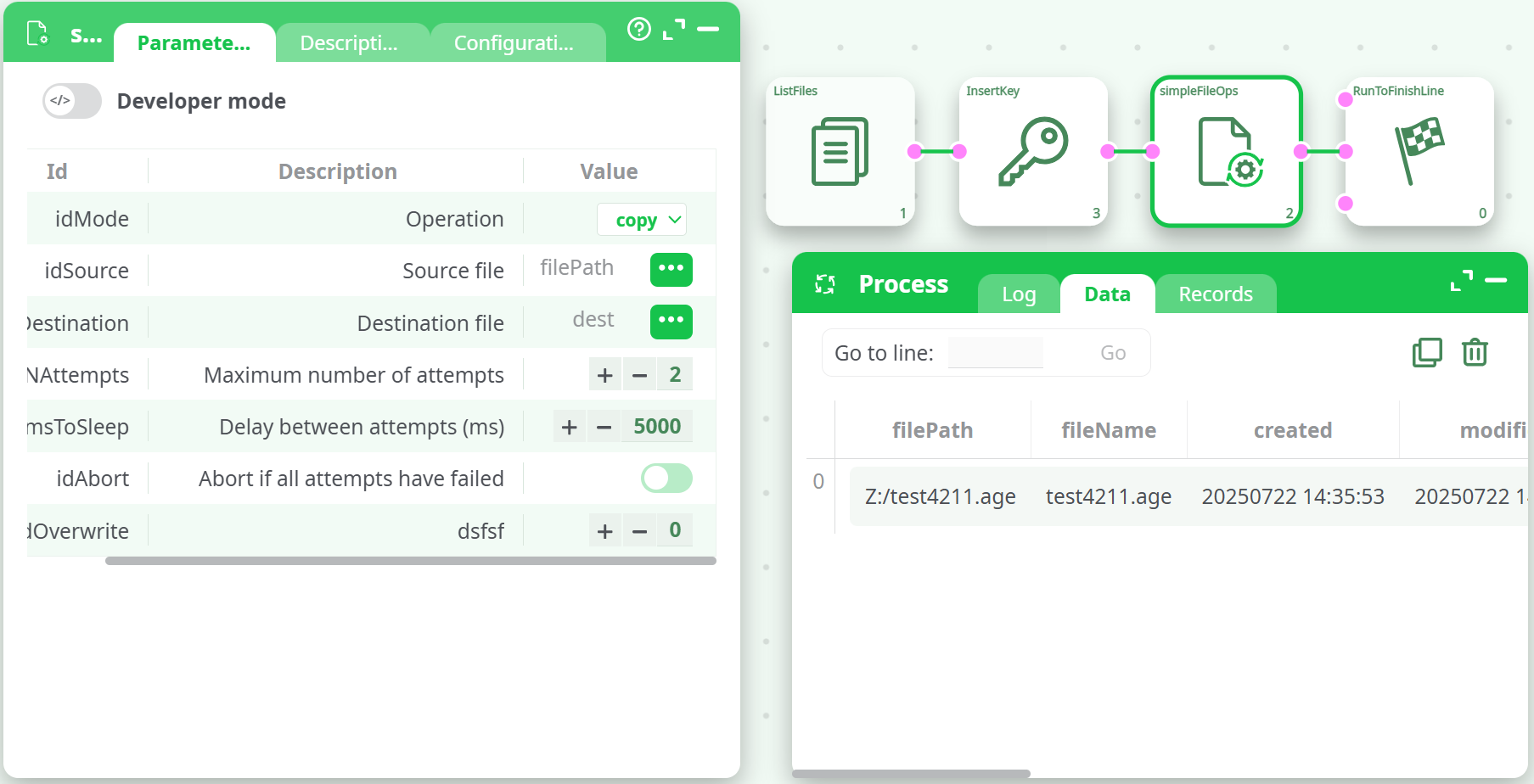
¶ 3. simpleFileOps
Uses the generated dest column to copy each file.
Operation: copy
Source column: filePath
Destination column: dest
¶ Output
After executing the simpleFileOps action button, the result is a status column in the output table that provides detailed operation feedback. Each row corresponds to an attempted file operation (e.g., copy, move, delete, rename).
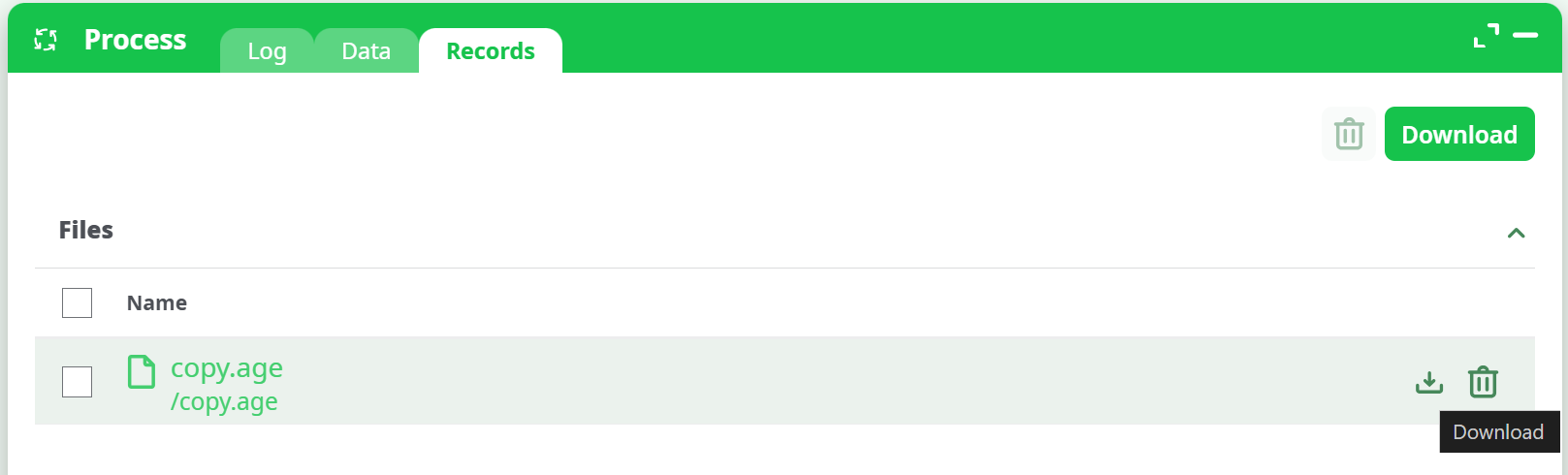
The output file(s), such as copy.age, will appear in the Records tab under the Process section. You can download, inspect, or delete them directly from the interface.
Tip: Use the
RunToFinishLineaction aftersimpleFileOpsto finalize the process and ensure visibility of all outputs.
¶ Use Cases
- Generate Key IDs: Create unique row identifiers.
- Inject Paths: Define destination or archive paths for file operations.
- Parameterize: Inject project names, tags, or other values into every row.
- Default Value Columns: Add columns like status = "new" or env = "prod".
Notes:
- Using _n in Calculator can generate row indices, but InsertKey is much simpler and faster.
- This action supports both technical metadata tagging and operational enrichment.
- For static pipelines, hardcoded constants can reduce complexity.