¶ Description
Replace a given string by another into some selected columns.
¶ Parameters
¶ Column tab
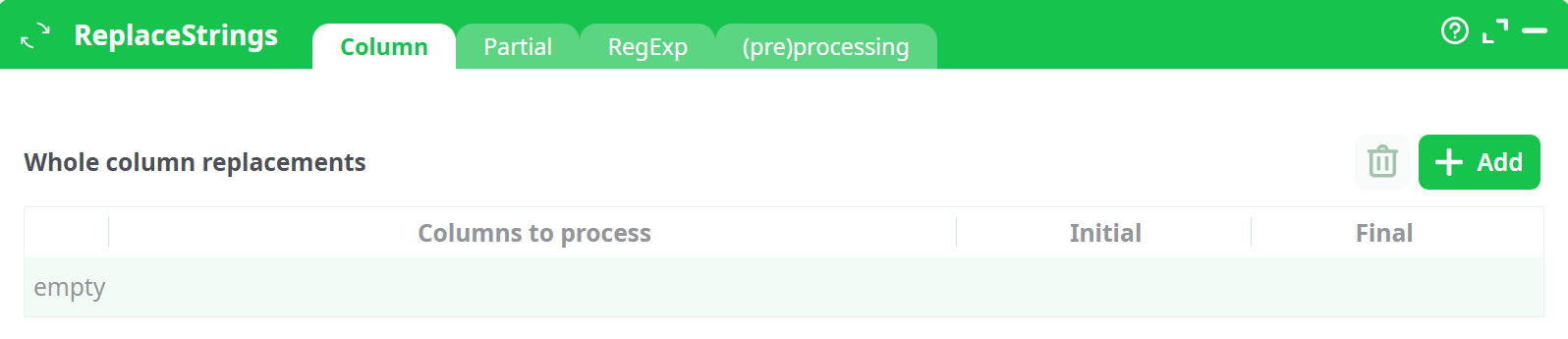
Parameters:
- Whole column replacements
¶ Partial tab
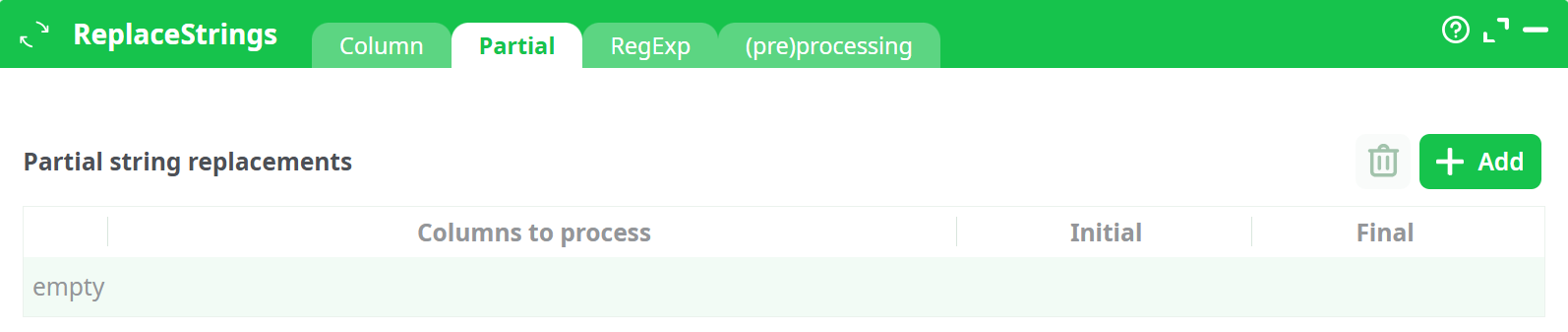
Parameters:
- Partial string replacements
¶ RegExp replacement
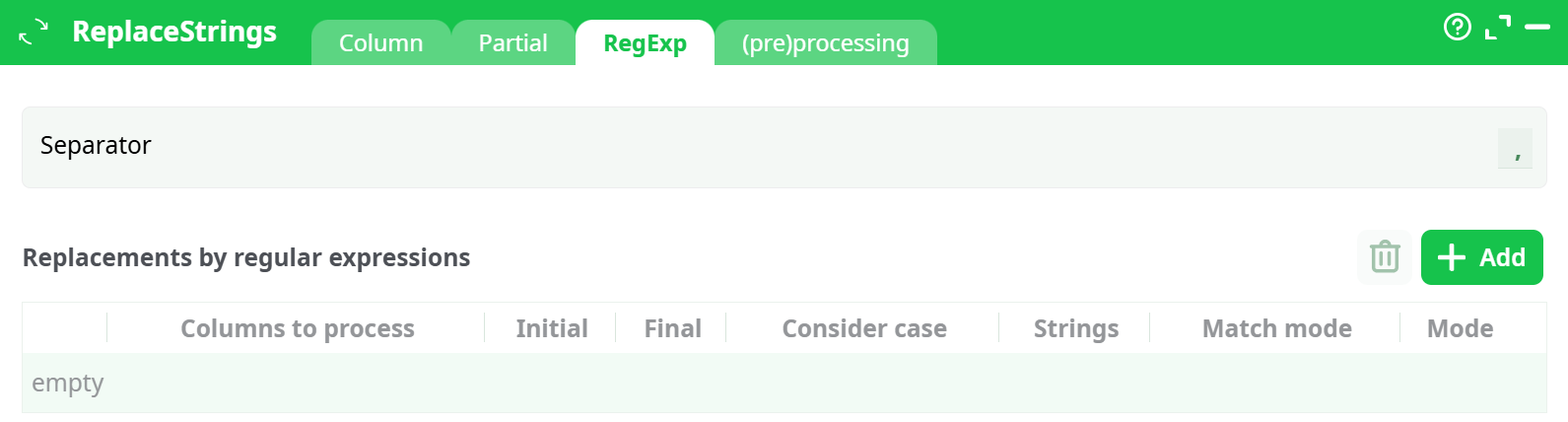
Parameters:
- Replacements by regular expressions
¶ (Pre)processing
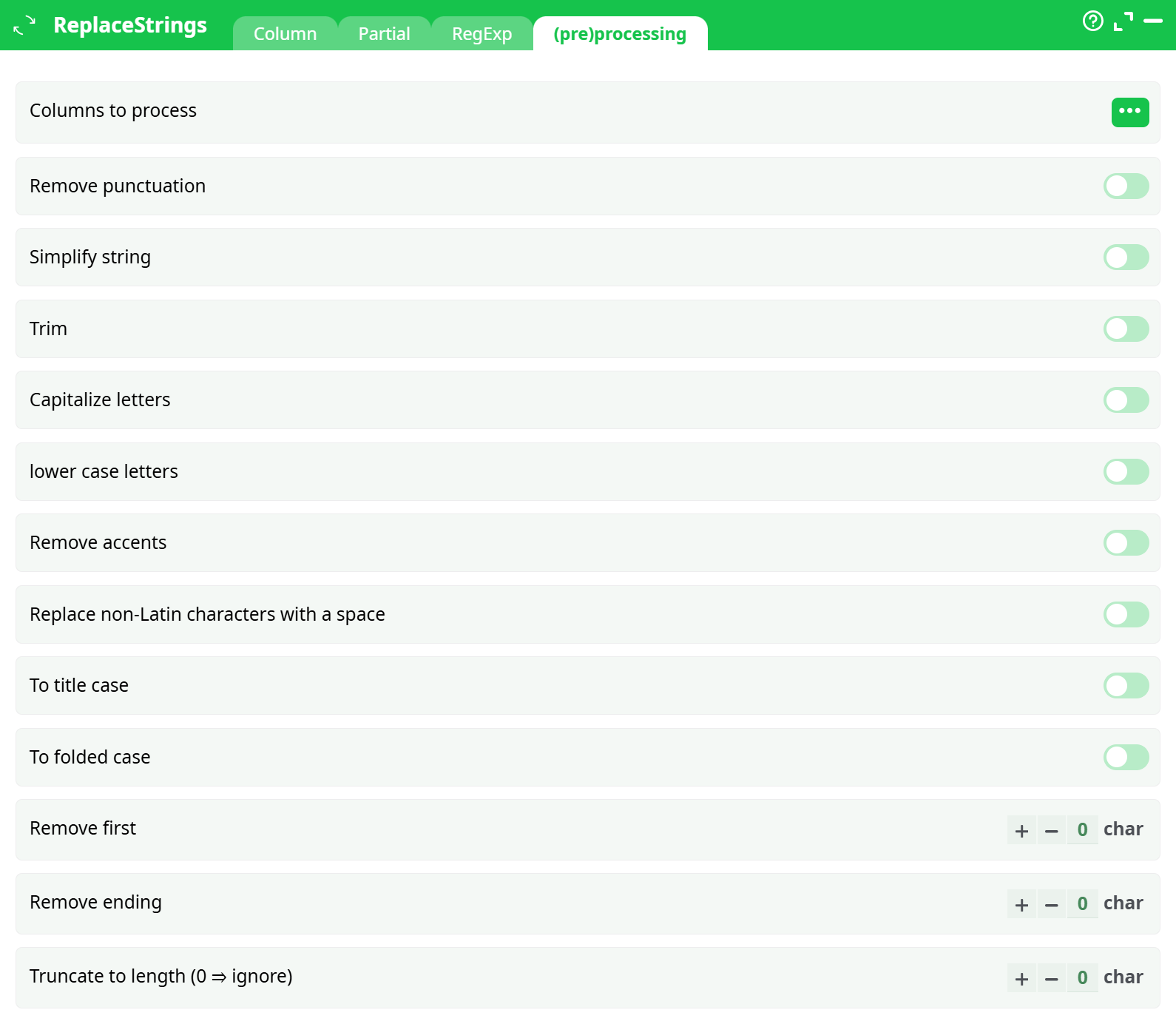
Parameters:
- Column to proceed
- Remove punctuation
- Simplify string
- Trim
- Capitalize letters
- Lower case letters
- Remove accents
- Replace non-Latin characters with a space
- To title case
- To folded case
- Remove first
- Remove ending
- Truncate to length (0 = ignore)
¶ About
This operator searches for specific strings within selected columns. If a match is found, the matching string is replaced with another string specified in the "After" field.
There are three different ways to perform the matching:
¶ String-Replace Partial String.
For example, the default settings of this action:
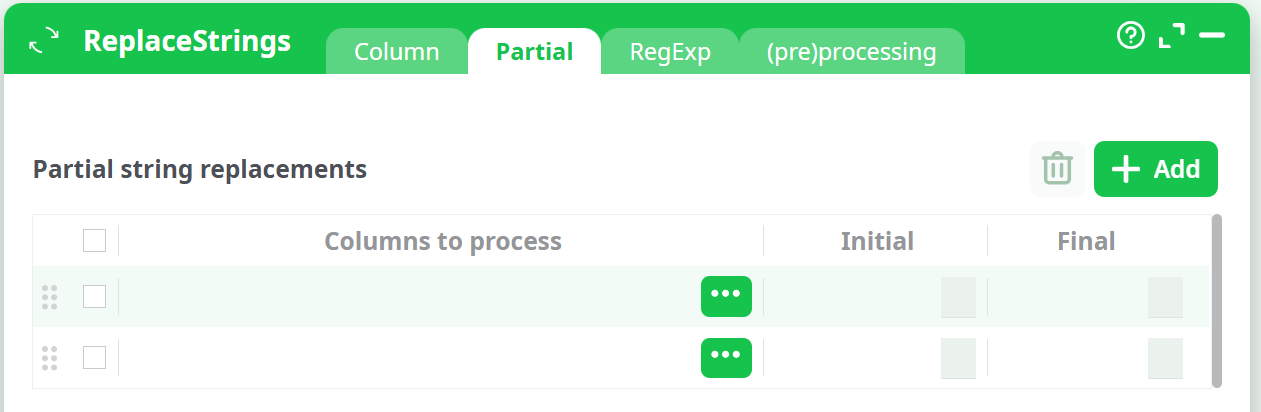
… will process the column “Value” and transform the string “1,000.9” into this string: “1000.9” (i.e. it transforms a number from the “French notation” to the more common“English notation” used everywhere into ETL). This is not a very good example because the changeDataType action is usually the best way to perform such transformation.
¶ String-Replace Whole Column.
For example, these settings:
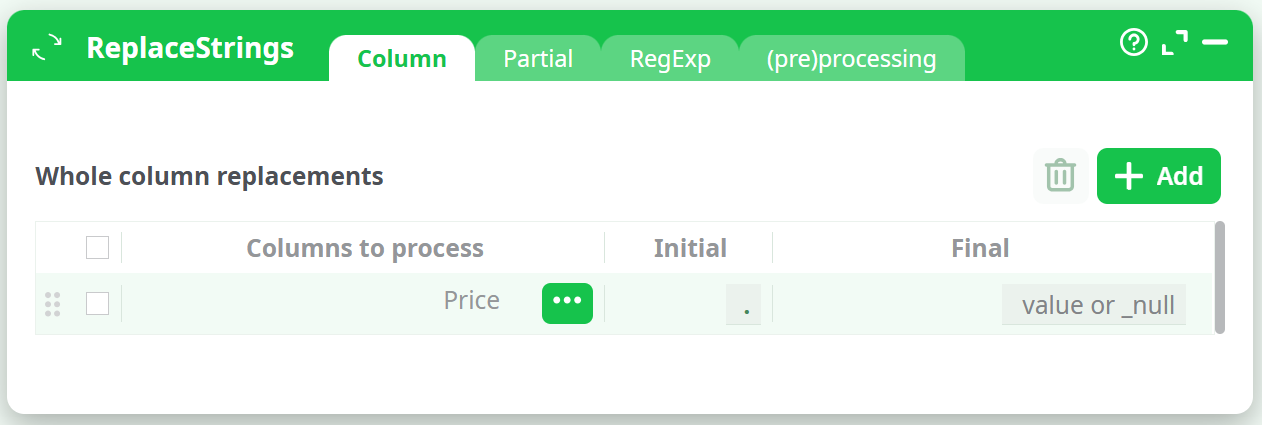
… will transform a column containing the “.” string (that represents the “missing value” inside the SAS system) into a column containing a string of zero-length (which usually represents the “missing” value in many systems). Note that the string “1,000.9” will NOT be changed (it won’t be replaced by “1,1009”) because there is a “match” ONLY IF the whole column matches the given string.
¶ String-Replace based on Regular expression.
There are 2 operating modes when working with regular expressions:
-
You regular expressions do not contain any capturing parenthesis. ETL replace the whole string matching your regular expression with the (unique) “After” field. For example:
-
You regular expressions contain capturing parenthesis. You must give a different “After” string for each different capturing parenthesis. By default, the many different “After” strings are written in the “After” field, separated by a comma (or separated by a semicolon in the example below):
The many “Regular expression” options (24 in total) are all the different combinations of the following basic options:
-
Case Sensitive/Case insensitive (self-explanatory)
-
Replace All Matching Strings / Replace First Matching String (self-explanatory)
-
Maximal Matching / Minimal Matching.
Let’s assume that we are searching for the regular expression “.*” inside the string “We must be bold, very bold!”. Each match must be replaced with “small”. We obtain:- For Minimal Matching: “We must be small, very small!”
- For Maximal Matching: “We must be small!”
This option has no effect on how the capturing parenthesis are working.
-
Perl Like / Perl Like with greedy captures / Reg.Exp. as defined by W3C.
Regular expression syntax is slightly different inside Perl than inside a web page. With this option, you can:- select the desired syntax (Perl or Web).
- select how the capturing parenthesis are working: For historical reasons, quantifiers (e.g. ) that apply to capturing parentheses are more "greedy" than other quantifiers. For example, in the Regular Expression “ba(a*)b”, we want to replace all capturing parenthesis with the “!” character. The Regular Expression “a*(a*)” will, of course, match "baaab" but we obtain, as output:
- without greedy capture (i.e. perl-like): “baaab”
- with greedy capture: “b!b”
The optional table on the second input pin of this action is also used to do “whole column” content replacement. It contains 3 columns:
- The name of the column to process
- The string to search for (before)
- The replacement string (after)
Usually, the second input pin is attached to an “Inline-Table” that contains a list of replacements to make to correct spelling mistakes.
The last tab of the parameters editor of this action describes some string processing that you can activate on specific columns. These processings are performed BEFORE any attempt to replace anything. In particular, when you are using the “String Replace” action with the CorrectSpelling action of ETL, it’s strongly suggested to always activate the following string-processing:
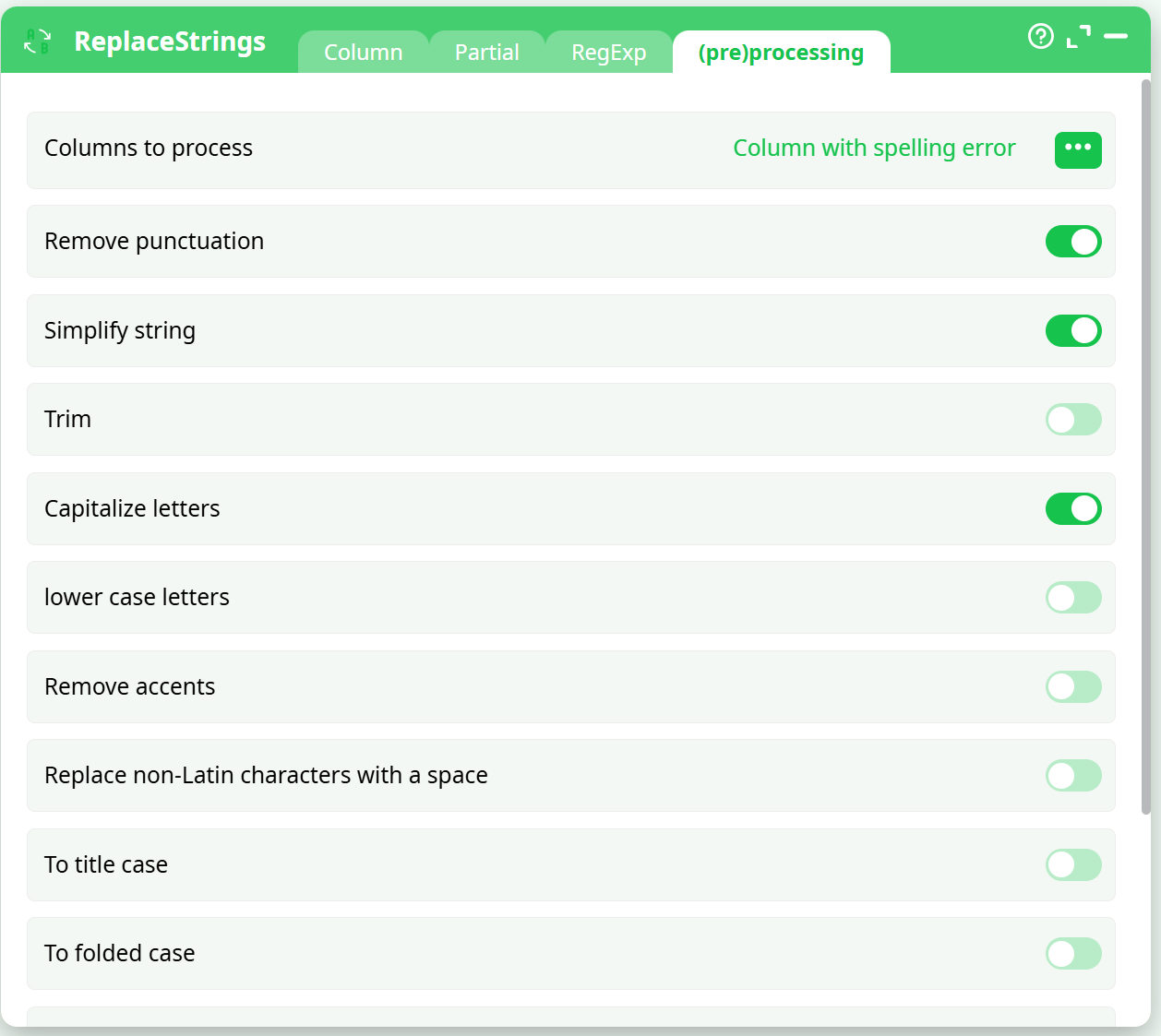
These String-Processings are performed in a top-to-bottom order (referring to the order of the controls inside the parameters editor of the StringReplace action. Here is a small explanation of these String-Processings:
- Remove Punctuation: replace the character dot, comma, exclamation mark, quotation mark, semi-column, double-dot with the blank (‘ ‘) character.
- Simplifies String: remove any un-necessary blank character. For example the string “ AB C D ” simplifies to “AB C D”.
- To Upper Case: self-explanatory
- To Lower Case: self-explanatory
- Un-Accent Case: self-explanatory
- Remove the first ‘n’ characters: self-explanatory
- Remove the last ‘n’ characters: self-explanatory
- Truncate to ‘n’ characters: self-explanatory