¶ Description
Delete files on a S3 bucket.
¶ Parameters
¶ Parameters Tab
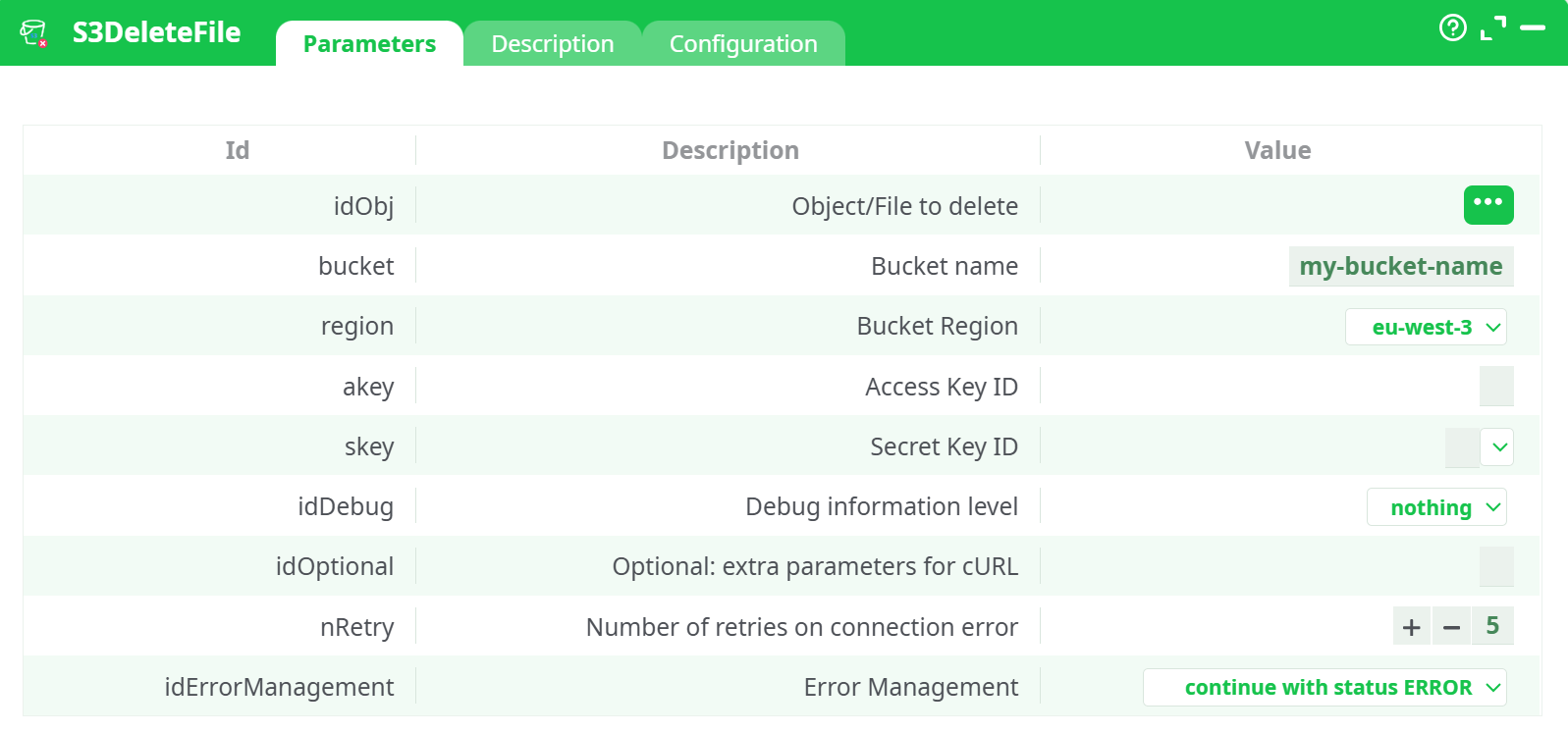
Parameters:
- parameters.S3.DeleteFile.idObj
- parameters.S3.bucketName
- parameters.S3.region
- parameters.S3.akey
- parameters.S3.skey
- parameters.idDebug.desc
- parameters.curlParams
- parameters.nRetry
- parameters.idErrorManagement.desc
¶ Description Tab
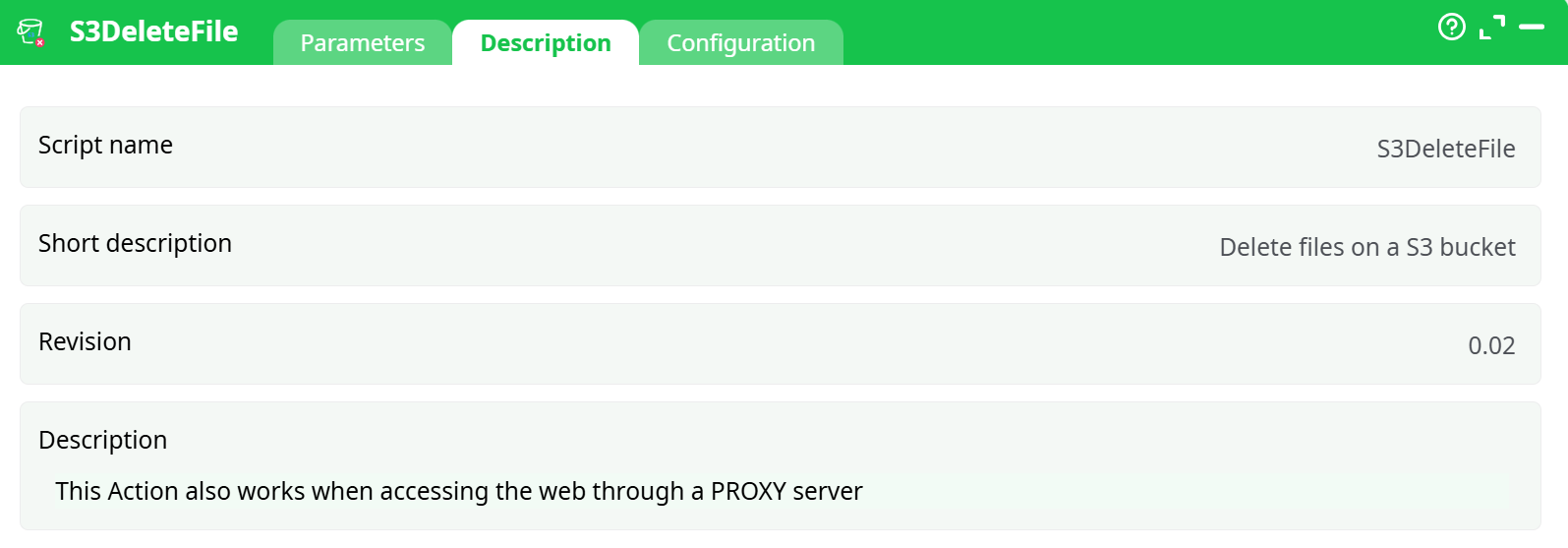
Parameters:
- Script name
- Short description
- Revision
- Decription
¶ Configuration Tab
See dedicated page for more information.
¶ About
S3 DeleteFile removes a single file (object) from an S3 bucket using your AWS credentials.
- Works with the same credentials you configured for S3 UploadFile (we reference that doc for the step-by-step key setup).
- Supports corporate proxies (see Proxy note below).
- Ideal for post-run clean-up or housekeeping flows.
¶ Prerequisites
-
An S3 bucket (e.g.,
altrnativetl1) and an IAM user with programmatic access. -
Access Key ID and Secret Access Key.
-
IAM policy must allow at least:
s3:DeleteObjecton your bucket/prefix- (Optional but recommended)
s3:ListBucketon the bucket
Minimal IAM policy (adapt to your bucket name/prefix)
{
  "Version": "2012-10-17",
  "Statement": [
    { "Effect": "Allow", "Action": ["s3:ListBucket"], "Resource": "arn:aws:s3:::<BUCKET-NAME>" },
    { "Effect": "Allow", "Action": ["s3:DeleteObject"], "Resource": "arn:aws:s3:::<BUCKET-NAME>/*" }
  ]
}
¶ Input row (from InlineTable)
Provide the object key you want to delete.
| Column | Example | Notes |
|---|---|---|
s3FilePath |
uploads/2025/09/example.xlsx |
Exact key inside the bucket. Case-sensitive. |
¶ Configure the box
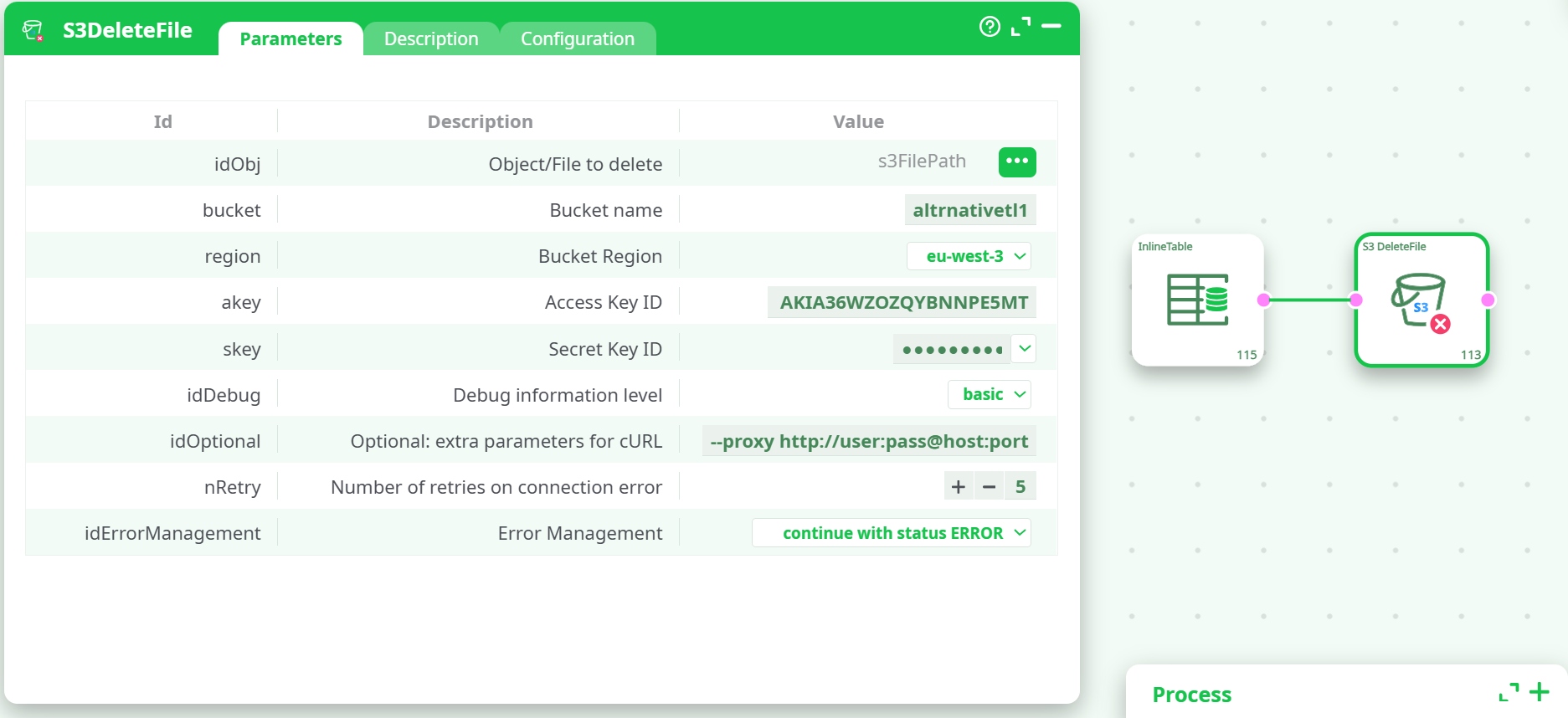
Open S3 DeleteFile → Parameters and set:
Proxy
This action also works when accessing the web through a PROXY.
If your network requires it, add the proxy flag in idOptional, for example:
--proxy http://user:pass@host:port
¶ Run & verify
-
Run the flow.
-
Open Process → Data.
- Check
_S3_Status. Successful deletes showOK. - If the key didn’t exist, S3 deletes are generally idempotent; depending on configuration you may still see
OK(or aNoSuchKeynote if the tool performs a lookup).
- Check
¶ Common pitfalls & fixes
-
TemporaryRedirect
Cause: Region mismatch.
Fix: Set Bucket Region to the bucket’s real region (e.g.,eu-west-3). -
AccessDenied
Cause: IAM user lacks permission for this bucket/prefix, or the bucket name is wrong.
Fix: Ensures3:DeleteObjectonarn:aws:s3:::<bucket>/*and correct bucket name. -
SignatureDoesNotMatch
Cause: Wrong keys, region, or clock skew.
Fix: Re-enter Access/Secret keys, confirm region, and ensure the runner’s time is correct. -
RequestTimeout / networking issues
Fix: Check firewall/proxy, try adding a proxy in idOptional, and consider settingidDebug=verbosetemporarily to inspect the curl trace.
¶ Tips
- Delete many files: Feed multiple rows (one key per row) from InlineTable or from S3 ListBucket → then into S3 DeleteFile.
- Versioned buckets: A standard delete creates a delete marker. Permanent removal of prior versions requires deleting specific versions (this box targets the current key).
- Safety: Keep IAM scoped to the minimal bucket/prefix you actually manage.