¶ Description
The SelectColumns action allows you to filter or reorder the columns of your dataset. You can either remove specific columns or keep and reorder them as needed. This is useful for cleaning up data, reducing memory usage, or preparing data for export or analysis.
¶ Parameters

Parameters:
-
Columns selection
The list of columns to be either kept or removed, depending on the operation mode. -
Operation
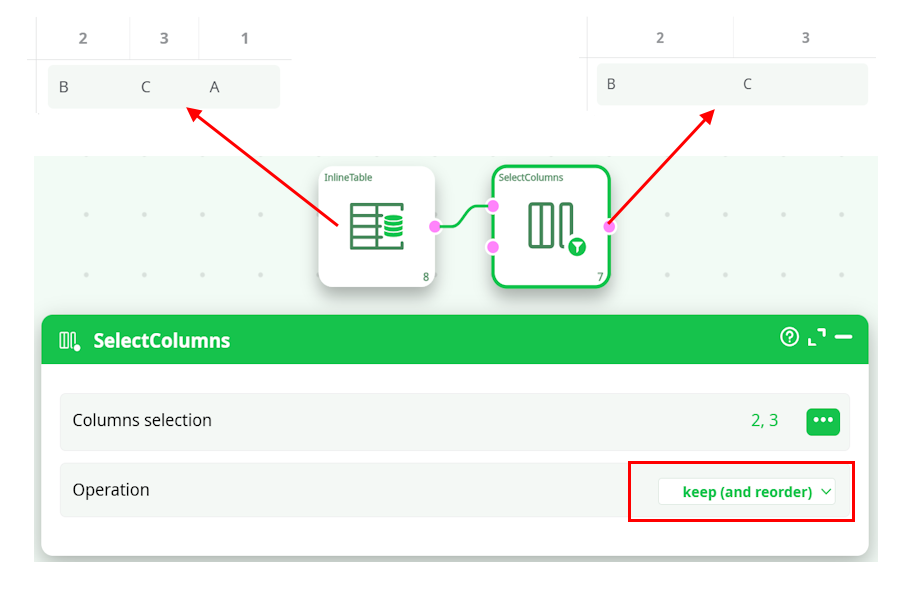
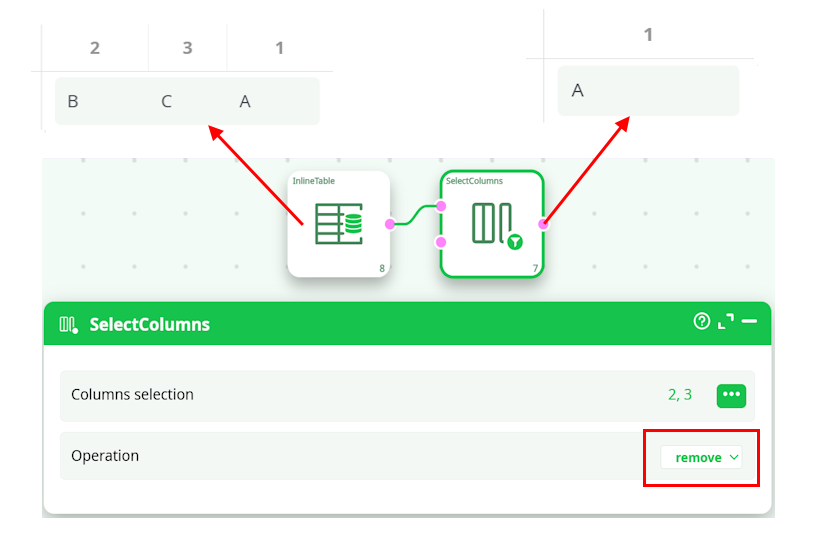
Specifies what to do with the selected columns:remove: the selected columns are deleted from the output.keep (and reorder): only the selected columns are kept, and their order in the list defines their new position.
¶ About
- You can reorder columns by switching to the
"keep (and reorder)"mode. - Optionally, you can connect the second input pin to a table that contains column names (one per row, using only the first column). These names will be added to the selected columns list dynamically.
Note:
Use this action at the beginning of your ETL flow to clean or prioritize specific columns, or at the end to prepare data for export in the correct format or order.
¶ Example
Given an input table with 3 columns and 1 row:
| 2 | 3 | 1 |
|---|---|---|
| B | C | A |
- If operation is
removeand columns selected are 2, 3
Output:
| 1 |
|---|
| A |
- If operation is
keep (and reorder)and columns selected are 2, 3
Output:
| 2 | 3 |
|---|---|
| B | C |