¶ Description
Split one column into several columns.
¶ Parameters
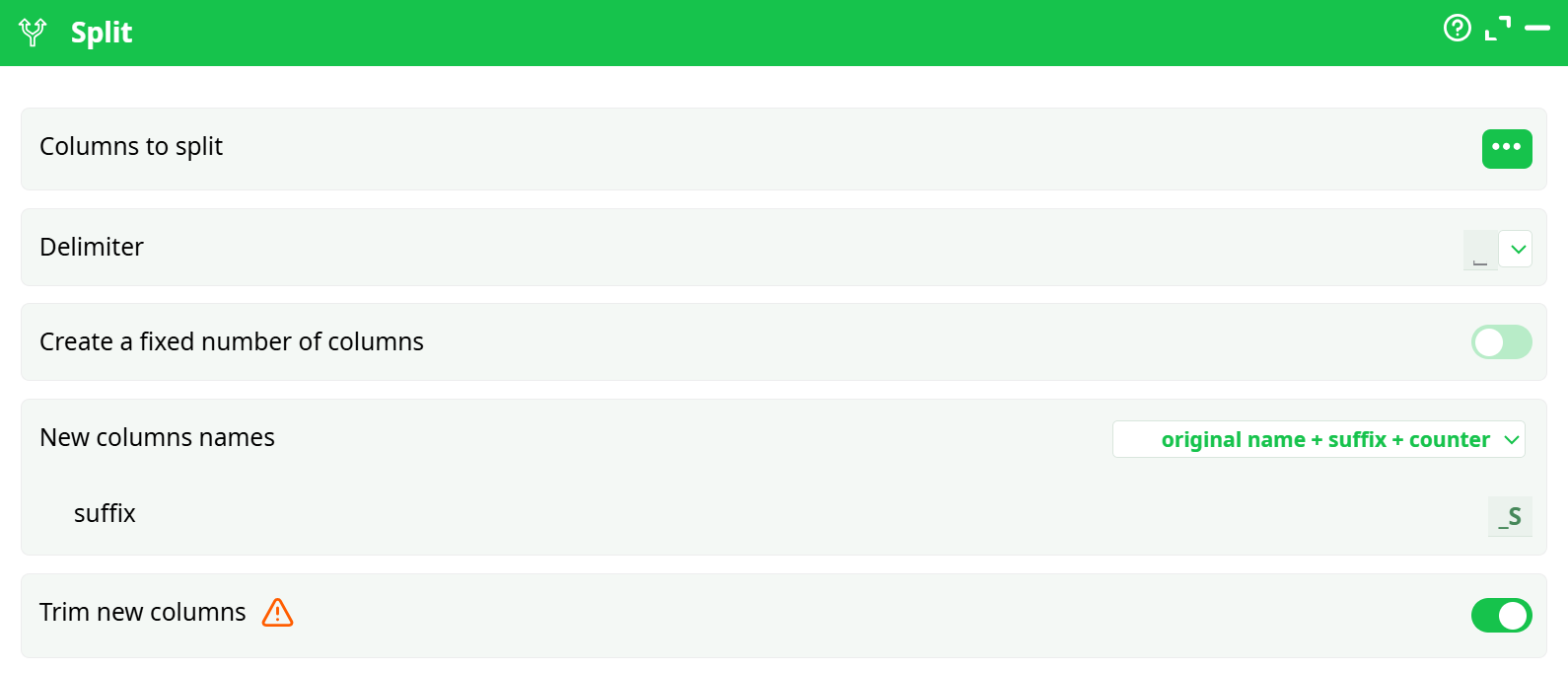
Parameters:
-
Columns to split:
Select the column whose values you want to split. (e.g.,C1) -
Delimiter:
Character or symbol used to split the content. Options include:commasemi-colonspacehashtabline break
-
Create a fixed number of columns:
Toggle ON to set a specific number of resulting columns regardless of the input's content.- Number: Number of columns to generate (e.g.,
1,3)
- Number: Number of columns to generate (e.g.,
-
New columns names:
Select the naming pattern for generated columns:original name split (same delimiter)original name + suffix + counter- Suffix: Custom suffix for new columns (e.g.,
_S→C1_S0,C1_S1, ...)
- Suffix: Custom suffix for new columns (e.g.,
-
Trim new columns:
Option to remove leading/trailing whitespace from each split part.
¶ About
The Split action allows you to divide the content of a selected column into multiple new columns using a defined delimiter.
¶ Example
¶ Input Table
| C1 |
|---|
| a |
| b |
| c |
| d |
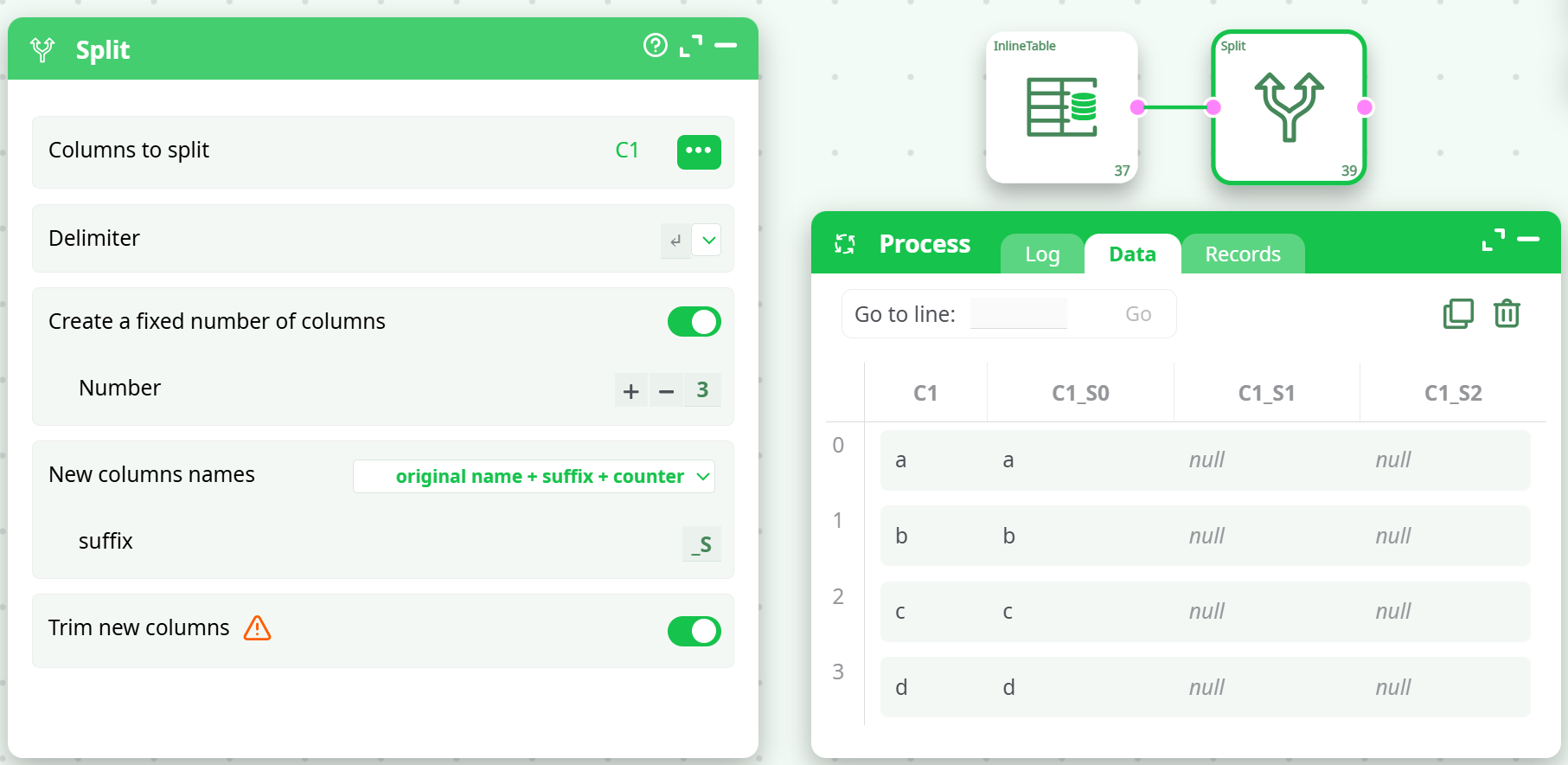
¶ With Delimiter: line break, Fixed Columns: 3, Suffix: _S
¶ Tips
- Use
Trim new columnsto ensure clean values without accidental spaces. - If input values have fewer splits than defined, the extra columns will contain
null. - Use
original name + suffix + counterfor better traceability when processing multiple columns.