¶ Description
Aggregate columns on a sliding time window.
¶ Parameters
¶ Standard tab
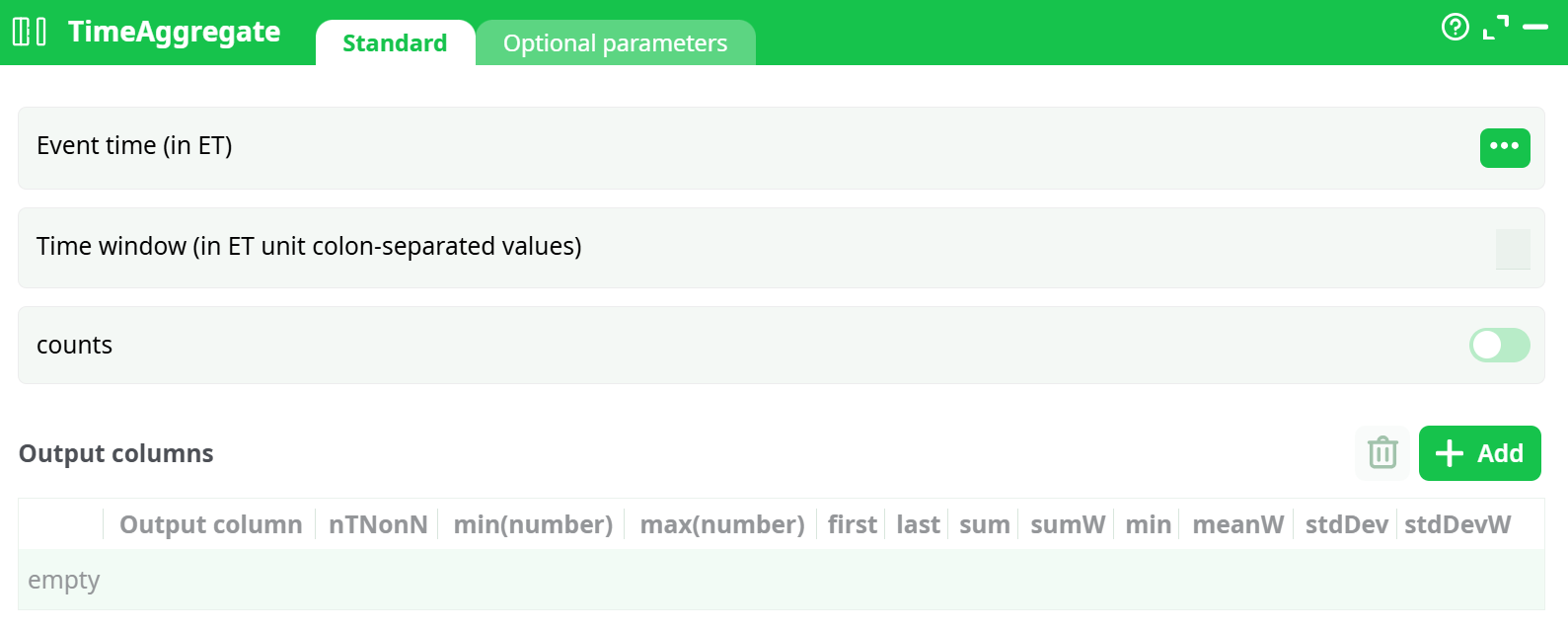
Parameters:
- Event time (in ET) Column containing the event time. Must be numeric and sorted.
- Time window (in ET unit colon-separated values) Specifies one or more window durations (e.g.,
60,60:120). Values are in the same unit as the EventTime column. - counts If enabled, the output will include event counts per window.
- Output columns
¶ Optional parameters tab
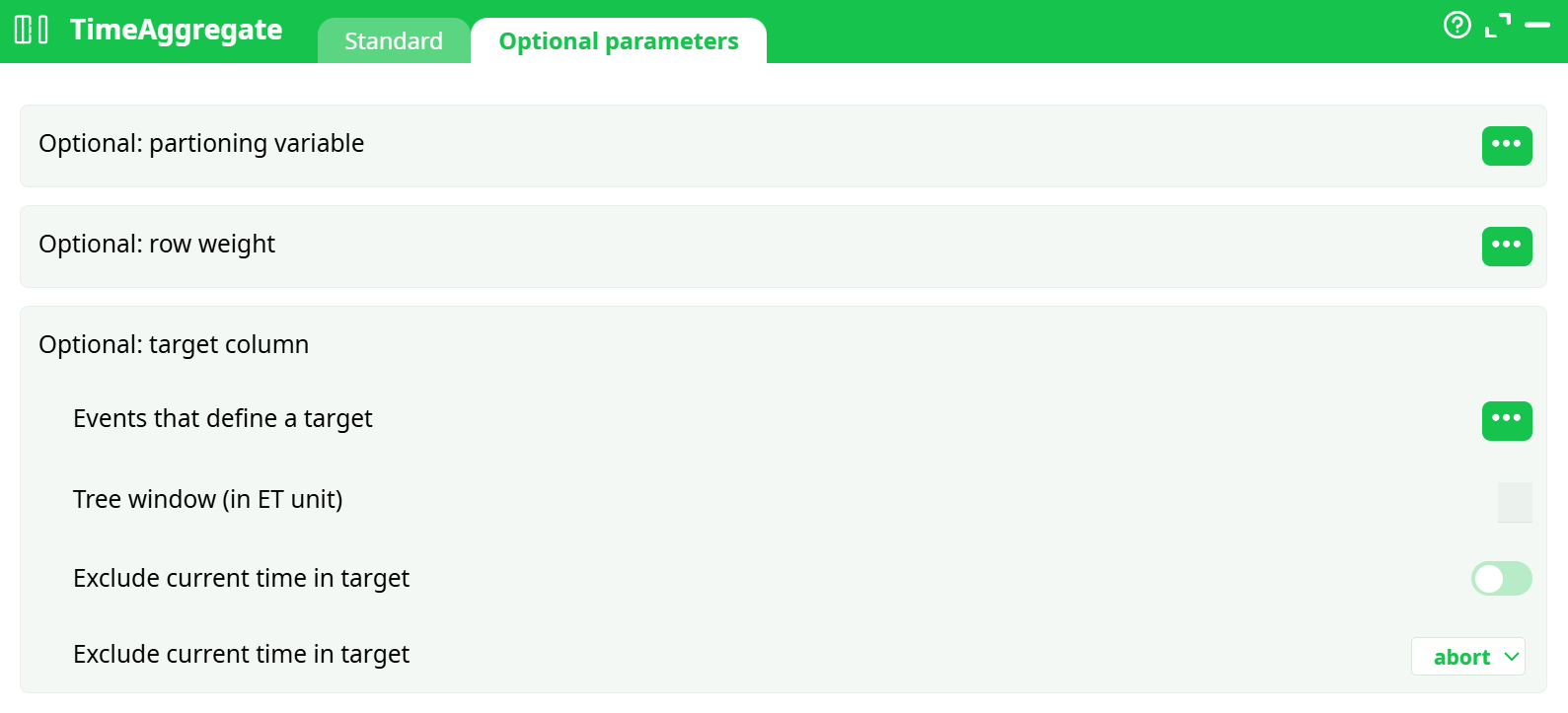
Parameters:
- Partioning variable (optional) Optional. Allows window computations to be isolated per group (e.g., by
AgentID). - Row weight (optional) Optional. Used for computing
meanW(weighted mean). - Target column (optional) Used in supervised training or custom logic; not commonly used in aggregation.
- Events that define a target
- Tree window (in ET unit) Defines a lookahead period for advanced use cases (optional).
- Exclude current time in target Excludes the row's own value from the aggregation window.
- Exclude current time in target
¶ About
The TimeAggregate action performs time-based rolling window aggregations on numerical columns. This is useful for computing metrics (e.g., moving averages, last values, sums) over a specified time window based on event timestamps.
¶ Purpose
To generate statistical aggregations across a time dimension (EventTime), such as:
- Moving average
- Last known value
- Minimum/maximum in a time window
- Count of events
- Weighted mean (if a weight column is provided)
¶ Input Requirements
Your input table must contain:
- A numeric EventTime column (representing time in continuous units like seconds or milliseconds).
- At least one numeric column for which you want to compute aggregates.
Input rows must be sorted by
EventTimefor correct computation.
¶ Example Input
| EventTime | TransactionValue |
|---|---|
| 0 | 100 |
| 60 | 150 |
| 120 | 200 |
| 180 | 180 |
| 240 | 90 |
| 300 | 160 |
| 360 | 190 |
| 420 | 210 |
¶ Output Table
The output will include:
- The original columns
- One or more new columns for each aggregation you selected
¶ Example Output
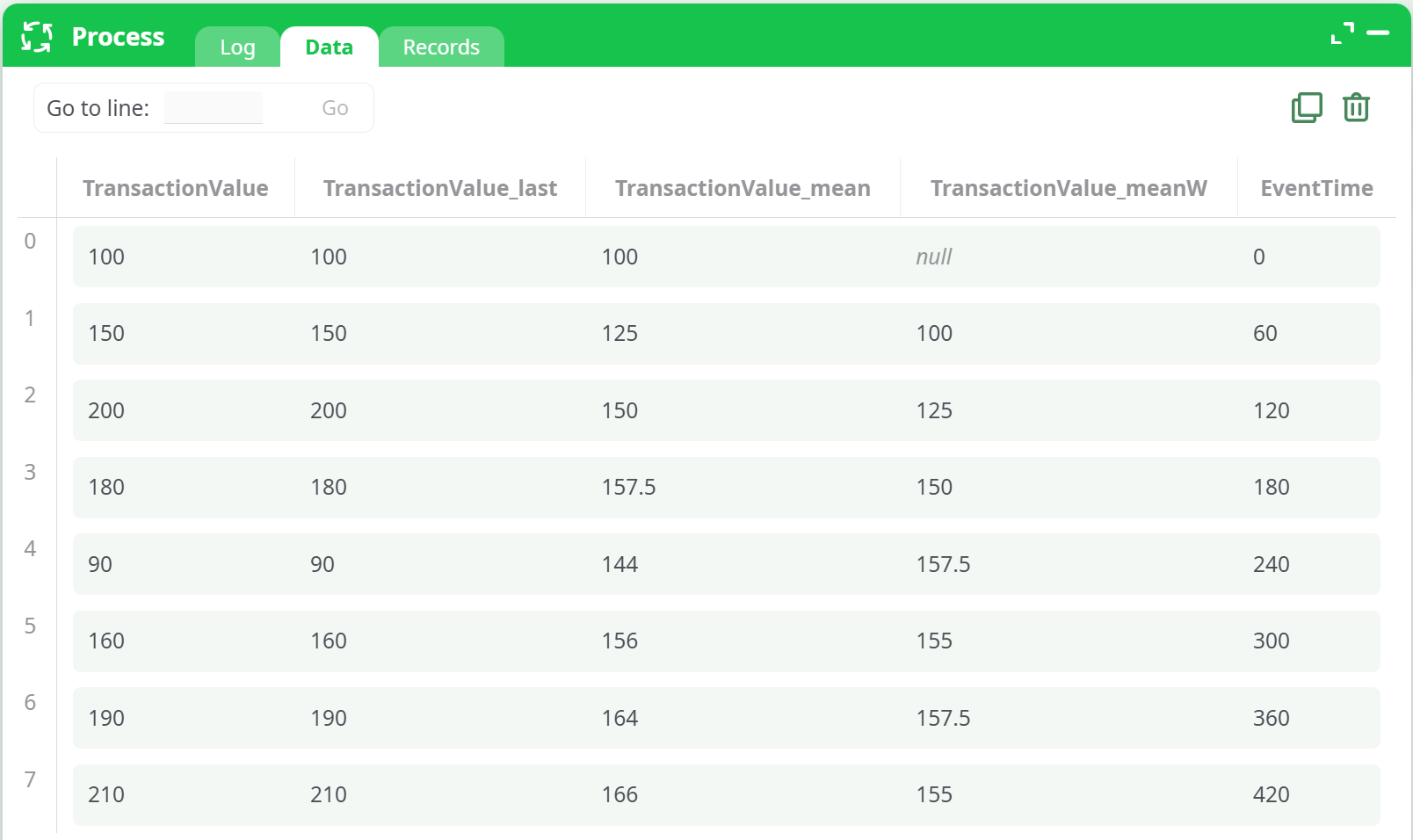
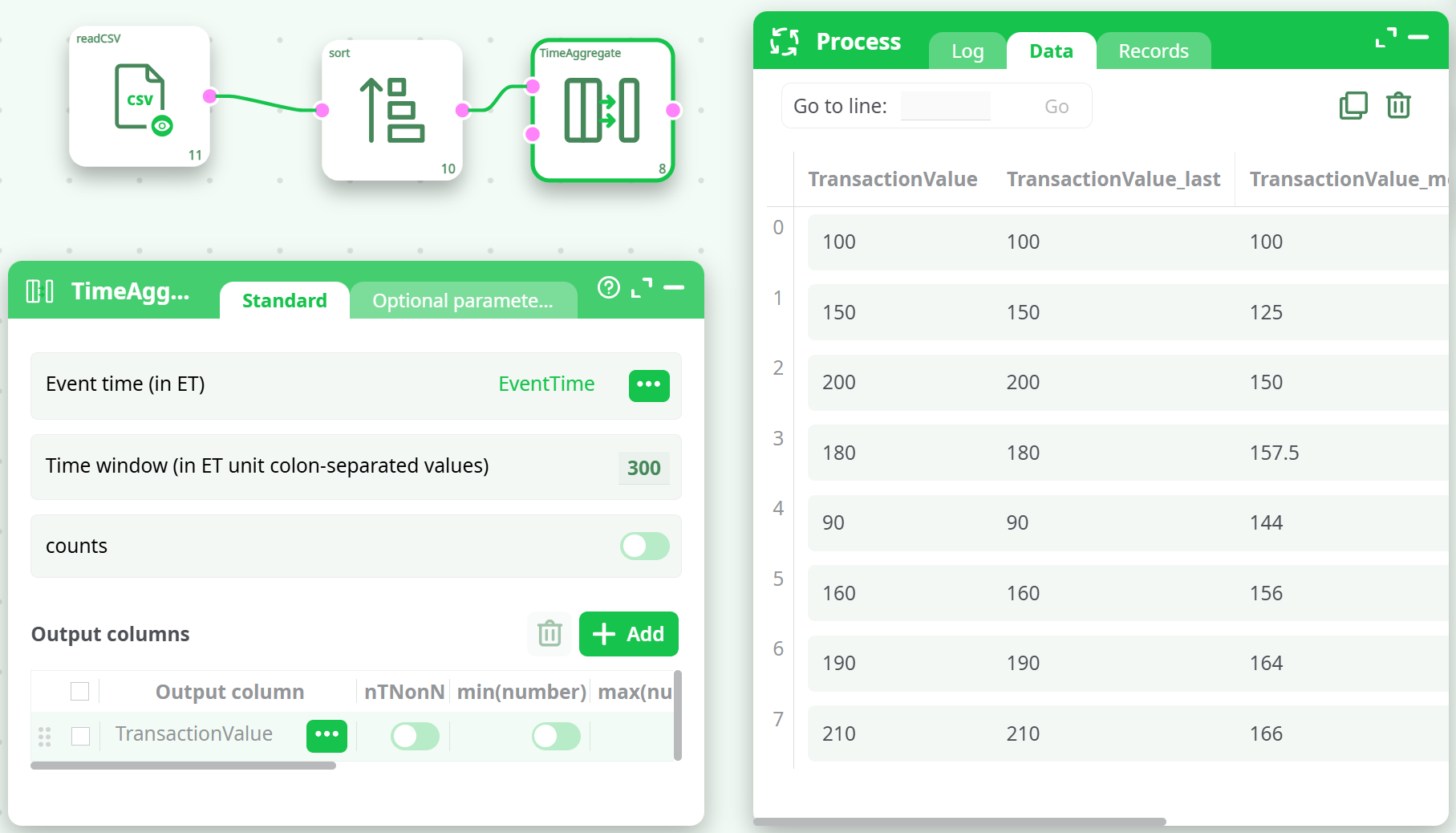
- Pipeline Configuration
¶ Common Errors & Troubleshooting
| Error Message | Cause | Solution |
|---|---|---|
cannot convert Time Windows '00:10:00' to a number |
Time window must be numeric, not a time string | Use 600 instead of 00:10:00 for 10 minutes (if ET unit = seconds) |
null values in meanW |
No weight column defined | Either provide a weight column or disable meanW |
¶ Tips
- You can specify multiple time windows like:
60:120:180to compute rolling stats across multiple intervals. - Always sort your data by
EventTimebefore using this action. - Use partitioning for parallel computation across groups like customers, agents, or regions.