¶ Description
Add x Open Days to given dates.
¶ Parameters
¶ Parameters tab
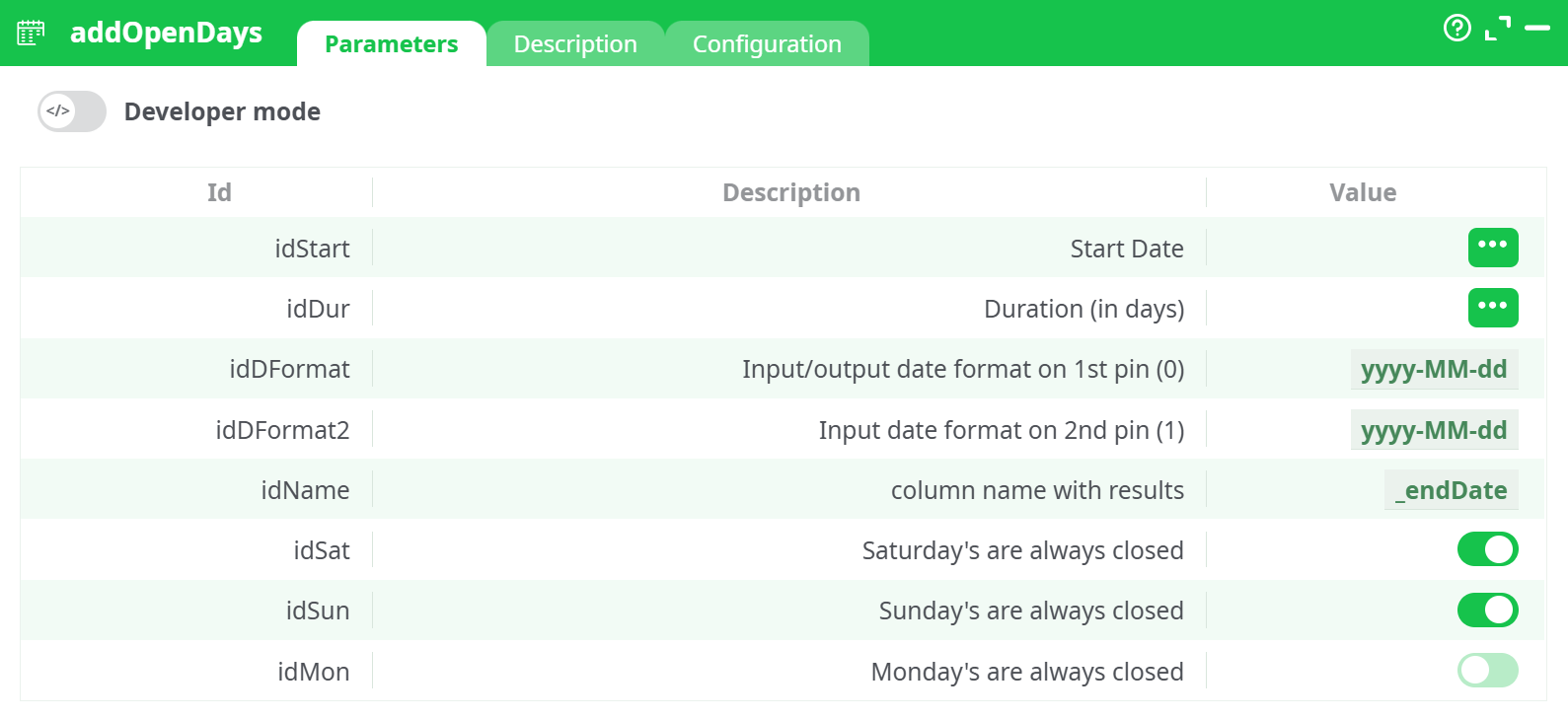
Parameters:
- Developer mode: activate/deactivate code tab.
- Start Date Column containing the start date
- Duration (in days) Column containing the number of open days
- Input/Output Date format on 1st pin Date format of start and output dates
- Input date format on 2nd pin (1) Date format of holiday (closed) dates (2nd pin)
- column name with results Name of the resulting column
- Saturday's are always closed
- Sunday's are always closed
- Monday's are always closed
¶ Description tab
See dedicated page for more information.
¶ Code tab
addOpenDays is a scripted action. Embedded code is accessible and customizable through this tab.
¶ Confugration tab
See dedicated page for more information.
¶ About
The addOpenDays action button is used to calculate an end date by adding a specific number of open days to a given start date. This function intelligently skips weekends and holidays (closed days) when computing the result. It supports dynamic configuration of which weekdays are considered closed, as well as a customizable list of holidays provided via a secondary input table.
This is especially useful in scheduling systems, business day calculators, production calendars, and any scenario where real-world non-working days must be accounted for in automated date arithmetic.
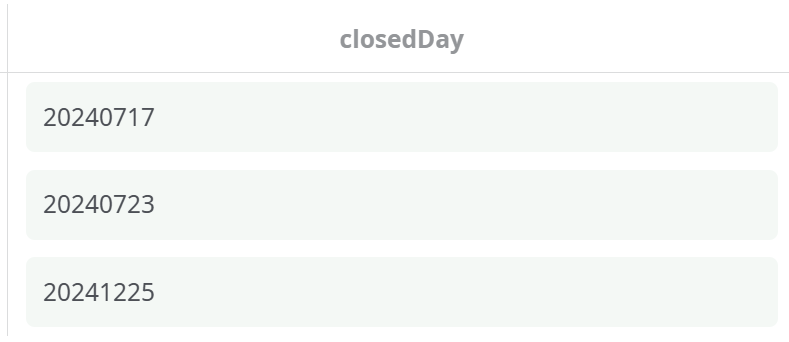
📌 The second input pin (Pin 1) must contain a column listing the closed days in
yyyyMMddformat. These are additional non-working days that will be skipped.
¶ Example Pipeline
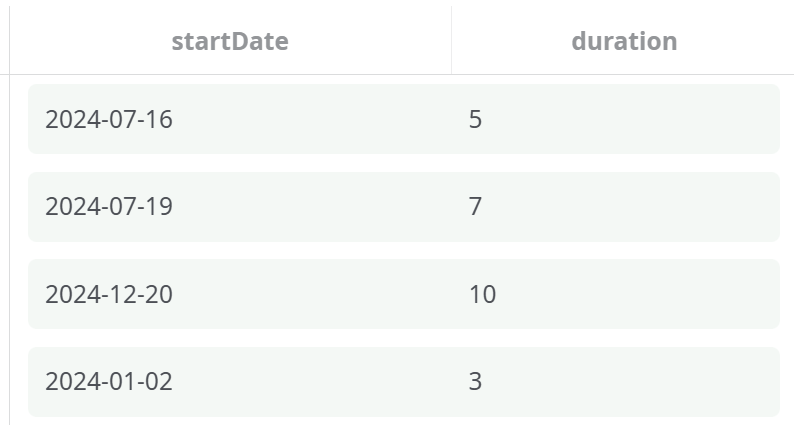
¶ Input Data (Pin 0)
¶ Input Data (Pin 1 - Closed Days)
¶ Output
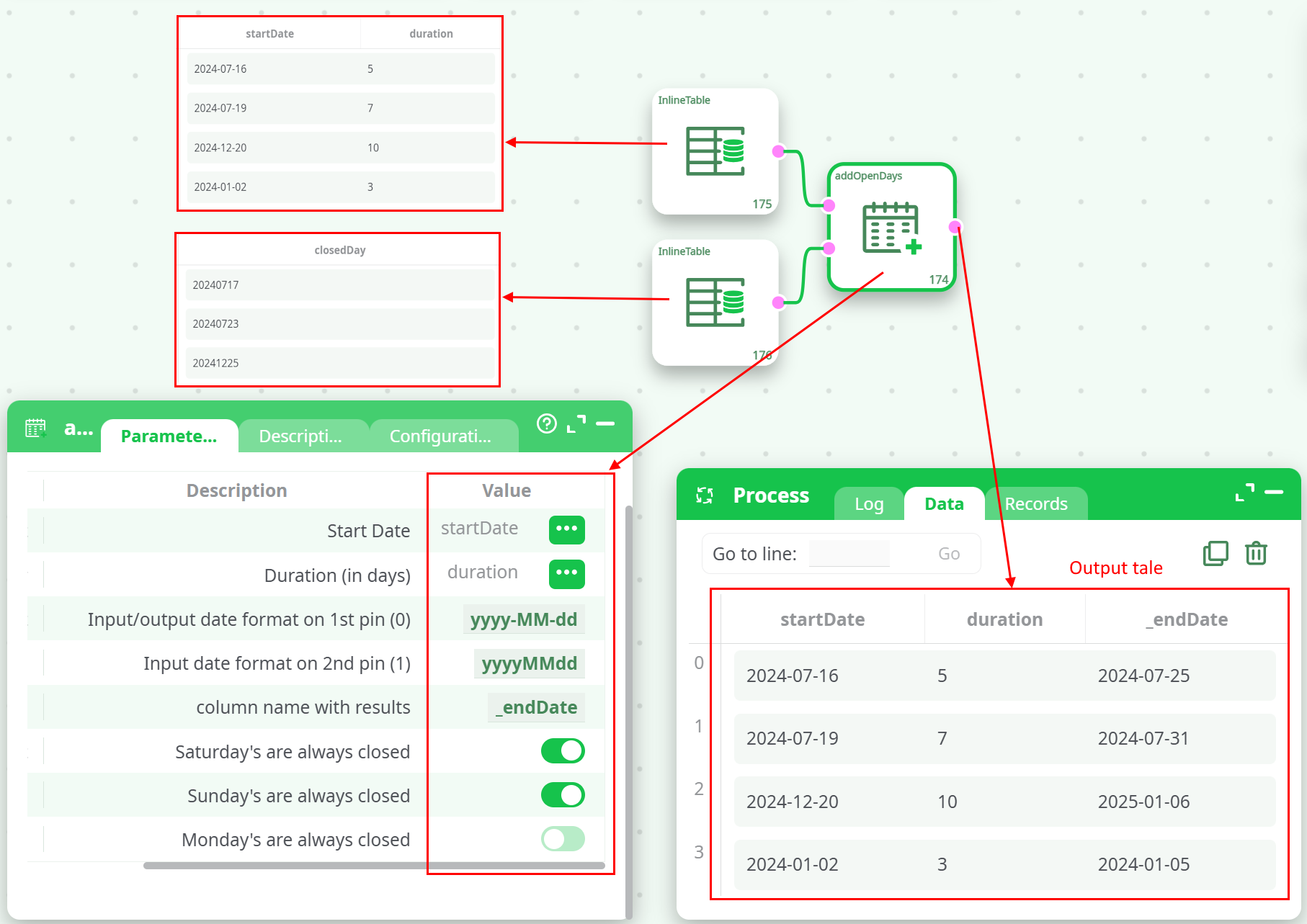
The action will generate a new column named _endDate with the computed end date by skipping:
- Saturdays and Sundays (as toggled)
- Dates listed in the 2nd input pin (
closedDaycolumn)
¶ Output Table
¶ How It Works – Step-by-Step
- The component reads a start date and a duration from the first input.
- It processes each record by adding open days, ignoring:
- Saturdays and Sundays (based on toggles)
- Any holiday dates found in the second pin
- Once the desired number of open days is accumulated, it records the resulting date in a new column (
_endDate).
ℹ️ Weekends can be toggled ON/OFF individually to reflect regional working calendars.
¶ Use Cases
- Business Deadline Calculation: Automatically compute deadlines that avoid weekends and holidays.
- Project Timeline Forecasting: Plan future project dates that only include working days.
- Factory Scheduling: Incorporate custom holiday calendars and non-working Saturdays.
Notes
- The input format for closed days must strictly follow theyyyyMMddpattern.
- If the second pin is empty, only the toggled weekend logic will be used.
- The new date column is added to the input dataset, preserving all original columns.