¶ Description
Process the column names so that they can be used inside a database.
¶ Parameters
¶ Parameters tab
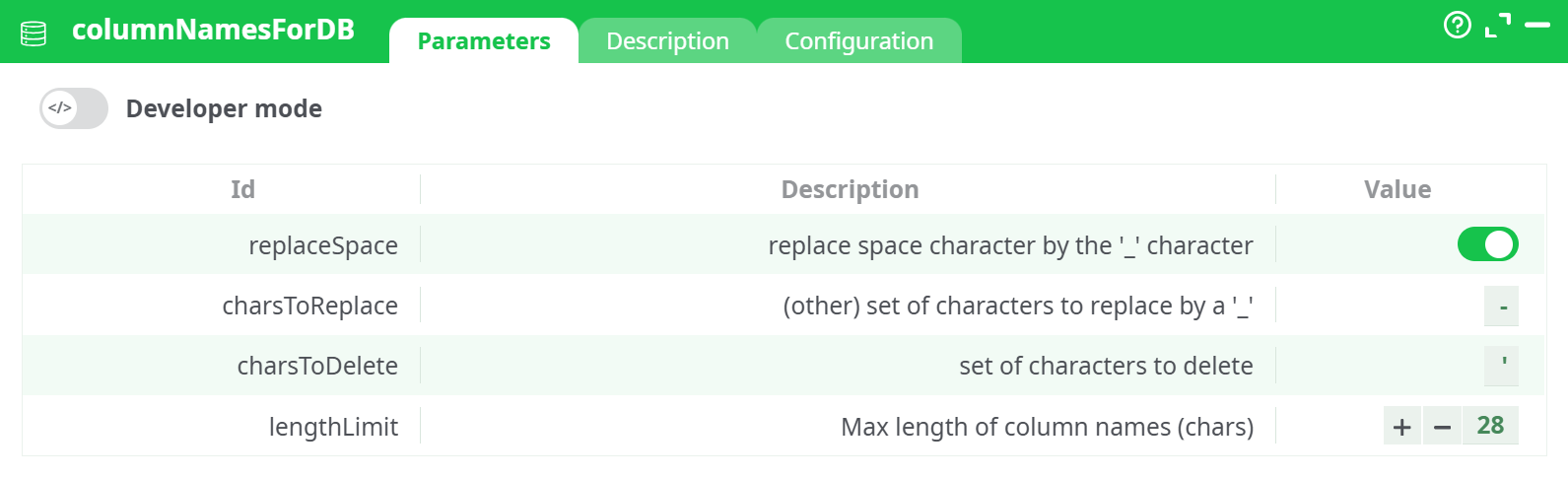
Parameters:
- Replace space character by the '_' character
- (other) set of characters to replace by a '_'
- Set of characters to delete
- Max length of column names
¶ Description tab
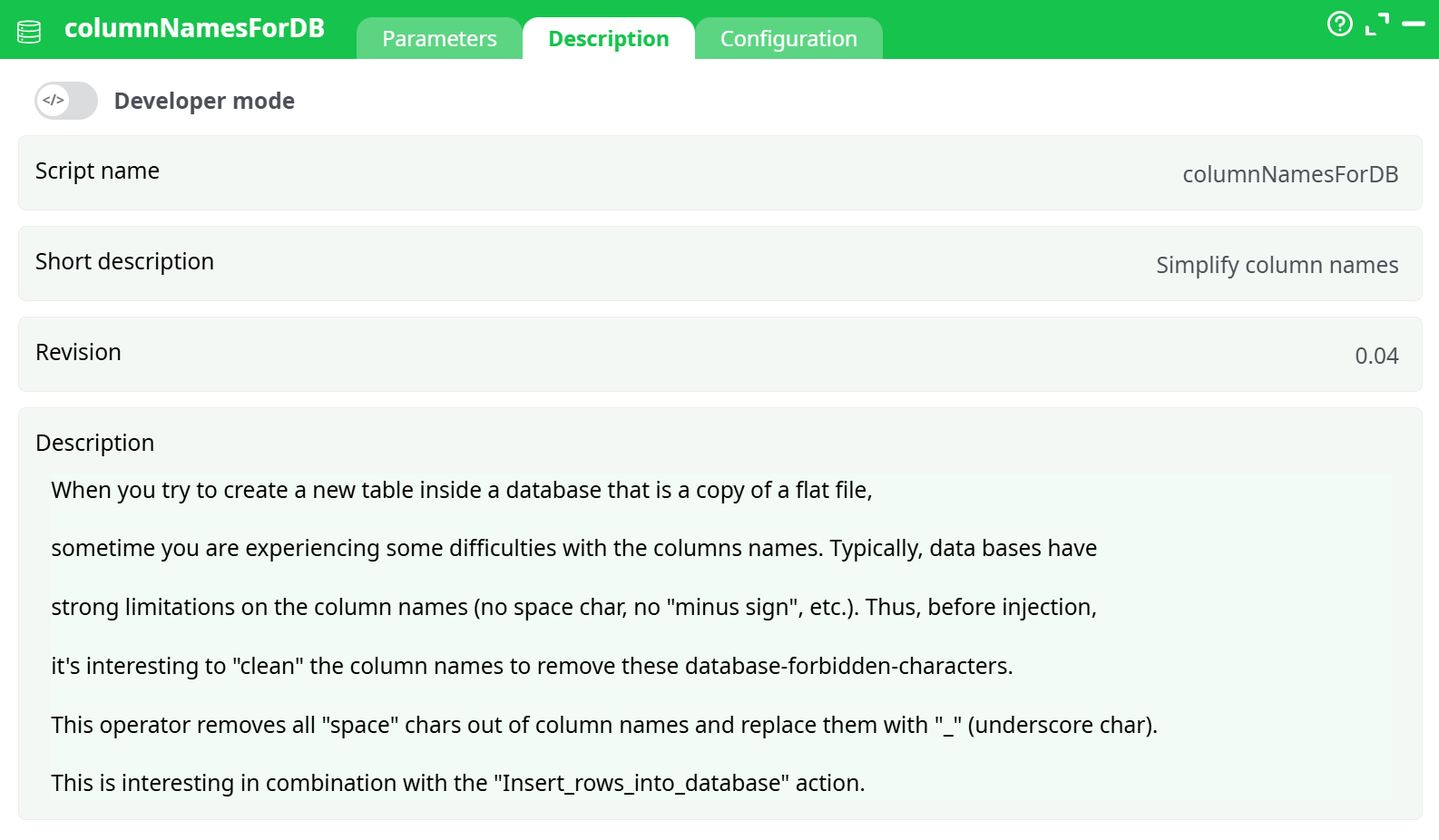
Parameters:
- Script name
- Short description
- Revision
- Description
¶ Configuration tab
See dedicated page for more information.
¶ About
When creating a new table in a database from a flat file, you may encounter issues due to incompatible column names. Many databases do not allow special characters such as spaces, minus signs (-), or quotes (') in column names.
This action prepares column headers for database usage by cleaning and standardizing them.
It is especially useful when used in combination with actions like Insert_rows_into_database.
¶ Input Example
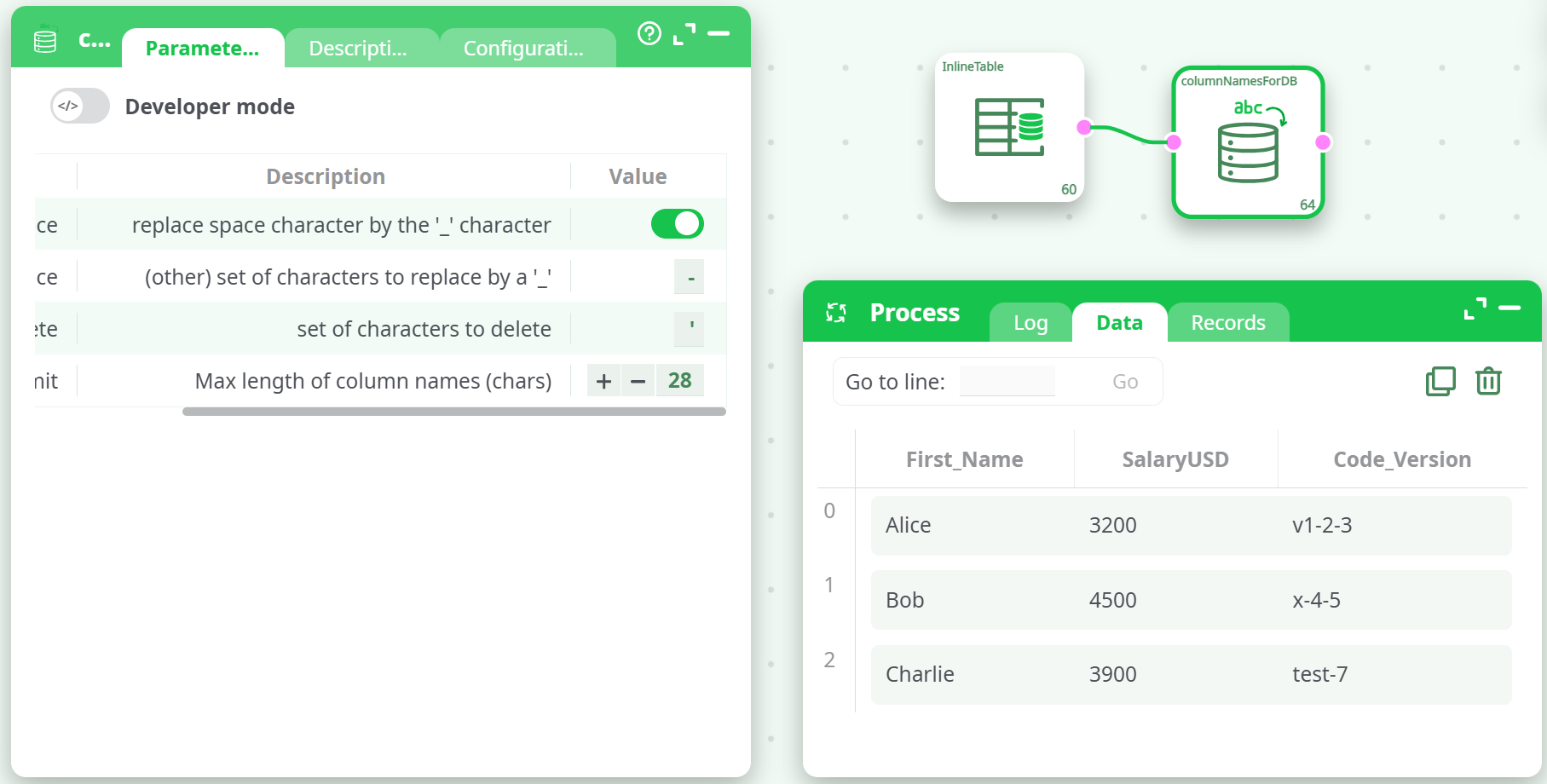
| First Name | Salary'USD | Code-Version |
|---|---|---|
| Alice | 3200 | v1-2-3 |
| Bob | 4500 | x-4-5 |
| Charlie | 3900 | test-7 |
¶ Result (after transformation)
¶ Notes
-
Column name compatibility: Most relational databases do not accept column names with spaces, special characters (like
',-,@,%, etc.), or names exceeding a certain length. This action helps ensure your dataset complies with common database standards. -
Replacement logic:
- Spaces are replaced with
_ifreplaceSpaceis enabled. - Characters in the
charsToReplacelist are also replaced with_. - Characters in the
charsToDeletelist are removed entirely. - The final column name is truncated to fit within the
lengthLimit(default is 28 characters).
- Spaces are replaced with
-
Safe for use with downstream database actions: By cleaning and normalizing column names, this action prevents issues when inserting data into SQL databases or exporting to formats like PostgreSQL, MySQL, or SQLite.
-
Best practice: Use this action after loading your data and before any database write operations.
-
Chaining: This step is often used right after actions like
readCSV,inlineTable, ormergeTablesand just beforeinsertIntoDBorcreateTableInDB.