¶ Description
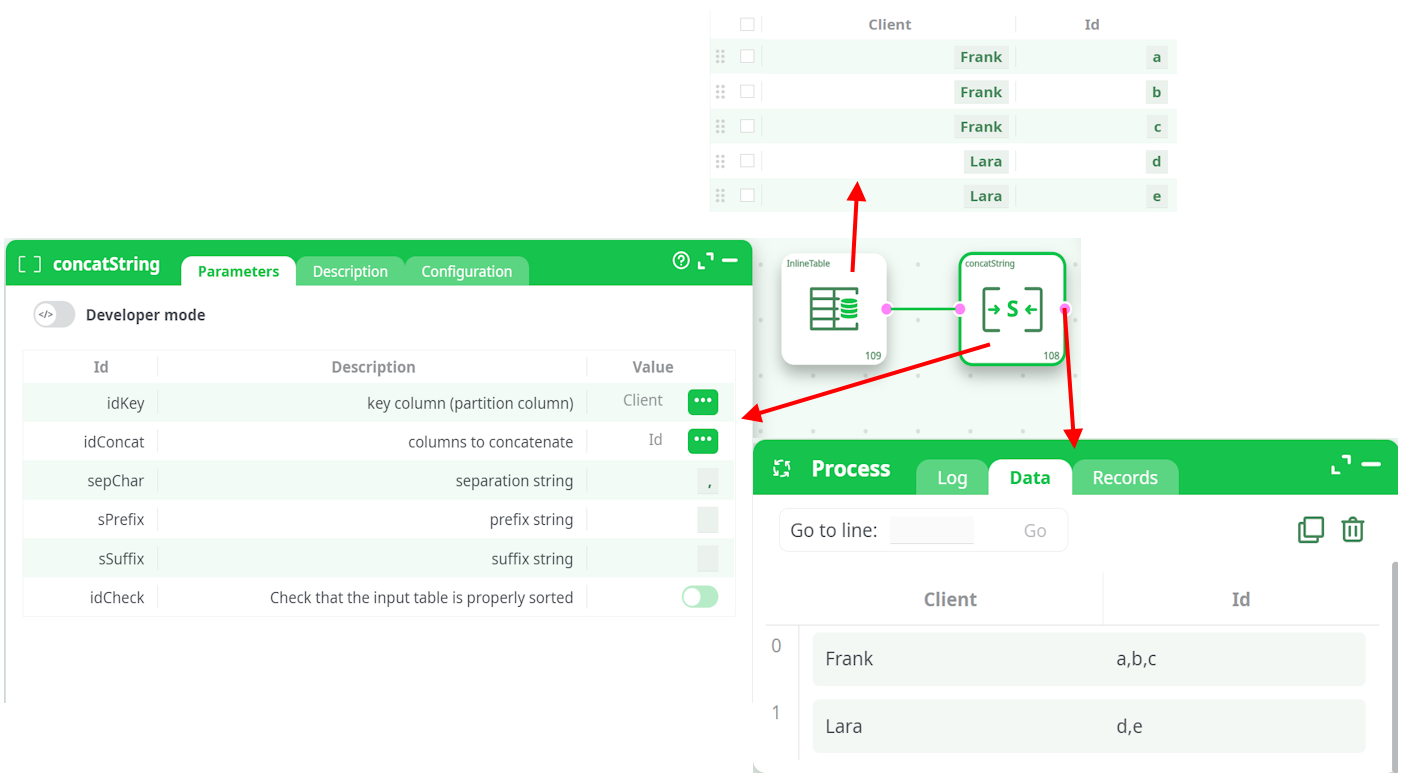
Aggregate Strings on different rows using the concatenation operation.
¶ Parameters
¶ Parameters tab
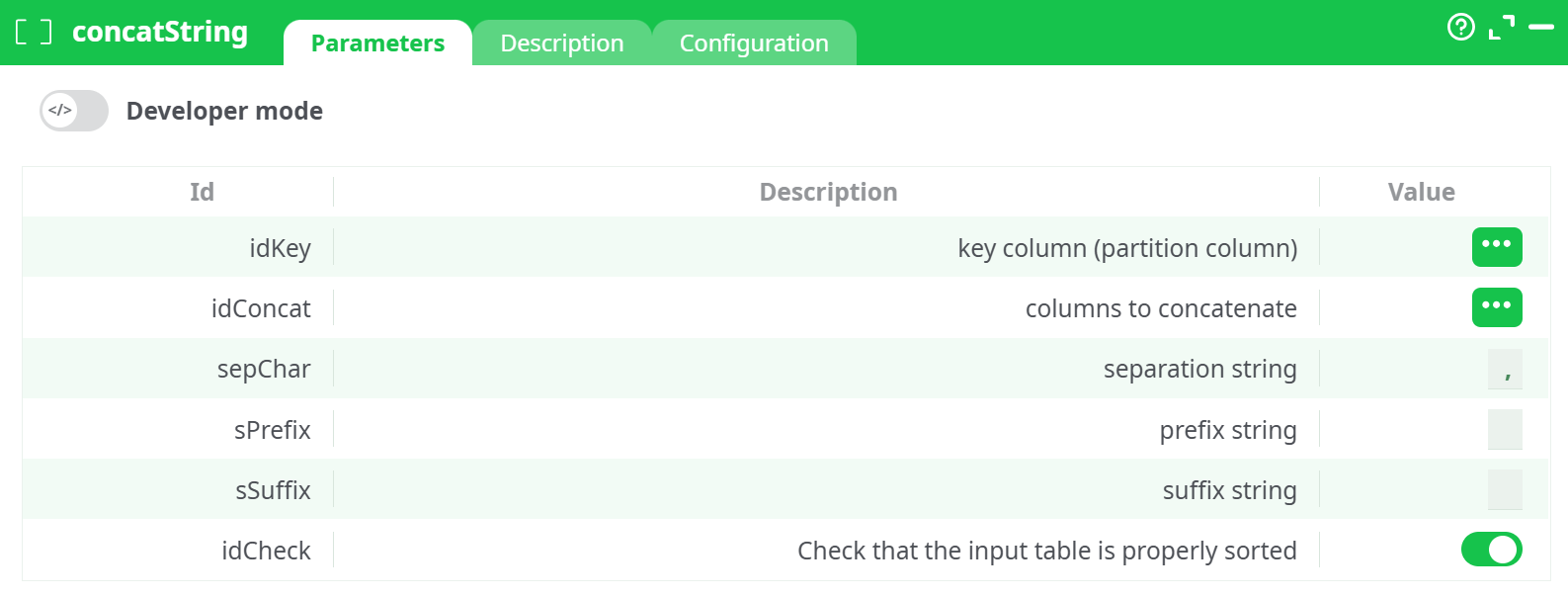
Parameters:
- parameters.concatString.idkey
- columns to concatenate
- separation string
- prefix string
- suffix string
- Check that the input table is properly sorted
¶ Description tab
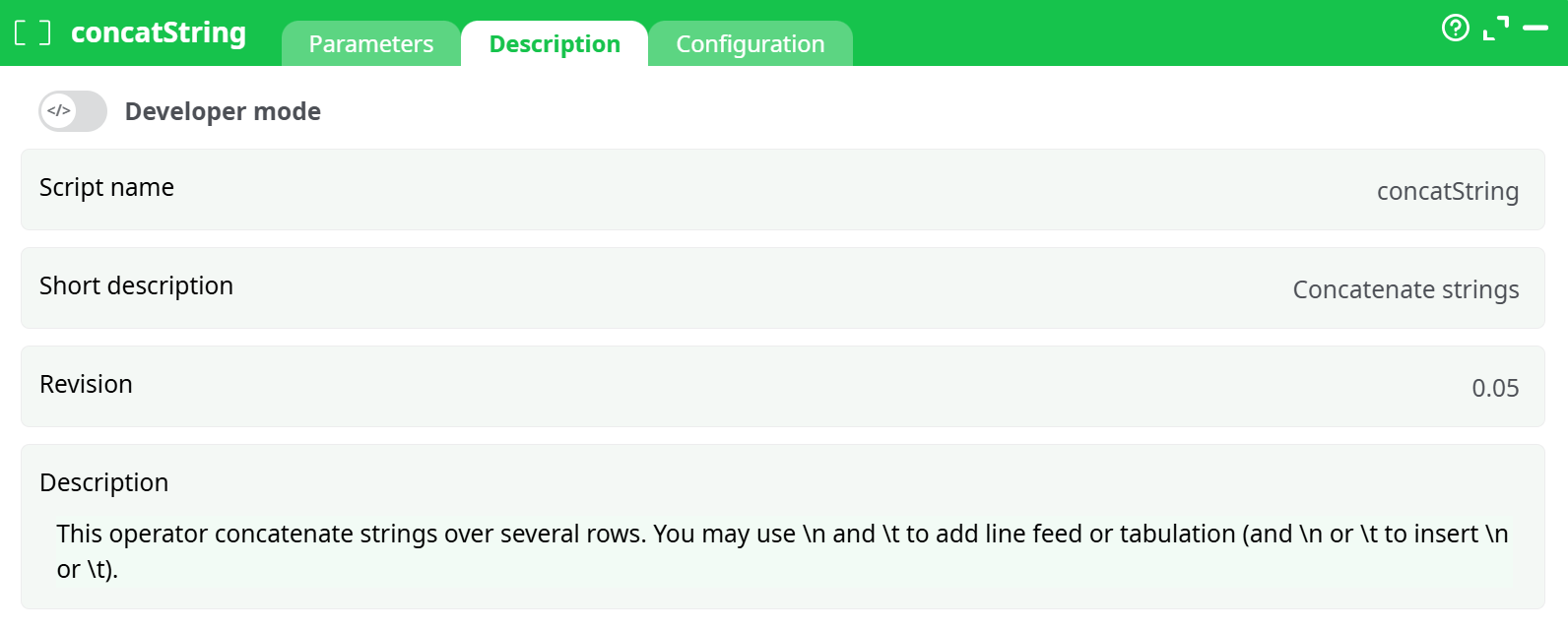
Parameters:
- Script name
- Short description
- Revision
- Description
¶ Configuration tab
See dedicated page for more information.
¶ About
The concatString action button is used to concatenate values from multiple rows into a single string, grouped by a specified key (partition column). This is particularly useful for aggregating text values, building summary lists, or restructuring data for reporting and export. It ensures flexibility through customization of separator, prefix, and suffix characters. The action supports newline (\n) and tab (\t) formatting as part of the output.
¶ Use Case
The concatString action is particularly useful when you want to group and merge string values across multiple rows into a single string, per key (partition). This operation is frequently used in data aggregation tasks such as:
- Building comma-separated lists: Grouping user IDs, tags, or product SKUs into a single field for reporting or further processing.
- Preparing payloads: Combining multiple fields into a single request string for APIs or notifications.
- Data normalization: Merging multiline values (e.g., multiple comments, addresses) into one formatted field.
For example, in CRM systems, if each row contains an activity for a customer, you can use concatString to collect all activity types into a single row per customer.
¶ Tips
- Ensure that the input table is sorted by the key column(s) before using this action. The option
idCheckcan be enabled to verify sorting. - You can customize the separator using the
sepCharparameter (e.g., comma, semicolon, newline\n, or tab\t). - Prefix and suffix can be added to each group by setting
sPrefixandsSuffix. This is useful when formatting for JSON-like outputs. - If you’re concatenating numeric or date fields, consider formatting them as strings beforehand to ensure proper joining.
Note:
- This action works best on large datasets when pre-sorted to minimize memory usage and increase efficiency.
- Special characters like
\nor\tin the separator field will be interpreted as newline or tab characters, allowing for multiline or tabulated concatenated output. - Only the columns specified in
idConcatare merged. All other columns are ignored unless part of the partition key.
¶ Let’s give an example: