¶ Description
Convert time between time zones.
¶ Parameters
¶ Parameters tab
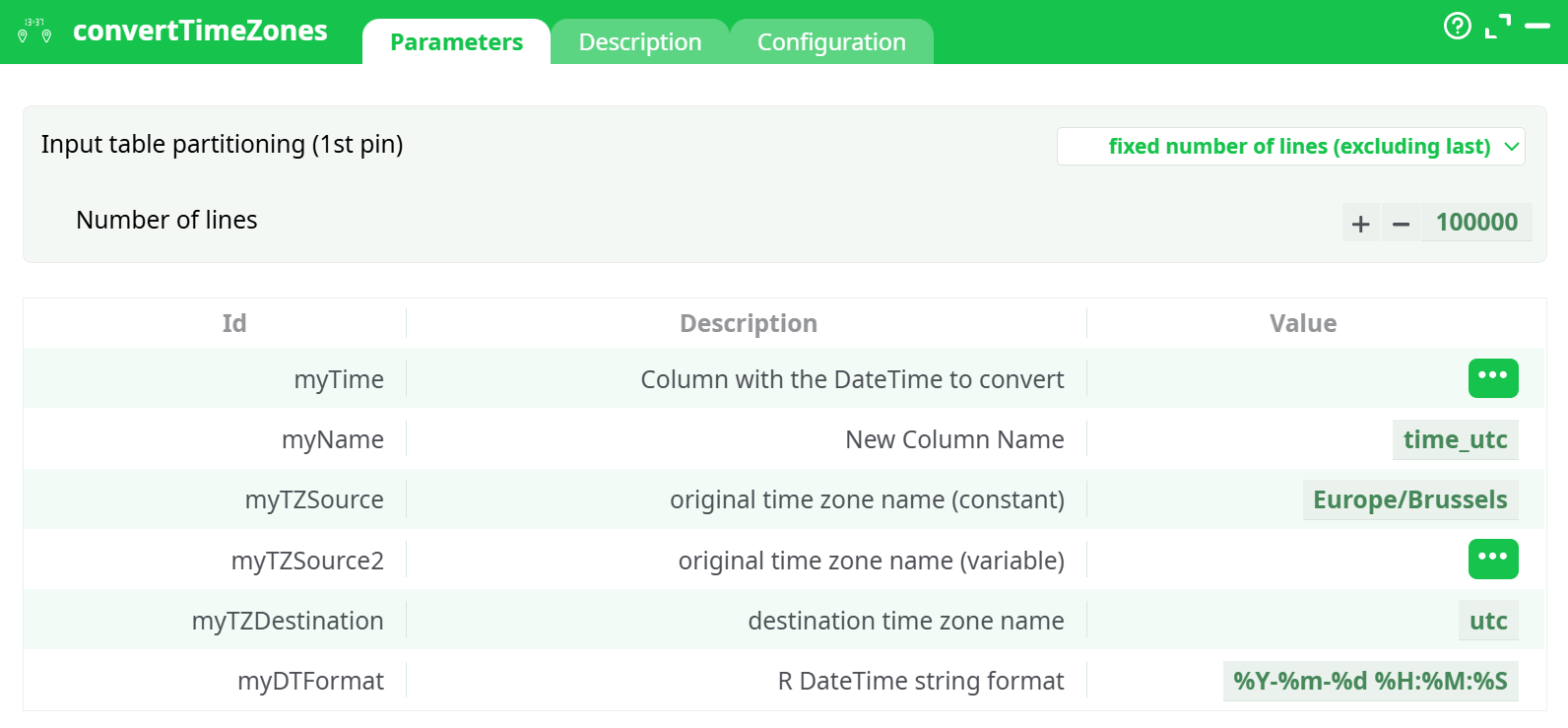
Parameters:
- Column with the DateTime to convert Column containing the DateTime to convert
- New Column Name Name for the new column with converted time
- original time zone name (constant) Constant source time zone
- original time zone name (variable) Variable source time zone column
- destination time zone name Target time zone
- R DateTime string format Output format (R syntax)
¶ Description tab
See dedicated page for more information.
¶ Configuration tab
See dedicated page for more information.
¶ About
The convertTimeZones action is designed to transform DateTime values from one time zone to another. It supports both constant and variable source time zones and allows users to define a destination time zone and a custom DateTime format. This operation is crucial for ensuring time consistency in globally distributed datasets, especially when performing time-based joins or aggregations across multiple time zones.
Partitioning Mode:
By default, the action uses fixed partitioning with 100,000 rows (can be configured under the partitioning section).
¶ Behavior
- If both
myTZSourceandmyTZSource2are provided, the action usesmyTZSource2(the column value) and ignores the constant time zone. - The output column (name specified by
myName) will contain the converted DateTime string formatted according tomyDTFormat. - This action is compatible with all time zones recognized by the IANA Time Zone Database.
¶ Use Cases
- Normalize event timestamps for cross-region systems (e.g., logs from Asia/Tokyo and America/New_York to UTC).
- Convert local user activity times to a central warehouse time zone for reporting.
- Prepare time-based columns before time-dimension joins or slicing in BI dashboards.
¶ Example
¶ Input Table
| id | event_time | tz_source_col |
|---|---|---|
| 1 | 2024-12-31 23:00:00 | Asia/Tokyo |
| 2 | 2024-07-01 12:30:00 | America/New_York |
| 3 | 2024-06-10 14:45:00 | Europe/Brussels |
¶ Parameters
myTime:event_timemyName:time_utcmyTZSource:Europe/BrusselsmyTZSource2:tz_source_colmyTZDestination:UTCmyDTFormat:%Y-%m-%d %H:%M:%S
¶ Output Table
| id | event_time | tz_source_col | time_utc |
|---|---|---|---|
| 1 | 2024-12-31 23:00:00 | Asia/Tokyo | 2024-12-31 14:00:00 |
| 2 | 2024-07-01 12:30:00 | America/New_York | 2024-07-01 16:30:00 |
| 3 | 2024-06-10 14:45:00 | Europe/Brussels | 2024-06-10 12:45:00 |
Notes:
When the parametermyTZSource2is provided, the constantmyTZSourceis ignored.
EnsuremyDTFormatfollows valid R DateTime syntax (e.g.,%Y-%m-%d %H:%M:%S).